

Toolkit for living boilerplate.
- Composable boilerplate mechanism.
- Git-powered conflict resolution for boilerplate update.
- Wrap common template tools (like
create-vite) as living boilerplates with@magicspace/boilerplate-command.
-
Install magicspace and the boilerplate-command package globally:
npm install --global magicspace @magicspace/boilerplate-command
-
Initialize a Git repository and create a magicspace configuration:
git init my-vite-app && cd my-vite-app

magicspace create @magicspace/boilerplate-command
Select an example and update the generated
.magicspace/boilerplate.jsonif needed. When the boilerplate exports typed options, magicspace also generates.magicspace/boilerplate.schema.jsonand wires$schemaautomatically. For vite, the config would look like this:{ "$schema": "boilerplate.schema.json", "boilerplate": "@magicspace/boilerplate-command", "options": { "commands": ["npx create-vite ."] } } -
Initialize magicspace:
magicspace init
-
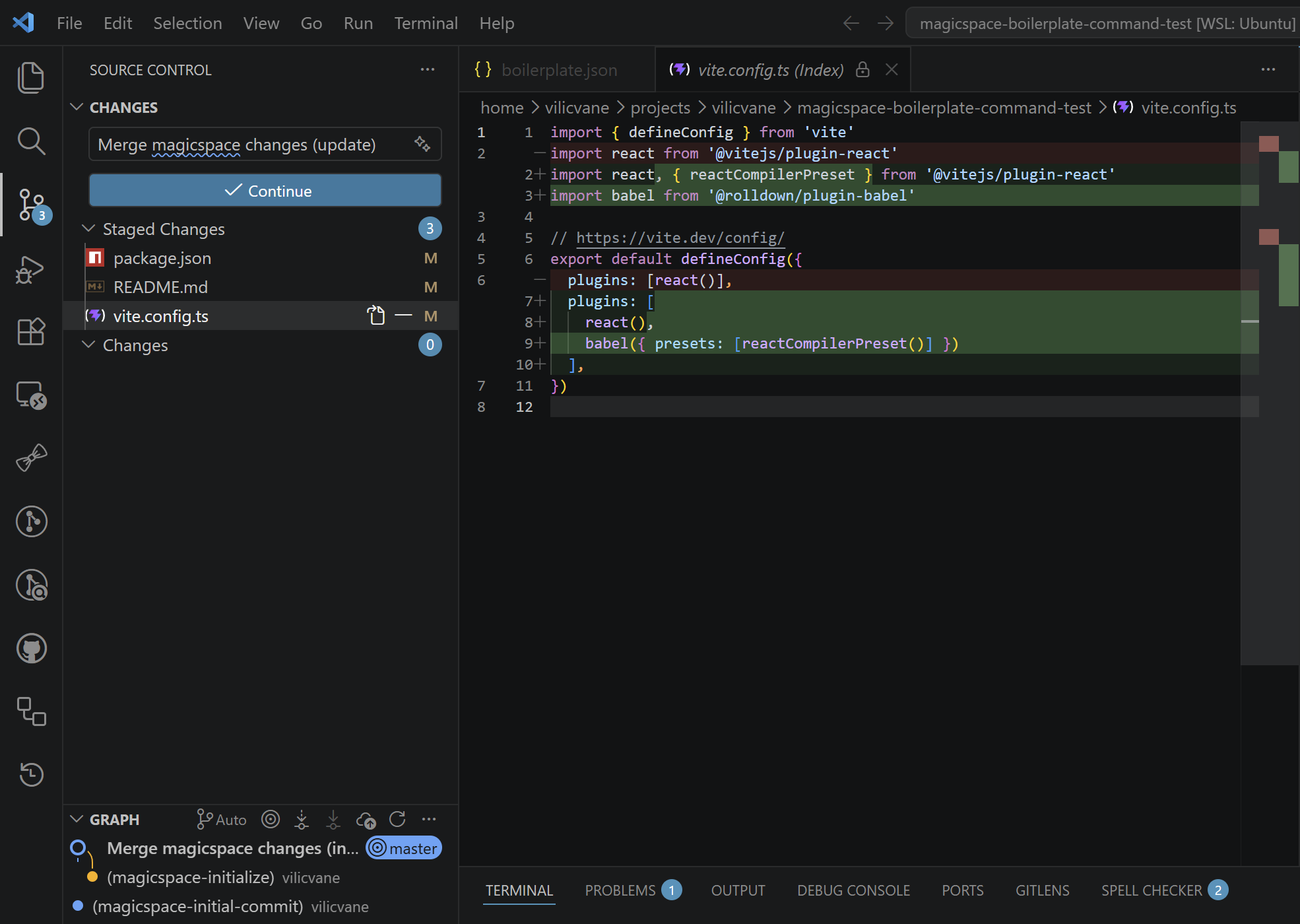
Review generated changes and commit to complete the merge.
Now whenever Vite releases a template update, simply run magicspace update to get a clean, conflict-aware diff merged into your project.
npm install --global magicspace-
Initialize Git repository.
-
Create magicspace configuration file:
magicspace create <boilerplate>
If the boilerplate exports typed options, magicspace generates
.magicspace/boilerplate.schema.jsonby default and adds$schemato.magicspace/boilerplate.json.For example, with a custom boilerplate package:
npm install --global @mufan/code-boilerplates
magicspace create @mufan/code-boilerplates/typescript
Or with
@magicspace/boilerplate-commandto wrap any scaffolding CLI:npm install --global @magicspace/boilerplate-command magicspace create @magicspace/boilerplate-command
Review the generated
.magicspace/boilerplate.jsonfile and make relevant changes. -
Initialize magicspace:
magicspace init
Magicspace will generate an initial patch and merge it into the current branch without committing changes.
-
Review generated changes, resolve conflicts if any (probably none as we are initializing an empty project).
-
Commit changes to complete the merge process initiated by magicspace; otherwise use
git merge --abortto abort the initialization.You would probably want to abort the merge process and initialize magicspace again if you need to make other changes to the configuration file during this process.
You may use
magicspace create+magicspace init --forceto initialize magicspace for an existing project. In this case, there may be conflicts to resolve during the initial merge. Just review the generated changes and resolve conflicts as you would with any Git merge.To keep everything ours during
magicspace init, you can also usemagicspace init --force --oursto automatically resolve conflicts in favor of the current branch.
-
After updating the boilerplate package or making changes to the magicspace configuration file:
magicspace update
Magicspace will generate an update patch and merge it into the current branch without committing changes.
-
Review generated changes and resolve conflicts if any.
-
Commit changes to complete the merge process initiated by magicspace; otherwise use
git merge --abortto abort the update.
If the boilerplate package changes its option shape or you want to refresh .magicspace/boilerplate.schema.json, run:
magicspace update-schemaThis updates the generated JSON schema for single-boilerplate configs without changing project files.
- @mufan/code-boilerplates the magicspace boilerplates widely used in our projects, keeps project configurations and structures up-to-date cross years.
MIT License.