A Millennium plugin that shows ProtonDB compatibility ratings directly on Steam store pages - no browser extension required.


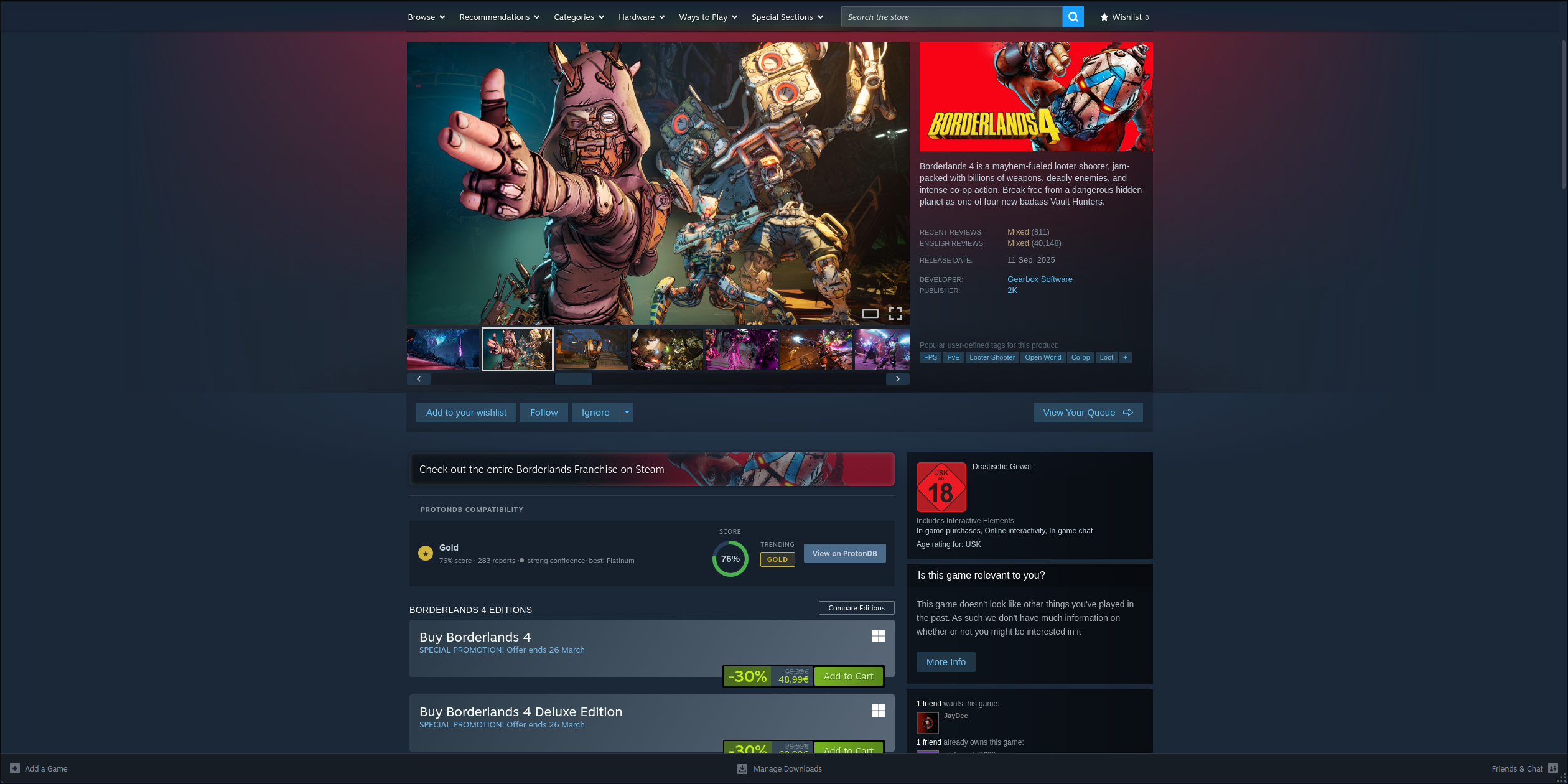
When you open any game's store page in the Steam client, a ProtonDB Compatibility section appears above the buy/download cards - styled to match Steam's native UI sections like Steam Deck Compatibility.
It shows:
- Tier (Platinum / Gold / Silver / Bronze / Borked / Native) with a color-coded icon
- Score ring - community percentage score
- Trending tier - whether the game's rating is improving
- Confidence indicator - colored dot showing how well-supported the rating is (green = high, yellow = medium, red = low)
- Report freshness - how recently the data was last updated
- Linux native badge - detected from the store page's platform icons
- No reports state - a subtle prompt to submit a report for games with no ProtonDB data
- Borked warning - distinct red-tinted row for games confirmed not to run under Proton
Updates automatically as you browse between store pages - no reload needed.
Results are cached in localStorage for 1 hour and survive Steam restarts, so repeat visits are instant. DLC pages are silently skipped.
Once listed, install directly from the Plugins tab in Steam.
- Install Millennium
- Download the latest
protondb-vX.X.X.zipfrom the Releases page - Extract into your plugins folder so the path is
~/.local/share/millennium/plugins/protondb/ - Enable ProtonDB in Steam → Settings → Millennium → Plugins
- Install Millennium
- Clone into your plugins folder:
git clone https://github.com/unicxrn/protondb-millennium ~/.local/share/millennium/plugins/protondb - Build:
cd ~/.local/share/millennium/plugins/protondb
pnpm install && pnpm run build
- Enable ProtonDB in Steam → Settings → Millennium → Plugins
pnpm install

pnpm run build   # production build
pnpm run dev     # watch mode for development
Output is written to .millennium/Dist/.
- Backend - a Lua module (
backend/main.lua) fetches data from the ProtonDB API via Millennium's HTTP client. This avoids CORS restrictions that would block a direct browser fetch from Steam's store domain. - Frontend - a webkit script (
webkit/index.tsx) is automatically injected into Steam store page browser contexts by Millennium. It calls the Lua backend via IPC, builds the widget as native DOM elements, and injects it above the purchase cards.
MIT - see LICENSE
Data provided by ProtonDB. Built with Millennium.