Dynamic configuration for JavaScript and TypeScript applications.



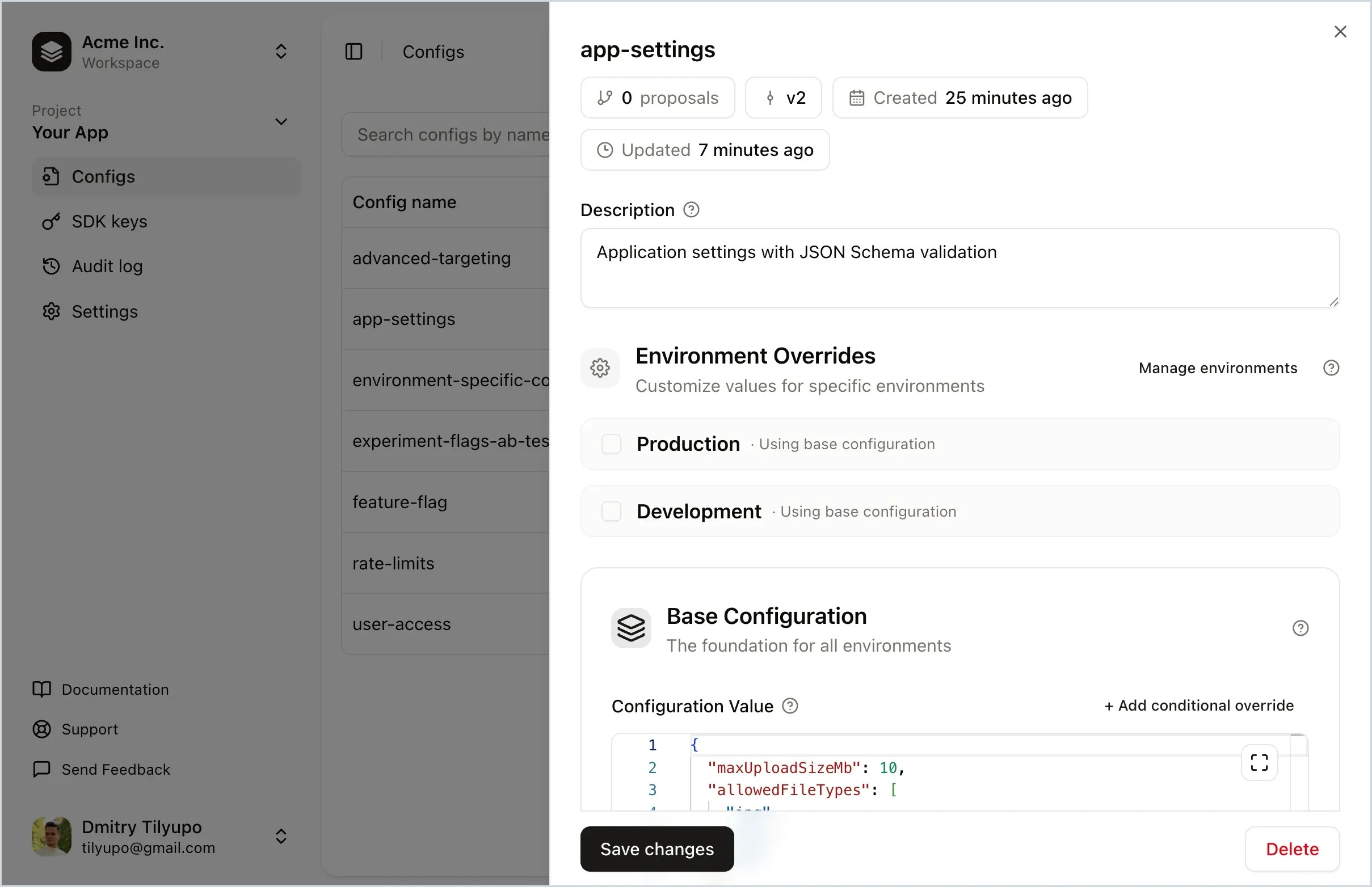
Replane is a dynamic configuration manager that lets you tweak your software without running scripts or building your own admin panel. Store feature flags, rate limits, UI text, log level, rollout percentage, and more. Delegate editing to teammates and share config across services. No redeploys needed.
- Feature flags – toggle features, run A/B tests, roll out to user segments
- Operational tuning – adjust limits, TTLs, and timeouts without redeploying
- Per-environment settings – different values for production, staging, dev
- Incident response – instantly revert to a known-good version
- Cross-service configuration – share settings with realtime sync
- Non-engineer access – safe editing with schema validation
| Package | Description | Links |
|---|---|---|
@replanejs/sdk |
Core SDK for Node.js, Deno, Bun, and browsers |  · GitHub · GitHub |
@replanejs/react |
React bindings with hooks and context |  · GitHub · GitHub |
@replanejs/next |
Next.js SDK with SSR/SSG support |  · GitHub · GitHub |
@replanejs/svelte |
Svelte bindings with stores |  · GitHub · GitHub |
npm install @replanejs/sdkimport { Replane } from "@replanejs/sdk";
const replane = new Replane();
await replane.connect({
sdkKey: process.env.REPLANE_SDK_KEY!,
baseUrl: "https://replane.example.com",
});
const featureEnabled = replane.get("my-feature");npm install @replanejs/reactimport { ReplaneProvider, useConfig } from "@replanejs/react";
function App() {
return (
<ReplaneProvider
options={{
baseUrl: "https://replane.example.com",
sdkKey: process.env.REPLANE_SDK_KEY!,
}}
>
<MyComponent />
</ReplaneProvider>
);
}
function MyComponent() {
const featureEnabled = useConfig("my-feature");
return featureEnabled ? <NewFeature /> : <OldFeature />;
}npm install @replanejs/nextApp Router:
// app/layout.tsx
import { ReplaneRoot } from "@replanejs/next";

export default async function RootLayout({ children }: { children: React.ReactNode }) {
  return (
    <html>
      <body>
        <ReplaneRoot
          options={{
            baseUrl: process.env.NEXT_PUBLIC_REPLANE_BASE_URL!,
            sdkKey: process.env.NEXT_PUBLIC_REPLANE_SDK_KEY!,
          }}
        >
          {children}
        </ReplaneRoot>
      </body>
    </html>
  );
}

// app/page.tsx (client component)
("use client");
import { useConfig } from "@replanejs/next";

export default function Page() {
  const theme = useConfig<{ darkMode: boolean }>("theme");
  return <div>{theme.darkMode ? "Dark" : "Light"}</div>;
}npm install @replanejs/svelte<!-- +layout.svelte -->
<script>
import { ReplaneContext } from "@replanejs/svelte";
</script>
<ReplaneContext
options={{
baseUrl: "https://replane.example.com",
sdkKey: "your-sdk-key",
}}
>
<slot />
</ReplaneContext><!-- Component.svelte -->
<script>
import { config } from "@replanejs/svelte";
const feature = config("my-feature");
</script>
{#if $feature}
<NewFeature />
{:else}
<OldFeature />
{/if}- Realtime updates — Configs update instantly via Server-Sent Events (SSE)
- Context-based overrides — Feature flags, A/B testing, gradual rollouts
- Type-safe — Full TypeScript support with generics and inference
- Framework integrations — React, Next.js, Svelte, and more
- Tiny footprint — Zero runtime dependencies in core SDK
- SSR/SSG support — Server-side rendering with hydration
See the package directories for complete working examples:
packages/sdk/examples— Core SDK usagepackages/react/examples— React integrationpackages/next/examples— Next.js (App Router & Pages Router)packages/svelte/examples— SvelteKit
This is a monorepo managed with pnpm workspaces.
# Install dependencies
pnpm install

# Build all packages
pnpm build

# Run tests
pnpm test

# Type check
pnpm typecheckSee CONTRIBUTING.md for development setup and contribution guidelines.
Have questions or want to discuss Replane? Join the conversation in GitHub Discussions.
MIT