[codex] Add Android mobile support#3579
Conversation


|
Important Review skippedAuto reviews are disabled on this repository. Please check the settings in the CodeRabbit UI or the ⚙️ Run configurationConfiguration used: Repository UI Review profile: CHILL Plan: Pro Run ID: You can disable this status message by setting the Use the checkbox below for a quick retry:
✨ Finishing Touches🧪 Generate unit tests (beta)
Comment |
 github-actions
Bot
added
vouch:trusted
github-actions
Bot
added
vouch:trusted
![macroscopeapp[bot]](https://avatars.githubusercontent.com/in/900172?s=60&v=4)
| if (Platform.OS !== "android") return; | ||
| onExpandedChange?.(isExpanded); | ||
| }, [isExpanded, onExpandedChange]); |

There was a problem hiding this comment.
🟡 Medium threads/ThreadComposer.tsx:221
On Android, isExpanded stays true when the editor has content but is blurred, so the useEffect calls onExpandedChange(true). The parent (ThreadDetailScreen) then sets composerBottomInset to 0, removing the bottom safe-area padding even though the keyboard is dismissed — the blurred composer can overlap the system gesture/navigation area. Consider reporting isFocused to onExpandedChange instead of isExpanded, since the parent uses this signal to decide whether safe-area padding is needed.
    if (Platform.OS !== "android") return;
-    onExpandedChange?.(isExpanded);
-  }, [isExpanded, onExpandedChange]);
+    onExpandedChange?.(isFocused);
+  }, [isFocused, onExpandedChange]);
🚀 Reply "fix it for me" or copy this AI Prompt for your agent:
In file @apps/mobile/src/features/threads/ThreadComposer.tsx around lines 221-223:

On Android, `isExpanded` stays `true` when the editor has content but is blurred, so the `useEffect` calls `onExpandedChange(true)`. The parent (`ThreadDetailScreen`) then sets `composerBottomInset` to `0`, removing the bottom safe-area padding even though the keyboard is dismissed — the blurred composer can overlap the system gesture/navigation area. Consider reporting `isFocused` to `onExpandedChange` instead of `isExpanded`, since the parent uses this signal to decide whether safe-area padding is needed.
| public func scrollViewWillBeginDragging(_ scrollView: UIScrollView) { | ||
| // A direct gesture takes ownership from any interrupted programmatic jump. | ||
| // Resume visible-file events immediately so the inspector follows the finger. | ||
| isProgrammaticScrollActive = false | ||
| contentView.isVerticalScrollActive = true | ||
| } |
There was a problem hiding this comment.
🟡 Medium ios/T3ReviewDiffView.swift:394
scrollViewWillBeginDragging clears isProgrammaticScrollActive but leaves pendingScrollFileId and pendingScrollAnimated set. If scrollToFile was queued before the target header existed (e.g. rows still decoding), a later setRowsJson calls applyPendingScrollIfNeeded() and jumps to the old target, overriding the user's manual scroll. Clear the pending scroll request when the user takes control.
| public func scrollViewWillBeginDragging(_ scrollView: UIScrollView) { | |
| // A direct gesture takes ownership from any interrupted programmatic jump. | |
| // Resume visible-file events immediately so the inspector follows the finger. | |
| isProgrammaticScrollActive = false | |
| contentView.isVerticalScrollActive = true | |
| } | |
| public func scrollViewWillBeginDragging(_ scrollView: UIScrollView) { | |
| // A direct gesture takes ownership from any interrupted programmatic jump. | |
| // Resume visible-file events immediately so the inspector follows the finger. | |
| isProgrammaticScrollActive = false | |
| pendingScrollFileId = nil | |
| pendingScrollAnimated = false | |
| contentView.isVerticalScrollActive = true | |
| } |
🚀 Reply "fix it for me" or copy this AI Prompt for your agent:
In file @apps/mobile/modules/t3-review-diff/ios/T3ReviewDiffView.swift around lines 394-399:

`scrollViewWillBeginDragging` clears `isProgrammaticScrollActive` but leaves `pendingScrollFileId` and `pendingScrollAnimated` set. If `scrollToFile` was queued before the target header existed (e.g. rows still decoding), a later `setRowsJson` calls `applyPendingScrollIfNeeded()` and jumps to the old target, overriding the user's manual scroll. Clear the pending scroll request when the user takes control.
| paddingTop: 8, | ||
| paddingBottom: target ? 0 : Math.max(insets.bottom, 18), | ||
| paddingTop: isAndroid ? insets.top + 8 : 8, | ||
| paddingBottom: target ? (isAndroid ? 72 : 0) : Math.max(insets.bottom, 18), |
There was a problem hiding this comment.
🟡 Medium review/ReviewCommentComposerSheet.tsx:174
The hard-coded 72 px paddingBottom on Android assumes the KeyboardStickyView footer is always 72 px tall, but the footer height is actually 44 (button) + 8 (pt-2) + Math.max(insets.bottom, 10). On devices where insets.bottom exceeds ~20 (e.g. iPhones with a home indicator, where it can be ~34), the footer is taller than 72 px and overlaps the bottom of the comment input and attachment strip, hiding them from view and making them untappable. The padding should be computed from the actual footer height instead of hard-coded.
-            paddingBottom: target ? (isAndroid ? 72 : 0) : Math.max(insets.bottom, 18),
+            paddingBottom: target ? (isAndroid ? Math.max(insets.bottom, 10) + 52 : 0) : Math.max(insets.bottom, 18),
🚀 Reply "fix it for me" or copy this AI Prompt for your agent:
In file @apps/mobile/src/features/review/ReviewCommentComposerSheet.tsx around line 174:

The hard-coded `72` px `paddingBottom` on Android assumes the `KeyboardStickyView` footer is always 72 px tall, but the footer height is actually `44` (button) + `8` (`pt-2`) + `Math.max(insets.bottom, 10)`. On devices where `insets.bottom` exceeds ~20 (e.g. iPhones with a home indicator, where it can be ~34), the footer is taller than 72 px and overlaps the bottom of the comment input and attachment strip, hiding them from view and making them untappable. The padding should be computed from the actual footer height instead of hard-coded.
 juliusmarminge
force-pushed
the
android-dev-pr-3514
branch
from
juliusmarminge
force-pushed
the
android-dev-pr-3514
branch
from
927d43b to
212ac28
Compare
juliusmarminge
changed the base branch from
main
to
t3code/ipad-responsive-mobile-layout
| accessibilityLabel: `Archive ${props.thread.title}`, | ||
| icon: "archivebox", | ||
| label: "Archive", | ||
| onPress: props.onArchive, |
There was a problem hiding this comment.
🟡 Medium home/HomeScreen.tsx:299
The Archive swipe action passes props.onArchive directly as onPress, so tapping it does not close the swipeable row first. The Delete action calls swipeableMethods.close() before deleting, but Archive skips that step — the row stays open with action buttons visible, and openSwipeableRef in HomeScreen is never cleared via onSwipeableClose. Wrap the archive handler to close the swipeable first, matching the Delete behavior.
| onPress: props.onArchive, | |
| onPress: () => { | |
| swipeableRef.current?.close(); | |
| props.onArchive(); | |
| }, |
🚀 Reply "fix it for me" or copy this AI Prompt for your agent:
In file @apps/mobile/src/features/home/HomeScreen.tsx around line 299:

The Archive swipe action passes `props.onArchive` directly as `onPress`, so tapping it does not close the swipeable row first. The Delete action calls `swipeableMethods.close()` before deleting, but Archive skips that step — the row stays open with action buttons visible, and `openSwipeableRef` in `HomeScreen` is never cleared via `onSwipeableClose`. Wrap the archive handler to close the swipeable first, matching the Delete behavior.
| view.setSpellCheck(spellCheck) | ||
| } | ||
|
|
||
| Events( |
There was a problem hiding this comment.
🟡 Medium t3composereditor/T3ComposerEditorModule.kt:48
The Events(...) declaration omits onComposerSubmit, and T3ComposerEditorView defines no corresponding EventDispatcher or hardware-keyboard handler. As a result, the onSubmit prop exposed by ComposerEditorProps is never invoked on Android — hardware-keyboard submit that works on iOS silently does nothing here. Consider adding "onComposerSubmit" to the Events list, wiring up an onComposerSubmit dispatcher in the view, and detecting the submit key combination (e.g., Enter without Shift) to fire it.
🚀 Reply "fix it for me" or copy this AI Prompt for your agent:
In file @apps/mobile/modules/t3-composer-editor/android/src/main/java/expo/modules/t3composereditor/T3ComposerEditorModule.kt around line 48:

The `Events(...)` declaration omits `onComposerSubmit`, and `T3ComposerEditorView` defines no corresponding `EventDispatcher` or hardware-keyboard handler. As a result, the `onSubmit` prop exposed by `ComposerEditorProps` is never invoked on Android — hardware-keyboard submit that works on iOS silently does nothing here. Consider adding `"onComposerSubmit"` to the `Events` list, wiring up an `onComposerSubmit` dispatcher in the view, and detecting the submit key combination (e.g., Enter without Shift) to fire it.
| backgroundColorValue, | ||
| cursorColorValue, | ||
| paletteColors, | ||
| ) |
There was a problem hiding this comment.
🟡 Medium t3terminal/T3TerminalView.kt:252
createTerminal() assigns the result of GhosttyBridge.nativeCreate() directly to terminalHandle without checking for a 0 return value, which indicates native session creation failed. When this happens, terminalHandle stays 0L and emitResize() proceeds to fire onResize and call feedPendingBuffer()/renderSnapshot() as if the terminal were live, so the JS layer never learns creation failed and the view stays blank. Consider checking the return value and emitting an error event when it is 0.
🚀 Reply "fix it for me" or copy this AI Prompt for your agent:
In file @apps/mobile/modules/t3-terminal/android/src/main/java/expo/modules/t3terminal/T3TerminalView.kt around line 252:

`createTerminal()` assigns the result of `GhosttyBridge.nativeCreate()` directly to `terminalHandle` without checking for a `0` return value, which indicates native session creation failed. When this happens, `terminalHandle` stays `0L` and `emitResize()` proceeds to fire `onResize` and call `feedPendingBuffer()`/`renderSnapshot()` as if the terminal were live, so the JS layer never learns creation failed and the view stays blank. Consider checking the return value and emitting an error event when it is `0`.
| ``` | ||
|
|
||
| The script downloads Zig 0.15.2 when needed, checks out the pinned upstream Ghostty revision, and | ||
| rebuilds all four Android ABIs with 16 KB page-size support. |
There was a problem hiding this comment.
🟡 Medium t3-terminal/README.md:50
The new README section states the script rebuilds "all four Android ABIs with 16 KB page-size support," but build-libghostty-android.sh never passes -Wl,-z,max-page-size=16384 and -Wl,-z,common-page-size=16384 to the linker. A developer following these instructions will rebuild and vendor .so files that are not 16 KB-page compatible while the docs claim otherwise. Add the required linker flags to the script so the rebuilt libraries match the documented behavior.
🚀 Reply "fix it for me" or copy this AI Prompt for your agent:
In file @apps/mobile/modules/t3-terminal/README.md around line 50:

The new README section states the script rebuilds "all four Android ABIs with 16 KB page-size support," but `build-libghostty-android.sh` never passes `-Wl,-z,max-page-size=16384` and `-Wl,-z,common-page-size=16384` to the linker. A developer following these instructions will rebuild and vendor `.so` files that are not 16 KB-page compatible while the docs claim otherwise. Add the required linker flags to the script so the rebuilt libraries match the documented behavior.
| Prop("editable") { view: T3ComposerEditorView, editable: Boolean -> | ||
| view.setEditable(editable) | ||
| } | ||
| Prop("scrollEnabled") { view: T3ComposerEditorView, scrollEnabled: Boolean -> |
There was a problem hiding this comment.
🟡 Medium t3composereditor/T3ComposerEditorModule.kt:35
The scrollEnabled prop does not actually disable scrolling. setScrollEnabled only toggles editor.isVerticalScrollBarEnabled, which controls whether the scrollbar is drawn — not whether the view scrolls. When scrollEnabled={false} is passed from JS, the editor remains scrollable and only the scrollbar disappears, so the prop silently does not work. Consider disabling touch interception or overriding onTouchEvent to actually prevent scrolling when scrollEnabled is false.
Also found in 1 other location(s)
apps/mobile/modules/t3-composer-editor/android/src/main/java/expo/modules/t3composereditor/T3ComposerEditorView.kt:199
setScrollEnabled()at line199only assignseditor.isVerticalScrollBarEnabled. Android'ssetVerticalScrollBarEnabled()controls whether the scrollbar is drawn, not whether anEditTextcan actually scroll. When callers passscrollEnabled=false, long composer contents can still be vertically scrolled; only the scrollbar disappears, so the exposed prop does not work on Android.
🚀 Reply "fix it for me" or copy this AI Prompt for your agent:
In file @apps/mobile/modules/t3-composer-editor/android/src/main/java/expo/modules/t3composereditor/T3ComposerEditorModule.kt around line 35:

The `scrollEnabled` prop does not actually disable scrolling. `setScrollEnabled` only toggles `editor.isVerticalScrollBarEnabled`, which controls whether the scrollbar is drawn — not whether the view scrolls. When `scrollEnabled={false}` is passed from JS, the editor remains scrollable and only the scrollbar disappears, so the prop silently does not work. Consider disabling touch interception or overriding `onTouchEvent` to actually prevent scrolling when `scrollEnabled` is false.

Also found in 1 other location(s):
- apps/mobile/modules/t3-composer-editor/android/src/main/java/expo/modules/t3composereditor/T3ComposerEditorView.kt:199 -- `setScrollEnabled()` at line `199` only assigns `editor.isVerticalScrollBarEnabled`. Android's `setVerticalScrollBarEnabled()` controls whether the scrollbar is drawn, not whether an `EditText` can actually scroll. When callers pass `scrollEnabled=false`, long composer contents can still be vertically scrolled; only the scrollbar disappears, so the exposed prop does not work on Android.
| </> | ||
| )} | ||
|
|
||
| <GitActionProgressOverlay progress={gitActionProgress} onDismiss={dismissGitActionResult} /> |
There was a problem hiding this comment.
🟡 Medium threads/ThreadRouteScreen.tsx:725
GitActionProgressOverlay positions itself at insets.top + 48, which was calibrated for the native iOS header. On Android, the new AndroidScreenHeader is Math.max(insets.top, 12) + 58 tall, so the overlay renders ~10px inside the header and overlaps the title and action buttons while a git action is running or after it completes. Consider passing a platform-aware top offset to GitActionProgressOverlay so it clears the Android header.
🚀 Reply "fix it for me" or copy this AI Prompt for your agent:
In file @apps/mobile/src/features/threads/ThreadRouteScreen.tsx around line 725:

`GitActionProgressOverlay` positions itself at `insets.top + 48`, which was calibrated for the native iOS header. On Android, the new `AndroidScreenHeader` is `Math.max(insets.top, 12) + 58` tall, so the overlay renders ~10px inside the header and overlaps the title and action buttons while a git action is running or after it completes. Consider passing a platform-aware top offset to `GitActionProgressOverlay` so it clears the Android header.
![cursor[bot]](https://avatars.githubusercontent.com/in/1210556?s=60&v=4)

There was a problem hiding this comment.
Cursor Bugbot has reviewed your changes using high effort and found 6 potential issues.
Autofix Details
Bugbot Autofix prepared fixes for all 6 issues found in the latest run.
- ✅ Fixed: iOS associated domains removed
- Restored the associatedDomains array with applinks and webcredentials entries for clerk.t3.codes, which was inadvertently dropped when relyingParty was removed from the variant config.
- ✅ Fixed: Composer scroll flag ignored
- Added a scrollEnabled property to SelectionAwareEditText with a scrollTo override that blocks scrolling when disabled, so setScrollEnabled now controls actual scroll behavior, not just the scroll bar.
- ✅ Fixed: Collapsed files skew highlight indices
- Added a visibleToOriginalIndex mapping array built during rebuildVisibleRows, and the onVisibleRowsChanged callback now translates filtered indices back to original row indices before emitting the visible-range event.
- ✅ Fixed: Stale rows after content reset
- setContentResetKey now increments rowsDecodeGeneration and clears rows, visibleRows, visibleToOriginalIndex, and canvasView.rows so in-flight decodes from the previous section are rejected and stale content is immediately cleared.
- ✅ Fixed: Top scroll never clears file
- emitVisibleFile now checks if verticalOffset is at zero and emits onVisibleFileChange with a null fileId in that case, matching the iOS behavior that selects the "All files" navigator destination.
- ✅ Fixed: Collapsed comments stay tall
- Added collapsedCommentIds to DiffCanvasView and updated rowHeight to return 44dp for collapsed comments (matching iOS's 44pt) instead of the full expanded height.

Or push these changes by commenting:
@cursor push a991bbde89
Preview (a991bbde89)
diff --git a/apps/mobile/app.config.ts b/apps/mobile/app.config.ts
--- a/apps/mobile/app.config.ts
+++ b/apps/mobile/app.config.ts
@@ -107,6 +107,7 @@
     icon: variant.iosIcon,
     supportsTablet: true,
     bundleIdentifier: iosBundleIdentifier,
+    associatedDomains: ["applinks:clerk.t3.codes", "webcredentials:clerk.t3.codes"],
     infoPlist: {
       NSAppTransportSecurity: {
         NSAllowsArbitraryLoads: true,

diff --git a/apps/mobile/modules/t3-composer-editor/android/src/main/java/expo/modules/t3composereditor/T3ComposerEditorView.kt b/apps/mobile/modules/t3-composer-editor/android/src/main/java/expo/modules/t3composereditor/T3ComposerEditorView.kt
--- a/apps/mobile/modules/t3-composer-editor/android/src/main/java/expo/modules/t3composereditor/T3ComposerEditorView.kt
+++ b/apps/mobile/modules/t3-composer-editor/android/src/main/java/expo/modules/t3composereditor/T3ComposerEditorView.kt
@@ -197,6 +197,7 @@

   fun setScrollEnabled(scrollEnabled: Boolean) {
     editor.isVerticalScrollBarEnabled = scrollEnabled
+    editor.scrollEnabled = scrollEnabled
   }

   fun setAutoFocus(autoFocus: Boolean) {
@@ -424,7 +425,12 @@
 private class SelectionAwareEditText(context: Context) : EditText(context) {
   var selectionListener: ((Int, Int) -> Unit)? = null
   var pasteImagesListener: ((List<String>) -> Unit)? = null
+  var scrollEnabled = true

+  override fun scrollTo(x: Int, y: Int) {
+    if (scrollEnabled) super.scrollTo(x, y)
+  }
+
   override fun onSelectionChanged(selStart: Int, selEnd: Int) {
     super.onSelectionChanged(selStart, selEnd)
     selectionListener?.invoke(selStart, selEnd)

diff --git a/apps/mobile/modules/t3-review-diff/android/src/main/java/expo/modules/t3reviewdiff/T3ReviewDiffView.kt b/apps/mobile/modules/t3-review-diff/android/src/main/java/expo/modules/t3reviewdiff/T3ReviewDiffView.kt
--- a/apps/mobile/modules/t3-review-diff/android/src/main/java/expo/modules/t3reviewdiff/T3ReviewDiffView.kt
+++ b/apps/mobile/modules/t3-review-diff/android/src/main/java/expo/modules/t3reviewdiff/T3ReviewDiffView.kt
@@ -32,6 +32,7 @@
   private val onToggleComment by EventDispatcher()
   private var rows: List<DiffRow> = emptyList()
   private var visibleRows: List<DiffRow> = emptyList()
+  private var visibleToOriginalIndex: IntArray = intArrayOf()
   private var collapsedFileIds: Set<String> = emptySet()
   private var viewedFileIds: Set<String> = emptySet()
   private var selectedRowIds: Set<String> = emptySet()
@@ -56,11 +57,13 @@
   init {
     canvasView.onRowTap = { row, gesture -> handleRowTap(row, gesture) }
     canvasView.onVisibleRowsChanged = { first, last ->
+      val originalFirst = if (first in visibleToOriginalIndex.indices) visibleToOriginalIndex[first] else first
+      val originalLast = if (last in visibleToOriginalIndex.indices) visibleToOriginalIndex[last] else last
       onDebug(
         mapOf(
           "message" to "visible-range",
-          "firstRowIndex" to first,
-          "lastRowIndex" to last,
+          "firstRowIndex" to originalFirst,
+          "lastRowIndex" to originalLast,
         ),
       )
       emitVisibleFile(first)
@@ -81,7 +84,12 @@
   fun setContentResetKey(value: String) {
     if (contentResetKey == value) return
     contentResetKey = value
+    rowsDecodeGeneration += 1
     tokensDecodeGeneration += 1
+    rows = emptyList()
+    visibleRows = emptyList()
+    visibleToOriginalIndex = intArrayOf()
+    canvasView.rows = emptyList()
     canvasView.tokensByRowId = emptyMap()
     lastVisibleFileId = null
     pendingInitialScroll = true
@@ -314,21 +322,27 @@

   private fun rebuildVisibleRows() {
     val filtered = ArrayList<DiffRow>(rows.size)
+    val indexMapping = ArrayList<Int>(rows.size)
     var currentFileCollapsed = false
-    rows.forEach { row ->
+    rows.forEachIndexed { originalIndex, row ->
       if (row.kind == "file") {
         currentFileCollapsed = collapsedFileIds.contains(row.resolvedFileId)
         filtered.add(row)
+        indexMapping.add(originalIndex)
       } else if (!currentFileCollapsed) {
         if (row.kind != "comment" || !collapsedCommentIds.contains(row.id)) {
           filtered.add(row)
+          indexMapping.add(originalIndex)
         } else {
           filtered.add(row.copy(commentText = "Comment collapsed"))
+          indexMapping.add(originalIndex)
         }
       }
     }
     visibleRows = filtered
+    visibleToOriginalIndex = indexMapping.toIntArray()
     canvasView.rows = filtered
+    canvasView.collapsedCommentIds = collapsedCommentIds
     canvasView.viewedFileIds = viewedFileIds
     canvasView.selectedRowIds = selectedRowIds
     applyPendingInitialScroll()
@@ -360,6 +374,13 @@

   private fun emitVisibleFile(firstVisibleIndex: Int) {
     if (visibleRows.isEmpty()) return
+    if (canvasView.verticalOffset() <= 0) {
+      if (lastVisibleFileId != null) {
+        lastVisibleFileId = null
+        onVisibleFileChange(mapOf("fileId" to null))
+      }
+      return
+    }
     val start = firstVisibleIndex.coerceIn(0, visibleRows.lastIndex)
     val fileId = (start downTo 0)
       .asSequence()
@@ -590,6 +611,11 @@
       field = value
       invalidate()
     }
+  var collapsedCommentIds: Set<String> = emptySet()
+    set(value) {
+      field = value
+      rebuildOffsets()
+    }
   var theme: DiffTheme = DiffTheme.fallback("light")
     set(value) {
       field = value
@@ -691,7 +717,11 @@

   private fun rowHeight(row: DiffRow): Int = when (row.kind) {
     "file" -> style.fileHeaderHeightPx.toInt()
-    "comment" -> max((style.rowHeightPx * 3.2f).toInt(), (56 * density).toInt())
+    "comment" -> if (collapsedCommentIds.contains(row.id)) {
+      (44 * density).toInt()
+    } else {
+      max((style.rowHeightPx * 3.2f).toInt(), (56 * density).toInt())
+    }
     else -> style.rowHeightPx.toInt()
   }.coerceAtLeast(1)
You can send follow-ups to the cloud agent here.
|
|
||
| fun setScrollEnabled(scrollEnabled: Boolean) { | ||
| editor.isVerticalScrollBarEnabled = scrollEnabled | ||
| } |
There was a problem hiding this comment.
Composer scroll flag ignored
Medium Severity
On Android, setScrollEnabled only toggles the vertical scroll bar visibility, not the actual scrolling behavior of the EditText. This allows the editor to scroll even when scrollEnabled={false} is set, unlike iOS.


Reviewed by Cursor Bugbot for commit 276b453. Configure here.
| canvasView.setVerticalOffset(0) | ||
| canvasView.setHorizontalOffset(0) | ||
| applyPendingInitialScroll() | ||
| } |
There was a problem hiding this comment.
Stale rows after content reset
Medium Severity
When contentResetKey changes, the view clears tokens and scroll but does not bump rowsDecodeGeneration or clear rows. An in-flight setRowsJson decode from the previous review section can still post after the reset and repopulate the canvas with the old diff.
Additional Locations (1)
Reviewed by Cursor Bugbot for commit 276b453. Configure here.
| if (fileId == lastVisibleFileId) return | ||
| lastVisibleFileId = fileId | ||
| onVisibleFileChange(mapOf("fileId" to fileId)) | ||
| } |
There was a problem hiding this comment.
Top scroll never clears file
Medium Severity
Android never emits onVisibleFileChange with a null fileId when the diff is scrolled to the top. The navigator keeps highlighting the first file instead of the shared “all files” destination that iOS reports at offset zero.
Reviewed by Cursor Bugbot for commit 276b453. Configure here.

ApprovabilityVerdict: Needs human review Diff is too large for automated approval analysis. A human reviewer should evaluate this PR. You can customize Macroscope's approvability policy. Learn more. |
 juliusmarminge
force-pushed
the
t3code/ipad-responsive-mobile-layout
branch
from
juliusmarminge
force-pushed
the
t3code/ipad-responsive-mobile-layout
branch
from
770c781 to
9f54b06
Compare
juliusmarminge
force-pushed
the
android-dev-pr-3514
branch
from
d08c09c to
1053338
Compare

 juliusmarminge
force-pushed
the
android-dev-pr-3514
branch
from
juliusmarminge
force-pushed
the
android-dev-pr-3514
branch
from
1053338 to
2ae9365
Compare
| } | ||
| } catch (_: Exception) { | ||
| } | ||
| } |
There was a problem hiding this comment.
Stale token patches after reset
High Severity
The setTokensPatchJson function asynchronously applies token patches. It only checks tokensResetKey for relevance, missing a crucial check against contentResetKey. This can cause token patches from a previous diff to be applied to the current view, resulting in incorrect highlighting.
Reviewed by Cursor Bugbot for commit 2ae9365. Configure here.
| token.fontStyle and 1 != 0 -> Typeface.create(Typeface.MONOSPACE, Typeface.ITALIC) | ||
| token.fontStyle and 2 != 0 -> Typeface.create(Typeface.MONOSPACE, Typeface.BOLD) | ||
| else -> Typeface.MONOSPACE | ||
| } |
There was a problem hiding this comment.
Bold italic tokens render wrong
Low Severity
The when statement for textPaint.typeface in drawLineRow applies fontStyle bits sequentially, causing tokens with both italic and bold flags to render only as italic. This results in bold styling being lost and diverges from the intended combined styling.
Reviewed by Cursor Bugbot for commit 2ae9365. Configure here.
| if (imageUris.isNotEmpty()) { | ||
| pasteImagesListener?.invoke(imageUris) | ||
| return true | ||
| } |
There was a problem hiding this comment.
Paste skips text when images present
Medium Severity
On paste, if any clipboard item exposes an image URI, Android invokes onComposerPasteImages and returns true without calling super.onTextContextMenuItem. Plain-text paste from the same or another clip item never runs, so mixed or text-first paste silently fails.
Reviewed by Cursor Bugbot for commit 2ae9365. Configure here.
| "onToggleViewedFile", | ||
| "onPressLine", | ||
| "onToggleComment", | ||
| ) |
There was a problem hiding this comment.
Review diff pull refresh missing
Medium Severity
The Android T3ReviewDiffSurface module does not define the refreshing prop or onPullToRefresh event that exist on iOS. SourceFileSurface passes both when refresh is enabled, so pull-to-refresh on the native source file view does nothing on Android.
Reviewed by Cursor Bugbot for commit 2ae9365. Configure here.

The react-native-screens patch adds iOS-only glass chrome props (subtitle,
largeSubtitle, navigationItemStyle, headerCenterBarButtonItems,
headerToolbarItems) to the native spec. Android codegen generates abstract
setters for them, so ScreenStackHeaderConfigViewManager stopped compiling.
No-op overrides keep the Android build working.

Co-Authored-By: Claude Fable 5 <noreply@anthropic.com>
| private fun recreateTerminal() { | ||
| if (terminalHandle == 0L) return | ||
| destroyTerminal() | ||
| createTerminal() | ||
| feedPendingBuffer() | ||
| renderSnapshot() | ||
| } |
There was a problem hiding this comment.
🟡 Medium t3terminal/T3TerminalView.kt:274
recreateTerminal() calls feedPendingBuffer() immediately after recreating the native terminal, so when terminalKey changes it replays whatever initialBuffer currently holds. Since terminalKey is applied before initialBuffer in the module, the native terminal for the new session is created and fed the previous session's buffer, causing the old transcript to be rendered and its PTY responses emitted via onInput before the new initialBuffer arrives. Avoid feeding the pending buffer here so the new session starts empty until the correct initialBuffer is set.
  private fun recreateTerminal() {
    if (terminalHandle == 0L) return
    destroyTerminal()
    createTerminal()
-    feedPendingBuffer()
    renderSnapshot()
  }
🚀 Reply "fix it for me" or copy this AI Prompt for your agent:
In file @apps/mobile/modules/t3-terminal/android/src/main/java/expo/modules/t3terminal/T3TerminalView.kt around lines 274-280:

`recreateTerminal()` calls `feedPendingBuffer()` immediately after recreating the native terminal, so when `terminalKey` changes it replays whatever `initialBuffer` currently holds. Since `terminalKey` is applied before `initialBuffer` in the module, the native terminal for the new session is created and fed the *previous* session's buffer, causing the old transcript to be rendered and its PTY responses emitted via `onInput` before the new `initialBuffer` arrives. Avoid feeding the pending buffer here so the new session starts empty until the correct `initialBuffer` is set.
| } | ||
| } | ||
| } | ||
| if (imageUris.isNotEmpty()) { |
There was a problem hiding this comment.
🟡 Medium t3composereditor/T3ComposerEditorView.kt:447
When the clipboard contains mixed content (an item with both a URI and text), onTextContextMenuItem fires pasteImagesListener and return true, so super.onTextContextMenuItem(id) never runs and the text portion of the paste is silently dropped. Consider delegating to super for the text portion so mixed clipboard contents are not partially lost, or document why only image URIs should be handled here.
🚀 Reply "fix it for me" or copy this AI Prompt for your agent:
In file @apps/mobile/modules/t3-composer-editor/android/src/main/java/expo/modules/t3composereditor/T3ComposerEditorView.kt around line 447:

When the clipboard contains mixed content (an item with both a URI and text), `onTextContextMenuItem` fires `pasteImagesListener` and `return true`, so `super.onTextContextMenuItem(id)` never runs and the text portion of the paste is silently dropped. Consider delegating to `super` for the text portion so mixed clipboard contents are not partially lost, or document why only image URIs should be handled here.
| const { layout, panes, togglePrimarySidebar } = useAdaptiveWorkspaceLayout(); | ||
|
|
||
| if (!layout.usesSplitView) { | ||
| if (Platform.OS === "android" || !layout.usesSplitView) { |
There was a problem hiding this comment.
🟡 Medium layout/workspace-sidebar-toolbar.tsx:15
WorkspaceSidebarToolbar returns null on Android regardless of layout.usesSplitView, so split-view Android routes lose the sidebar toggle and New task/Return to chat buttons. The Android exclusion should be removed unless Android genuinely lacks split-view support.
| if (Platform.OS === "android" || !layout.usesSplitView) { | |
| if (!layout.usesSplitView) { |
Also found in 1 other location(s)
apps/mobile/src/features/review/ReviewSheet.tsx:663
On Android the new
!isAndroidguard atReviewSheetline 663 removes the entire right-side toolbar, which is the only placeThreadGitMenuis rendered. The replacementAndroidScreenHeaderonly shows the section selector, so opening review on Android no longer exposes the commit/push/"More" git actions that this screen previously provided. Users must leave review to perform those actions, which is a regression in core review functionality.
🚀 Reply "fix it for me" or copy this AI Prompt for your agent:
In file @apps/mobile/src/features/layout/workspace-sidebar-toolbar.tsx around line 15:

`WorkspaceSidebarToolbar` returns `null` on Android regardless of `layout.usesSplitView`, so split-view Android routes lose the sidebar toggle and `New task`/`Return to chat` buttons. The Android exclusion should be removed unless Android genuinely lacks split-view support.

Also found in 1 other location(s):
- apps/mobile/src/features/review/ReviewSheet.tsx:663 -- On Android the new `!isAndroid` guard at `ReviewSheet` line 663 removes the entire right-side toolbar, which is the only place `ThreadGitMenu` is rendered. The replacement `AndroidScreenHeader` only shows the section selector, so opening review on Android no longer exposes the commit/push/"More" git actions that this screen previously provided. Users must leave review to perform those actions, which is a regression in core review functionality.
| ghostty_render_state_row_cells_get(session->row_cells, | ||
| GHOSTTY_RENDER_STATE_ROW_CELLS_DATA_BG_COLOR, | ||
| &background); | ||
| if (style.inverse) std::swap(foreground, background); |
There was a problem hiding this comment.
🟡 Medium cpp/t3_terminal_jni.cpp:369
nativeSnapshot serializes GHOSTTY_RENDER_STATE_ROW_CELLS_DATA_FG_COLOR directly into the snapshot without applying bold-color handling. The libghostty-vt header documents that this value does not include bold-color mapping and that the caller must handle bold styling separately. As a result, ANSI bright/bold text is drawn with the non-bright palette entry instead of the intended bold color, because the Android renderer only uses the kBold flag to switch typefaces. Consider applying the bold/bright color mapping in the snapshot path when style.bold is set, or document why bold-color handling is intentionally deferred to the renderer.
🚀 Reply "fix it for me" or copy this AI Prompt for your agent:
In file @apps/mobile/modules/t3-terminal/android/src/main/cpp/t3_terminal_jni.cpp around line 369:

`nativeSnapshot` serializes `GHOSTTY_RENDER_STATE_ROW_CELLS_DATA_FG_COLOR` directly into the snapshot without applying bold-color handling. The `libghostty-vt` header documents that this value does not include bold-color mapping and that the caller must handle bold styling separately. As a result, ANSI bright/bold text is drawn with the non-bright palette entry instead of the intended bold color, because the Android renderer only uses the `kBold` flag to switch typefaces. Consider applying the bold/bright color mapping in the snapshot path when `style.bold` is set, or document why bold-color handling is intentionally deferred to the renderer.
| override fun onDown(event: MotionEvent): Boolean { | ||
| onRequestKeyboard?.invoke() | ||
| return true | ||
| } |
There was a problem hiding this comment.
🟡 Medium t3terminal/TerminalCanvasView.kt:221
onDown invokes onRequestKeyboard on every touch sequence, so starting a scroll drag opens the soft keyboard even though the user never tapped to type. Consider requesting the keyboard from onSingleTapUp instead of onDown, so only taps trigger it.
    override fun onDown(event: MotionEvent): Boolean {
-      onRequestKeyboard?.invoke()
      return true
    }
🚀 Reply "fix it for me" or copy this AI Prompt for your agent:
In file @apps/mobile/modules/t3-terminal/android/src/main/java/expo/modules/t3terminal/TerminalCanvasView.kt around lines 221-224:

`onDown` invokes `onRequestKeyboard` on every touch sequence, so starting a scroll drag opens the soft keyboard even though the user never tapped to type. Consider requesting the keyboard from `onSingleTapUp` instead of `onDown`, so only taps trigger it.

|
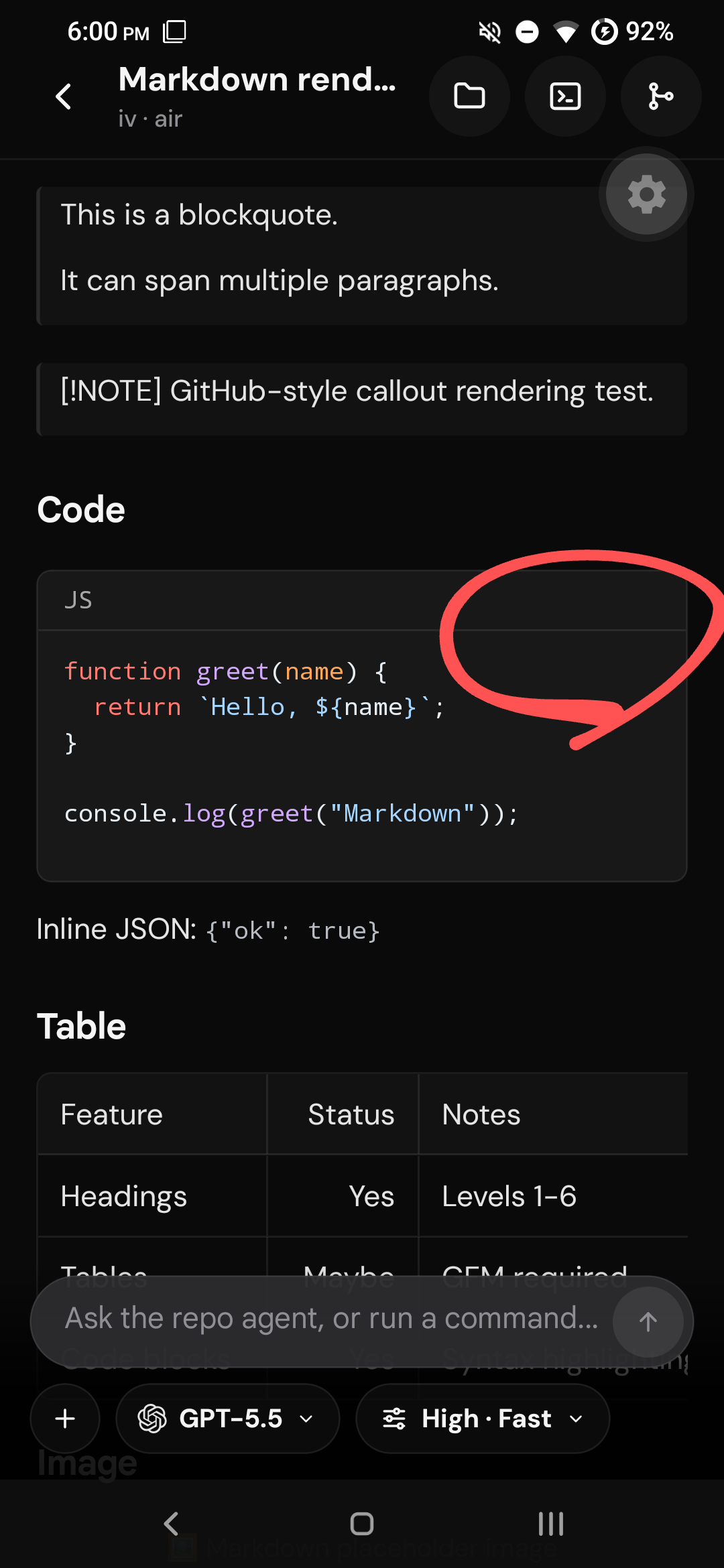
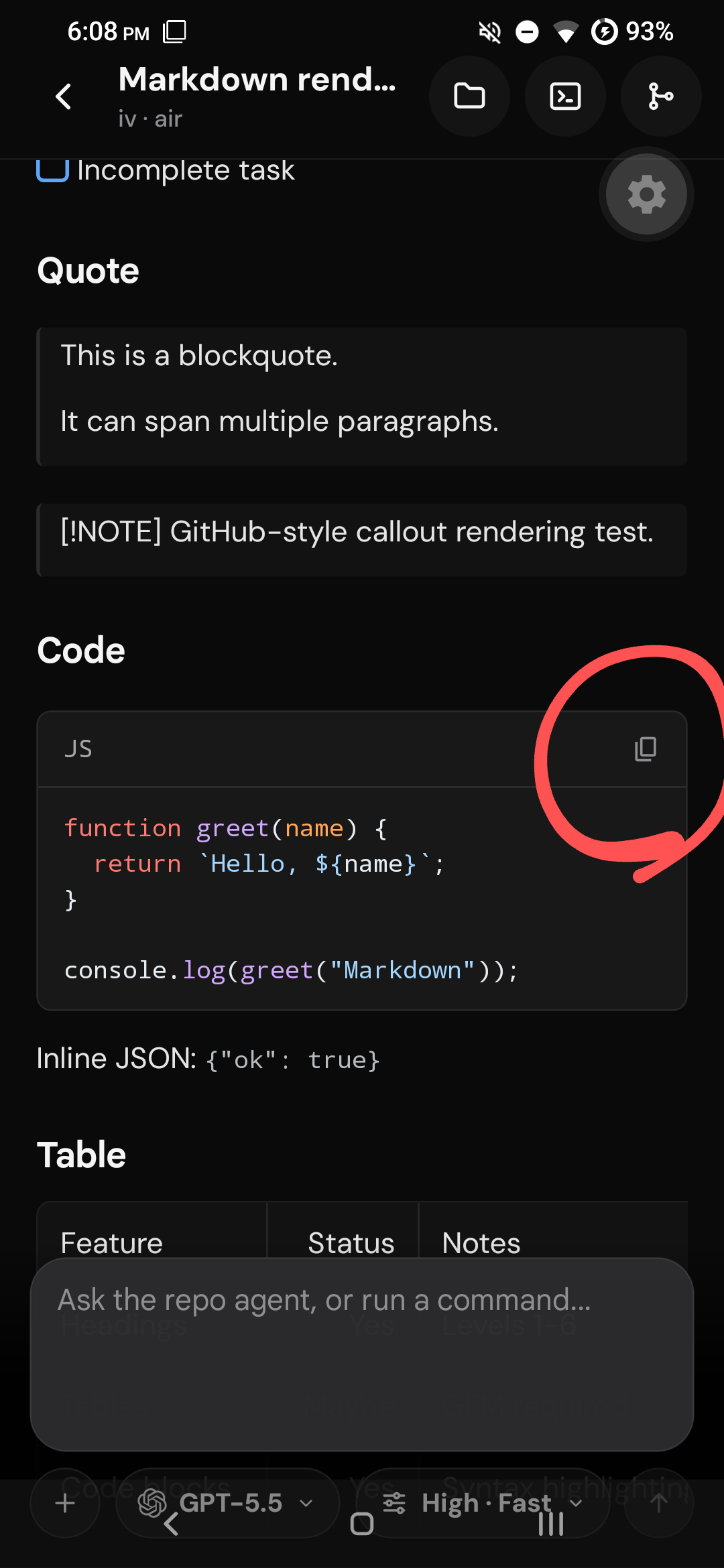
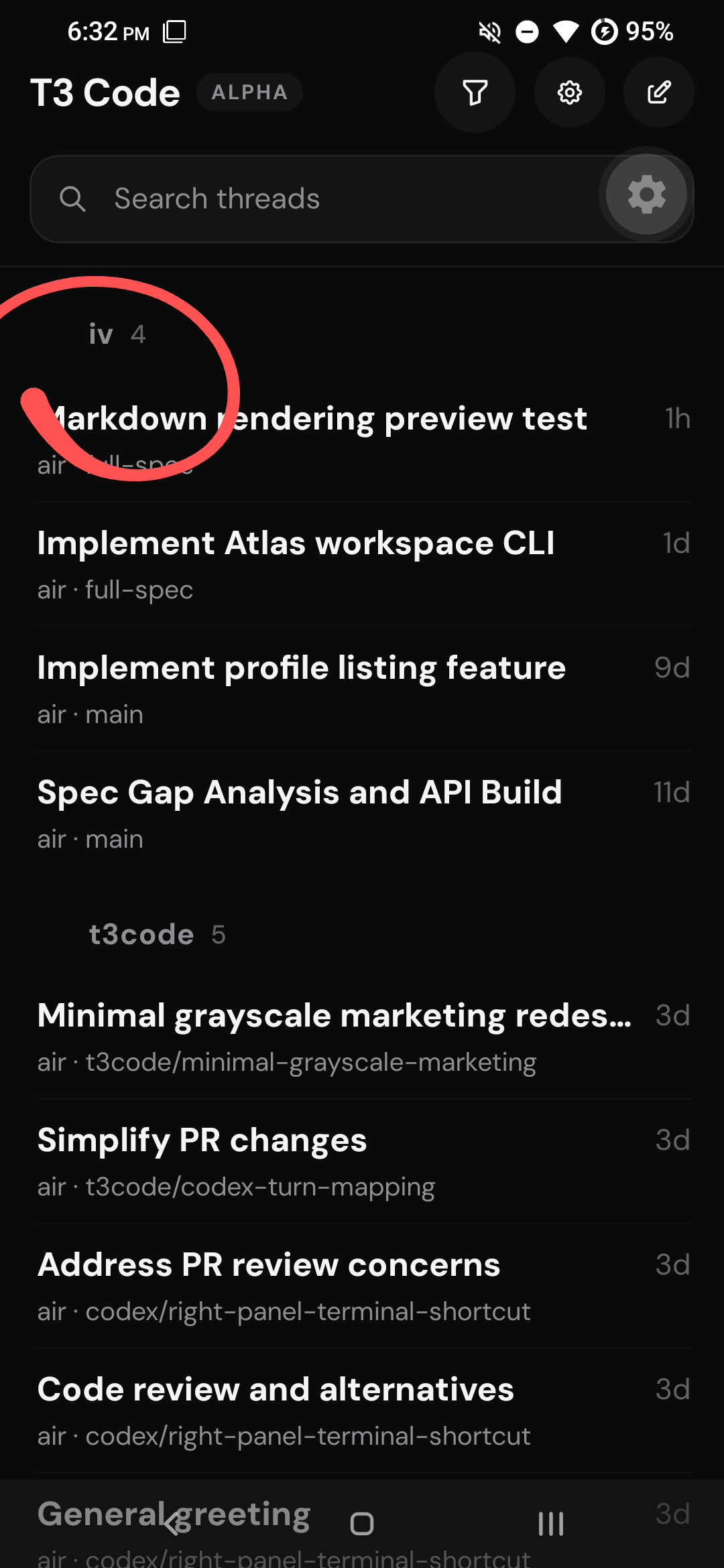
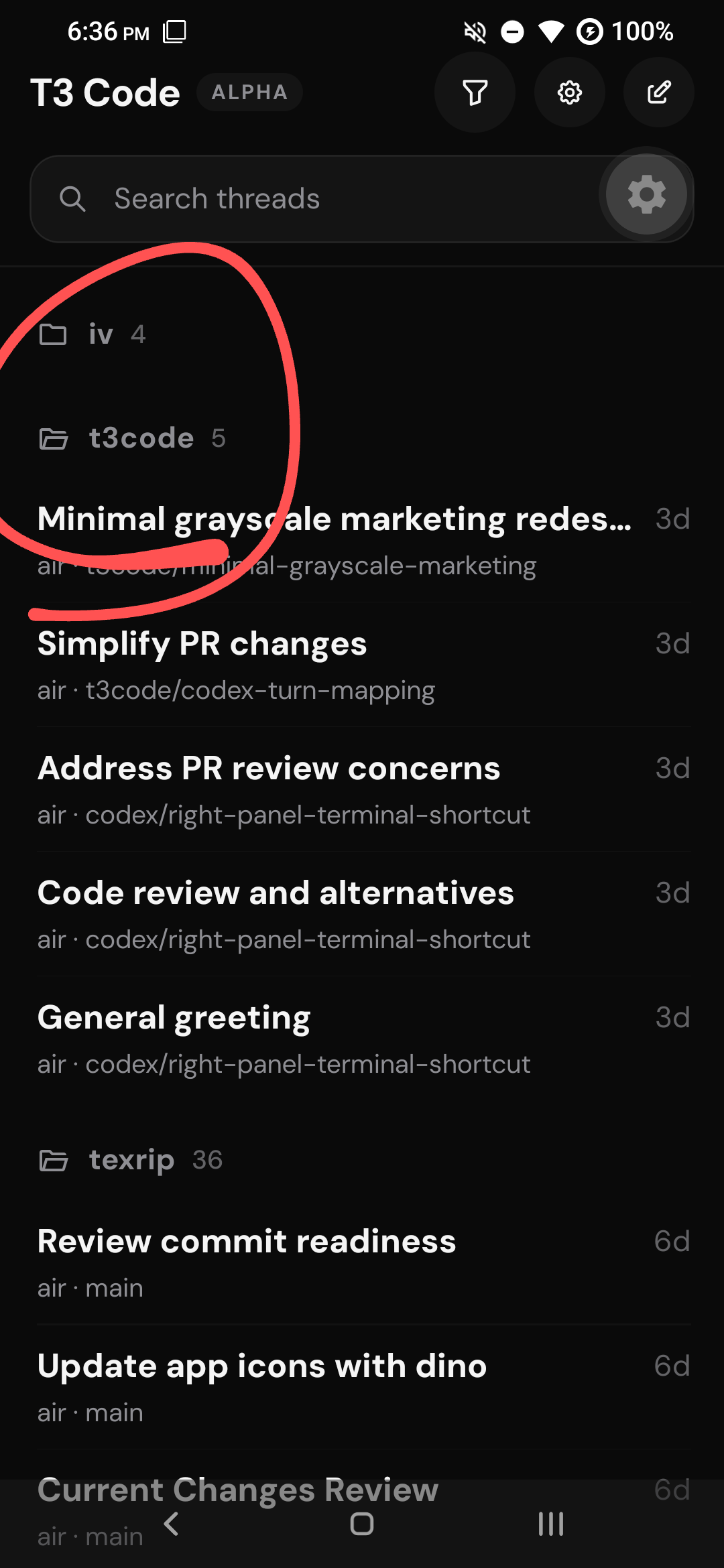
There was a problem hiding this comment.
Cursor Bugbot has reviewed your changes using high effort and found 1 potential issue.
There are 12 total unresolved issues (including 11 from previous reviews).
Autofix Details
Bugbot Autofix prepared a fix for the issue found in the latest run.
- ✅ Fixed: CRLF trim leaves carriage return
- Changed the trailing-newline trim regex from /\n$/ to /\r?\n$/ so CRLF-terminated code block content no longer keeps a stray carriage return in copied, highlighted, or rendered text.
Or push these changes by commenting:
@cursor push 3618361cdc
Preview (3618361cdc)
diff --git a/apps/mobile/src/features/threads/ThreadFeed.tsx b/apps/mobile/src/features/threads/ThreadFeed.tsx
--- a/apps/mobile/src/features/threads/ThreadFeed.tsx
+++ b/apps/mobile/src/features/threads/ThreadFeed.tsx
@@ -277,7 +277,7 @@
   readonly textColor: string;
   readonly theme: ReviewDiffTheme;
 }) {
-  const content = props.content.replace(/\n$/, "");
+  const content = props.content.replace(/\r?\n$/, "");
   const languageLabel = props.language?.trim() || "text";
   const highlighted = useMarkdownCodeHighlight({
     code: content,
You can send follow-ups to the cloud agent here.
| readonly textColor: string; | ||
| readonly theme: ReviewDiffTheme; | ||
| }) { | ||
| const content = props.content.replace(/\n$/, ""); |
There was a problem hiding this comment.
CRLF trim leaves carriage return
Low Severity
MarkdownCodeBlock normalizes fence content with a single trailing \n removal before copy, highlighting, and display. When the block ends with \r\n, only the \n is stripped, so the copied and rendered string keeps a trailing \r on the last line.
Reviewed by Cursor Bugbot for commit 9af8867. Configure here.

The Expo template's 2GB daemon heap is too small for this app's dependency
set; :app:mergeExtDexDebug fails with java.lang.OutOfMemoryError. Apply
-Xmx4096m via a config plugin so the setting survives prebuild.

Co-Authored-By: Claude Fable 5 <noreply@anthropic.com>
…ull-page settings

- Add a bottom-right new-task FAB on the Android home screen and drop the
  header pencil button
- Restyle @react-native-menu popup menus via a config plugin (app palette,
  rounded corners, anchored below the button) and swap Android's square
  checkbox rows for a check glyph on selected items
- Present settings as a full-page card with an in-screen back header on
  Android instead of the iOS form sheet
- Dock the new-task prompt editor in the bottom bar so the draft reads like
  an empty thread
- Give the working-duration pill a blurred backdrop (expo-blur)

Co-Authored-By: Claude Fable 5 <noreply@anthropic.com>
…enu arrows

Selected menu options now use Android's native checkable rows (indicator on
the right) with the theme swapping the square CheckBox for a check glyph,
instead of injecting a left-side icon in JS. Popup backgrounds are fully
opaque, and the filled-triangle submenu arrow is replaced with a stroked
chevron via android:listMenuViewStyle.

Co-Authored-By: Claude Fable 5 <noreply@anthropic.com>
Full-page card presentation with the in-screen header (title "New Thread",
settings-style back chevron), empty feed canvas above, and ThreadComposer's
floating composer chrome: collapsed pill with inline send that expands into
the card on focus, no auto-focus. ComposerSurface is exported for reuse.

Co-Authored-By: Claude Fable 5 <noreply@anthropic.com>
Drop the grouped card background under section headers on Android, and
route SettingsRow/SettingsSwitchRow icons through the AppSymbol wrapper so
leading icons and disclosure chevrons render on Android (with a new
paintbrush mapping for the Appearance row).

Co-Authored-By: Claude Fable 5 <noreply@anthropic.com>
SettingsSection gains a card prop so the Appearance sections keep the
grouped background while other Android settings stay flat. Environment
rows (reconnect/remove) and the settings version row route icons through
the AppSymbol wrapper so they render on Android.

Co-Authored-By: Claude Fable 5 <noreply@anthropic.com>
vp check --fix over the touched JS/JSON files and ktlint --format over the
native module Kotlin sources (argument wrapping, trailing commas, line
length), which were failing the Check and Mobile Native Static Analysis CI
jobs.

Co-Authored-By: Claude Fable 5 <noreply@anthropic.com>
expo-modules-core depends on expo-modules-jsi with a range (~56.0.10), so
fresh resolution in the Release Smoke job picked the newly published
56.0.11 and the version-pinned patch went unused (ERR_PNPM_UNUSED_PATCH).
Pin it via overrides like the existing @expo/metro-config entry.

Co-Authored-By: Claude Fable 5 <noreply@anthropic.com>
…rototypes

ktlint previously aborted the Mobile Native Static Analysis job before
detekt ran; with ktlint green, detekt flags 16 pre-existing complexity
findings (cyclomatic complexity, nesting depth, return counts, parameter
counts) in the terminal/diff/composer native views. Suppress them at the
function level rather than restructuring JNI signatures and touch/draw
hot paths in a chrome-polish PR.

Co-Authored-By: Claude Fable 5 <noreply@anthropic.com>
Swap the remaining 27 direct expo-symbols imports (which render nothing on
Android) to the AppSymbol wrapper, add the missing SF-name mappings, and
teach the wrapper to resolve {ios, android} Material names so work-log,
terminal, and project-folder open/closed icons render correctly.

Co-Authored-By: Claude Fable 5 <noreply@anthropic.com>
… on Android

Disable (not remove) the long-press row menu on Android — swipe actions
cover the same operations and Android's PopupMenu lacks the zoom-preview
affordance. Project group headers drop the trailing chevron on Android;
the open/closed folder icon carries the expanded state.

Co-Authored-By: Claude Fable 5 <noreply@anthropic.com>
GitOverview/GitCommit/GitBranches/GitConfirm and the Environments picker
use card presentation with in-screen back headers on Android instead of
iOS-style form sheets, matching Settings and New Thread.

Co-Authored-By: Claude Fable 5 <noreply@anthropic.com>
Filter expo-development-client URLs out of navigation linking (they
matched the NotFound wildcard on every dev launch), and pin the dev-server
URL to localhost so the bundle loads over the adb USB tunnel instead of
the flaky LAN path (repeated java.net.ConnectException).

Co-Authored-By: Claude Fable 5 <noreply@anthropic.com>
- Add singleLineCentered prop for native vertical text centering
- Match collapsed composer height to toolbar control height
- Replace collapsed toolbar scroller with fixed three-control row
- Show send button in expanded toolbar; shrink HomeHeader filter icon
- Replace COMPOSER_TOOLBAR_CONTROL_HEIGHT with 36 in NewTaskDraftScreen and ThreadComposer
- Align collapsed editor height with iOS
- Archived Threads gets the app's Android header: back chevron, inline
  search field, and filter menu on one row with the standard header
  background, replacing the native centered search widget
- Round + clip the archive group corners on the swipeable container so
  rows stay rounded mid-swipe
- Widen swipe-action columns so "Unarchive" fits on one line
- Build the home settings button like the filter button so the two
  circles match exactly

Co-Authored-By: Claude Fable 5 <noreply@anthropic.com>
- Present git overview, commit, branches, and confirm as form sheets on Android
- Remove redundant AndroidScreenHeader from git sheets
- Fix home FAB clearance, archive search binding, and draft loading header
- Hide native header on Environments; map push/pull icons; use pull-to-refresh on git overview
There was a problem hiding this comment.
Cursor Bugbot has reviewed your changes using high effort and found 1 potential issue.
There are 13 total unresolved issues (including 12 from previous reviews).
Autofix Details
Bugbot Autofix prepared a fix for the issue found in the latest run.
- ✅ Fixed: New task collapsed toolbar mismatch
- Added a collapsed Android toolbar branch in NewTaskDraftScreen that mirrors ThreadComposer's three-control row (attachment, model, configuration) without the scroller, keeping the full pill scroller only when expanded.
Or push these changes by commenting:
@cursor push 8324c7bbb1
Preview (8324c7bbb1)
diff --git a/apps/mobile/src/features/threads/NewTaskDraftScreen.tsx b/apps/mobile/src/features/threads/NewTaskDraftScreen.tsx
--- a/apps/mobile/src/features/threads/NewTaskDraftScreen.tsx
+++ b/apps/mobile/src/features/threads/NewTaskDraftScreen.tsx
@@ -626,15 +626,57 @@
               ) : null}
             </ComposerSurface>

-            <ComposerToolbarRow paddingBottom={8} paddingHorizontal={0} paddingTop={8}>
-              <ComposerToolbarScroller
-                fadeOpaque={isDarkMode ? "rgba(0,0,0,0.95)" : "rgba(255,255,255,0.95)"}
-                fadeTransparent={isDarkMode ? "rgba(0,0,0,0)" : "rgba(255,255,255,0)"}
-              >
-                {toolbarPills}
-              </ComposerToolbarScroller>
-              {isExpanded ? startButton : null}
-            </ComposerToolbarRow>
+            {!isExpanded ? (
+              // Collapsed Android toolbar mirrors ThreadComposer: exactly three
+              // controls, no scroller, with the two selector pills flexing to
+              // fill the row.
+              <ComposerToolbarRow paddingBottom={8} paddingHorizontal={0} paddingTop={8}>
+                <ComposerToolbarButton
+                  accessibilityLabel="Add attachment"
+                  icon="plus"
+                  onPress={() => void handlePickImages()}
+                  showChevron={false}
+                />
+                <ControlPillMenu
+                  style={{ flex: 1, minWidth: 0 }}
+                  actions={modelMenuActions}
+                  onPressAction={({ nativeEvent }) => handleModelMenuAction(nativeEvent.event)}
+                >
+                  <ComposerToolbarTrigger
+                    accessibilityLabel="Model"
+                    iconNode={
+                      <ProviderIcon provider={flow.selectedModelOption?.providerDriver} size={16} />
+                    }
+                    label={flow.selectedModelOption?.label ?? "Model"}
+                    style={{ maxWidth: "100%", width: "100%" }}
+                  />
+                </ControlPillMenu>
+                <ControlPillMenu
+                  // The reasoning/config label runs longer than most model names,
+                  // so it gets a larger share of the row.
+                  style={{ flex: 1.4, minWidth: 0 }}
+                  actions={optionsMenuActions}
+                  onPressAction={({ nativeEvent }) => handleOptionsMenuAction(nativeEvent.event)}
+                >
+                  <ComposerToolbarTrigger
+                    accessibilityLabel="Configuration"
+                    icon="slider.horizontal.3"
+                    label={configurationLabel}
+                    style={{ maxWidth: "100%", width: "100%" }}
+                  />
+                </ControlPillMenu>
+              </ComposerToolbarRow>
+            ) : (
+              <ComposerToolbarRow paddingBottom={8} paddingHorizontal={0} paddingTop={8}>
+                <ComposerToolbarScroller
+                  fadeOpaque={isDarkMode ? "rgba(0,0,0,0.95)" : "rgba(255,255,255,0.95)"}
+                  fadeTransparent={isDarkMode ? "rgba(0,0,0,0)" : "rgba(255,255,255,0)"}
+                >
+                  {toolbarPills}
+                </ComposerToolbarScroller>
+                {startButton}
+              </ComposerToolbarRow>
+            )}
           </View>
         </KeyboardAvoidingView>
       </View>
You can send follow-ups to the cloud agent here.
Resolves conflicts from #3687 (thread list/navigation rework), #3670
(pending tasks), and #3679 (Vite Plus upgrade):

- ThreadNavigationDrawer.tsx: accept main's deletion; drawer navigation
  is replaced by native back-swipe and the reworked thread lists
- ThreadRouteScreen.tsx: keep Android in-flow header alongside main's
  deep-link Home escape for the iOS compact header
- HomeRouteScreen.tsx: keep AndroidHomeFabLayout wrapper, add main's
  pending-task props
- NewTaskDraftScreen.tsx: keep shared promptEditor/startButton, port
  main's iOS headline text style and queue-task button states
- thread-list-items.tsx: take main's header structure (chevron removed
  on all platforms); Android folder-state favicon already merged
- ThreadDetailScreen.tsx: union imports, drop unused gesture-handler
- pnpm-workspace.yaml/lockfile: keep expo-modules-jsi pin comment,
  regenerate lockfile via pnpm install

Co-Authored-By: Claude Fable 5 <noreply@anthropic.com>
Swipe actions already expose unarchive and delete on every row, so the
three-dots menu was a duplicate path to the same callbacks.

Co-Authored-By: Claude Fable 5 <noreply@anthropic.com>
|
|
||
| {/* Android surfaces the git/files/inspector actions in its in-flow | ||
| header above, so the fallback action toolbar stays iOS-only. */} | ||
| {renderThreadRouteBody( |
There was a problem hiding this comment.
🟡 Medium threads/ThreadRouteScreen.tsx:851
On Android, renderThreadRouteBody is called with showActionControls=false (via Platform.OS !== "android" && ...), which suppresses ThreadGitControls. But the replacement androidHeaderActions array only includes a single terminal button and no project-script actions. Since handleRunProjectScript is only wired up inside ThreadGitControls, there is no UI path on Android to run any saved project script from the thread screen.
🚀 Reply "fix it for me" or copy this AI Prompt for your agent:
In file @apps/mobile/src/features/threads/ThreadRouteScreen.tsx around line 851:

On Android, `renderThreadRouteBody` is called with `showActionControls=false` (via `Platform.OS !== "android" && ...`), which suppresses `ThreadGitControls`. But the replacement `androidHeaderActions` array only includes a single terminal button and no project-script actions. Since `handleRunProjectScript` is only wired up inside `ThreadGitControls`, there is no UI path on Android to run any saved project script from the thread screen.
Native Alert.alert dialogs on Android rendered with the stock AppCompat
chrome (square gray panel, teal all-caps buttons). Theme them via a new
withAndroidModernAlertDialog config plugin using the uniwind tokens:
card surface with rounded corners, foreground text, primary-color
sentence-case buttons, and DM Sans embedded natively through expo-font.

Thread delete confirmations move to a new in-app ConfirmDialogHost on
Android (iOS keeps the native alert) so the destructive action can be
red per-dialog, which the native theme cannot express. Popup menus also
pick up DM Sans.

Co-Authored-By: Claude Fable 5 <noreply@anthropic.com>
The Android git sheet header stacked a centered kicker, branch, and
status; replace it with a single row — labeled branch on the left,
status summary trailing — padded to line up with the icon column of
the action card below. The inspector keeps its stacked header.

SettingsSection was the app's only 28px card radius; drop it to the
standard 24px so the appearance route matches the rest of the app.

Co-Authored-By: Claude Fable 5 <noreply@anthropic.com>
Every dropdown funnels through ControlPillMenu; on Android it now
renders a custom anchored menu instead of the AppCompat PopupMenu,
which can't be themed past its stock animation, metrics, and submenu
chrome. iOS keeps the native UIMenu.

The menu follows the app tokens (card surface, 12dp radius, DM Sans
pill-weight labels, trailing check glyph, danger-red destructive rows)
and supports the MenuView contract the app uses: checked state,
subtitles, images, disabled/hidden attributes, and one level of
subactions presented as a drill-in under a muted parent-title header.
Menus flipped above their anchor are pinned by the bottom edge in the
modal's own coordinate space, so composer menus sit flush against
their pill and submenu transitions don't jitter; window metrics are
snapshotted at open so keyboard dismissal can't re-flow the menu. The
anchor wrapper forwards the style prop so the collapsed thread
toolbar's flexed pills keep filling the row.

Also maps arrow.triangle.pull to a Tabler icon on Android, which
previously rendered as nothing.

Co-Authored-By: Claude Fable 5 <noreply@anthropic.com>
| {currentBranchLabel} | ||
| </Text> | ||
| </View> | ||
| <Text className="text-foreground-secondary pb-0.5 text-sm font-medium" numberOfLines={1}> |
There was a problem hiding this comment.
🟡 Medium git/GitOverviewSheet.tsx:405
In the non-inspector header row, the trailing currentStatusSummary Text has default flexShrink: 0, so a long summary (e.g. "12 files changed · 3 ahead · 4 behind · PR #123 open") forces Yoga to preserve its intrinsic width and collapses the branch-title View on the left to near-zero width, making the branch label unreadable. Consider adding flexShrink: 1 (or shrink in the className) to the summary Text so it yields space to the branch label.
| <Text className="text-foreground-secondary pb-0.5 text-sm font-medium" numberOfLines={1}> | |
| <Text className="text-foreground-secondary pb-0.5 text-sm font-medium" numberOfLines={1} style={{ flexShrink: 1 }}> |
🚀 Reply "fix it for me" or copy this AI Prompt for your agent:
In file @apps/mobile/src/features/threads/git/GitOverviewSheet.tsx around line 405:

In the non-inspector header row, the trailing `currentStatusSummary` `Text` has default `flexShrink: 0`, so a long summary (e.g. `"12 files changed · 3 ahead · 4 behind · PR #123 open"`) forces Yoga to preserve its intrinsic width and collapses the branch-title `View` on the left to near-zero width, making the branch label unreadable. Consider adding `flexShrink: 1` (or `shrink` in the className) to the summary `Text` so it yields space to the branch label.
There was a problem hiding this comment.
Cursor Bugbot has reviewed your changes using high effort and found 1 potential issue.
There are 11 total unresolved issues (including 10 from previous reviews).
Bugbot Autofix prepared a fix for the issue found in the latest run.
- ✅ Fixed: Stale menu height mispositions dropdown
- Added setRootHeight(null) in close() so reopened upward-opening menus stay unmounted until a fresh onLayout measurement instead of positioning with a stale modal height.
Or push these changes by commenting:
@cursor push 4422f97d8c
Preview (4422f97d8c)
diff --git a/apps/mobile/src/components/AndroidAnchoredMenu.tsx b/apps/mobile/src/components/AndroidAnchoredMenu.tsx
--- a/apps/mobile/src/components/AndroidAnchoredMenu.tsx
+++ b/apps/mobile/src/components/AndroidAnchoredMenu.tsx
@@ -66,6 +66,10 @@
   const close = useCallback(() => {
     setAnchor(null);
     setPath([]);
+    // Drop the measured height so the next presentation re-measures; a stale
+    // value would let an opens-up menu mount at the wrong position for a
+    // frame (keyboard dismissed, rotation, different insets).
+    setRootHeight(null);
   }, []);

   const open = useCallback(() => {
You can send follow-ups to the cloud agent here.
Reviewed by Cursor Bugbot for commit ed1e47f. Configure here.
| // Flipped-up menus need the root height before they can be placed; they | ||
| // stay unmounted for that first frame so the fade-in plays at the final | ||
| // position. | ||
| const placeable = opensDown || rootHeight !== null; |
There was a problem hiding this comment.
Stale menu height mispositions dropdown
Medium Severity
AndroidAnchoredMenu keeps rootHeight after close() but uses it in placeable and in the opens-up bottom layout. A later menu that opens upward can render immediately with a stale modal height, so it overlaps the anchor or jumps until onLayout runs.
Reviewed by Cursor Bugbot for commit ed1e47f. Configure here.
5 participants


Summary
Why
The mobile app inherited iOS-only native modules and navigation assumptions. Android could build only after filling those native module gaps, and several shared screens rendered with incorrect insets, missing icons, inaccessible controls, or desktop/iOS-oriented interaction patterns.
The review diff also scrolled its entire native canvas horizontally, which moved line gutters and file headers with the code. It now owns horizontal code offset internally so persistent chrome stays fixed.
Impact
Android now has a usable end-to-end thread, file, Git review, composer, and connection flow. The iOS implementation keeps using its existing native toolbar and form-sheet behavior through platform-specific branches.
Validation
vp checkvp run typecheckvp run lint:mobile./gradlew :t3tools-mobile-review-diff-native:compileDebugKotlin./gradlew :app:assembleDebugNote
Add Android support to the mobile app
AppSymbolcomponent that maps SF Symbol names to Tabler icons on Android, replacing directexpo-symbolsusage across all feature screens.libghostty-vt(pre-built.sofiles for arm64-v8a, armeabi-v7a, x86, x86_64), with a customTerminalCanvasViewthat renders snapshots produced by the Ghostty terminal engine.T3ComposerEditorView) supporting controlled document JSON, token chip spans, focus/blur/selection events, and image paste handling.T3ReviewDiffView) for Android with row/token rendering, theming, collapsing, and interaction events.AndroidScreenHeadercomponents across all major screens (home, threads, settings, files, review, connections, archive), hiding the native navigation header on Android.AndroidAnchoredMenuandConfirmDialogHostfor platform-appropriate menus and confirmation dialogs on Android..sobinaries and a JNI C++ layer; any ABI mismatch or NDK version change could break the terminal module at runtime.Macroscope summarized ed1e47f.
Note
High Risk
Large new native Android surface with vendored Ghostty JNI binaries and substantial diff/composer logic; ABI or signing misconfiguration could break builds or runtime on device.
Overview
Adds Android Kotlin implementations for the shared Expo native modules: composer editor (controlled JSON, chip spans, paste images), header buttons, and a canvas-based review diff surface with async row/token decode, sticky file headers, and separate horizontal code scrolling.
iOS local development gains an opt-in Personal Team path (
T3CODE_IOS_PERSONAL_TEAM+ custom bundle ID) that drops widgets, pinned team signing, associated domains, and Sign in with Apple entitlements; standard team builds are unchanged. Docs addvp run ios:releaseand Personal Team examples.Expo config wires Android Gradle heap, modern popup/alert styling, embedded DM Sans on Android, conditional widgets, and
expo-asset. Metro now blocklists the repo.t3directory. The terminal module vendorslibghostty-vtheaders and documents Android rebuild scripts alongside existing iOS GhosttyKit notes.Reviewed by Cursor Bugbot for commit ed1e47f. Bugbot is set up for automated code reviews on this repo. Configure here.