


Cavil is a legal review and Software Bill of Materials (SBOM) system. It is used in the development of openSUSE Tumbleweed, openSUSE Leap, as well as SUSE Linux Enterprise.
- Source code legal review system for RPMs, DEBs, Tarballs and various other package formats
- High performance source code scanner with support for recursively decompressing almost any archive format
- 28.000 curated patterns for 2000 license combinations with 500 distinct SPDX expressions
- Software Bill of Materials (SBOM) support with SPDX 2.2 reports
- Legal risk assessments by lawyers for every pattern match
- Human reviews with approval/rejection workflow, and optional automatic approvals based on risk
- Optional support for machine learning models to classify pattern matches
- MCP support for integration into AI assisted legal review workflows
- REST API for integration into existing source code management systems
- Open Build Service and Gitea integration via bots
- OpenID Connect (OAuth 2.0) authentication
Important: Note that most of the data used by Cavil has been curated by lawyers, but the generated reports do not count as legal advice and no guarantees are made for their correctness!
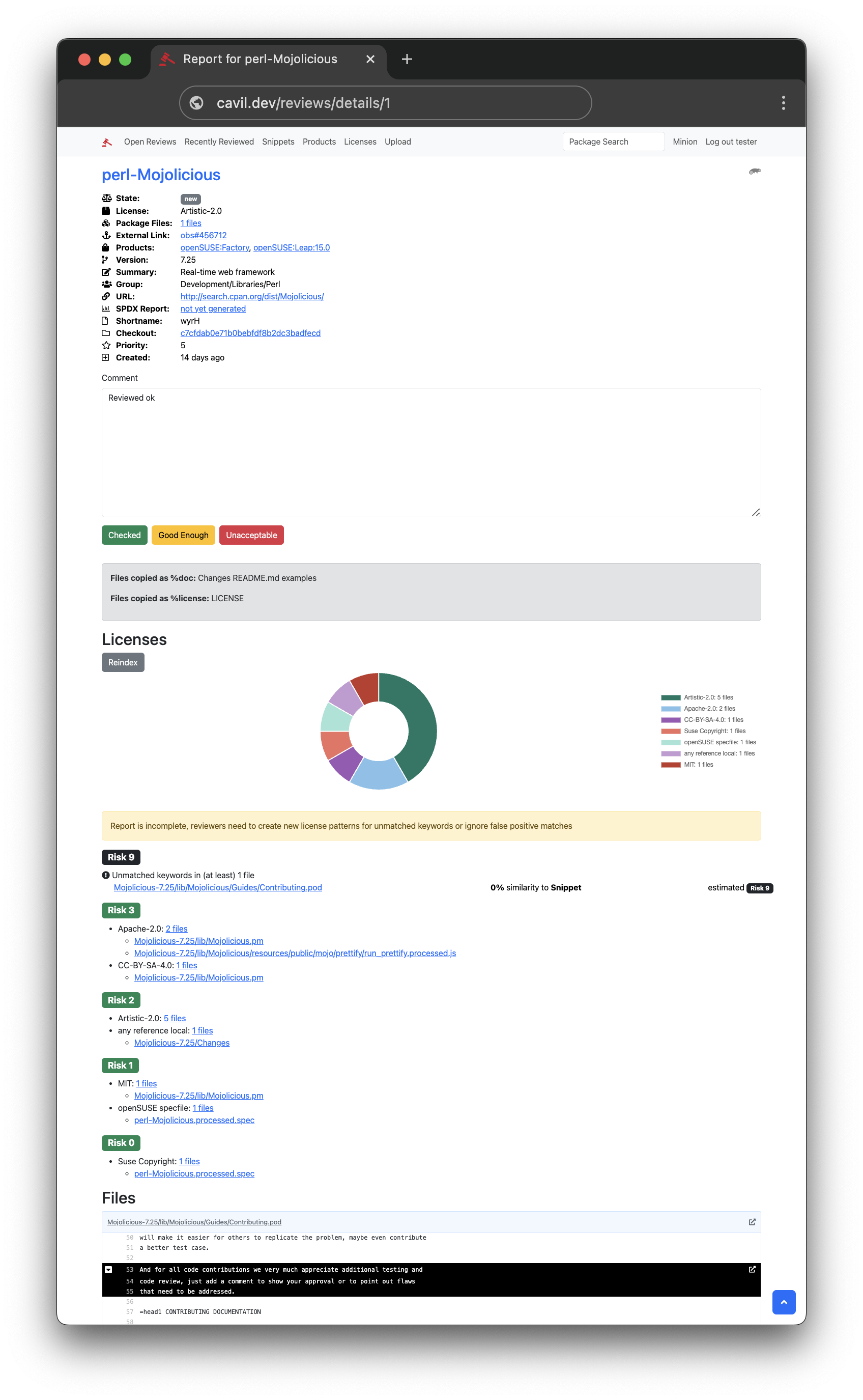
This distribution contains the two main components of the system. A Mojolicious web application that lawyers can use to efficiently review package contents, and Minion background jobs to process and index packages, to create easy to digest license reports.
Additionally there is large curated set of license patterns the SUSE lawyers have created included in this distribution. Currently this set consists of over 20000 patterns for all known Open Source licenses.
The easiest way to connect OBS to Cavil is the legal-auto.py bot from the
openSUSE Release Tools repository. But you can also upload
tarballs directly for analysis.
It is strongly recommended to combine Cavil with a machine learning model for text classification. Because the pattern matching system used for identifying clusters of legal keywords (snippets) has a false-positive rate of about 80%. Even a simple model can identify almost all of them.
The openSUSE HuggingFace org has a collection of models fine-tuned specifically for
this task, such as Cavil-Qwen3.5-4B.
The recommended deployment method for these models is a llama.cpp server.
$ llama-server Cavil-Qwen3.5-4B.f16.gguf --host localhost --port 5000 --api-key TOKEN
Just start the server and add a classifier section like this to your cavil.conf.
classifier => {
  type  => 'llama_cpp',
  url   => 'http://localhost:5000',
  token => 'TOKEN'
}
Alternatively there are also two implementations for our legacy classifier API:
The easiest way to get started with Cavil is the included staging scripts for setting up a quick development
environment. All you need is an empty PostgreSQL database (with the pgcrypto extension activated) and the following
dependencies:
$ sudo zypper in -C postgresql-server postgresql-contrib 'rubygem(sass)'
$ sudo zypper in -C perl-Mojolicious perl-Mojolicious-Plugin-Webpack \
  perl-Mojo-Pg perl-Minion perl-File-Unpack perl-Cpanel-JSON-XS \
  perl-Spooky-Patterns-XS perl-Mojolicious-Plugin-OAuth2 perl-Mojo-JWT \
  perl-BSD-Resource perl-Term-ProgressBar perl-Text-Glob perl-IPC-Run \
  perl-Try-Tiny perl-MCP git git-lfs
$ npm i
$ npm run build
Then use these commands to set up and tear down a development environment:
$ perl staging/start.pl postgresql://tester:testing@/test
...
$ CAVIL_CONF=staging/do_not_commit/cavil.conf morbo script/cavil
...
$ CAVIL_CONF=staging/do_not_commit/cavil.conf script/cavil minion worker
...
$ perl staging/stop.pl
...
The morbo development web server will make the web application available under http://127.0.0.1:3000. And
script/cavil minion worker will start the job queue for processing background jobs.
For more information see the included documentation.