[IMP] rental: change to physical service product#18943
Conversation


|
|

6d22b8b to
ce403cc
Compare

|
Hi @jero-odoo, this PR is ready to review. I am testing out the Skill.md file to summarize the PR. |


 jero-odoo
left a comment
jero-odoo
left a comment
jero-odoo
left a comment
There was a problem hiding this comment.
Nice work @meval1006 ! Just a few notes


Co-authored-by: Jess Rogers <104637850+jero-odoo@users.noreply.github.com>
0e9770c to
7a1c4f3
Compare
|
Hi @erjer-odoo, this review is ready for final review. |

 erjer-odoo
left a comment
erjer-odoo
left a comment
erjer-odoo
left a comment
There was a problem hiding this comment.
Sorry there are so many comments; there were just some issues that I noticed while reviewing the file. As soon as you fix them, though, it should be good to go.
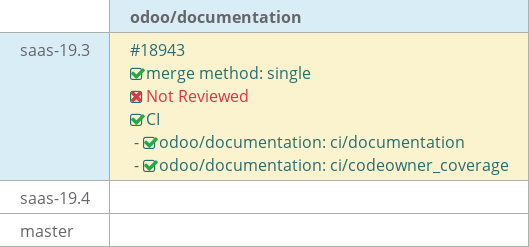
@robodoo delegate+
| tours, or booking a studio with a photographer. | ||
| There are two types of service products in the **Rental** app that require different configurations: | ||
| physical and non-physical (labor). This document focuses on the configuration of physical rental | ||
| service products. A physical rental service product is a physical product that doesn’t require any |
There was a problem hiding this comment.
| service products. A physical rental service product is a physical product that doesn’t require any | |
| service products. A physical rental service product is a physical product that doesn't require any |
Changing from curly apostrophe to straight apostrophe. This typically happens when copying from a rich-text-based editor to VS Code.
Not sure if you're aware, but VS Code actually highlights these as you draft. I would look out for those apostrophes and change them as you see them.

|
|
||
| .. image:: service_products/rental-settings.png | ||
| :alt: Sample of Rental app configuration settings. | ||
| To access the Rental app’s settings, navigate to :menuselection:`Rental app --> Configuration --> |
There was a problem hiding this comment.
| To access the Rental app’s settings, navigate to :menuselection:`Rental app --> Configuration --> | |
| To access the Rental app's settings, navigate to :menuselection:`Rental app --> Configuration --> |
Same apostrophe issue.
|
|
||
| .. image:: service_products/service-product.png | ||
| :alt: Sample of a configured service product in the Rental app. | ||
| Click the :icon:`oi-arrow-right` :guilabel:`(Internal link)` icon to open the product’s *Role* page. |
There was a problem hiding this comment.
| Click the :icon:`oi-arrow-right` :guilabel:`(Internal link)` icon to open the product’s *Role* page. | |
| Click the :icon:`oi-arrow-right` :guilabel:`(Internal link)` icon to open the product's *Role* page. |
Same apostrophe issue.
|
|
||
| .. image:: service_products/rental-periodicity.png | ||
| :alt: Sample of the Rental product's Periodicity field in the Sales tab. | ||
| .. _rental/service_products/ additional-pricing: |
There was a problem hiding this comment.
| .. _rental/service_products/ additional-pricing: | |
| .. _rental/service_products/additional-pricing: |
Stray space.
|
|
||
| Any selected days in the *Unavailability days* section in the :ref:`Rental app's settings | ||
| <rental/product_type/configuration>` are only applied to online booking. If the product isn't | ||
| published to the website then the setting does not go into affect. |
There was a problem hiding this comment.
| published to the website then the setting does not go into affect. | |
| published to the website then the setting does not go into effect. |
| :guilabel:`Periodicity` field and the **Inventory app** is installed. | ||
| - :guilabel:`Pickup`: The earliest time the customer can pick up the product to begin the rental | ||
| period. | ||
| - :guilabel:`Return:` The latest time the customer can return the product. |
There was a problem hiding this comment.
| - :guilabel:`Return:` The latest time the customer can return the product. | |
| - :guilabel:`Return`: The latest time the customer can return the product. |
Seems the colon was misplaced.
| .. tip:: | ||
| It’s recommended to name the role after the service. |
There was a problem hiding this comment.
| .. tip:: | |
| It’s recommended to name the role after the service. | |
| .. tip:: | |
| It's recommended to name the role after the service. |
Reducing the indent and fixing the rich-text apostrophe issue.
| .. image:: service_products/plan-services-field.png | ||
| :alt: Example of the Plan Serviced field configured to the Deluxe Room role. |
There was a problem hiding this comment.
| .. image:: service_products/plan-services-field.png | |
| :alt: Example of the Plan Serviced field configured to the Deluxe Room role. | |
| .. image:: service_products/plan-services-field.png | |
| :alt: Example of the Plan Services field configured to the Deluxe Room role. |
Fixing indent and the name of the field.
| configured. | ||
|
|
||
| .. image:: service_products/example-room-variants.png | ||
| :alt: Example of the Attribute & Variants tab configured for a hotel room. |
There was a problem hiding this comment.
| :alt: Example of the Attribute & Variants tab configured for a hotel room. | |
| :alt: Example of the Attribute & Variants tab configured for a hotel room. |
Indenting the alt tag appropriately.
| .. seealso:: | ||
| - :doc:`../../../services/planning` | ||
| - :doc:`../../sales/products_prices/prices/pricing` | ||
|
|
There was a problem hiding this comment.
You can delete this extra line at the end of the file -- only one blank line is required.
4 participants


What this PR does and why it's needed
Reworks the Rental app's service products documentation to distinguish between physical service products (e.g., hotel rooms, work stations) and non-physical (labor) service products, which now require different configuration steps. The rewrite adds a full walkthrough for setting up a physical service product synced with the Planning app, using a running hotel-room example throughout.
Changes
Service products (Rental)
service_products.rstto "Physical service rental products" and reframed the intro to explain that physical and labor (non-physical) services require different configurationsRental product types
rental/product_type/configurationanchor toproduct_type.rstso the Configuration section can be cross-referenced from the service products pageRental orders
create_rental_order.rstto note that smart-button app integration depends on the service product type, replacing the reference to the removed "properly configured" anchorThis
saas-19.3PR should not be FWP.