[ADD] Inventory: reception report documentation#18928
Conversation


|
|


|
Hi @jero-odoo, got a PR ready for your review when you get a chance - thank you! |

 jero-odoo
left a comment
jero-odoo
left a comment
jero-odoo
left a comment
There was a problem hiding this comment.
Looks good @stepperpig ! Just a few notes, let me know if you have any questions.
| ======== | ||
|
|
||
| Reception reports are used to manage the allocation of replenished stock. This means that users must | ||
| first confirm demand from customers, then replenish the necessary stock through a |PO|. Only after |
There was a problem hiding this comment.
| first confirm demand from customers, then replenish the necessary stock through a |PO|. Only after | |
| first confirm customer demand, then replenish the necessary stock through a |PO|. Only after |
optional
|
|
||
| The user then creates a new |RfQ| to replenish the demanded stock by navigating to the *Purchase* | ||
| app and clicking :guilabel:`New`. On the form, add the products in demand on the customers' |SOs| by | ||
| clicking :guilabel:`Add a product` in the *Products* tab and specify the required |
There was a problem hiding this comment.
| clicking :guilabel:`Add a product` in the *Products* tab and specify the required | |
| clicking :guilabel:`Add a product` in the *Products* tab and specifying the required |
| :guilabel:`Quantity`. | ||
|
|
||
| .. important:: | ||
| In order for Odoo to properly create allocations, ensure that the selected product has the |
There was a problem hiding this comment.
| In order for Odoo to properly create allocations, ensure that the selected product has the | |
| To ensure Odoo can properly create allocations, confirm the selected product that the selected product has the |
| Reception Report | ||
| ---------------- | ||
|
|
||
| After confirming the |PO|, open the reception report to allocate units of the products to desired |
There was a problem hiding this comment.
| After confirming the |PO|, open the reception report to allocate units of the products to desired | |
| After confirming the |PO|, open the reception report to allocate the products' units to the desired |
| a list of its products, including each product's name, quantity, and the option to individually | ||
| assign the specified units. |
There was a problem hiding this comment.
| a list of its products, including each product's name, quantity, and the option to individually | |
| assign the specified units. | |
| a list of its products, including each product's name, quantity, and the option to assign the specified units individually |
| Allocate units | ||
| ~~~~~~~~~~~~~~ | ||
|
|
||
| To allocate units for a product in a |SO|, click :guilabel:`Assign` in the product's corresponding |
There was a problem hiding this comment.
| To allocate units for a product in a |SO|, click :guilabel:`Assign` in the product's corresponding | |
| To allocate units for a product in an |SO|, click :guilabel:`Assign` in the product's corresponding |
Normally, I would say "in a sales order" but since you are abbreviating "in an SO" works better
| All` in the corresponding row of the |SO|. To assign all available units across all |SOs|, click | ||
| :guilabel:`Assign All` at the top. | ||
|
|
||
| The quantity of reservable units for each product is automatically calculated in order starting from |
There was a problem hiding this comment.
| The quantity of reservable units for each product is automatically calculated in order starting from | |
| The quantity of reservable units for each product is automatically calculated, in order starting from |
| from Vendor A. This vendor can only provide 100 units of the *Chair*, available this week. So, | ||
| the user creates and confirms another |PO| to replenish the remaining 50 units needed from Vendor | ||
| B, available next week. |
There was a problem hiding this comment.
| from Vendor A. This vendor can only provide 100 units of the *Chair*, available this week. So, | |
| the user creates and confirms another |PO| to replenish the remaining 50 units needed from Vendor | |
| B, available next week. | |
| from Vendor A. This vendor can only provide 100 units of the *Chair* this week. So, the user creates and confirms another |PO| to replenish the remaining 50 units from Vendor B, which will be available next week. |
| Because the user wants to prioritize Customer B's order, they want to make sure Customer B | ||
| receives 75 units from Vendor A, who can guarantee a faster delivery. To do so, they first open |
There was a problem hiding this comment.
| Because the user wants to prioritize Customer B's order, they want to make sure Customer B | |
| receives 75 units from Vendor A, who can guarantee a faster delivery. To do so, they first open | |
| Because the user wants to prioritize Customer B’s order, they want to ensure Customer B receives 75 units from Vendor A, which can guarantee faster delivery. To do so, they first open |
| #. :ref:`Confirm SOs <reception-report/workflow/confirm-so>` for one or more customers. | ||
| #. Create and :ref:`confirm a PO <reception-report/workflow/confirm-po>` for the demanded products. | ||
| #. Open receipt and :ref:`access the reception report <reception-report/workflow/reception-report>` | ||
| to allocate products. | ||
| #. :ref:`Validate receipt <reception-report/workflow/validate-receipt>` on the |PO|. | ||
| #. :ref:`Validate delivery <reception-report/workflow/validate-delivery>` on the |SO|. |
There was a problem hiding this comment.
I'm not a huge fan of laying things out like this, I think because while the list does include links to the other sections, it doesn't really include any information, so it feels a bit redundant.
3 participants


Description
This PR adds a new doc page for the Inventory Reception Report feature to allocate incoming stock from purchase orders (POs) to sales orders (SOs). While an Allocation report doc exists for MRP, reception report documentation for Inventory did not previously exist.
Original feature task card
Doc task
Changes
reception_report.rstpage under Inventory > Warehouses & Storage > Inventory Management.Version Scope
This
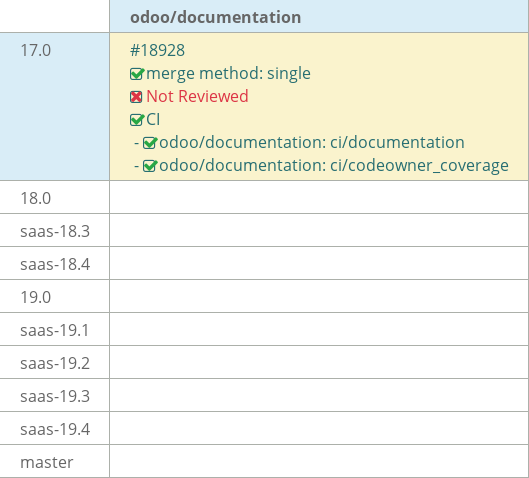
17.0PR can be FWP up tomaster. Additional changes for18.0and19.0will be opened in separate PRs.