
Hit your DOM the smart way

Super tiny chainable and extendable tool wrapping native querySelectorAll for selecting, creating and filtering DOM Elements.
~0.7kb Gzipped.
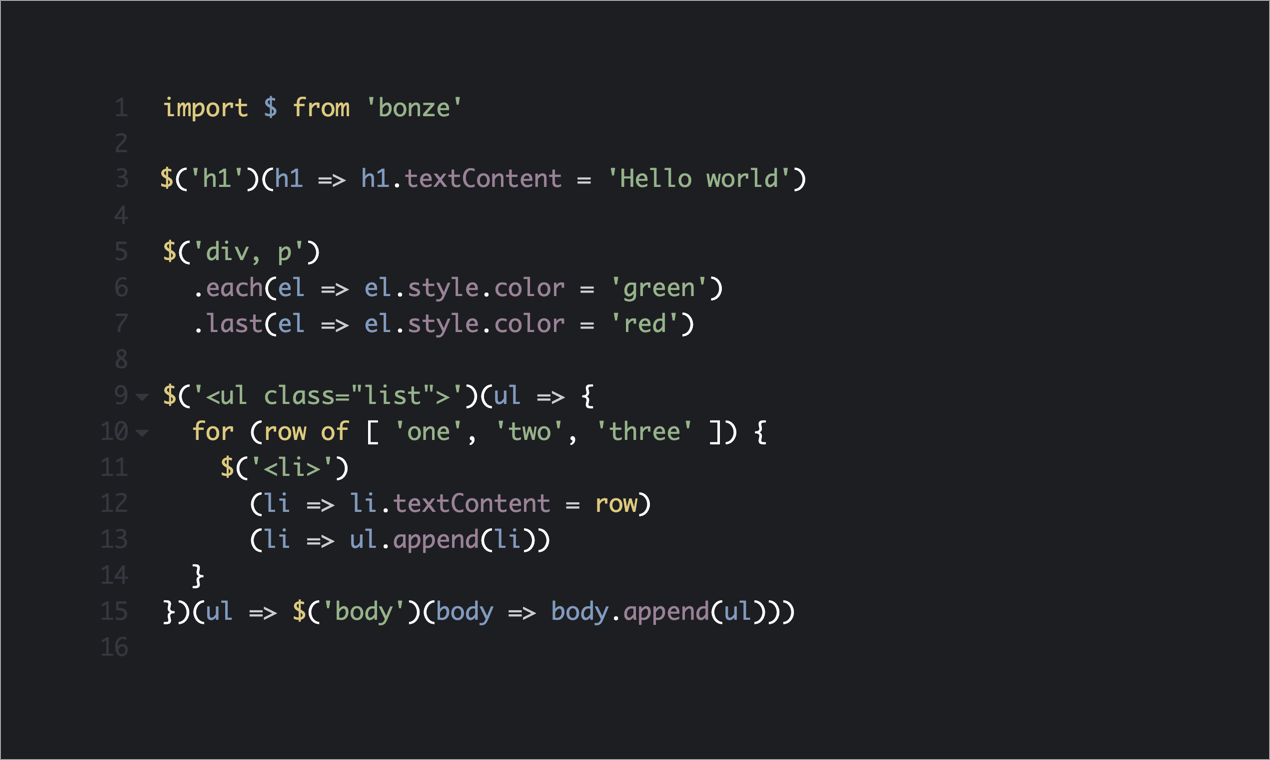
- $(selector) — CSS string, context, array of selectors, HTML string creation
- .first() .last() — Target the first or last element
- .nth(n) — Target the nth element by index
- .odd() .even() — Filter to odd or even indexed elements
- .filter(fn) — Filter elements using a custom predicate
- .siblings() — Get sibling elements
- .back() — Return to the previous selection
- .set(fn) — Morph the element collection
- (callback) .each — Iterate over elements
And
- $.plugin() — Extend bonze with custom methods
const el = document.querySelector("#section");

if (el) {
  el.style.color = "green";
}$("#section")((el) => (el.style.color = "green"));const elements = document.querySelectorAll("div, p")
elements.forEach((el, i) => {
el.classList.add('item')
if (i === 0) {
el.classList.add('first')
}
if (i === elements.length - 1) {
el.classList.add('last')
}
})$("div, p")
.each((el) => (el.classList.add('item'))
.first((el) => (el.classList.add('first'))
.last((el) => (el.classList.add('last'))npm install --save bonze
import $ from "bonze";From Unpkg.com
<script src="https://unpkg.com/bonze@latest"></script><script src="https://unpkg.com/bonze@latest/dist/bonze.esm.min.js"></script>If you include bonze this way use bonze instead of $ in the examples below.
$(() => {
  document.body.classList.add("ready");
});$("h1, h2, h3").each((headings) => {
headings.classList.add("red");
});
// Shortcut for each
$("h1, h2, h3")((headings) => {
headings.classList.add("red");
});$(
"h1, h2, h3",
"#article",
)((headings) => {
headings.classList.add("red");
});$("div").first((div) => {
div.classList.add("first");
});
$("div").nth(2, (div) => {
div.classList.add("third");
});
$("div").last((div) => {
div.classList.add("last");
});
$("div").odd((div) => {
div.classList.add("odd");
});
$("div").even((div) => {
div.classList.add("even");
});
$("div").filter(
(div) => div.textContent.includes("error"),
(div) => {
div.classList.add("red");
},
);
$("div.focus").siblings((div) => {
div.classList.add("warning");
});$("<h1>My New Title</h1>")((h1) => {
document.body.prepend(h1);
});.back() returns the previous selection in the chain, allowing you to branch from the same root.
$("div")
  .even((div) => div.classList.add("even"))
  .back()
.odd((div) => div.classList.add("odd"));$("div")((div, i) => {
div.innerHTML = "Paragraph " + i;
})((div) => {
div.classList.add("green");
}).last((div) => {
div.classList.add("red");
});Bonze can be extended with custom methods using the $.plugin() API. Plugins receive the element, index, elements array, and any custom arguments you pass.
$.plugin("addClass", (el, index, elmts, name) => {
  el.classList.add(name);
});

$("div").odd().addClass("black");
$("div").even().addClass("white");$.plugin('stagger', (el, i, elmts, name, timing) => {
el.style.transitionDelay = `${i * timing}ms`
el.classList.toggleClass(name)
})
$('div').stagger('highlight')const domElementArray = $("div")();
const domFirstElement = $("div")(0);
const domSecondElement = $("div")(1);Icon made by Freepik from www.flaticon.com.