See your Cursor usage, spend, and per-event logs — right from your terminal.





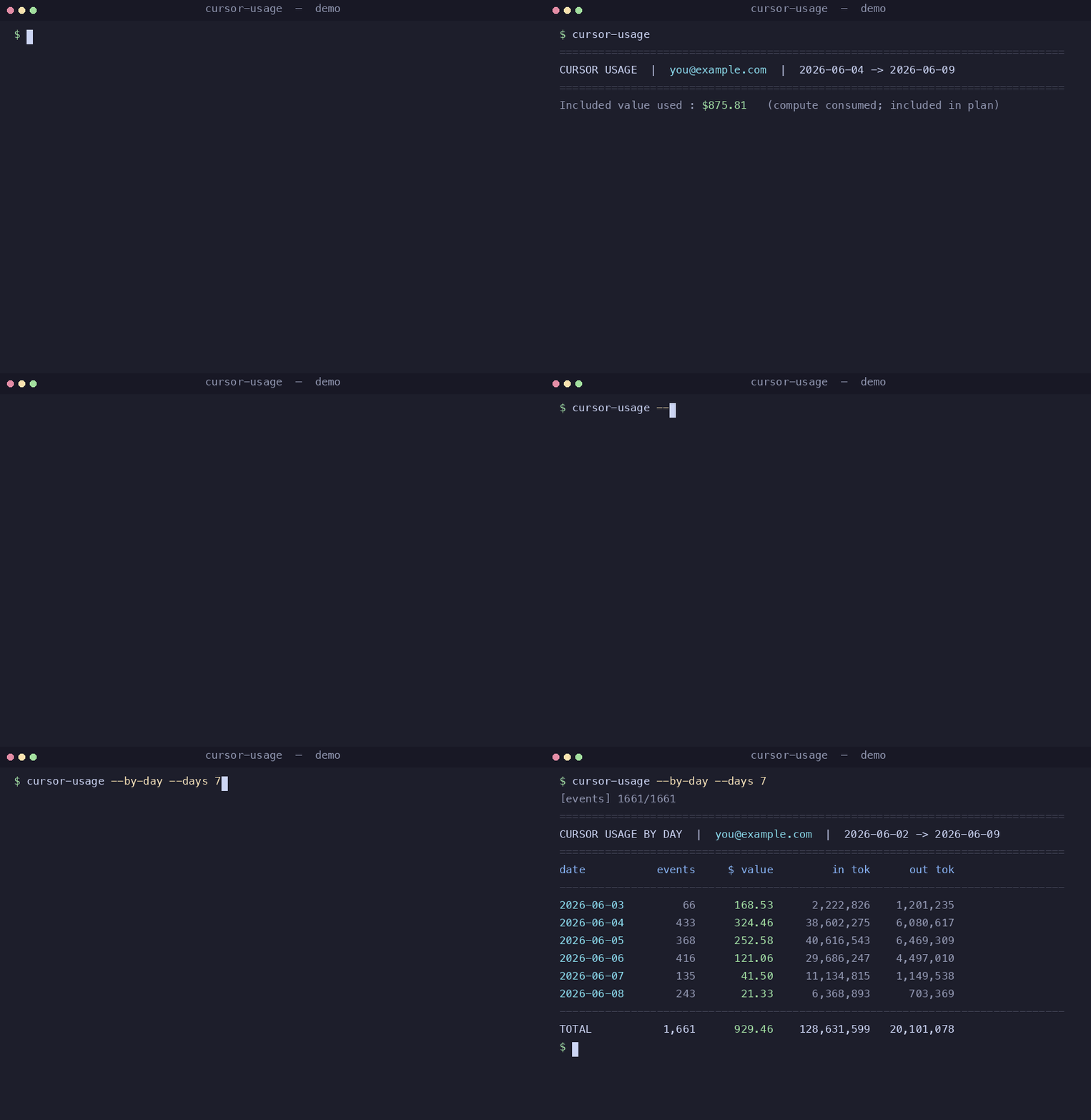
Cursor shows your usage on its web dashboard, but there's no official way to get
it from the command line. cursor-usage gives you that — a clean summary, a
per-day breakdown, and a full per-event CSV export — using the session your
Cursor app already has. No API key to manage, nothing to configure.
==============================================================================
CURSOR USAGE  |  you@example.com  |  2026-06-04 -> 2026-06-09
==============================================================================
Included value used : $875.81   (compute consumed; included in plan)
Tokens   in=126,033,860  out=18,989,068
         cacheRead=2,492,781,450  cacheWrite=8,322,520
------------------------------------------------------------------------------
model                                  $ value        in tok     out tok
------------------------------------------------------------------------------
composer-2.5                            460.14    95,638,983  13,315,470
claude-4.6-opus-high                    233.71       786,434   1,059,451
gemini-3.5-flash                         45.77    16,097,065   1,075,904
gpt-5.4-high                             43.65     4,069,043   1,041,967
...

==============================================================================
CURSOR CYCLE LIMITS  |  resets 2026-07-04
==============================================================================
Composer / Auto [###########...................]   36.7% used,   63.3% left
Other models    [####..........................]   12.4% used,   87.6% left
Included usage  $146.80 of $400.00 used  ($253.20 left)
- One command, real numbers — per-model tokens and compute value for the current billing month.
- 📊 Cycle limits — the default summary also shows % used / % left before hitting your plan's rate limit, split into Composer / Auto (composer-2.5, composer-2.5-fast, Auto) vs Other models.
- 📅 Per-day breakdown —
--by-dayshows how much you burned each day. - 🧾 CSV export —
--csvdumps every usage event (timestamp, model, tokens, cost) for your own spreadsheets and charts. - 🌍 Cross-platform — macOS, Linux, and Windows.
- 🔋 Zero dependencies — pure Python standard library.
- 🔒 Local & private — reads the session your Cursor app already stored;
talks only to
cursor.com. No telemetry, no third parties.
pip install cursor-usage      # or: pip install . from a clone
cursor-usage                      # summary for the current billing month
That's it — if you're signed in to Cursor on this machine, it just works.
| Command | What it does |
|---|---|
cursor-usage |
Summary for the current billing month |
cursor-usage --by-day |
Add a per-day breakdown |
cursor-usage --csv usage.csv |
Export every usage event to CSV |
cursor-usage --days 7 |
Window: the last 7 days |
cursor-usage --month 2026-05 |
Window: a specific month |
cursor-usage --start 2026-06-01 --end 2026-06-07 |
Window: an explicit range |
cursor-usage --json |
Raw aggregated JSON (for scripting) |
cursor-usage --limits-json |
Raw cycle-limits JSON (for scripting) |
cursor-usage -v |
Also print which session source was used |
Flags combine — e.g. cursor-usage --by-day --csv june.csv --month 2026-06.
📅 Example: --by-day
==============================================================================
CURSOR USAGE BY DAY  |  you@example.com  |  2026-06-02 -> 2026-06-09
==============================================================================
date           events     $ value         in tok      out tok
------------------------------------------------------------------------------
2026-06-04        433      324.46     38,602,275    6,080,617
2026-06-05        368      252.58     40,616,543    6,469,309
2026-06-06        416      121.06     29,686,247    4,497,010
------------------------------------------------------------------------------
TOTAL           1,661      929.46    128,631,599   20,101,078
🧾 CSV columns
datetime_local, timestamp_ms, date, model, kind, input_tokens, output_tokens, cache_read_tokens, cache_write_tokens, value_cents, charged_cents, requests_costs, is_headless, owning_user — one row per usage event, sorted by
time.
A Cursor API key (crsr_…) can't read usage — that data lives behind your
web session, the same one your browser/app uses on cursor.com. This tool
finds that session locally and asks Cursor's dashboard API for your numbers.
It looks for the session in this order (all local-only):
CURSOR_SESSION_TOKENenvironment variable (manual override)- macOS Keychain (written by the
cursor-agentCLI) - Your OS keyring, if the optional
keyringpackage is installed - The Cursor app's local state database (works on every OS)
If it can't find one, sign in to the Cursor app and run it again.
🔍 Where exactly the session lives (per OS)
The Cursor IDE stores the session token in a small SQLite file
(state.vscdb → key cursorAuth/accessToken), in the same place on every OS:
| OS | Path |
|---|---|
| macOS | ~/Library/Application Support/Cursor/User/globalStorage/state.vscdb |
| Linux | ~/.config/Cursor/User/globalStorage/state.vscdb |
| Windows | %APPDATA%\Cursor\User\globalStorage\state.vscdb |
Want the full reverse-engineering story (and a recipe to rebuild this tool)? See docs/HOW_THIS_WAS_BUILT.md.
On any OS you can skip auto-detection entirely:
# cursor.com → DevTools → Application → Cookies → copy WorkosCursorSessionToken
export CURSOR_SESSION_TOKEN='user_…::eyJhbGci…'
cursor-usage- The tool only reads your existing local session — it never writes,
refreshes, or sends it anywhere except
cursor.com. - No telemetry. No third-party calls.
- CSV exports contain your own usage data; they're git-ignored by default so you don't commit them by accident.
$ valueis compute consumed, not money owed. On plans where usage-based pricing is off, your bill is just the flat subscription — these figures show the value of the compute included in your plan.- This uses Cursor's internal, undocumented dashboard API. It works great today, but Cursor could change it at any time. If something breaks, please open an issue.
- If your session has expired, sign back in to Cursor and run the command again.
pip install cursor-usage                 # from PyPI (once published)
pip install .                                # from a local clone
pip install "cursor-usage[keyring]"      # + OS-keyring lookup on Linux/Windows
Requires Python 3.8+.
Issues and PRs are welcome. Run the tests with:
pip install pytest && pytest -qMIT — do whatever you like.