PreVEngine is a Vulkan-based rendering engine with OpenXR support, designed for cross-platform development. It provides a modular architecture for rendering, input handling, and XR integration.
| Platform | Status |
|---|---|
| Windows |  |
| Linux (Wayland) |  |
| Linux (XCB) |  |
| Android |  |
| MacOS |  |
| iOS |  |
| OpenXR Platform | Status |
|---|---|
| Windows |  |
| Linux (Wayland) |  |
| Linux (XCB) |  |
| Android |  |
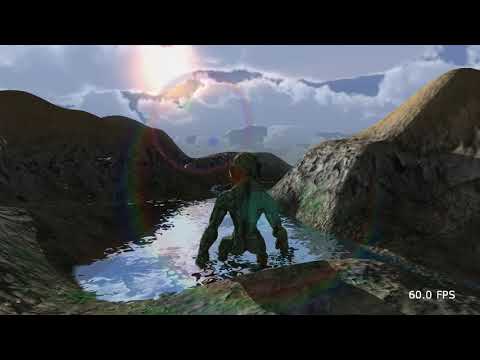
Here is a video:
git clone --recurse-submodules https://github.com/helcl42/PreVEngine` # to clone with submodules.- Install Vulkan SDK for you platform: link.
- Download platform prebuilt binaries (assimp) by executing the follwing command.
python Scripts/download_dependencies.pyNote: If you have a problem with the script, the package is hosted on Google Drive. You can download it directly from the link. Just unpack it in the root folder of the repositor.
mkdir build && cd build
cmake -G Ninja -DCMAKE_BUILD_TYPE=Release ..
ninja- Make sure you have
JDK-17andNDK-25+installed.
mkdir build && cd build
cmake -DANDROID=ON -DANDROID_ABI=arm64-v8a ..
cd ../Examples/PreVEngineExample/platform/android
chmod a+x gradlew && ./gradlew clean build
Alternatively import to android studio from location Examples/PreVEngineExample/platform/android and deploy as usuall
- Generate Xcode project
mkdir build && cd build
cmake -G Xcode -DCMAKE_BUILD_TYPE=Debug -DCMAKE_SYSTEM_NAME=iOS -DCMAKE_OSX_SYSROOT=iphoneos -DCMAKE_OSX_DEPLOYMENT_TARGET=13.0 -DCMAKE_OSX_ARCHITECTURES="arm64" -DENABLE_VK_LOADER=OFF ..- Open in Xcode.
- Add reference to MoltenVK framework.
- Add all assets to app bundle resources.
- To enable OpenXR enable cmake option
option(ENABLE_XR "Enable XR" ON)The project provides a script for batch shader compilation
# without OpenXR
python Scripts/compile_shaders.py --input_folder Examples/PreVEngineExample/assets/Shaders/ --output_folder build/Examples/PreVEngineExample/assets/Shaders/ --compile_serial --compiler_args '-DMAX_VIEW_COUNT=1 ' --force_compile_all

# with OpenXR enabled
python Scripts/compile_shaders.py --input_folder Examples/PreVEngineExample/assets/Shaders/ --output_folder build/Examples/PreVEngineExample/assets/Shaders/ --compile_serial --compiler_args '-DMAX_VIEW_COUNT=2 ' --compiler_args '-DENABLE_XR=1 ' --force_compile_all
- Assimp: Used for model loading.
- GLM: Great Math library.
- VMA: Vulkan Memory Allocator.
- stb_image: Used for image loading.
- volk: Multiplatform loader for Vulkan.
This project is licensed under the MIT License. See the LICENSE file for details.