
Generate your Top languages of Github



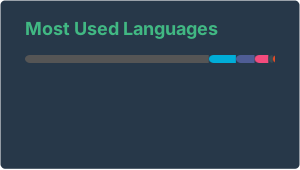
Generate your Top languages of Github to toplanguages.svg (in root of repository). Next just copy raw link of svg and paste to your Markdown.
name: Create Top Languages

on:
  push:
  schedule:
    - cron: '0 */2 * * *'

jobs:
  build-and-run:
    runs-on: ubuntu-latest
    permissions:
      contents: write
    steps:
      - name: Run custom action
        uses: gouef/githubtoplanguages@main
        with:
          botName: "Jan Galek"
          botEmail: "ghome.cz@gmail.com"
          user: "JanGalek"
          limit: 6
          ignoredOrgsFlag: "wowmua"
          ignoredReposFlag: "wowmua/Maps"
          ignoredLangsFlag: ""
          withForks: "false"
        env:
GITHUB_TOKEN: ${{ secrets.USER_GITHUB_TOKEN }}| Input | Default | Required | Description |
|---|---|---|---|
botName |
Jan Galek |
false |
Set bot name for contributors |
botEmail |
ghome.cz@gmail.com |
false |
Set bot email address for contributors |
user |
`` | true |
Github UserName |
limit |
6 |
true |
Limit of languages |
ignoredOrgsFlag |
`` | true |
Comma-separated list of ignored organizations |
ignoredReposFlag |
`` | true |
Comma-separated list of ignored repositories |
ignoredLangsFlag |
`` | false |
Comma-separated list of ignored languages |
withForks |
false |
false |
Include forked repositories in the analysis (true/false) |
To successfully analyze repositories, organizations, forks, and Pull Requests, your GitHub Personal Access Token (stored in your repository secrets, e.g., USER_GITHUB_TOKEN) must have specific permissions enabled.
Depending on the type of token you choose to generate, configure the following scopes:
When creating a classic token via Settings -> Developer settings -> Personal access tokens -> Tokens (classic), check the following boxes:
repo(Full control of private and public repositories)- Why: Crucial for reading your personal code, tracking down fork configurations, and fetching deeply nested Pull Request files.
read:org(Under theadmin:orgsection)- Why: Absolutely required for the organization module to function. Without this scope, the GitHub GraphQL API will securely hide your organizations and return
0results.
- Why: Absolutely required for the organization module to function. Without this scope, the GitHub GraphQL API will securely hide your organizations and return
If you prefer restricting the token's lifetime and scoping it down to specific target accounts, go to Tokens (fine-grained) and configure:
- Contents:
Read-only(To evaluate source files and calculate total code bytes) - Metadata:
Read-only(Mandatory for fetching repository definitions and standard properties) - Pull Requests:
Read-only(To inspect line additions and structures inside your PR history)
- Members:
Read-only(To discover which organization jupiters you are a member of) - Metadata:
Read-only(To access corporate repositories and public schemas)
- Unassigned user data / Profile:
Read-only(Required to fetch the user contribution calendar and calculate streaks)
If any of your organizations (such as private company groups or specific open-source communities like EpicGames) enforce SAML SSO, your token will be blocked by default until you manually authorize it.
- Go to your GitHub Personal Access Tokens settings page.
- Find your generated token and click the Configure SSO button right next to it.
- Locate your organization in the list and click Authorize.
Failure to complete this manual authorization step will cause the API to hide those organizations completely, resulting in empty metrics.
Read Contributing



Click above to join our community on Discord!