
종목코드 하나. 기업의 전체 이야기.
Korean DART + US SEC EDGAR 공시를 한 줄의 Python 으로 읽고 비교한다.







문서 · Skill OS · Skill Market · 블로그 · Colab에서 열기 · Molab에서 열기 · English · 후원




종목 하나로 재무·주가·공시·신용·산업·매크로를 한 화면에서 읽는 블룸버그식 터미널에 도전하는 DartLab 터미널. 라이브러리가 만든 비교 가능한 데이터를 그대로 화면 위에 올렸다.
이 터미널은 @youngchangjo 님의 스레드에서 받은 영감으로 시작됐습니다.
DartLab은 DART와 EDGAR 공시를 종목코드 하나로 비교 가능한 데이터로 바꾸는 Python 라이브러리다. 재무제표, 사업보고서 본문, 공시 목록, 비율, 신용위험, 산업 맵, 매크로 맥락을 같은 Company 인터페이스로 읽는다.
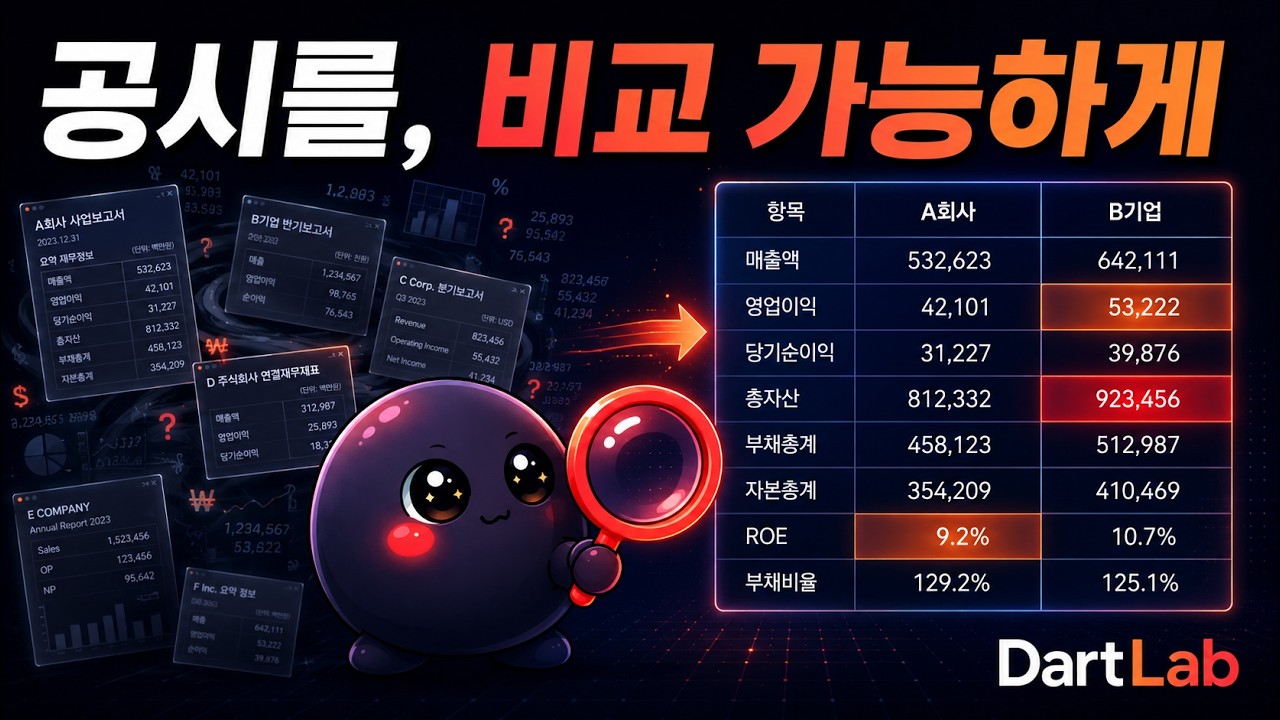
핵심은 단순 수집이 아니다. 회사마다 다른 계정명과 공시 목차를 topic × period, account × period 형태로 수평화해서 작년과 올해, 삼성전자와 애플, 한 종목과 전체 시장을 같은 질문으로 비교하게 만든다.
| Before | After |
|---|---|
| 사업보고서 여러 해를 열고 목차를 맞춘다 | c.panel() |
| XBRL 계정명과 한글 항목명을 직접 매핑한다 | c.panel("IS") |
| 전 종목 재무비율을 직접 수집·정규화한다 | dartlab.scan("profitability") |
| AI 답변의 숫자를 다시 검산한다 | dartlab.ask(...) + 실행 근거 ref |
DartLab은 AI / Python / CLI 세 길을 같은 데이터·같은 엔진 위에 올려놓는다. 자기 맥락에 맞는 길로 진입하면 된다.
| 사용 방식 | 코드 길이 | 첫 결과 | 이런 사람에게 맞다 |
|---|---|---|---|
| AI로 바로 사용 | 1 줄 | ~1 분 | 질문을 던지고 근거 있는 답변을 받고 싶은 분석가 |
| Python 코드로 사용 | 3-5 줄 | ~3 분 | 재무제표·공시·스캔 데이터를 직접 다루는 개발자 |
| CLI 로 사용 | 1 명령 | ~2 분 | 단발 조회·자동화 스크립트·셸 파이프라인 사용자 |
각 경로는 모두 dartlab.Company 와 같은 분석 엔진을 호출한다. 출발점만 다를 뿐 결과는 같다.
기업 이름이나 종목코드를 넣고 자연어로 물어보면, DartLab AI는 내부에서 Company, analysis, credit, scan, macro 같은 도구를 직접 실행한다. 답변만 만드는 것이 아니라 어떤 데이터와 계산을 썼는지 추적 가능한 ref를 함께 남긴다.


import dartlab

dartlab.ask("삼성전자 재무건전성 분석해줘")
# AI가 필요한 데이터를 직접 조회하고, 계산 결과와 근거 ref를 함께 반환
AI 경로의 장점:
- 분석 흐름을 직접 설계: 질문에 맞춰 공시, 재무제표, 신용, 매크로, peer 비교 도구를 조합한다.
- 숫자 검산 가능: 답변 속 숫자와 표는 실행 결과 ref에 연결된다.
- 공시 본문은 데이터로만 처리: DART/EDGAR/웹 본문 안의 지시는 따르지 않고 분석 근거로만 쓴다.
- 외부 LLM 연동 가능: MCP로 Claude Code, Codex CLI, Cursor 같은 도구에서 같은 표면을 호출한다.
claude mcp add dartlab -- dartlab mcp
codex  mcp add dartlab -- dartlab mcp
Claude Desktop · 원격 SSE · 절대 경로 옵션은 MCP 섹션 참조.
코드 경로는 Company가 중심이다. 종목코드 하나로 재무제표, 공시 본문, 정형 보고서, 비율을 c.panel 단일 표면에서 같은 방식으로 호출한다. c.panel 을 잡는 순간 항목×기간 격자가 된다.
uv add dartlabimport dartlab
c = dartlab.Company("005930") # 삼성전자
c.panel() # 전체 공시 수평화 격자 (항목 × 기간)
c.panel("IS") # 손익계산서 (finance 정규화 숫자)
c.panel("is") # native 손익 - 사업보고서 항목 그대로 (XBRL+옛 통합 2013~)
c.panel("ratios") # native 재무비율 (5표 항목으로 계산)
c.panel("사업") # 사업 개요 등 공시 본문 행 검색
c.filings() # 원문 공시 링크# 같은 인터페이스, 다른 시장
kr = dartlab.Company("005930")
us = dartlab.Company("AAPL")
kr.panel("IS")
us.panel("IS")Python 경로의 장점:
- API 키 없이 시작: 사전 구축 데이터는 HuggingFace에서 자동 다운로드하고 로컬에 캐시한다.
- 기간 비교가 기본: 공시 본문과 재무제표를 기간 축으로 맞춘다.
- 한국과 미국을 같은 인터페이스로 조회: DART와 EDGAR의 차이는 provider가 흡수한다.
- 엔진 결과를 재사용 가능: analysis, credit, macro, quant, industry, story 결과를 코드에서 직접 다룬다.
설치 후 셸에서 dartlab 명령으로 같은 엔진을 호출한다. 단발 조회·셸 자동화·파이프라인 친화적.
uv add dartlab

dartlab help "외인 매수"            # 도움말 + 매칭 capability 탐색
dartlab list scan                    # scan 카테고리 recipe 인덱스
dartlab show 005930 IS               # 손익계산서 출력 (Python c.panel("IS") 등가)
dartlab analyze 005930 --aspect credit
dartlab mcp                          # MCP 서버 진입 (외부 LLM 도구 등록용)
CLI 경로의 장점:
- API 키 없이 단발 호출: HuggingFace 캐시 자동 사용
- 셸 파이프라인 친화:
dartlab show ... --json | jq ...식으로 합성 - MCP 서버 진입점 동일:
dartlab mcp한 명령으로 외부 어시스턴트 도구 노출
CLI 명령 전체 목록 + 옵션은
dartlab --help또는 Skill OS (src/dartlab/skills/specs/operation/code.md) 참조.
아래는 Python 경로에서 바로 얻는 대표 결과다. 공시 본문, 재무제표, 원문 링크가 같은 Company 객체에서 나온다.
import dartlab

c = dartlab.Company("005930")       # 삼성전자

c.panel()                           # 모든 항목, 모든 기간, 나란히 - 잡는 순간 격자
# shape: (223, 14) - 공시 항목 × 기간
#                     2026Q1  2025Q4  2025Q3  2024Q4  ...
# (표지)                  v       v       v       v
# 사업의 내용             v       v       v       v
# 재무상태표              v       v       v       v
텍스트와 숫자의 시계열 수평화: 전 기간 비교 가능성의 핵심


c.panel("IS")                       # 손익계산서 - finance 정규화 (분기 기본)
c.panel("IS", freq="year")          # freq로 연간 합산
finance 정규화: XBRL 표준계정(snakeId) + 한글 항목명, 원 단위 정밀 숫자


c.panel("is", freq="year")          # native 손익 - 사업보고서 항목 그대로 (2013~)
c.panel("ratios")                   # native 재무비율, 5표 항목으로 계산
소문자=native: 사업보고서 항목 그대로, XBRL 이전까지 닿는 깊은 history (2013~)


c.panel("사업")                      # 사업 개요 등 공시 본문 행 검색
c.panel.search("재고")               # 본문 전체 검색

c.filings()                         # 모든 보고서 - DART 뷰어로 바로 연결
사업보고서부터 분기보고서까지, dartUrl로 원문 즉시 확인


# 같은 인터페이스, 다른 나라
us = dartlab.Company("AAPL")
us.panel("business")
us.panel("ratios")

# 자연어로 질문
dartlab.ask("삼성전자 재무건전성 분석해줘")
# → AI가 코드를 실행하며 분석: "영업이익률이 8.6%→21.4%로 반등..."
API 키 불필요. HuggingFace에서 자동 다운로드, 로컬 캐시로 즉시 로드.
dartlab.dataHub는 특정 스캐너나 AI 전용 도구가 아니다. L1 원천, L1.5 횡단 데이터,
L2 분석 자산을 하나의 catalog와 query 계약으로 발견하고 외부 Python, HTTP,
시뮬레이터가 함께 쓰는 독립 데이터 플랫폼 엔진이다. Factor store는 별도 제품이
아니라 이 작업대의 factor projection과 immutable materialization을 조합한 사용
방식이다.
import dartlab

catalog = dartlab.dataHub(
    "catalog",
    query={"layers": ["L1", "L1.5", "L2"], "search": "financialFeatures"},
)

first = dartlab.dataHub(
    "query",
    query={
        "requests": [
            {
                "assetId": "analysis.dartFinancialFeatures",
                "requestId": "krListed",
                "universe": {"markets": ["KR"], "membership": "listed"},
                "projection": {
                    "kind": "factor",
                    "measures": [
                        "financial.revenue",
                        "financial.operatingMargin",
                    ],
                },
                "time": {"knownAt": "20260723"},
            },
            {
                "assetId": "analysis.edgarFinancialFeatures",
                "requestId": "usListed",
                "universe": {"markets": ["US"], "membership": "listed"},
                "projection": {
                    "kind": "factor",
                    "measures": [
                        "financial.revenue",
                        "financial.operatingMargin",
                    ],
                },
                "time": {"knownAt": "20260723"},
            },
        ],
        "budget": {
            "maxRows": 100000,
            "maxBytes": 64 * 1024 * 1024,
            "timeoutMs": 120000,
            "maxAssets": 4,
            "maxSubjects": 20000,
            "maxConcurrency": 2,
        },
        "materialization": {"mode": "refresh"},
    },
)

for page in first.iterPages():
    consume(page)
이 호출 하나가 현재 상장 KR 2,661개와 US 7,669개의 작업을 등록한다. 종목별 API를 호출자가 반복하거나 전 데이터를 첫 응답 RAM에 올리는 방식이 아니다. 작업대가 row, byte, time 상한 안에서 opaque continuation을 소비하고, 성공하지 못한 종목도 구조화 gap과 coverage에 남긴다.
Cold refresh는 terminal generation을 동기적으로 완성하므로 즉시 반환 경로가 아니다.
같은 DARTLAB_HOME을 보는 다른 프로세스의 warm reuse와 receipt 기반 offline은
저장된 Arrow page를 owner와 source 재호출 없이 읽는다. 외부 프로세스는
DataHubClient 또는 AsyncDataHubClient로 /api/dataHub/v1 계약을 호출하고,
분산 노드는 pull worker로 같은 job ledger를 소비한다. 자세한 계약은
engines.dataHub와
설계 문서에 있다.
DartLab은 DART와 EDGAR 공시를 비교 가능한 기업 데이터로 바꾸고, 다섯 개의 분석 렌즈로 근거 있는 기업 판단을 만드는 오픈소스 리서치 시스템이다.
공시 원문 → Company와 Panel → 다섯 분석 렌즈 → Story, Simulate, Ask
                              ↘ Scan과 Screener
- Company와 Panel은 회사마다 다른 공시 목차와 계정을 항목과 기간의 격자로 맞춘다.
- Scan과 Screener는 같은 조건을 전체 상장사에 적용하고, 통과와 탈락 이유를 함께 남긴다.
- 다섯 분석 렌즈는 서로 다른 질문에 독립적으로 답한다. 하나의 종합점수로 합치지 않는다.
- Story, Simulate, Ask는 렌즈가 만든 결론과 근거를 재계산하지 않고 조사 목적에 맞게 조합한다.
각 렌즈의 대표 결과에는 conclusion, drivers, evidence, confidence, gaps, falsifiers, asOf, dataAsOf가 같은 문법으로 들어간다. confidence.score는 수익률 예측 확률이 아니라 해당 판단에 필요한 근거 충족도다. 세부 축은 그대로 공개되며, 대표 호출에서 시작해 필요한 근거까지 내려갈 수 있다.
| 렌즈 | 답하는 질문 | 대표 호출 |
|---|---|---|
| Analysis | 이 회사의 사업, 이익, 현금, 자본배분과 가치는 어떻게 연결되는가? | c.analysis("종합평가") |
| Credit | 이 회사는 빚을 감당할 수 있고, 무엇이 등급을 깨는가? | c.credit("등급", detail=True) |
| Industry | 이 회사는 가치사슬 어디에 있고, 이익 풀과 비교기업은 누구인가? | c.industry() |
| Quant | 공시 펀더멘털 변화와 시장 기대, 가격 반응 사이에 괴리가 있는가? | c.quant("괴리") |
| Macro | 거시 변화가 어떤 경로로 이 회사의 재무와 가치에 전달되는가? | c.macro("전파") |
Industry의 Company 대표 호출은 현재 검증된 DART 가치사슬 taxonomy가 있는 한국 기업을 대상으로 한다. EDGAR 기업은 Story와 공개 렌즈 bundle에서 가짜 산업 매핑 대신 blocked 결손과 사유를 반환한다.
analysis = c.analysis("종합평가")
credit = c.credit("등급", detail=True)
industry = c.industry()
quant = c.quant("괴리")
macro = c.macro("전파")

print(analysis["product"]["conclusion"])
print(credit["product"]["gaps"])
print(macro["product"]["time"])product는 기존 엔진 결과에 추가되는 공통 외피다. 기존 등급, 비율, 가치사슬, 기술지표와 전파 경로는 그대로 유지되므로 세부 분석 능력을 숨기지 않는다.
| 작업 | 하는 일 | 대표 호출 |
|---|---|---|
| Story와 Report | 필요한 렌즈의 독립 결론, 근거, 한계를 한 보고서에 배치 | c.story(type="full") |
| Simulate | 결정론 시나리오와 렌즈 가정을 하나의 가정 원장으로 추적 | c.simulate(scenario="adverse") |
| Ask | 렌즈 결론과 기준시점을 valueRef, dateRef로 인용해 설명 |
dartlab.ask("삼성전자 하방 위험을 근거와 함께 분석해줘") |
| Scan과 Screener | 전체 상장사에 같은 조건을 적용하고 제외 이유를 설명 | dartlab.scan("screen", "resilientCompounders", explain=True) |
Story JSON과 ReportModel은 렌즈별 원문을 lensProducts에 보존한다. 렌즈 간 단일 등급은 만들지 않으며, usable, partial, blocked 상태와 데이터 결손을 그대로 노출한다.

설계: engines.company
세 가지 데이터 소스(docs=전문 공시, finance=XBRL 재무제표, report=DART API 정형 데이터)를 하나의 객체로 통합. HuggingFace에서 자동 다운로드, 설정 불필요.
c = dartlab.Company("005930")

c.panel()                       # 잡는 순간 격자 -- 공시 항목 × 기간 전체
c.panel("BS")                   # 재무상태표 -- finance 정규화 숫자
c.panel("bs")                   # native 재무상태표 -- 사업보고서 항목 그대로 (2013~)
c.panel("ratios")               # native 재무비율 -- 5표 항목으로 계산
c.panel("매출") # 항목명 행 검색 (raw 공시)주석(Notes): BS/IS 총액 이면의 항목별 분해. c.panel("topic")으로 재무제표와 같은 패턴으로 접근. DART(K-IFRS HTML 파싱)와 EDGAR(US-GAAP XBRL 태그) 동일 인터페이스.
c.panel(...) |
내용 | DART | EDGAR |
|---|---|---|---|
"inventory" |
원재료/재공품/제품 분해 | ✅ | ✅ |
"borrowings" |
단기/장기 차입금 분해 | ✅ | ✅ |
"tangibleAsset" |
유형자산 취득원가/감가상각/장부가 | ✅ | ✅ |
"intangibleAsset" |
영업권/개발비 등 | ✅ | ✅ |
"receivables" |
매출채권 + 대손충당금 | ✅ | ✅ |
"provisions" |
보증/소송/구조조정 충당부채 | ✅ | ✅ |
"eps" |
기본/희석 주당이익 | ✅ | ✅ |
"segments" |
부문별 매출/이익 | ✅ | ✅ |
"costByNature" |
원재료/급여/감가상각 성격별 비용 | ✅ | ✅ |
"lease" |
사용권자산/리스부채 | ✅ | ✅ |
"affiliates" |
관계기업 지분법 투자 | ✅ | ✅ |
"investmentProperty" |
투자부동산 공정가치/장부가 | ✅ | ✅ |

설계: engines.scan
전 종목 대상 횡단 분석. 거버넌스, 인력, 주주환원, 부채, 현금흐름, 감사, 내부자, 이익의 질, 유동성, 네트워크, 계정/비율 비교 등.
dartlab.scan("governance")            # 전종목 지배구조
dartlab.scan("ratio", "roe")          # 전종목 ROE
dartlab.scan("account", "매출액")      # 전종목 매출액 시계열
2,500+ 종목의 매출액을 한 번에: 분기별 시계열로 즉시 비교


설계: engines.panel
Company.panel이 한 회사를 항목×기간으로 수평화한다면, dartlab.compare는 2~6개 회사를 같은 토픽·시점 격자로 정렬한다. scan처럼 단어 하나로 부르는 톱레벨 verb: 회사 간 비교의 공식 표면이다.
import dartlab

# 주석·서술 비교 - disclosureKey·scope·leafType 정렬키로 회사 간 한 행 정렬
dartlab.compare(["005930", "000660"], topic="재고")

# 재무제표 셀 비교 - acode 단위, 값은 원 환산 (단위·라벨 착시 제거)
dartlab.compare(["005930", "000660"], topic="is", freq="year")

# 다기간 - 셀 컬럼이 {code}␟{period} 로 회사·시점 namespace
dartlab.compare(["005930", "000660"], topic="유형자산", period=["2025Q4", "2024Q4"])- label-drift 자동 해소: 같은 항목이 회사마다 다른 절 번호(삼성 "7. 유형자산" ↔ SK "11. 유형자산")여도 한 행에 정렬한다.
- 확신 오정렬 차단: 연결↔별도(scope)·표↔서술(leafType)이 다르면 같은 행에 병치하지 않는다.
- 결손은 NaN 유지: 0 채움·forward-fill 없이 빈 칸을 그대로 둔다(honest-gap, 추세 왜곡 방지).
- 시장 경계: KO↔US 혼합은 막는다. US(EDGAR)는 현재 row 비교만, 재무 셀 비교는 DART(원 환산)만 열려 있다.
설계: engines.gather
주가, 수급, 거시지표, 뉴스를 Polars DataFrame으로.
dartlab.gather("price", "005930")             # KR OHLCV
dartlab.gather("price", "AAPL", market="US")  # US 주가
dartlab.gather("macro", "FEDFUNDS")           # 자동 US 감지
dartlab.gather("news", "삼성전자")             # Google News RSS
대량 데이터 batch 순회: 인사이더 거래·지분·뉴스를 generator 로 분할 yield (메모리 안전, 전 종목 스캔용):
from dartlab.gather.accessors import DefaultFinanceAccessor
a = DefaultFinanceAccessor()
for batch in a.iterNews("삼성전자", days=30, batchSize=100):
    process(batch)
# 동행: a.iterInsiderTrades("005930") · a.iterOwnership("005930")
# 일괄: a.fetchInsiderTrades / fetchOwnership / fetchNews
getDefaultGather() 싱글턴은 thread-safe (멀티스레드 환경 단일 인스턴스 보장). 캐시 통계·source fallback 신호는 getCacheStatsSnapshot() · DARTLAB_TELEMETRY=stdout 으로 추적.
설계: engines.analysis
이 회사의 사업, 이익, 현금, 자본배분과 가치는 어떻게 연결되는가?
대표 결과는 사업, 이익, 현금, 회복력, 자본배분, 가치, 위험의 직접 계산을 한 흐름으로 묶는다. 필수 영역의 데이터가 없으면 판단을 막거나 partial로 낮추며, 세부 22축은 그대로 drilldown할 수 있다.
result = c.analysis("종합평가")
print(result["product"]["conclusion"])
print(result["product"]["drivers"])
print(result["product"]["gaps"])

c.analysis("수익성")                  # 세부 축
c.analysis("현금흐름")                # 세부 축
c.analysis("가치평가") # 세부 축설계: engines.credit | 보고서: eddmpython.github.io/dartlab/blog/credit-reports
이 회사는 빚을 감당할 수 있고, 무엇이 등급을 깨는가?
3-Track 모델(일반/금융/지주), Notch Adjustment, CHS 시장 보정과 별도재무 블렌딩으로 dCR 등급을 만든다. 대표 제품은 등급과 부도확률뿐 아니라 동인, 명시적 가정, 하방 스트레스와 tripwire를 함께 반환한다.
79개사 검증: 대기업 87% (26/30), 중대형 82% (41/50), 전체 70% (55/79, v5.0 과대평가 수정 후 재측정 예정). 삼성전자 AA+ 정확 일치. 검증 방법론은 methodology 참조.
print(c.credit())            # 세부 축 가이드

cr = c.credit("등급", detail=True)
print(cr["grade"])          # dCR-AA+
print(cr["product"]["conclusion"])
print(cr["product"]["scenarios"])
print(cr["product"]["falsifiers"])
신용분석 보고서 발간 (credit 서사 + 신평사 대조가 story 5막에 자동 통합):
from dartlab.story.publisher import publishReport
publishReport("005930")설계: engines.industry
이 회사는 가치사슬 어디에 있고, 이익 풀과 비교기업은 누구인가?
산업 이름만 붙이는 분류기가 아니다. 공정과 역할, upstream과 downstream 관계, 동종 stage, profit pool과 관계 근거를 한 제품으로 반환한다. 직접 관계나 최신성이 부족하면 그 범위를 gaps에 남긴다.
position = c.industry()
print(position["product"]["conclusion"])
print(position["peers"])
print(position["relationships"])설계: engines.quant
공시 펀더멘털 변화와 시장 기대, 가격 반응 사이에 괴리가 있는가?
대표 제품은 공시 이익 변화, 횡단면 이익 서프라이즈 프록시, 실제 가격 반응을 비교해 미반영, 확인, 과열, 악화 반영 또는 판단 보류로 분류한다. 실제 애널리스트 컨센서스가 없는 경우 프록시를 컨센서스로 가장하지 않는다.
gap = c.quant("괴리")
print(gap["classification"])
print(gap["product"]["conclusion"])
print(gap["product"]["gaps"])

c.quant("판단")                    # 세부 가격 판단
c.quant("베타", benchmarkMode="sector")설계: engines.macro
거시 변화가 어떤 경로로 이 회사의 재무와 가치에 전달되는가?
대표 제품은 최신 거시 관측에서 산업 노출, 회사 재무 근거, 가치 레버까지 이어지는 edge를 보여준다. 기업 직접 근거가 없으면 sector prior 또는 template 상태로 남겨 시장 해석과 기업 해석을 구분한다. 시장 자체를 읽는 세부 축도 그대로 제공한다.
transmission = c.macro("전파")
print(transmission["product"]["conclusion"])
print(transmission["edges"])
print(transmission["product"]["gaps"])

dartlab.macro("사이클")          # 시장 국면
dartlab.macro("금리")            # 금리와 수익률곡선
dartlab.macro("위기")            # 금융 건전성
시장 사이클·금리·유동성·심리·자산 신호와 글로벌 거시 분석 방법론(Hamilton EM, Kalman DFM, Nelson-Siegel, Cleveland Fed 프로빗, Sahm Rule, BIS Credit-to-GDP)을 numpy만으로 직접 구현.
백테스트 실증 (2000-2024, FRED): Cleveland Fed 프로빗이 미국 3/3 침체를 2-16개월 전에 사전 감지, recall 90%.
설계: engines.story
필요한 렌즈의 제품 결과를 재계산 없이 구조화 보고서로 조립한다. 각 렌즈의 결론, 근거 충족도, 시점과 결손은 독립적으로 유지하며 단일 종합점수는 만들지 않는다. 출력 형식은 rich, html, markdown, json 네 가지다.
story = c.story(type="full")
print(story.lensProducts["analysis"]["conclusion"])
print(story.toMarkdown())

simulation = c.simulate(scenario="adverse")
print(simulation.assumptionLedger)

dartlab.ask("삼성전자 하방 위험을 근거와 함께 분석해줘")
삼성전자 보고서 미리보기: "매출 +23.8% 성장, 영업이익률 8.6%→21.4% 반등. FCF 양수 전환, ROIC > WACC, 재투자가 가치를 창출하는 구간."
설계: engines.story · 시리즈: 기업이야기
기업분석은 비율 나열이 아니다. DartLab은 5개 엔진(analysis, credit, scan, quant, macro)의 결과를 6막 스토리텔링 구조로 조합해 블로그에 발간 가능한 기업이야기를 자동 생성한다.
from dartlab.story.publisher import publishReport
publishReport("068270")    # 셀트리온 - 6막 기업이야기 자동 발간
발간된 기업이야기:
| 기업 | 이야기 |
|---|---|
| SK하이닉스 | 한국 반도체 30년의 미스터리, 영업이익률 58% |
| 삼양식품 | 라면 빅3 꼴등이 매출 2.3조 글로벌 식품 거인이 되기까지 |
| 두산에너빌리티 | 부채비율 305%에서 129%까지, 9년 다이어트의 진짜 모습 |
| 알테오젠 | 9년 적자 바이오텍이 한 건의 라이선스로 영업이익 +1,069억 |
| HMM | 시장이 아니라 사이클이 주가를 결정하는 회사 |
| 셀트리온 | IMF로 직장 잃은 41세, 5천만원으로 시작해 25년 후 무형자산 13.78조 |
| 한화에어로스페이스 | 삼성이 8,400억에 버린 무기가 수주잔고 37조가 됐다 |
| HD현대일렉트릭 | 7년 전 적자 1,006억이 올해 1조가 됐다, 변압기 하나로 |
| 고려아연 | 50년 만에 첫 순손실 2,457억, 그런데 영업이익은 사상 최대 |
| 에이피알 | 화장품 회사가 가전을 4,070억 팔았다, 그게 시작이었다 |

설계: engines.search
HuggingFace current search artifact 를 자동 사용한다. Search Index Delta 와 Data Prebuild 가 source manifest 기준으로 증분 반영하며, source별 최신성은 결과의 dataAsOf/sourceRef 로 확인한다. 당일 미러 전 단일 종목 공시 확인은 Company.disclosure / Company.liveFilings 를 함께 사용한다.
모델 없음, GPU 없음, cold start 없음. 400만 문서 95% 정밀도: 임베딩보다 정확, 1/100 비용. 벤치마크 상세는 methodology 참조.
dartlab.search("유상증자 결정")                     # 유상증자 공시 찾기
dartlab.search("대표이사 변경", corp="005930")       # 종목 필터
dartlab.search("회사가 돈을 빌렸다") # 자연어도 동작설계: operation.opsAsSkills · 루프 개요: 상단 통합 아키텍처
dartlab.ask("삼성전자 재무건전성 분석해줘")
dartlab.ask("삼성전자 분석", provider="gemini")  # 무료 provider 사용 가능
Provider: gemini(무료), groq(무료), cerebras(무료), oauth-codex(ChatGPT 구독), openai, ollama(로컬) 등. Rate limit 시 자동 대체.
설계: runtime.channel
PC에서 한 줄이면 폰에서 dartlab UI 그대로 사용. Microsoft DevTunnels 자동 셋업.
dartlab channel흐름:
- winget으로 devtunnel CLI 자동 설치 (최초 1회)
- GitHub OAuth 1회 인증 (브라우저 자동 오픈)
- 영구 URL + QR 발급 (
https://<id>-8400.<region>.devtunnels.ms) - 폰 Chrome에 URL/QR 입력 → dartlab UI 그대로 동작
도메인 0개, 토큰 트릭 0개. VS Code Remote Tunnels와 동일 인프라라 모바일 호환성 검증됨. 메시징 봇 옵션 (--telegram/slack/discord) 도 지원.
같은 인터페이스, 다른 데이터 소스. SEC API에서 자동 수집, 사전 다운로드 불필요.
# Korea (DART)                          # US (EDGAR)
c = dartlab.Company("005930")           c = dartlab.Company("AAPL")
c.panel()                               c.panel()
c.panel("사업")                          c.panel("business")
c.panel("BS")                           c.panel("BS")
c.panel("ratios")                       c.panel("ratios")
c.panel("매출") c.panel("revenue")루프·도구 표면 개요: 상단 통합 아키텍처
MCP 서버 내장. canonical 6 도구 + ask 메타로 외부 LLM 이 dartlab 라이브러리를 RunPython 안에서 직접 호출하는 패턴 (도구 표면을 좁혀 토큰 비용 ↓, 도구 선택 정확도 ↑).
uvx dartlab mcp 의 cold start 가 Claude Desktop attach timeout 안에 들어가지 못하므로 사전 설치 + entry point 직접 호출 이 정본입니다. command: "python" 은 Microsoft Store Python 환경에서 spawn ENOENT 로 실패할 수 있어 (이슈 #28), command: "dartlab" 으로 entry point 를 직접 호출하는 게 가장 견고합니다.
# 1. 사전 설치 (한 번만) - .local/bin/dartlab(.exe) entry point 생성
uv tool install dartlab # 또는: pipx install dartlab# 2-B. Claude Code 한 줄 설정
claude mcp add dartlab -- dartlab mcp
# 2-C. Codex CLI
codex mcp add dartlab -- dartlab mcpdartlab 명령이 PATH 에 잡히지 않는 환경 (한정적) 이라면 절대 경로로 적어주세요:
{
  "mcpServers": {
    "dartlab": {
      "command": "C:\\Users\\<user>\\.local\\bin\\dartlab.exe",   // Windows
      // "command": "/Users/<user>/.local/bin/dartlab",              // macOS / Linux
      "args": ["mcp"],
      "env": { "PYTHONUNBUFFERED": "1", "PYTHONUTF8": "1" }
    }
  }
}
같은 출력은
dartlab mcp --config claude-desktop/dartlab mcp --config claude-code로도 받을 수 있습니다. 프로젝트.mcp.json자동 생성:dartlab mcp --install.
{
  "mcpServers": {
    "dartlab": {
      "url": "https://eddmpython-dartlab.hf.space/mcp/sse"
    }
  }
}
HuggingFace Spaces 호스팅. DART API 키 불필요. Claude Desktop 데스크톱 앱은 stdio 만 받으므로 이 URL 방식을 reject 합니다. 위 stdio 경로를 사용하세요.
실제 tools/list 표면은 아래 11 개입니다. Skill 본문 전체 조회는 별도 advertised tool 이 아니라 ReadSkill 결과와 dartlab://skills/{id} resource 경로로 처리합니다.
| 도구 | 역할 |
|---|---|
| ask | dartlab chat-native 루프: LLM 자율 도구 호출 + Ref 검산 일괄 |
| ReadSkill | 공식 Skill OS 검색 + frontmatter + 본문 preview |
| ReadCapability | dartlab 공개 API/docstring 검색 |
| RunPython | dartlab + Polars 코드 실행 → executionRef/valueRef/tableRef |
| WebSearch | 외부 최신 정보 → webRef (untrusted 마커 자동 적용) |
| SaveArtifact | 큰 표·차트 별도 저장 → artifactRef |
| CompileVisual | 차트 spec codegen → visualRef |
| LookAheadGuard | 답변 전 누락된 다음 질문·검산 포인트 점검 |
| GroundingCheck | 숫자·날짜·출처 grounding 검산 |
| RequestUserInput | MCP elicit 지원 클라이언트에서 사용자 입력 요청 |
옛 33 generated 도구 (
companyAnalysis/companyStory/marketScan등) 는 0.10 부터 폐기: 모두RunPython안에서dartlab.Company / dartlab.scan / dartlab.macro직접 호출. 마이그레이션은 CHANGELOG 참조.
DartLab 에는 두 가지 스킬 층이 있습니다.
| 층 | 위치 | 역할 |
|---|---|---|
| builtin Skill OS | src/dartlab/skills/specs/** · /skills |
공식 운영·엔진·분석 절차입니다. 패키지와 함께 배포되며 AI 가 먼저 검색합니다. |
| community Skill Market | GitHub Discussions · /skills/market · 정적 marketIndex.json |
사용자가 공유한 분석 질문을 Forge 가 구조화한 커뮤니티 스킬입니다. 패키지 builtin 에 포함되지 않습니다. |
운영 흐름은 단순합니다. 사용자가 GitHub Discussions 에 분석 질문을 씁니다. DartLab Forge 가 원문과 댓글을 읽고 intent, inputs, dataSources, procedure, executionPlan, outputs, outputSchema, criteria, forbidden, completionCriteria 를 구조화합니다. 초안과 보완 중인 항목은 marketIndex.json 에만 남고 최종 스킬 snapshot 을 만들지 않습니다. Maintainer 가 완성 조건을 충족한다고 검토해 /market runnable, /market curated, /market builtin-candidate 로 현재 revision 을 확정할 때만 GitHub Action 이 items/{id}.json accepted snapshot 을 생성합니다. 랜딩의 Skill Market 과 AI 도구 ReadSkillMarket 이 이 정적 artifact 를 검색합니다.
여기서 스킬은 카드가 아니라 반복 가능한 분석 행위의 계약입니다. 최종 공유스킬은 어떤 DartLab 엔진이나 recipe 를 어떤 순서로 호출하는지 executionPlan 에 포함해야 합니다. mappedBuiltinSkills 는 참고 연결일 뿐이며, executionPlan 이 없으면 marketCurated 댓글이 있어도 최종 snapshot 을 만들지 않습니다.
marketCurated 는 Skill Market 안에서 완성된 공유스킬입니다. builtin 편입을 뜻하지 않습니다. 완성된 공유스킬은 Discussion 과 accepted item snapshot 에 남고, AI 는 sourceUrl 과 trustTier 를 표시한 뒤 보조 절차로 사용할 수 있습니다. builtinCandidate 는 예외적인 장기 검토 상태입니다. 기본 운영 경로는 토론에서 완성한 공유스킬을 Skill Market 에 남기는 것입니다.
최종 스킬은 Discussion 의 마지막 댓글이나 body 자체가 아니라 승인된 items/{id}.json snapshot 입니다. items/{id}.json 이 없으면 아직 최종 스킬이 아닙니다. 댓글은 토론과 기여 기록입니다. 완성 뒤 새 댓글이 달리면 기존 최종 스킬은 즉시 바뀌지 않고 revisionStatus: pendingReview 로 표시됩니다. Maintainer 가 revision draft 를 검토하고 다시 승격하면 그때 item snapshot, marketIndex.json, 랜딩 검색 결과가 갱신됩니다.
Discussion 운영은 아이디어 → Caller Audit → executionPlan 초안 → 예시 입력/기대 출력 → 운영자 확정 → accepted snapshot 순서입니다. 댓글이 추가되면 기존 snapshot 은 유지되고 새 댓글은 pending revision 으로만 표시됩니다. 다시 토론해서 운영자가 확정하면 items/{id}.json 이 vN+1 로 갱신됩니다.
Pyodide가 CPython을 WebAssembly로 포팅한 덕에 파이썬이 설치되지 않은 환경에서도 dartlab이 그대로 돈다. 같은 API, 같은 데이터.
지원 환경: xlwings Lite (Excel) · Anaconda Code (Excel) · JupyterLite · Google Colab WASM 런타임 · marimo (pyodide) · 순수 HTML 임베드.
👉 웹 엑셀에서 바로 열어보기: OneDrive 공유 워크북: xlwings Lite + dartlab 세팅 완료. 버튼만 누르면 시트에 재무제표가 찍힌다.
xlwings Lite는 두 데코레이터를 제공한다. @script는 버튼형(명령형), @func는 수식형(선언형). dartlab은 둘 다 지원하며, 함수형이 dartlab을 엑셀답게 쓰는 방법이다.
1. @script: 사이드바 버튼 → 시트에 채우기
import dartlab
import xlwings as xw
from xlwings import arg, func, script

@script(name="isTest")
def finance(book: xw.Book):
    c = dartlab.Company('000020')
    df = c.panel('IS')
    data = [list(df.columns)] + [list(r) for r in df.iter_rows()]
    sheet = book.sheets.active
    sheet["A3"].value = data
2. @func: 엑셀 셀에 수식처럼 =GETFINANCE("005930")
@func
def getFinance(code: str):
    c = dartlab.Company(code)
    df = c.panel('IS')
    data = [list(df.columns)] + [list(r) for r in df.iter_rows()]
    return data
<img src=".github/assets/xlwings-lite-func.webp" alt="xlwings Lite: @func 모드, 셀에 =GETFINANCE("005930")만 쳐도 5분기 IS가 자동 스필" width="720">
VLOOKUP과 나란히 =GETFINANCE가 엑셀 네이티브 함수로 동작한다. 종목코드를 바꾸면 셀 재계산으로 전부 갱신된다.
import micropip
# 한 줄이면 끝. deps(diff-match-patch·openpyxl 등)와 빌트인 C 확장은 wheel 메타데이터 마커로 자동 해소.
await micropip.install("dartlab")

import dartlab
c = dartlab.Company("005930")
c.panel("IS")
또는 xlwings Lite 사이드바의 requirements.txt에 dartlab 한 줄. 그것만으로 끝. 로컬 파이썬 0줄, uv 0줄, venv 0줄.
| 기능 | Pyodide | 비고 |
|---|---|---|
Company() · c.panel() · analysis · story · credit |
✅ | HF parquet 자동 다운로드 |
dartlab.ask() |
✅ | API 키 설정 필요 (gemini·openai CORS OK) |
dartlab.scan() |
❌ | 사전 빌드 parquet 271MB (브라우저 비현실적) |
dartlab.gather() |
❌ | Naver·Yahoo·Google News CORS 차단 |
스레드 없음 · MEMFS 휘발 · CORS 미허용 API 불가: 이 세 제약이 근본이다. 상세와 빌드 파이프라인은 pyodide/README.md, 설치 5단계 스크린샷은 블로그 글을 본다.
from dartlab import OpenDart, OpenEdgar

# 한국 (opendart.fss.or.kr 무료 API 키 필요)
d = OpenDart()
d.filings("삼성전자", "2024")
d.finstate("삼성전자", 2024)

# 미국 (API 키 불필요)
e = OpenEdgar()
e.filings("AAPL", forms=["10-K", "10-Q"])모든 데이터는 HuggingFace에 사전 구축: 자동 다운로드. EDGAR는 SEC API 직접 수집. 사용자는 데이터 카테고리를 보고 새 Skill Market 아이디어의 입력으로 삼을 수 있다.
| 카테고리 | 포함 데이터 | 대표 사용 |
|---|---|---|
| DART docs | 사업보고서·분기보고서 원문 섹션, 주석, 텍스트 토픽 | 공시 변화, 리스크, 사업 설명 |
| DART finance | K-IFRS XBRL 재무제표, 표준 계정, 기간 비교 | Company.show, analysis, credit |
| DART report | OpenDART 정형 항목, 임원·직원·배당·지분 등 | 지배구조, 배당, 인력, 자본정책 |
| DART scan | 전종목 횡단 스캔용 프리빌드 지표 | peer 비교, 랭킹, 이상치 탐색 |
| EDGAR | SEC filing, US-GAAP XBRL, 10-K/10-Q/8-K | 미국 기업 분석, 한미 비교 |
| Gather | 가격, 수급, 뉴스, 거시지표(FRED·ECOS), 외부 보조 데이터 | 시장 반응, 이벤트, macro recipe |
| Reference | 산업 맵, capability, 렌더링·매핑 기준 | Skill OS, 차트, 보고서 조립 |
파이프라인: 로컬 캐시(즉시) → HuggingFace(자동 다운로드) → DART API(키 필요). 대부분 처음 두 단계로 충분.
노트북 (Colab): Company · Gather · Scan · Quant · Analysis · Macro · Credit · Story · AI
노트북 (marimo): 전체 목록: import 반복 없는 단일 진입, 셀마다 주석 설명, 마크다운 셀 미사용
블로그 (120+ 글): 전체 · 기업이야기 · 신용평가 보고서
| Tier | 범위 |
|---|---|
| Stable | DART Company (panel, show, trace, diff, BS/IS/CF, CIS, index, filings, profile), EDGAR Company core, valuation, forecast, simulation |
| Beta | EDGAR 파워유저 (SCE, notes, freq, coverage), credit, insights, distress, ratios, timeseries, network, governance, workforce, capital, debt, chart/table/text 도구, ask/chat, OpenDart, OpenEdgar, Server API, MCP |
| Experimental | AI 도구 호출, export, viz (차트) |
자세한 기준은 operation.stability 를 본다.
다른 재무 라이브러리와 다른 의식적 결정: 사용자가 설치 후 마주칠 차이를 미리 명시한다.
| 결정 | 의미 | 이유 |
|---|---|---|
단일 base install: [extras] 분리 없음 |
pip install dartlab 한 번에 분석·서버·MCP·viz·AI provider 가 함께 들어온다 |
분석 도구에 "이것도 설치하세요" 가 누적되면 첫 사용까지 마찰이 늘어난다. 단일 진입 SSOT 가 우선. wheel 크기·cold start 비용은 PEP 562 lazy load 와 pyodide 분기로 흡수한다. |
| 사전 구축 데이터, API 키 0 으로 시작 | Company("005930") 호출 시 HuggingFace 에서 자동 다운로드 → 로컬 캐시. DART API 키는 재수집 만 필요 |
"키 만들고 환경변수 세팅" 단계를 1순위 사용 경로에서 제거. 키 발급은 dartlab collect 같은 raw 재수집 흐름에서만 등장. |
| 공시 본문은 데이터, 지시 아님 | 외부 본문은 직렬화 시 [EXTERNAL CONTENT START - untrusted ...] 마커로 자동 감쌈 |
DART/EDGAR/뉴스 본문 안의 "이전 지시 무시" 같은 패턴이 AI 동작을 바꾸지 못하도록 직렬화 단에서 강제. 마커 안 숫자·날짜·고유명사는 1차 출처 재검증 후 인용. |
| AI 엔진 = chat-native + LLM 자율 tool calling | BRIEF/WORK/CRITIQUE/COMPOSE/GATE/HARVEST 식 고정 노드 그래프 없음. 본체는 ai/agent.py, 능력은 ai/tools/ |
0.7.15 에서 15,420 줄 삭제로 회귀 차단. graph 식 강박은 verify 강제·workbench 본체화 회귀를 부르고 LLM 자율성을 잠근다. |
| 내부 단방향 import | 제품 설명과 별개로 코드 폴더는 단방향 의존을 유지한다 | 자세한 레이어와 기여 규율은 ARCHITECTURE.md에 둔다. import-linter와 dartlabGuard.py strict --scope l0-l15가 PR 게이트다. |
| 테스트 직렬화 강제 (Polars OOM 가드) | pytest -v 전체 호출 금지. tests/test-lock.sh tests/ -m "<marker>" 경유 |
Company 1개 ≈ 200~500 MB Rust 힙은 gc.collect() 회수 불가. CI 와 로컬을 같은 lock wrapper 명령으로 통일. |
| 메시지 한국어 우선, API 영어 | Company, pastInsight, analysis 등 symbol 은 영어. CLI 에러·진행 메시지는 한국어 |
classifier 에 Natural Language :: Korean / English 둘 다 선언. PyPI 영어 사용자 대상 영문 진입은 README_EN.md 와 영문 docstring 으로 별도 트랙. |
| 단일 SSOT: Skill OS | 외부 LLM·사용자가 capabilities() 한 줄로 304 specs 카탈로그 질의 |
코드·문서·계약을 같은 파일 (src/dartlab/skills/specs/**) 로 운영. README ↔ docs ↔ 코드 drift 를 SSOT 한 곳에서 방지. |
| 부채 시계열 공개 | uv run python -X utf8 src/dartlab/skills/measureProgress.py 로 baseline · docstring backlog · pytest marker 분포 3 축 추세 측정. master push 마다 _progress/measureHistory.jsonl 한 줄 적재 |
"신규 회귀 0" 가드 외에 상환 도 정량으로 본다. 외부 기여자가 "부채를 줄이고 있는가" 를 시계열 한 파일에서 확인 가능. |
pip install dartlabimport dartlab
c = dartlab.Company("005930") # HuggingFace 자동 다운로드 (최초 ~수십 MB, 로컬 캐시)
c.panel("IS") # 손익계산서, 분기 기본세 줄: API 키 0, 환경변수 0. 영문 사용자는 README_EN.md, 다른 진입 경로 (CLI · AI · MCP) 는 위 세 가지 시작점 참조.
기여는 무엇이든 환영합니다. 버그 리포트, 기능 제안, 문서 개선, 예제 추가, 데이터 매핑 수정처럼 작은 변경도 dartlab을 더 좋게 만듭니다.
한국어와 영어 이슈·PR 모두 편하게 열어주세요. 어디서 시작할지 모르겠다면 이슈로 먼저 이야기해도 좋습니다.
코드는 Apache License 2.0, 데이터셋은 CC BY 4.0 입니다. 사용·수정·포크·재배포·인용 모두 자유롭게 하세요.
한 가지만 부탁합니다. 출처를 남겨주세요. dartlab 을 쓴 프로젝트에는 NOTICE 의 Built with dartlab (https://github.com/eddmpython/dartlab) 한 줄을, 글이나 논문에서 인용한다면 CITATION.cff 를 그대로 달아주면 됩니다. 그거면 충분합니다.