



















Overview: Purpose · What is PAI? · New to AI? · Principles · Primitives
Get Started: Installation · Releases · Packs
Resources: FAQ · Roadmap · Community · Contributing
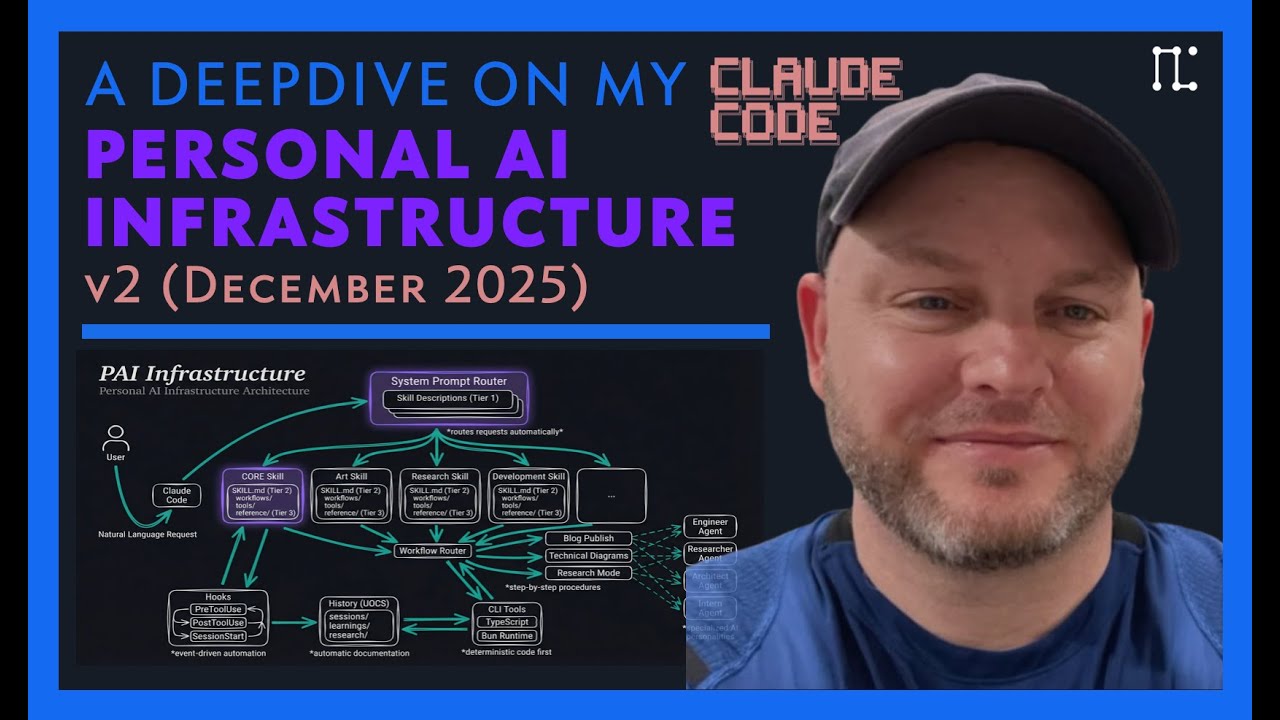
Watch the full PAI walkthrough | Read: The Real Internet of Things
Important
PAI v5.0.0 — Life Operating System — the biggest release in PAI history. PAI is no longer "AI scaffolding" — it's a Life Operating System with the unified Pulse daemon (Life Dashboard at localhost:31337), a DA (Digital Assistant) identity layer, Algorithm v6.3.0 (Current State → Ideal State, seven phases, classifier-driven mode + tier), the ISA primitive (universal "ideal state" articulation), 45 skills, 171 workflows, 37 hooks, and structural privacy via containment zones.
v5.0.0 release notes → | All releases →
One-line install: curl -sSL https://ourpai.ai/install.sh | bash
Upgrading from v4.x? This is a different system, not a patch. Read the migration guide first.
PAI exists to solve what I believe is the P0 problem in the world:
Most people don't believe they have valuable contributions to make. They think there are "special" people—and they aren't one of them. They've never asked who they are, what they're about, and have never articulated or written it down. This makes them catastrophically vulnerable to AI displacement. Without activation, there is no high-agency.
So our goal with PAI is to activate people.
PAI's mission is twofold:
- Activate as many people as possible — Help people identify, articulate, and pursue their own purpose in life through AI-augmented self-discovery
- Make the best AI available in the world accessible to everyone — Ensure this quality of AI infrastructure isn't reserved for just the rich or technical elite.
That's why this is an open-source project instead of private.
You've probably used ChatGPT or Claude. Type a question, get an answer. Simple.
You can think of AI systems as three levels:

ChatGPT, Claude, Gemini—you ask something, it answers, and then it forgets everything. Next conversation starts fresh. No memory of you, your preferences, or what you talked about yesterday.
The pattern: Ask → Answer → Forget
Tools like Claude Code. The AI can actually do things—write code, browse the web, edit files, run commands.
The pattern: Ask → Use tools → Get result
More capable, but it still doesn't know you—your goals, your preferences, your history.
Now your DA learns and improves:
- Captures every signal — Ratings, sentiment, verification outcomes
- Learns from mistakes — Failures get analyzed and fixed
- Gets better over time — Success patterns get reinforced
- Upgrades itself — Skills, workflows, even the core behavior evolves
Plus it knows:
- Your goals — What you're working toward
- Your preferences — How you like things done
- Your history — Past decisions and learnings
The pattern: Observe → Think → Plan → Execute → Verify → Learn → Improve
The key difference: PAI learns from feedback. Every interaction makes it better at helping you specifically.
PAI is a Life Operating System.
Like a computer OS manages files, processes, memory, and interfaces, PAI manages your life — your goals, relationships, work, health, finances, creative output, time. It turns AI from a chatbot you talk to into a system that runs your life — knowing your current state, your ideal state, and continuously hill-climbing you from one to the other.
Three layers, top to bottom:
┌─────────────────────────────────────────────────┐
│  THE DA — your Digital Assistant                │  ← Primary interface
│  (the voice / personality you interact with)    │
├─────────────────────────────────────────────────┤
│  PULSE — the Life Dashboard + daemon            │  ← Visible surface
│  (where you SEE your state, goals, work)        │
├─────────────────────────────────────────────────┤
│  PAI — the Life Operating System                │  ← The OS itself
│  (skills, memory, algorithm, telos, identity)   │
└─────────────────────────────────────────────────┘
It's designed for humans most of all, but can be used by teams, companies, or Federations of Planets desiring to be better versions of themselves. The scale of the entity doesn't matter: it's a system for understanding, articulating, and realizing its principal's goals using a full-featured agentic AI platform.
Everyone, full stop. It's the anti-gatekeeping AI project.
- Small business owners who aren't technical but want AI to handle invoicing, scheduling, customer follow-ups, and marketing
- Companies who want to understand their data, optimize operations, and make better decisions
- Managers who want to run their teams more effectively—tracking projects, preparing for reviews, and communicating clearly
- Artists and creatives who want to find local events, galleries, and opportunities to showcase their work
- Everyday people who want to improve their lives—better fitness routines, stronger social connections, personal finance, or just getting organized
- Developers using AI coding assistants who want persistent memory and custom workflows
- Power users who want their AI to know their goals, preferences, and context
- Teams building shared AI infrastructure with consistent capabilities
- Experimenters interested in AI system design and personal AI patterns
The first thing people ask is:
How is this different from Claude Code, or any of the other agentic systems?
Most agentic systems are built around tools with the user being an afterthought. They are also mostly task-based instead of being goal-based using all the context available to them. PAI is the opposite.
Three core differentiators:
-
Goal Orientation — PAI's primary focus is on the human running it and what they're trying to do in the world, not the tech. This is built into how the system executes all tasks.
-
Pursuit of Optimal Output — The system's outer loop and everything it does is trying to produce the exact right output given the current situation and all the contexts around it.
-
Continuous Learning — The system constantly captures signals about what was done, what changes were made, what outputs were produced for each request, and then how you liked or disliked the results.
These principles guide how PAI systems are designed and built. Full breakdown →
| # | Principle | Summary |
|---|---|---|
| 1 | User Centricity | PAI is built around you, not tooling. Your goals, preferences, and context come first—the infrastructure exists to serve them. |
| 2 | The Foundational Algorithm | The scientific method as a universal problem-solving loop: Observe → Think → Plan → Build → Execute → Verify → Learn. Define the ideal state, iterate until you reach it. |
| 3 | Clear Thinking First | Good prompts come from clear thinking. Clarify the problem before writing the prompt. |
| 4 | Scaffolding > Model | System architecture matters more than which model you use. |
| 5 | Deterministic Infrastructure | AI is probabilistic; your infrastructure shouldn't be. Use templates and patterns. |
| 6 | Code Before Prompts | If you can solve it with a bash script, don't use AI. |
| 7 | Spec / Test / Evals First | Write specifications and tests before building. Measure if the system works. |
| 8 | UNIX Philosophy | Do one thing well. Make tools composable. Use text interfaces. |
| 9 | ENG / SRE Principles | Treat AI infrastructure like production software: version control, automation, monitoring. |
| 10 | CLI as Interface | Command-line interfaces are faster, more scriptable, and more reliable than GUIs. |
| 11 | Goal → Code → CLI → Prompts → Agents | The decision hierarchy: clarify goal, then code, then CLI, then prompts, then agents. |
| 12 | Skill Management | Modular capabilities that route intelligently based on context. |
| 13 | Memory System | Everything worth knowing gets captured. History feeds future context. |
| 14 | Agent Personalities | Different work needs different approaches. Specialized agents with unique voices. |
| 15 | Science as Meta-Loop | Hypothesis → Experiment → Measure → Iterate. |
| 16 | Permission to Fail | Explicit permission to say "I don't know" prevents hallucinations. |
While the Principles describe the philosophy of PAI, the Primitives are the architecture—the core systems that make everything work.

These primitives work together to create the experience of working with a system that understands and knows you—as opposed to a tool harness that just executes commands.
PAI/PULSE/pulse.ts — one Bun process, one port (localhost:31337), one launchd plist, one log file. Pulse replaces every previous loose service. It runs voice notifications (ElevenLabs), the entire hook lifecycle (SessionStart, PreToolUse, PostToolUse, Stop, PreCompact, etc.), observability (tool activity, failures, satisfaction signals, Algorithm reflections), cron scheduling for routines, the Life Dashboard at http://localhost:31337 (Next.js — 22 routes including Life, Health, Finances, Business, Telos, Goals, Knowledge, System Docs, Arbol), the wiki API, and optional integrations (Telegram bot, iMessage bridge). After install Pulse runs as a supervised macOS launchd service (com.pai.pulse) — leave it running.
Every PAI install picks a DA identity: name, voice, color, personality. This is your AI — the peer you work with daily. Two files own it:
| File | What it owns |
|---|---|
PAI/USER/PRINCIPAL_IDENTITY.md |
Who you are — name, role, location, worldview, preferences, work patterns |
PAI/USER/DA_IDENTITY.md |
Who your DA is — name, voice ID, personality, writing style, what they love, what they dislike |
Both load at session start so the DA always has them in context. Run /interview after install and your DA will guide you through naming itself, picking a voice, and capturing your TELOS.
PAI/ALGORITHM/v6.3.0.md is doctrine. Every non-trivial task runs through the seven phases: OBSERVE → THINK → PLAN → BUILD → EXECUTE → VERIFY → LEARN. The Algorithm is the centerpiece of PAI — everything else feeds it.
What's new in v6.x:
- Mode classifier — a Sonnet-backed
UserPromptSubmithook decides MINIMAL / NATIVE / ALGORITHM and tier (E1–E5) for every prompt. The executor obeys the classifier; no regex layer, no model judgment. - Closed-list thinking capabilities — IterativeDepth, ApertureOscillation, FirstPrinciples, SystemsThinking, RootCauseAnalysis, Council, RedTeam, Science, BeCreative, Ideate, BitterPillEngineering, Evals, WorldThreatModel, Fabric patterns, ContextSearch, ISA, Advisor, ReReadCheck, FeedbackMemoryConsult. Phantom capabilities (anything outside this list) are a CRITICAL FAILURE.
- Effort tiers — E1 (<90s) through E5 (<2h+). Time budget is the hard constraint; thinking-floor and ISC-count are tier-graded.
- Voice phase announcements — every phase transition narrates over Pulse so you can follow long tasks audibly.
- Verification doctrine — live-probe required for user-facing artifacts, advisor calls at commitment boundaries, cross-vendor audit at E4/E5, conflict surfacing on advisor/empirical contradictions.
The Ideal State Artifact is a single document that articulates "done" for any thing whose ideal state we're pursuing — a project, an application, a library, a work session, an art piece, a strategic decision. It serves five identities at once: ideal state articulation, test harness, build verification, done condition, system of record.
Twelve fixed sections: Problem → Vision → Out of Scope → Principles → Constraints → Goal → Criteria → Test Strategy → Features → Decisions → Changelog → Verification.
The ISA skill at skills/ISA/ owns six workflows (Scaffold, Interview, CheckCompleteness, Reconcile, Seed, Append) with a dozen reference examples spanning E1–E5 across code, art, design, ops, marketplace, and enterprise.

PAI treats AI as a persistent assistant, friend, coach, and mentor rather than a stateless agent that runs tasks. An assistant knows your goals, remembers your preferences, and improves over time. An agent executes commands and forgets.

10 files that capture who you are: MISSION.md, GOALS.md, PROJECTS.md, BELIEFS.md, MODELS.md, STRATEGIES.md, NARRATIVES.md, LEARNED.md, CHALLENGES.md, IDEAS.md. Your DA knows what you're working toward because it's all documented.

Your customizations live in USER/. PAI infrastructure lives in SYSTEM/. When PAI upgrades, your files are untouched. Portable identity, upgrade-safe.

Six layers of customization: Identity (name, voice, personality), Preferences (tech stack, tools), Workflows (how skills execute), Skills (what capabilities exist), Hooks (how events are handled), and Memory (what gets captured). Start with defaults, customize when needed.

Highly focused on consistent results. It has a structure that puts deterministic outcomes first by going from CODE -> CLI-BASED-TOOL -> PROMPT -> SKILL instead of a haphazard structure.

Focused on continuous learning. Every interaction generates signals—ratings, sentiment, successes, failures—that feed back into improving the system. Three-tier architecture (hot/warm/cold) with phase-based learning directories.

Responds to lifecycle events—session start, tool use, task completion, and more. 8 event types enable voice notifications, automatic context loading, session capture, security validation, and observability.

Defines system and user-level security policies by default. You don't have to run with --dangerously-skip-permissions to have an uninterrupted experience. PAI's security hooks validate commands before execution, blocking dangerous operations while allowing normal workflows to proceed smoothly.
Privacy is structural, not stylistic. hooks/lib/containment-zones.ts is a TypeScript module declaring every directory's privacy zone — single source of truth. The ContainmentGuard PreToolUse hook blocks any Write/Edit/MultiEdit that would land sensitive content outside its zone. Public releases run 12 security gates (zone deletion, identity grep, secret scan via trufflehog, .env strays, private tokens, reference integrity, private skill refs, username paths, staging boot, dashboard leak, template-only USER/MEMORY) — build fails closed if any gate trips. Two-stage release: stage to a local build directory with all gates, then publish to GitHub. The two never auto-chain.

The GUI installer handles everything—prerequisites, configuration, and setup. No manual configuration, no guessing.

Keeps you informed without being intrusive. Push notifications via ntfy for mobile alerts, Discord integration for team updates, and duration-aware routing that escalates for long-running tasks. Fire-and-forget design means notifications never block your workflow.

Powered by ElevenLabs TTS. Hear task completions, session summaries, and important updates spoken aloud. Prosody enhancement makes speech sound natural. Your AI has a voice.

Rich tab titles and pane management. Dynamic status lines show learning signals, context usage, and current task state. Your terminal is a command center.
Caution
Project in Active Development — PAI is evolving rapidly. Expect breaking changes, restructuring, and frequent updates.
curl -sSL https://ourpai.ai/install.sh | bashThat's it. The installer wizard handles Bun, Git, and Claude Code verification, ElevenLabs key (optional), DA identity setup, voice picker, Pulse launchd registration, and validation. An existing ~/.claude/ is auto-backed-up to ~/.claude.backup-{TIMESTAMP} before anything is overwritten.
Prefer to inspect first? Read the script before piping it.
git clone https://github.com/danielmiessler/Personal_AI_Infrastructure.git
cd Personal_AI_Infrastructure/Releases/v5.0.0
cp -R .claude ~/
cd ~/.claude && ./install.sh
The installer will:
- Verify Bun, Git, and Claude Code are installed
- Prompt for your ElevenLabs API key (skippable — voice falls back to desktop notifications)
- Launch the DA identity wizard (name + voice + personality)
- Set up Pulse as a launchd service (
com.pai.pulse) - Run validation
open http://localhost:31337 # the Life DashboardThen run /interview in Claude Code. Your DA will guide you through:
- Phase 1 — TELOS: Mission, Goals, Beliefs, Wisdom, Challenges, Books, Mental models, Narratives
- Phase 2 — IDEAL_STATE: What does success look like for you?
- Phase 3 — Preferences: Tools, conventions, working style
- Phase 4 — Identity: Final DA personality tuning
This is the most important step. Without TELOS, your DA has nothing to optimize against.
Important
v5.0.0 is a different system, not a patch. Read the full migration guide before installing.
Quick path:
# 1. Back up your existing installation
cp -R ~/.claude ~/.claude.backup-$(date +%Y%m%d)

# 2. Install v5.0.0 (one-liner above) or via manual clone
curl -sSL https://ourpai.ai/install.sh | bash

# 3. Open the Life Dashboard and run the interview
open http://localhost:31337
If you had personal content in v4.x (notes, project state, custom rules), tell your DA: "Help me migrate my old content into the PAI/USER/ structure." The Migrate skill intakes from .md/.markdown/.txt, Obsidian, Notion, Apple Notes — classifies each chunk against the v5 taxonomy (TELOS, KNOWLEDGE, PROJECTS, FEED, etc.) and commits with provenance.
Post-upgrade checklist:
- Pulse is alive:
curl -s http://localhost:31337/api/pulse/health | jq - Voice announces:
curl -s -X POST http://localhost:31337/notify -H "Content-Type: application/json" -d '{"message": "Hello from your DA"}' - Dashboard renders:
open http://localhost:31337 - DA identity populated in
PAI/USER/DA_IDENTITY.md - TELOS captured under
PAI/USER/TELOS/
Note
v5.0.0 ships skills directly — 45 skills and 171 workflows are part of the base install. Packs below remain available as standalone, AI-installable capabilities for users who want a specific capability without installing all of PAI.
Don't want to install all of PAI? Packs are standalone, AI-installable capabilities you can add one at a time. Each pack is self-contained — your AI reads the install guide and sets everything up for you. No PAI installation required.
Point your AI at any pack and say "install this":
"Install the Research pack from PAI/Packs/Research/"
Your AI walks through a 5-phase wizard: system analysis, user questions, backup, installation, verification.
| Pack | What It Does |
|---|---|
| ContextSearch | /context-search and /cs — instant recall of prior work sessions |
| Agents | Custom agent composition from traits, voices, and personalities |
| ContentAnalysis | Wisdom extraction from videos, podcasts, articles, and YouTube |
| Investigation | OSINT and investigation — company intel, people search, domain lookup |
| Media | AI image generation, diagrams, infographics, and Remotion video |
| Research | Multi-agent research — quick, standard, extensive, and deep modes |
| Scraping | Web scraping via Bright Data proxy and Apify social media actors |
| Security | Recon, web app testing, prompt injection testing, security news |
| Telos | Life OS — goals, beliefs, wisdom, project dashboards, McKinsey reports |
| Thinking | First principles, council debates, red team, brainstorming, science |
| USMetrics | 68 US economic indicators from FRED, EIA, Treasury, BLS, Census |
| Utilities | CLI generation, skill scaffolding, Fabric patterns, Cloudflare, browser automation |
Each pack works standalone — install one, install five, or install all of them. They're designed to give you PAI-level capabilities whether or not you run the full PAI system.
PAI is built natively on Claude Code and designed to stay that way. We chose Claude Code because its hook system, context management, and agentic architecture are the best foundation available for personal AI infrastructure.
PAI isn't a replacement for Claude Code — it's the layer on top that makes Claude Code yours:
- Persistent memory — Your DA remembers past sessions, decisions, and learnings
- Custom skills — Specialized capabilities for the things you do most
- Your context — Goals, contacts, preferences—all available without re-explaining
- Intelligent routing — Say "research this" and the right workflow triggers automatically
- Self-improvement — The system modifies itself based on what it learns
Think of it this way: Claude Code is the engine. PAI is everything else that makes it your car.
Claude Code provides powerful primitives — hooks, slash commands, MCP servers, context files. These are individual building blocks.
PAI is the complete system built on those primitives. It connects everything together: your goals inform your skills, your skills generate memory, your memory improves future responses. PAI turns Claude Code's building blocks into a coherent personal AI platform.
PAI is Claude Code native. We believe Claude Code's hook system, context management, and agentic capabilities make it the best platform for personal AI infrastructure, and PAI is designed to take full advantage of those features.
That said, PAI's concepts (skills, memory, algorithms) are universal, and the code is TypeScript and Bash — so community members are welcome to adapt it for other platforms.
Fabric is a collection of AI prompts (patterns) for specific tasks. It's focused on what to ask AI.
PAI is infrastructure for how your DA operates—memory, skills, routing, context, self-improvement. They're complementary. Many PAI users integrate Fabric patterns into their skills.
Recovery is straightforward:
- Back up first — Before any upgrade:
cp -r ~/.claude ~/.claude-backup-$(date +%Y%m%d) - USER/ is safe — Your customizations in
USER/are never touched by the installer or upgrades - Settings merge, not overwrite — The installer only updates identity and version fields; your hooks, statusline, and custom config are preserved
- Git-backed — Version control everything, roll back when needed
- History is preserved — Your DA's memory survives mistakes
- DA can fix it — Your DA helped build it, it can help repair it
- Re-install — Run the installer again; it detects existing installations and merges intelligently
| Feature | Description |
|---|---|
| Local Model Support | Run PAI with local models (Ollama, llama.cpp) for privacy and cost control |
| Granular Model Routing | Route different tasks to different models based on complexity |
| Remote Access | Access your PAI from anywhere—mobile, web, other devices |
| Outbound Phone Calling | Voice capabilities for outbound calls |
| External Notifications | Robust notification system for Email, Discord, Telegram, Slack |
GitHub Discussions: Join the conversation
Community Discord: PAI is discussed in the community Discord along with other AI projects
Twitter/X: @danielmiessler
Blog: danielmiessler.com
We welcome contributions! See our GitHub Issues for open tasks.
- Fork the repository
- Make your changes — Bug fixes, new skills, documentation improvements
- Test thoroughly — Install in a fresh system to verify
- Submit a PR with examples and testing evidence
MIT License - see LICENSE for details.
Anthropic and the Claude Code team — First and foremost. You are moving AI further and faster than anyone right now. Claude Code is the foundation that makes all of this possible.
IndyDevDan — For great videos on meta-prompting and custom agents that have inspired parts of PAI.
fayerman-source — Google Cloud TTS provider integration and Linux audio support for the voice system.
Matt Espinoza — Extensive testing, ideas, and feedback for the PAI 2.3 release, plus roadmap contributions.

PAI is free and open-source forever. If you find it valuable, you can sponsor the project.
- The Real Internet of Things — The vision behind PAI
- AI's Predictable Path: 7 Components — Visual walkthrough of where AI is heading
- Building a Personal AI Infrastructure — Full PAI walkthrough with examples
📜 Update History
v5.0.0 (2026-04-30) — Life Operating System
- Pulse — unified daemon (port 31337): voice, hooks, observability, cron, Life Dashboard (22 routes), wiki API, optional Telegram/iMessage bridges. Replaces every previous loose service.
- The DA — Digital Assistant identity layer. PRINCIPAL_IDENTITY + DA_IDENTITY pair, loaded at session start.
/interviewwalks you through naming your DA, picking a voice, capturing TELOS. - Algorithm v6.3.0 — seven-phase loop (OBSERVE → THINK → PLAN → BUILD → EXECUTE → VERIFY → LEARN). Sonnet-backed mode classifier picks MINIMAL/NATIVE/ALGORITHM and tier (E1–E5) per prompt. Closed-list thinking capabilities. Voice phase announcements. Verification doctrine (live-probe, advisor calls at commitment boundaries, cross-vendor audit at E4/E5).
- The ISA — Ideal State Artifact primitive. One document, twelve sections (Problem → Vision → Out of Scope → Principles → Constraints → Goal → Criteria → Test Strategy → Features → Decisions → Changelog → Verification), five identities (articulation, test harness, build verification, done condition, system of record). Owned by the ISA skill (Scaffold, Interview, CheckCompleteness, Reconcile, Seed, Append) with a dozen reference examples spanning E1–E5.
- Containment + release tooling — privacy is structural.
containment-zones.tsdeclares every directory's privacy zone;ContainmentGuardPreToolUse hook blocks cross-zone leaks; 12 security gates run on every public release; two-stage release (stage → publish) never auto-chains. - Memory v7.6 — structured by purpose: WORK (active task ISAs), KNOWLEDGE (typed graph: People, Companies, Ideas, Research, Blogs), LEARNING (meta-patterns), RELATIONSHIP (DA-Principal notes), OBSERVABILITY (every tool call + hook firing + satisfaction signal), STATE (session registry).
- 45 public skills, 171 workflows, 37 hooks — skills are self-activating composable domain units; hooks fire across SessionStart, UserPromptSubmit, PreToolUse, PostToolUse, Stop, SubagentStop, PreCompact, SessionEnd.
- One-line installer —
curl -sSL https://ourpai.ai/install.sh | bash. Auto-backs-up existing~/.claude/, runs the DA identity wizard, registers Pulse as a launchd service, validates. - Full release notes + migration guide
v4.0.3 (2026-03-01) — Community PR Patch
- JSON array parsing fix in Inference.ts
- 29 dead references removed from CONTEXT_ROUTING.md
- WorldThreatModelHarness PAI_DIR portability
- User context migration for v2.5/v3.0 upgraders
- Release Notes
v4.0.2 (2026-03-01) — Bug Fix Patch
- 13 surgical fixes: Linux compatibility, installer, statusline, hooks
- Cross-platform OAuth token extraction, GNU coreutils tr fix
- Inference guard (~15s savings), lineage tracking, dead code removal
- Release Notes
v4.0.1 (2026-02-28) — Upgrade Path & Preferences
- Upgrade documentation with backup, merge, and post-upgrade checklist
- Configurable temperature unit (Fahrenheit/Celsius) in statusline and installer
- FAQ fixes: removed stale Python reference, improved recovery guidance
- Release Notes
v4.0.0 (2026-02-27) — Lean and Mean
- 38 flat skill directories → 12 hierarchical categories (-68% top-level dirs)
- Dead systems removed: Components/, DocRebuild, RebuildSkill
- CLAUDE.md template system with BuildCLAUDE.ts + SessionStart hook
- Algorithm v3.5.0 (up from v1.4.0)
- Comprehensive security sanitization (33+ files cleaned)
- All version refs updated, Electron crash fix
- 63 skills, 21 hooks, 180 workflows, 14 agents
- Release Notes
v3.0.0 (2026-02-15) — The Algorithm Matures
- Algorithm v1.4.0 with constraint extraction and build drift prevention
- Persistent PRDs and parallel loop execution
- Full installer with GUI wizard
- 10 new skills, agent teams/swarm, voice personality system
- 38 skills, 20 hooks, 162 workflows
- Release Notes
v2.5.0 (2026-01-30) — Think Deeper, Execute Faster
- Two-Pass Capability Selection: Hook hints validated against ISC in THINK phase
- Thinking Tools with Justify-Exclusion: Opt-OUT, not opt-IN for Council, RedTeam, FirstPrinciples, etc.
- Parallel-by-Default Execution: Independent tasks run concurrently via parallel agent spawning
- 28 skills, 17 hooks, 356 workflows
- Release Notes
v2.4.0 (2026-01-23) — The Algorithm
- Universal problem-solving system with ISC (Ideal State Criteria) tracking
- 29 skills, 15 hooks, 331 workflows
- Euphoric Surprise as the outcome metric
- Enhanced security with AllowList enforcement
- Release Notes
v2.3.0 (2026-01-15) — Full Releases Return
- Complete
.claude/directory releases with continuous learning - Explicit and implicit rating capture
- Enhanced hook system with 14 production hooks
- Status line with learning signal display
- Release Notes
v2.1.1 (2026-01-09) — MEMORY System Migration
- History system merged into core as MEMORY System
v2.1.0 (2025-12-31) — Modular Architecture
- Source code in real files instead of embedded markdown
v2.0.0 (2025-12-28) — PAI v2 Launch
- Modular architecture with independent skills
- Claude Code native design
Built with ❤️ by Daniel Miessler and the PAI community
Augment yourself.