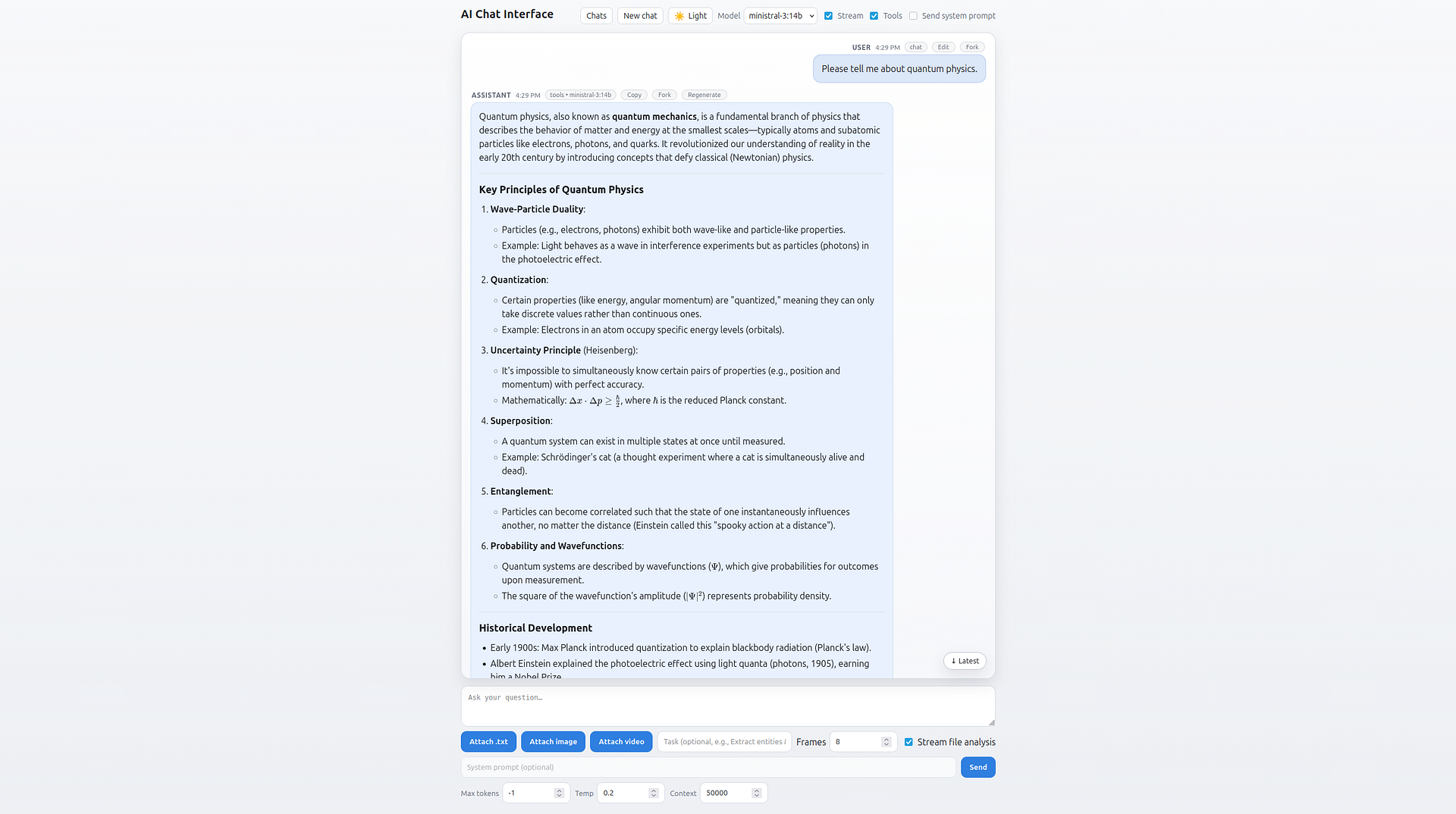
Local Flask-based AI chat interface for Ollama-hosted language models, featuring streaming conversations, server-side tool use, file analysis and persistent, searchable chat history.
In chat mode users can send prompts, choose streaming or non-streaming responses, pick any locally installed Ollama model and adjust generation settings. The backend forwards those requests to the Ollama /api/chat endpoint, then returns either a JSON response or an events stream, with a stop button to cancel a response at any time. Replies are rendered as sanitized Markdown with code blocks, footnotes and mathematical notation.
An optional tools mode lets the model call server-side functions while composing an answer. Such as executing Python code, searching the web, extracting text from web pages and reading the current date/time. Each tool call and its result appear inline in the conversation as a transcript, so users understand how the model arrived at its answer.
The application also analyzes uploaded files with streaming or non-streaming output and an optional task field to steer the analysis toward specific goals. Text documents are read and validated, then either analyzed in one pass or split into manageable chunks. Images are sent to vision-capable models for analysis, and videos are sampled into a number of frames with FFmpeg and analyzed similarly.
Every message can be copied to the clipboard, user messages can be edited/resent, assistant responses can be regenerated and any point in a conversation can be forked into a new chat. Chats persist locally in the browser through IndexedDB and are automatically titled by the model. While a history panel offers search, renaming, deletion and JSON export/import of all chats. A statistics view charts weekly chat activity alongside overall totals as well.
Together, all of these features make the app useful both as a general-purpose local AI chat client and document, image and video analysis tool.
Below are instructions for installing and running this application on a Linux machine.
-
Install the above programs
-
Open a terminal
-
Clone this repository:
git clone git@github.com:devbret/ai-chat-interface.git -
Navigate to the repo's directory:
cd ai-chat-interface -
Create a virtual environment:
python3 -m venv venv -
Activate your virtual environment:
source venv/bin/activate -
Install the needed Python dependencies:
pip install -r requirements.txt -
Convert the
.env-templatefile into a.envfile:cp .env-template .env -
Add values for environmental variables to the
.envfile:nano .env -
Ensure Ollama is installed and available:
ollama --version -
Launch Ollama and your local LLM
-
Open the AI chat interface:
python3 app.py -
Visit the AI chat interface in your browser:
http://localhost:8000 -
Stop the Flask app when finished chatting by pressing:
Ctrl + C -
Exit the virtual environment:
deactivate
This project repo is intended to demonstrate an ability to do the following:
-
Enable models to call server-side tools, such as executing Python code, searching the web, fetching web pages and reading the current date/time
-
Extend analysis beyond text to images and videos by sending uploads to vision-capable models, using
FFmpegto sample video frames -
Persist conversations locally in the browser with automatic model-generated titles
-
Render model output as sanitized Markdown with syntax-highlighted code, footnotes and mathematical notation
If you have any questions or would like to collaborate, please reach out either on GitHub or via my website.