Witcher 3 mod for showing PS4 game icons when using a DS3/DS4 controller on PC.
Nexusmods Page


You will need the REDkit to completely build this mod. The normal Witcher 3 scripts cover 90% of PS4 glyphs in the game, but a few components like Gwent and Quick Items are cooked into Flash elements that don't follow the normal W3Scripts. You will need to re-publish those Flash elements with modified ActionScripts to fix them. For more info on UI modding, see this REDkit tutorial.
- Checkout the
.flaand it's corresponding.swfand.redswffile from REDkit's virtual depot in the Asset Manager - Copy all of
gameplay/gui_new/actionscriptto the mod project'sworkspacedir - Modify the ActionScripts as needed
- Open the
.flafile with Adobe Animate File > Publish Settings > Publish- In REDkit Asset Manager, find the
.redswf,right click > Import > Flash SWF, select the.swffile you just published from Adobe Animate - In REDkit main window,
Publish > Save and publish mod project > Next > Start cooking
v2.60
- Fixed: PS4 icons now finally work in Gwent and Quick Items again!
v2.50
- Added: Witcher 3 v4.04 support
v2.40
- Added: Witcher 3 v4.03 support
v2.30
- Added: Witcher 3 v4.01 support
v2.20
- Added: Witcher 3 v1.31 support
v2.10
- Added: Witcher 3 v1.22 support
- Added: Many, many, many CDPR controller/gamepad switching bugs fixed
v2.00
- Completely trashed the old approach of trying to modify redswf files. That approach had significant limitations.
- Improved: PS4 icons supported everywhere!
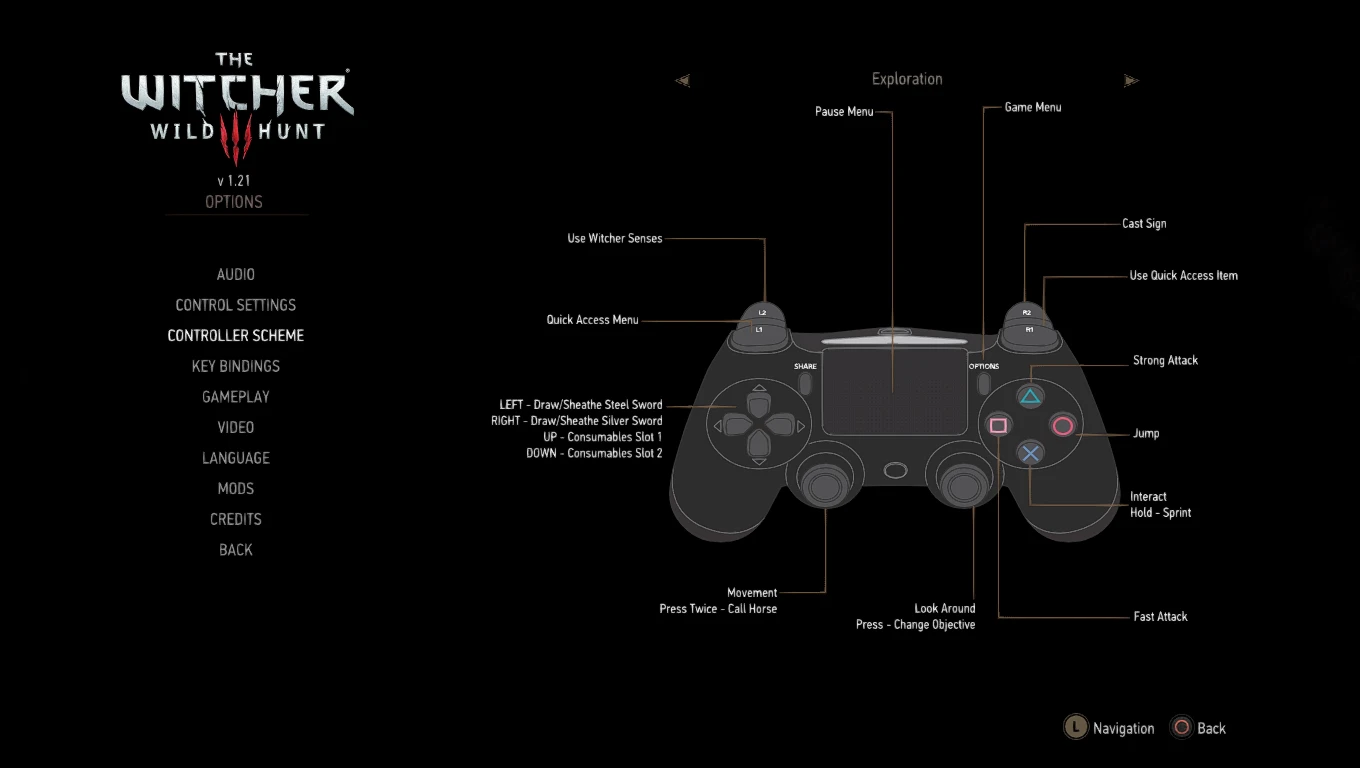
- Added: PS4 controller shown in "Controller Scheme" options menu!
v1.00
- Updated: Forked from TheLastWitcher's modPS4Icons v1.2.1 release
- Added: PS4 icons on Meditation screen
- Added: PS4 icons on "Quit to Main Menu" popup screen
- Added: PS4 icons on "Exit" popup screen
- Added: PS4 icons on Character stats screen
- Added: PS4 icons on inventory sorting popup screen
- Added: PS4 icons on Gwent screens