


TextMaker Professional is a comprehensive and powerful word processing software designed to offer full compatibility with Microsoft Office formats. It allows users to open, edit, and save documents in formats such as DOCX, DOC, RTF, and PDF with high fidelity and precision. Whether you are drafting a simple letter, creating a complex report, or designing a professional layout, TextMaker provides all the tools you need in a clean, intuitive interface.
Unlike many free alternatives, TextMaker Professional ensures that formatting remains consistent when exchanging files with Microsoft Word users. It combines a rich set of features—including styles, templates, tables, images, and mail merge—with exceptional performance and stability. It is an ideal solution for businesses, students, and home users who require reliable Office compatibility without the high cost of commercial software.
Its lightweight design and low system footprint make it suitable for older hardware, while still supporting modern Windows operating systems. With TextMaker Professional, you can work on your documents anywhere, anytime, without worrying about format inconsistencies or missing features.
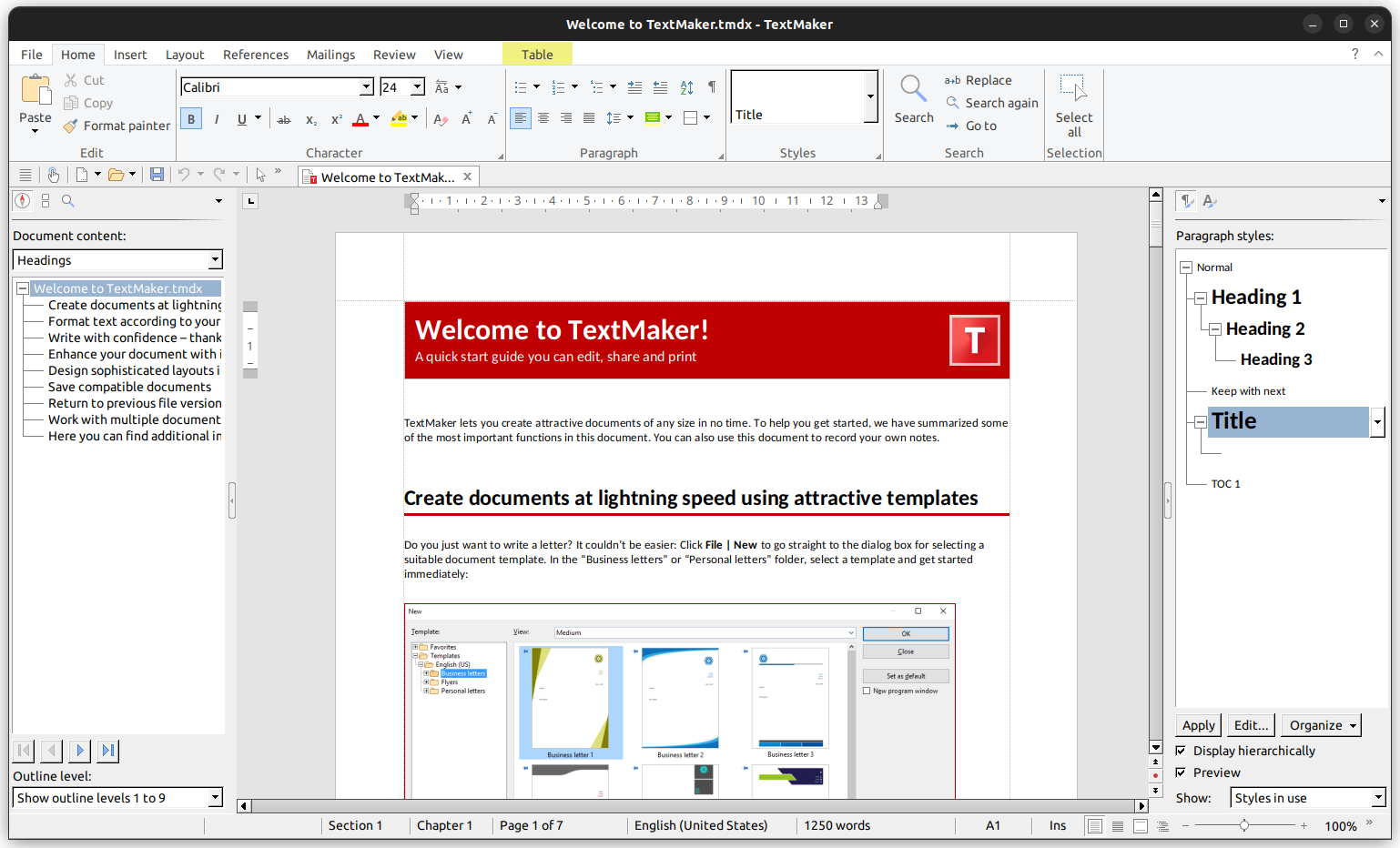
| Feature | Description |
|---|---|
| 📄 Full Office Compatibility | Open, edit, and save DOCX, DOC, RTF, and other formats with perfect layout retention. |
| ✍️ Advanced Text Editing | Rich formatting options, styles, templates, and typographic controls. |
| 📊 Table & Image Support | Insert and format tables, images, charts, and shapes with ease. |
| 📑 Mail Merge | Create personalized letters, envelopes, and labels using database integration. |
| 🔍 PDF Export | Export documents to PDF with high quality and security options. |
| 🖋️ Spell Check & Thesaurus | Built-in multilingual spell checker and thesaurus for error-free writing. |
| 💻 Lightweight & Fast | Low resource usage, quick launch, and smooth performance on any PC. |
| 🏢 Professional Use | Suitable for business, academic, and personal document creation. |
- Improved DOCX compatibility with better formatting support.
- Enhanced PDF export with new security and compression options.
- Updated user interface for better accessibility and workflow.
- New template gallery with professionally designed documents.
- Performance optimizations for faster loading and editing.
- Business Users – Create reports, invoices, and professional correspondence.
- Students – Write essays, papers, and assignments with full citation support.
- Home Users – Draft letters, resumes, and personal projects with ease.
- Office Environments – Replace Microsoft Word without losing functionality.
- Download TextMaker Professional from the link above.
- Install and launch the application.
- Open an existing document or start a new one.
- Use the formatting tools to style your text.
- Save your document in your preferred format (DOCX, PDF, etc.).
| Parameter | Requirement |
|---|---|
| OS | Windows 10/11 |
| Processor | 1 GHz Intel/AMD or higher |
| RAM | 2 GB (4 GB recommended) |
| Storage | 200 MB free space |
| Display | 1024x768 minimum resolution |
textmaker professional • textmaker professional office • textmaker professional word processor • textmaker docx • textmaker alternative • textmaker microsoft word • textmaker free • textmaker download • textmaker software • textmaker windows 10 • textmaker windows 11 • textmaker compatible • textmaker document editor • textmaker office suite • textmaker professional software