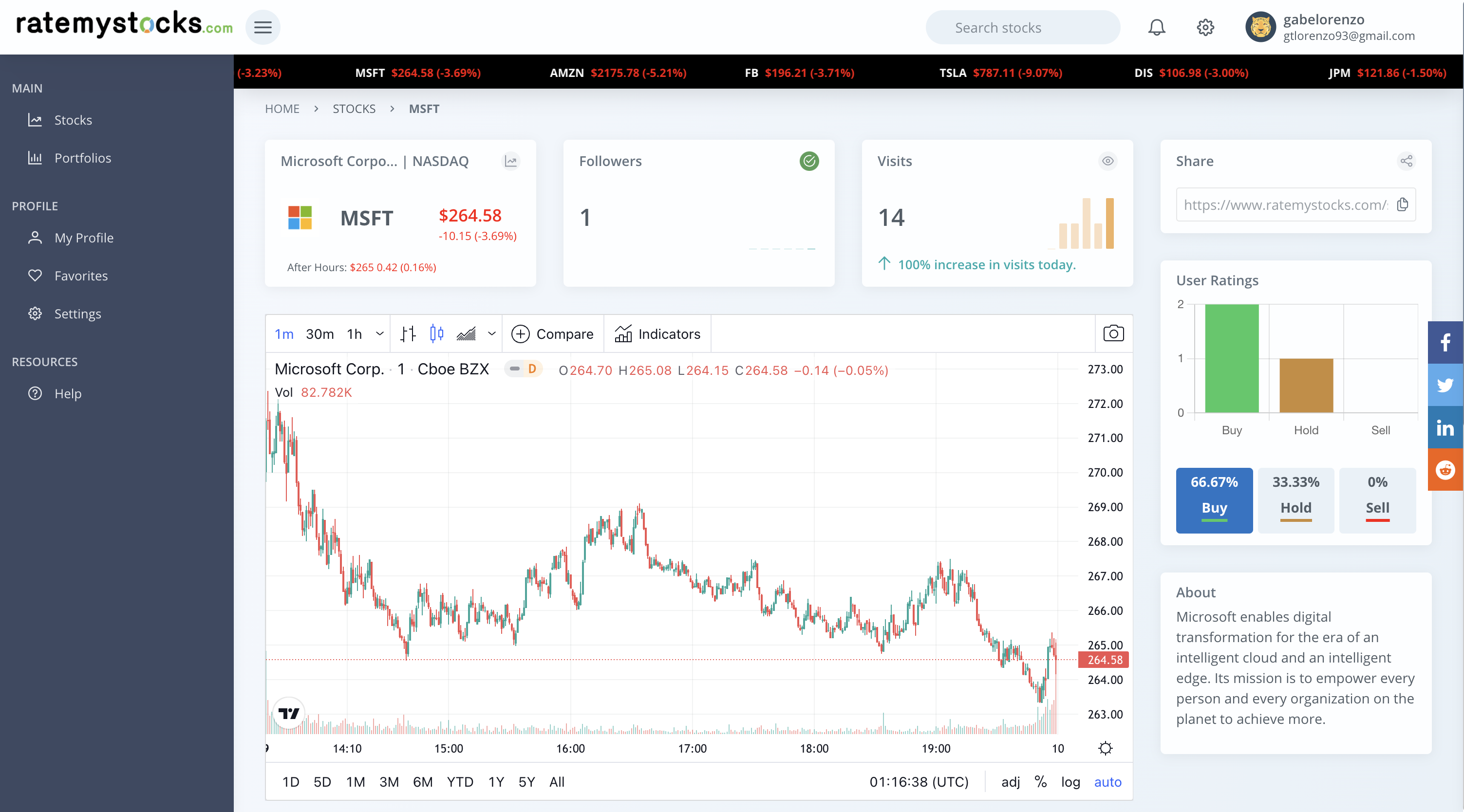
ratemystocks.com is a community-driven stock market research platform and investor social network. This is a Nx monorepo that contains a NestJS backend API that connects to a PostgreSQL database, and an Angular UI that consumes the API.
For more info on our development processes, visit our wiki
- Install Visual Studio Code
- Install the
Workspace Recommendationswhich are plugins specified in the.vscode/extensions.jsonfile. When you open the project in VS Code, a prompt at the bottom right saying "Do you want to install the recommended extensions for this repository?". When you see this,
- Install Node.js & npm: Node.js Download. Currently this application is verified to work with
Node v14.x&npm v6.x& may or may not work fine with the latest versions. - Install Angular CLI:
npm install -g @angular/cli. Currently this application is onAngular 12, but it may be fine to use later versions of the CLI. - Install Nx CLI Globally:
npm install -g nx. - Install Docker: Docker Download.
- (Optional) Install Heroku CLI.
cdinto the root directory of the project from a command line.npm install- Install the dependencies in the local node_modules folder.- Create a
.envfile based off of.env.example. You will need to update this file with your API keys for all the 3rd-party APIs we use - Contact us to get setup with API keys. docker-compose up -d- This will run the Postgres database & Redis cache as containers in the background. NOTE: You don't need to run this command every time you run the app, only if the containers have stopped (rundocker-compose downto stop them). As long as the containers are running, the app should be able to connect.npm run dev- This will run NestJS (backend) & Angular (frontend) dev servers in parallel, both in watch mode.- Go to
localhost:4200in your browser.IMPORTANT: Makes sure you are not connected to any VPN - it might block your requests made to the 3rd party APIs we use.
- Generate NestJS module
ng g @nrwl/nest:module app/modules/<MODULE-NAME> --project=backend - Generate Angular component
ng g c modules/<MODULE-NAME>/<COMPONENT-NAME>
- Update or add a new .entity.ts file.
- Import the new enitity into the
entitiesarray oformconfig.ts. - Generate a Migration file under the src/migration directory using
npm run typeorm:migration:generate -- Some_Migration_Name(replace Some_Migration_Name with something appropriate). This will automatically create a new migration file with SQL statements to update the schema and rollbacks to revert those changes. - Import the new migration into the
migrationsarray oformconfig.ts. - Since we have
migrationsRun: trueinormconfig.ts, you just have to run the application to run the migrations. If you for some reason do need to run migrations manually, you can donpm run typeorm:migration:run.
- Login to Heroku to use the CLI:
heroku login - Heroku Exec (SSH Tunneling) - Remotely connect to Heroku web dyno:
heroku ps:exec -a <heroku-environment-name> - Tail Heroku Logs in Real-Time:
heroku logs --tail -a <heroku-environment-name> - Remotely connect to Heroku Postgres database:
heroku pg:psql -a <heroku-environment-name> - See Heroku config vars:
heroku config -a <heroku-environment-name>
- After you have run
docker-compose up, navigate tohttp://localhost:5050/and login with the admin credentials specified in the docker-compose.yml (see the values forPGADMIN_DEFAULT_EMAIL&PGADMIN_DEFAULT_PASSWORD).
This project was generated using Nx.

🔎 Powerful, Extensible Dev Tools
10-minute video showing all Nx features
Nx supports many plugins which add capabilities for developing different types of applications and different tools.
These capabilities include generating applications, libraries, etc as well as the devtools to test, and build projects as well.
Below are our core plugins:
- Angular
ng add @nrwl/angular
- React
ng add @nrwl/react
- Web (no framework frontends)
ng add @nrwl/web
- Nest
ng add @nrwl/nest
- Express
ng add @nrwl/express
- Node
ng add @nrwl/node
There are also many community plugins you could add.
Run ng g @nrwl/angular:app my-app to generate an application.
You can use any of the plugins above to generate applications as well.
When using Nx, you can create multiple applications and libraries in the same workspace.
Run ng g @nrwl/angular:lib my-lib to generate a library.
You can also use any of the plugins above to generate libraries as well.
Libraries are shareable across libraries and applications. They can be imported from @ratemystocks/mylib.
Run ng serve my-app for a dev server. Navigate to http://localhost:4200/. The app will automatically reload if you change any of the source files.
Run ng g component my-component --project=my-app to generate a new component.
Run ng build my-app to build the project. The build artifacts will be stored in the dist/ directory. Use the --prod flag for a production build.
Run ng test my-app to execute the unit tests via Jest.
Run nx affected:test to execute the unit tests affected by a change.
Run ng e2e my-app to execute the end-to-end tests via Cypress.
Run nx affected:e2e to execute the end-to-end tests affected by a change.
Run nx dep-graph to see a diagram of the dependencies of your projects.
Visit the Nx Documentation to learn more.
Nx Cloud pairs with Nx in order to enable you to build and test code more rapidly, by up to 10 times. Even teams that are new to Nx can connect to Nx Cloud and start saving time instantly.
Teams using Nx gain the advantage of building full-stack applications with their preferred framework alongside Nx’s advanced code generation and project dependency graph, plus a unified experience for both frontend and backend developers.
Visit Nx Cloud to learn more.

A progressive Node.js framework for building efficient and scalable server-side applications, heavily inspired by Angular.







Nest framework TypeScript starter repository.
$ npm install# development
$ npm run start
# watch mode
$ npm run start:dev
# production mode
$ npm run start:prod# unit tests
$ npm run test
# e2e tests
$ npm run test:e2e
# test coverage
$ npm run test:covNest is an MIT-licensed open source project. It can grow thanks to the sponsors and support by the amazing backers. If you'd like to join them, please read more here.
- Author - Kamil Myśliwiec
- Website - https://nestjs.com
- Twitter - @nestframework
Nest is MIT licensed.
This project was generated with Angular CLI.
Run ng serve for a dev server. Navigate to http://localhost:4200/. The app will automatically reload if you change any of the source files.
Run ng generate component component-name to generate a new component. You can also use ng generate directive|pipe|service|class|guard|interface|enum|module.
Run ng build to build the project. The build artifacts will be stored in the dist/ directory. Use the --prod flag for a production build.
Run ng test to execute the unit tests via Karma.
Run ng e2e to execute the end-to-end tests via Protractor.
To get more help on the Angular CLI use ng help or go check out the Angular CLI README.