Click here to experience NxtTrendz
NxtTrendz is a next-generation e-commerce platform designed to provide users with a seamless and engaging online shopping experience. With a sleek interface, intuitive navigation, and advanced features, shopping has never been easier.
- 🛒 Shopping Cart – Effortlessly add, remove, and update product quantities.
- 🔍 Search Functionality – Quickly locate products with a responsive search bar.
- 🏷 Category Browsing – Browse through different product categories (electronics, fashion, home goods, etc.).
- 🔄 Filtering & Sorting – Apply filters (price range, brand) and sort by price, popularity, or ratings.
- 📄 Product Details – View detailed product information, including description, availability, pricing, and reviews.
- 🔗 Similar Products – Discover related products based on your selected item.
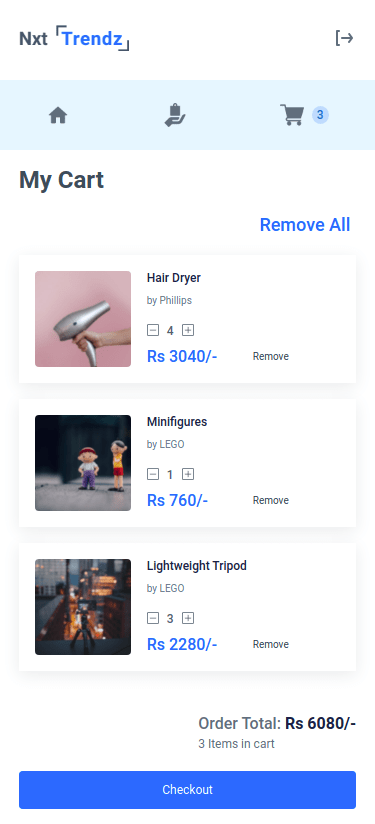
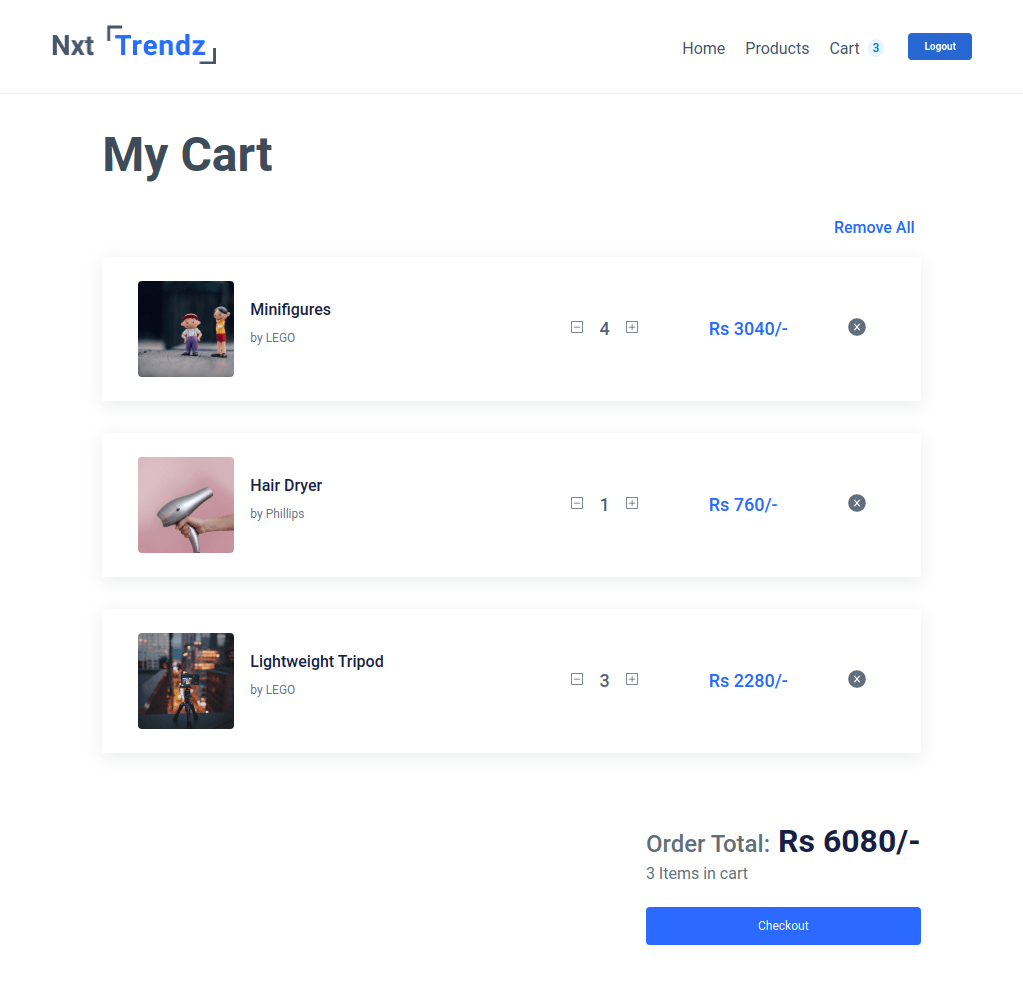
NxtTrendz is designed to be fully responsive across all devices. Below are design previews for different screen sizes:
-
📱 Small Screens (<576px):
-
💻 Medium to Large Screens (≥768px):
Follow these steps to set up and run the project locally:
Ensure you have the following installed on your machine:
- Node.js
- npm (Node Package Manager)
Clone the repository and install dependencies:
npm installStart the development server:
npm startThe application will run at http://localhost:3000/.
- Users must log in before accessing the cart. Unauthenticated users will be redirected to the Login page.
- Adding the same product multiple times increases its quantity instead of duplicating it.
- The Cart Route displays the total amount and item count.
- Item Quantity Controls:
- Clicking + increases the quantity.
- Clicking − decreases the quantity (removes the item if quantity is 1).
- Remove button deletes an item from the cart.
- Remove All button clears the entire cart.
- The product price and Cart Summary update dynamically.
The following methods manage cart operations:
cartList // Stores cart items
removeAllCartItems() // Clears all items from the cart
addCartItem(item) // Adds an item to the cart
removeCartItem(id) // Removes an individual item
incrementCartItemQuantity(id) // Increases item quantity
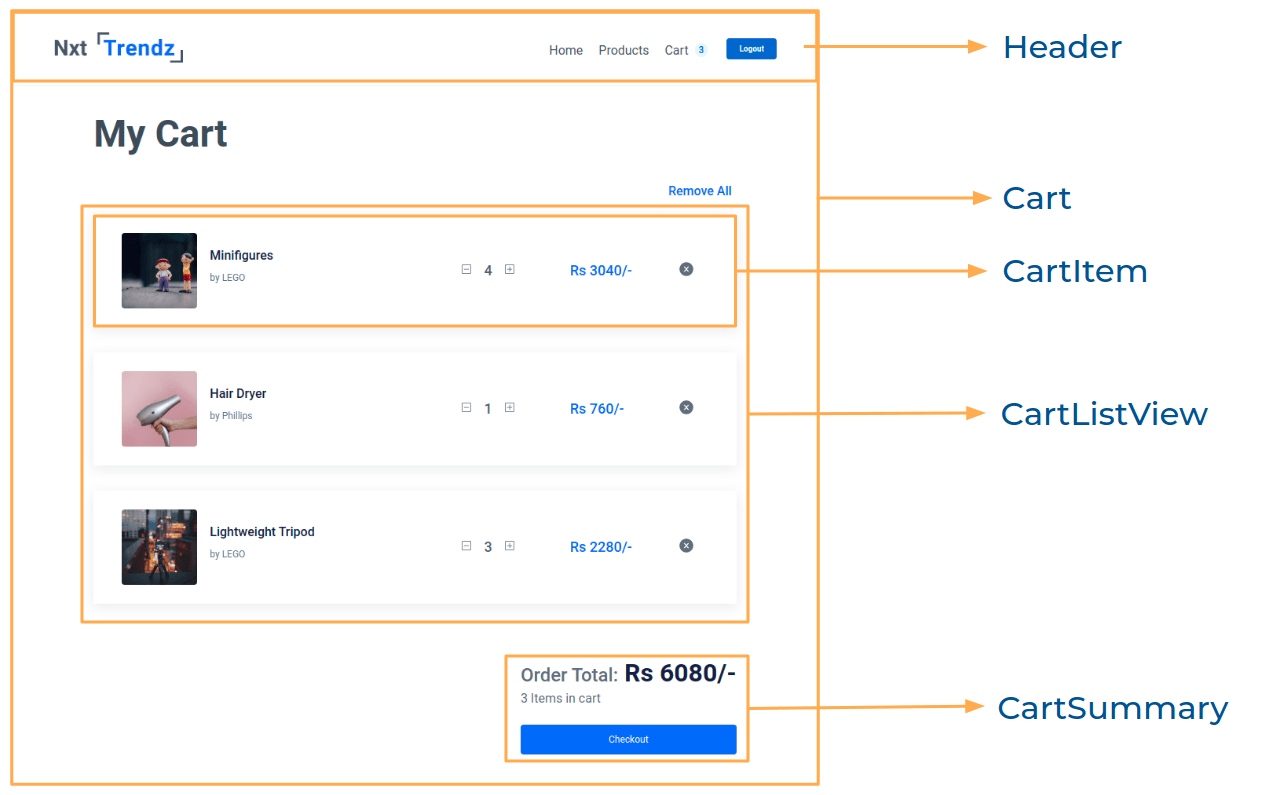
decrementCartItemQuantity(id) // Decreases item quantityTo understand the component architecture, refer to the image below:
The following files need updates or creation:
src/App.jssrc/components/Cart/index.jssrc/components/Cart/index.csssrc/components/CartItem/index.jssrc/components/CartItem/index.csssrc/components/CartSummary/index.jssrc/components/CartSummary/index.css
Use line-height to control text spacing:
line-height: 1.5;Retrieve a specific item from an array:
const item = arr.find(item => item.name === 'Product');-
Icons (react-icons):
- ➕ Plus:
BsPlusSquare - ➖ Minus:
BsDashSquare - ❌ Remove:
AiFillCloseCircle
- ➕ Plus:
-
Test IDs:
plusandminusfor cart item quantity buttons.removefor the remove button.
- Username:
rahul - Password:
rahul@2021
- Username:
nitish - Password:
nitish@2021
#0b69ff#171f46#616e7c#ffffff




- Roboto