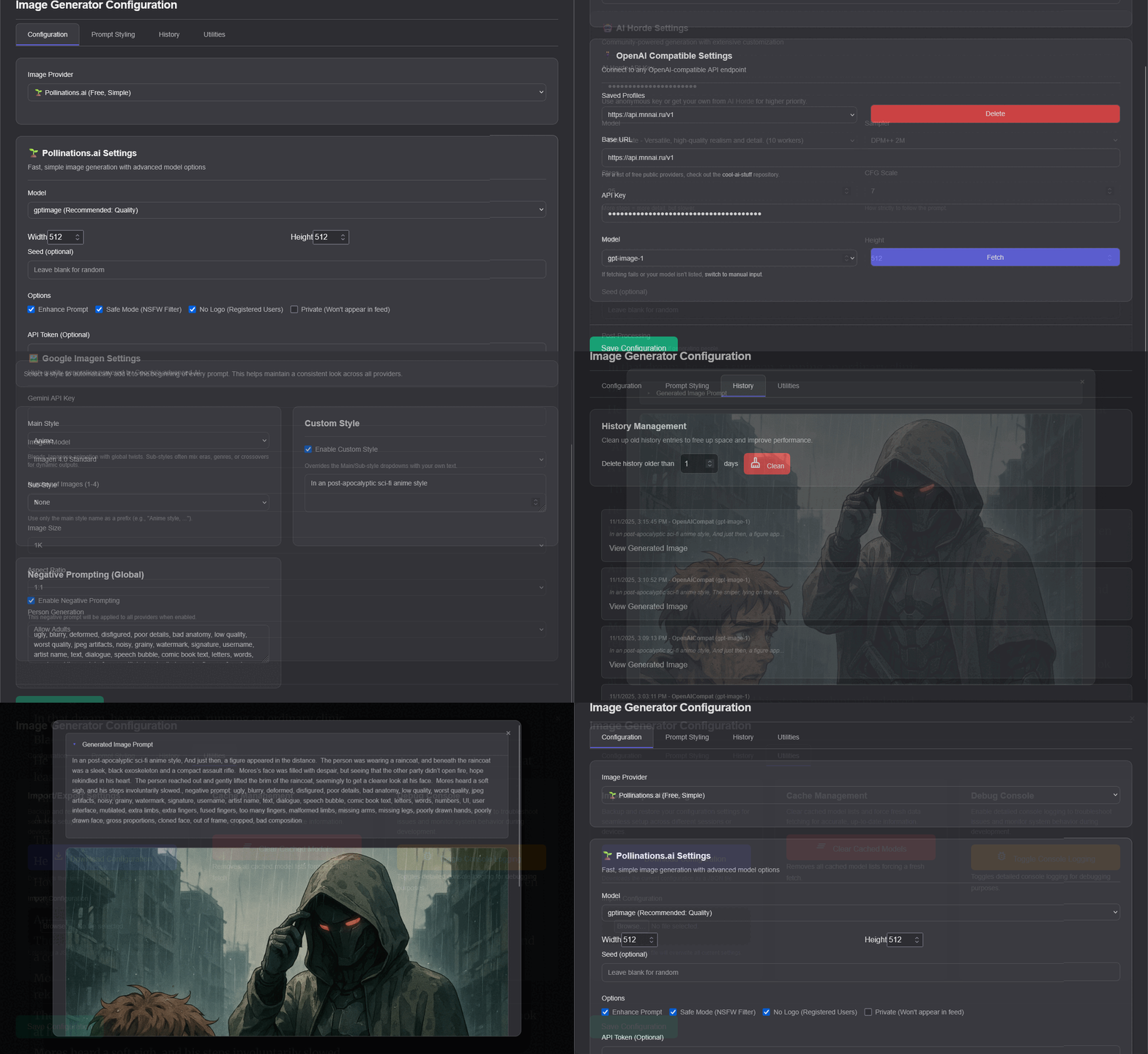





WTR LAB Novel Image Generator is a modern userscript that turns your novel reading into a visual experience. Select text on wtr-lab.com and generate AI-powered images via multiple providers with a clean UI, prompt enhancement, history, and powerful configuration options.
- 🔄 Multi-Provider Support: Generate images using Pollinations, AI Horde, Google Imagen, and any OpenAI-compatible API.
- 🚀 AI Prompt Enhancement: Uses Google Gemini to automatically improve your selected text for better image results, with a smart queue and custom templates.
- 🎛️ Rich Configuration: An extensive settings panel to manage API keys, models, prompt styles, and more, with import/export functionality.
- 🖼️ Unified Image Viewer: A clean, mobile-friendly viewer to inspect, download, and manage your image generation history.
- 🧱 Modular Architecture: A professional, webpack-based structure ensures stability, maintainability, and makes it easy to add new features.
- 📱 Mobile-First Design: The entire interface is optimized for a seamless experience on both desktop and mobile devices.
-
Install a Userscript Manager: Tampermonkey is highly recommended.
-
Install the Script:
- Recommended: Install directly from the ➡️ GreasyFork Page.
- Alternative: Download the latest release from the
dist/directory and manually import it into Tampermonkey.
-
Start Creating! 🎉 Navigate to any novel on
https://wtr-lab.com, and you're ready to go.
- While reading a chapter, highlight any descriptive text with your mouse or finger.
- The "🎨 Generate Image" button will appear. Click it.
- Watch the status widget for progress updates, including prompt enhancement and image generation.
- Once complete, open the image viewer to see, download, or manage your creations.
- To customize settings, open the Tampermonkey menu and click "Image Generator Settings".
⚙️ Click to see In-Depth Configuration Details
The configuration panel gives you full control over the script.
Choose from comprehensive art style categories to guide the AI:
- Anime Styles: 10+ sub-styles for various anime aesthetics.
- Fantasy Styles: Magical and mythical art approaches.
- Realism Styles: Photorealistic and realistic rendering.
- Custom Templates: Create and save your own personalized enhancement styles.
- API Configuration: Set up keys and endpoints for each provider.
- Model Selection: Choose specific models for each service.
- Generation Parameters: Fine-tune quality, speed, and style settings.
- Fallback Logic: Configure automatic provider switching on failure.
- Gemini Integration: Set up your Google Gemini API key for prompt enhancement.
- Enhancement Templates: Create and save custom enhancement styles.
- Preview Mode: Compare the original text vs. the enhanced prompt before generating.
- Generation History: View all generated images with their metadata.
- Export/Import: Backup and restore your settings and history.
- Cleanup Tools: Manage local storage and remove old entries.
| Provider | Speed | Cost | Quality | Best For |
|---|---|---|---|---|
| Pollinations | ⚡ Fast | 💰 Free | ⭐⭐⭐ | Quick experiments and free usage |
| AI Horde | 🐌 Variable | 💰 Free | ⭐⭐⭐⭐ | High-quality results from a community |
| Google Imagen | ⚡ Fast | 💳 Paid | ⭐⭐⭐⭐⭐ | Premium quality and advanced controls |
| OpenAI Comp. | ⚡ Fast | 💳 Paid | ⭐⭐⭐⭐⭐ | Connecting to custom or premium APIs |
We welcome contributions! Whether it's reporting a bug, suggesting a feature, or writing code, your help is appreciated.
- Report Issues: Find a bug? Open an issue with clear reproduction steps.
- Suggest Features: Have a great idea? We'd love to hear it!
- Submit Pull Requests: Fork the repo, create a feature branch, and submit a PR.
The project is built using a modern, modular structure with webpack.
# Install dependencies
npm install

# Run development server with hot-reloading
npm run dev

# Create an optimized production build
npm run buildThe codebase is cleanly organized for maintainability and scalability.
src/
├── api/          # AI provider integrations (AI Horde, Gemini, Google, etc.)
├── components/   # UI components (Config Panel, Image Viewer, Status Widget)
├── config/       # Default settings, models, and shared styles
├── core/         # Core application logic, event handling, and bootstrapping
├── styles/       # Global and component-specific CSS
└── utils/        # Helper functions (logging, storage, prompt processing)
- 📜 Changelog: Changelog.md
- 🧩 GreasyFork: Script Page
- 🗂️ Source & Issues: GitHub Repository
This project is licensed under the MIT License. See the LICENSE file for details.
Built with ❤️ for novel enthusiasts who believe in the power of visual storytelling.