👉 Question 1 - Write down the steps for making a Peanut Butter-Jelly sandwich. Assume your audience has never heard of Peanut Butter-Jelly sandwiches.
Click here to read the answer for Question 1.
👉 Question 2 - Assume you have an endpoint (Example 1 below) that returns a JSON output (Example 2) when a GET request is performed and write a code snippet in Python and Javascript that performs a GET request to the Example 1 endpoint and loops through the JSON output from Example 2. Print the `name` and `id` fields, sorting by the `id` field.
Response from the API:

Javascript Code:
const asyncGetCall = async () => { // asynchronous API call
    try {
        const response = await fetch('https://randomuser.me/api/?inc=id,name,gender,dob,picture&nat=gb&results=10', // using fetch API to make GET request
            {
                method: 'GET',
            });
        let data = await response.json();
        console.log(data); // storing JSON format response in data and printing as output

        // sort the results array by age in an ascending order (IMP: here age is taken as ID given in Example 2)
        if (data) {
            data.results.sort((a, b) => {
                return a.dob.age - b.dob.age
            });
        }

        // iterate through the array and print the name and age in ascending order
        if (data) {
            data.results.forEach((e) => {
                console.log(`${e.name.first} ${e.name.last} ${e.dob.age}`);
            });
        }
    } catch (error) {
        console.log(error) // log errors
    }
}


asyncGetCall(); // to call and run the above function
Output:
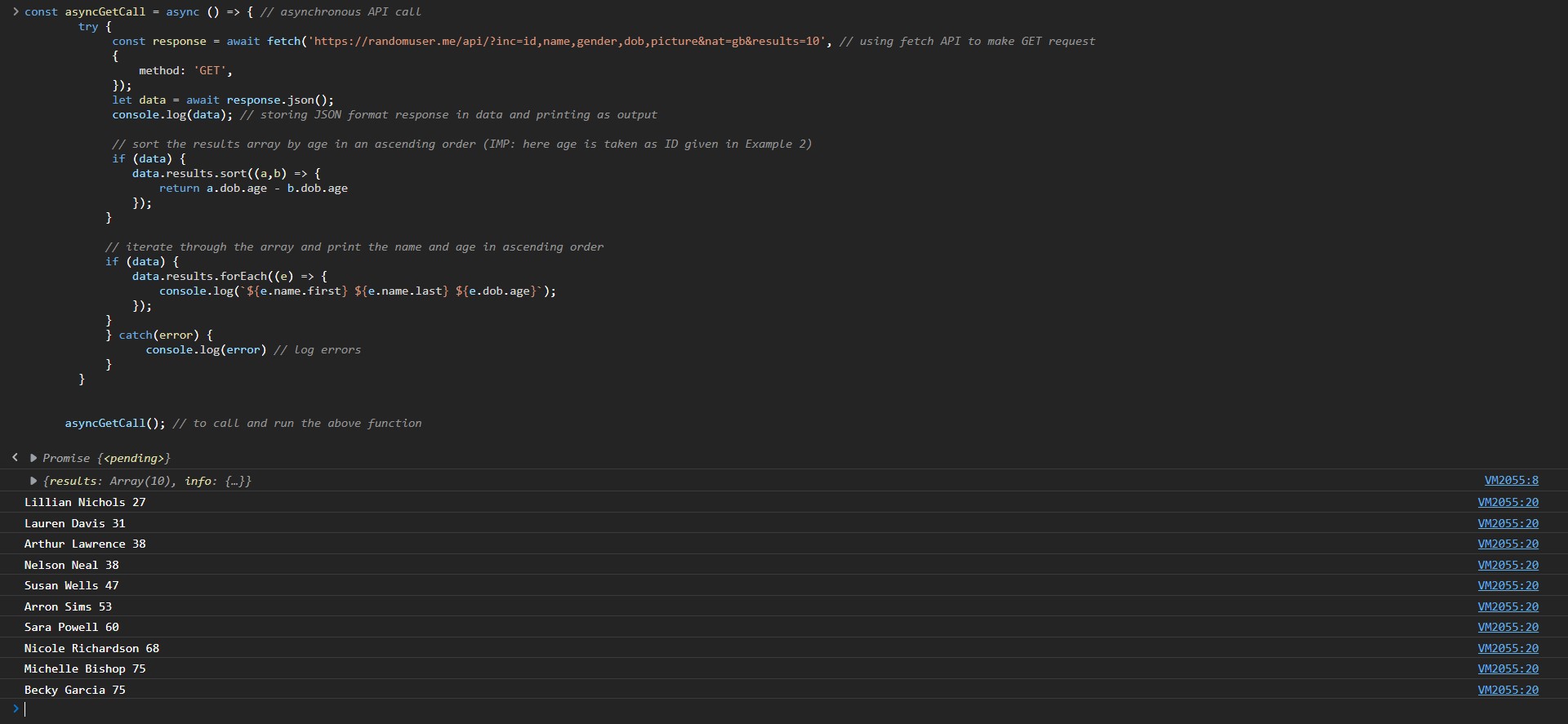
Python Code:
# import necessary modules
import requests

# use requests module to make API call
response = requests.get("https://randomuser.me/api/?inc=id,name,gender,dob,picture&nat=gb&results=10")

# convert dato to JSON
data = response.json()
lis = data['results']
print("The list printed sorting by age: ")

# using lambda function and sorted() function sort the array by age (IMP: here age is taken as ID given in Example 2)
sorted_lis = sorted(lis, key = lambda i : i['dob']['age'])

# print the sorted list
for i in sorted_lis:
    print(i['name']['first'], " ", i['name']['last'], " ", i['dob']['age'])
Output:

✨ BONUS POINTS: cURL code:
curl --location --request GET 'https://randomuser.me/api/?inc=id,name,gender,dob,picture&nat=gb&results=10'
👉 Question 3 - Integrate the code from Question 1 into a ReactJS application and display the `id` and `name` field on the page as HTML. Use CSS to make it look nice. Upload code to Github or any other site of your choosing.
Click https://angry-bohr-e14ba2.netlify.app/ to view the deployed site on Netlify.
Click https://github.com/KG-1510/github-externship-symblai-application for the code.
|
Kushagra Gupta
|