- heltec wifi kit 32
- heltec wifi kit library.
- Or, also work with other ESP32s (screen size is 128x64).
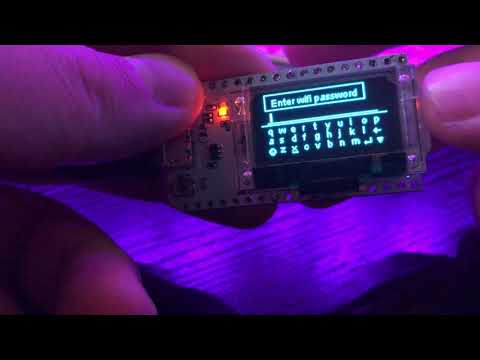
This is my first project wirtten in c/c++. You can make your own UI for execute your function easily.
// Original of the description is at src/menu.cpp
//
// 1. Adding setting page
// |----- 1.1 : Add directoryCode which is at the "menu.h" with Page title
// |----- 1.2 : And then, move to this file("menu.cpp") and add page's content and menu class. ( like line 67 at this file. )
// | | When you add back button, go to line 300 and add action.
// |----- 1.3 : Next, put to the class menu array ( pages[4] ) what you made at 1.2 and increase pages length. ( line 91 )
// +----- 1.4 : Add action for when you click the menu. ( line 257)
// |------ 1.4.1 : Add " case 'directorycode': "
// | | Action here.( when you want to move to the other page, add 'currentPage.setCurrentPage(class name of page)' )
// | | Or just your function. Don't forget " break; ". when you use your own function,
// | | you need to add clear() or display() function, manually.
// | |
// | +-> When you want to use tmpPage, Do " clearTmp() " and open your function.
// | And store like tmp[i] = { string that you want to display, connected page title, directorycode(if you don't want any
// | action, just set 0.) } -> (struct content)
// | If you want to add " back " button, add tmp[i] = { "BACK", page title to go back, BACK };
// | and go to line 300, and add action when clicked back button
// | And lastly, set tmpLen inside your function. After that, go back to here and open tmpToCurrentPage function and
// | add " break; ".
// |
// |
// 2. Adding confirm page
// |----- 2.1 : At the line 271 ( same as 1.4.1 ), Add case of directorycode.------------------------------------+
// | | add " confirmPage.setNewConfirmPage(¤tPage, confirmpage title, confirmpage subtitle); |
// +----- 2.2 : And then, you need to add action when you choose YES or NO. |
// | Go to line 320, inside the switch statement, add case of directorycode form here <------------+
// | And add
// | if(confirmPage.isYES()) {
// | * Action here when clicked YES *
// | } else {
// | * Action here when clicked NO *
// | }
// | * Action when closing confirm page *
// | break;
// |
// 3. Adding keyboard page
// +----- 3.1 : Add keyboard action first.
// | keyboardPage.initialize(¤tPage, title, message);
// 3.2 : Go to line 370, add action when clicked close and enter with current directory code ( switch statement ).
//
drawString() doesn't work for ssd1306 at src/menu.h