Shrink your files, keep the magic. Premium file compression for creators who care about quality.


Compressly is a privacy-first file compression tool that lets you reduce file sizes exactly the way you want — either by choosing a compression level or by targeting a specific output file size. All compression happens locally in your browser or on the edge. Your files are never uploaded to or stored on any cloud server, so your data stays yours.
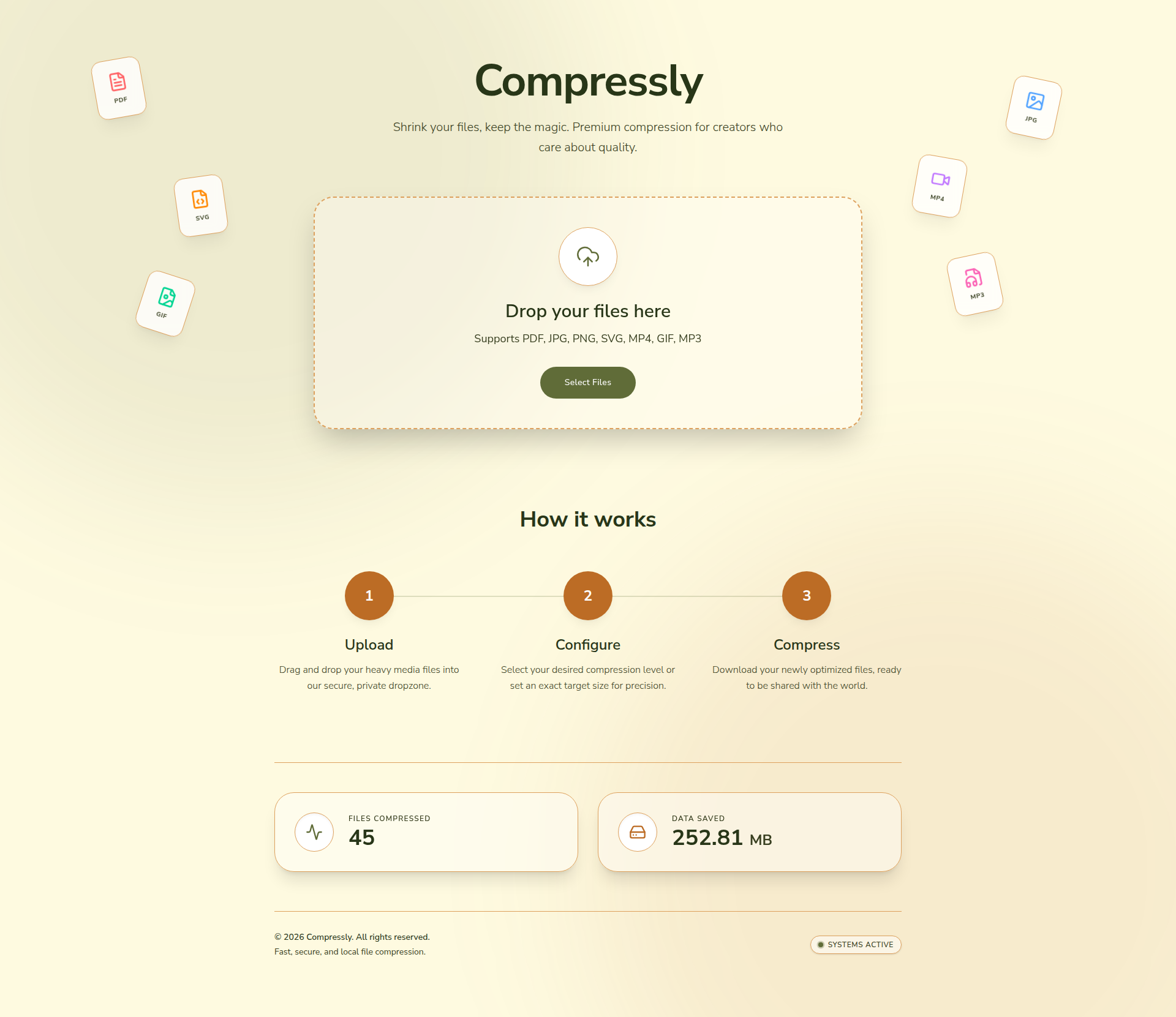
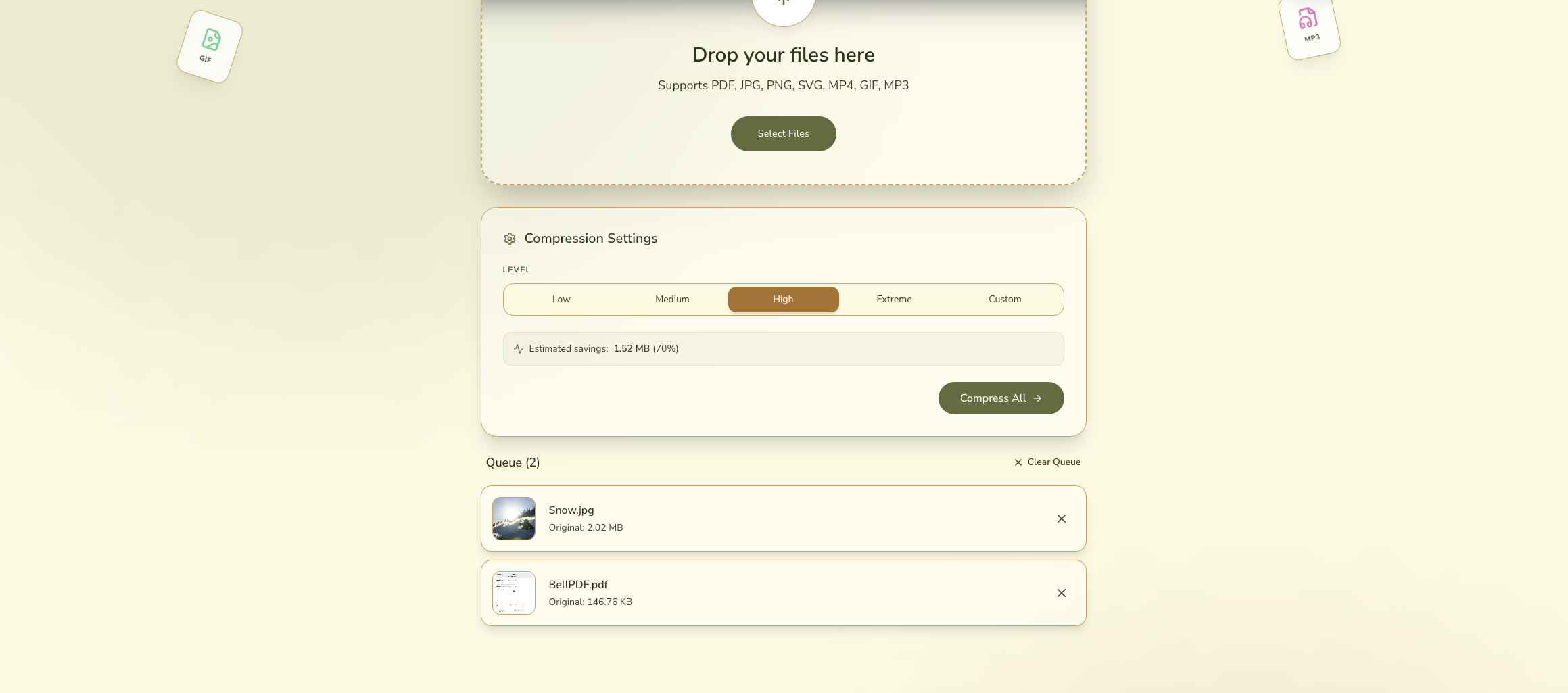
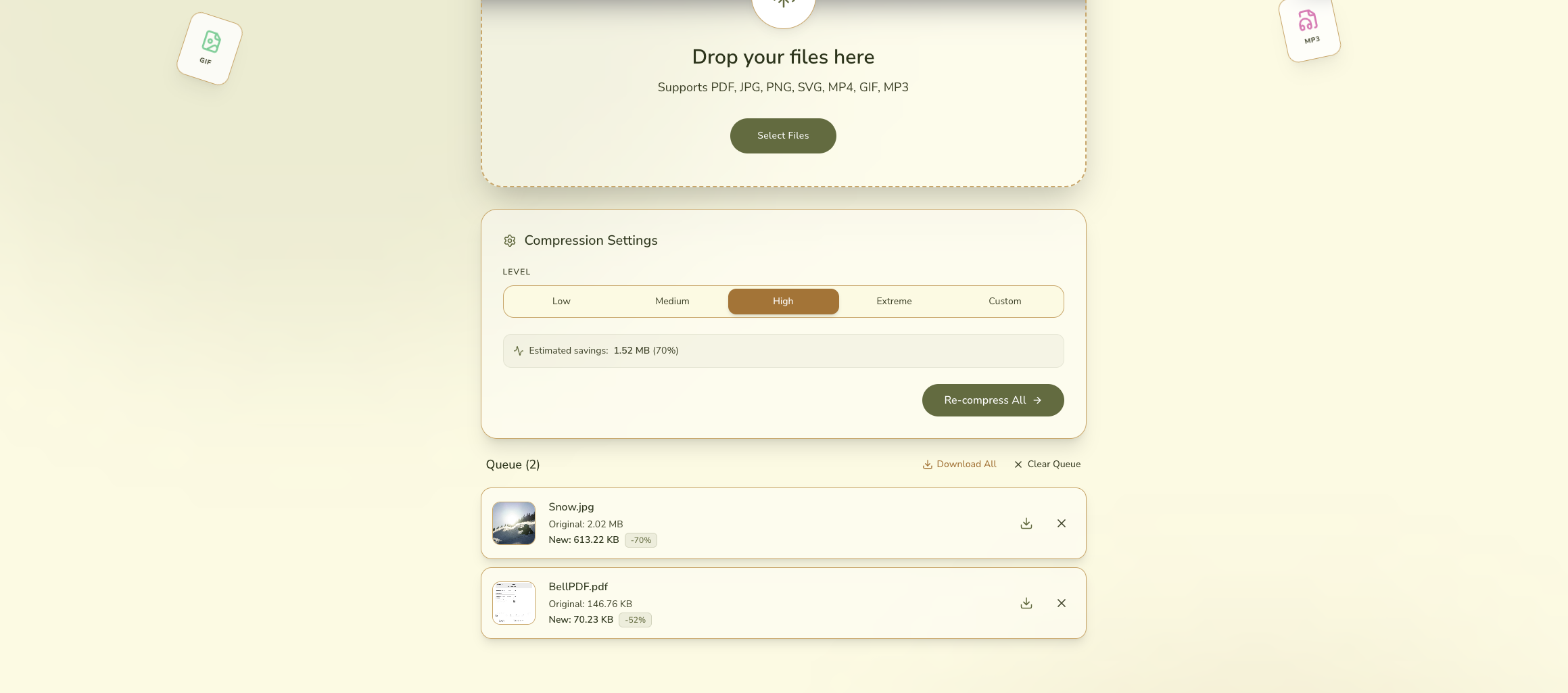
- 🎚️ Compression Level Control — Choose how aggressively to compress, from lossless to maximum reduction.
- 🎯 Target File Size — Set an exact target size and let Compressly do the math for you.
- 🔒 Privacy First — Files are processed locally or on the edge. Nothing is stored or logged on a remote server.
- ⚡ Fast & Lightweight — Built with Vite and TypeScript for a snappy, modern experience.
- ☁️ Edge-Powered API — Backend API runs on Cloudflare Workers for low-latency processing close to you.
- 🖥️ Clean UI — A minimal, distraction-free interface designed for creators.
| Layer | Technology |
|---|---|
| Frontend | TypeScript, Vite, HTML/CSS |
| API / Backend | Cloudflare Workers (via functions/api) |
| Deployment | Cloudflare Pages |
| Config | wrangler.toml for Cloudflare settings |
- Node.js (v18 or later recommended)
- npm
- A Cloudflare account (for deployment)
# 1. Clone the repository
git clone https://github.com/HapticHash/compressly.git
cd compressly

# 2. Install dependencies
npm install

# 3. Start the development server
npm run dev
The app will be available at http://localhost:5173 by default.
npm run buildThe output will be in the dist/ folder.
Compressly is designed to deploy on Cloudflare Pages with Cloudflare Workers handling the API routes.
# Install Wrangler CLI globally (if you haven't already)
npm install -g wrangler

# Authenticate with Cloudflare
wrangler login

# Deploy
wrangler pages deploy dist
The functions/api directory is automatically picked up by Cloudflare Pages as serverless API routes.
compressly/
├── functions/
│   └── api/          # Cloudflare Worker API routes
├── public/           # Static assets
├── src/              # Frontend source (TypeScript)
├── index.html        # App entry point
├── vite.config.ts    # Vite configuration
├── wrangler.toml     # Cloudflare Workers/Pages config
└── package.json
Compressly is built with privacy as a core principle:
- No file storage — Your files are never persisted on any server.
- No tracking — No analytics or telemetry are attached to your files.
- Edge processing — API functions run on Cloudflare's edge network, meaning processing happens ephemerally and close to you.
You can verify this by inspecting the source code in functions/api and src/.
Contributions are welcome! Here's how to get started:
- Fork the repository
- Create a new branch:
git checkout -b feature/your-feature-name - Make your changes and commit:
git commit -m "feat: add your feature" - Push to your fork:
git push origin feature/your-feature-name - Open a Pull Request
Please make sure your code follows the existing TypeScript conventions and the project builds without errors before submitting.
This project is licensed under the MIT License.
Built with ❤️ by HapticHash. If you find this useful, consider leaving a ⭐ on the repo!