
Original app at: https://github.com/markusenglund/react-kanban
At CodeSee, we've found this to be a great app to get up and running with CodeSee. We're hoping you will too!
Follow this process to get the app running. You only need to do this the very first time you get the app set up.
Clone the repo to a local directory. Run the following command in your terminal:
git clone git@github.com:Codesee-io/react-kanban-codesee.git
Enter the new cloned directory:
cd react-kanban-codesee
Install dependencies:
npm install
Please don’t worry about the listed vulnerabilities, these are only because React-Kanban is an older codebase, and will not be a problem for you running the app locally on your computer.
Build the app:
npm run build
The React Kanban app should now be ready to go!
You should do this each time you want to use the app.
To start the app, run the following in your terminal, in the react-kanban directory:
npm run serve
You’ll know it’s working when you see:
Server listening on port 1337
You can now open your internet browser and go to http://localhost:1337 where you should see the React Kanban app, and the CodeSee purple eye.

When you are done using the React Kanban app, you can stop the app by returning to your terminal where you previously ran npm run serve and using the key combination: <ctrl> + c
If you see the CodeSee eye, you are ready to make a recording.
Check out the getting started documentation on the codesee doc site.
Below is the original README from the React Kanban repo
A server-rendered React app inspired by Trello.
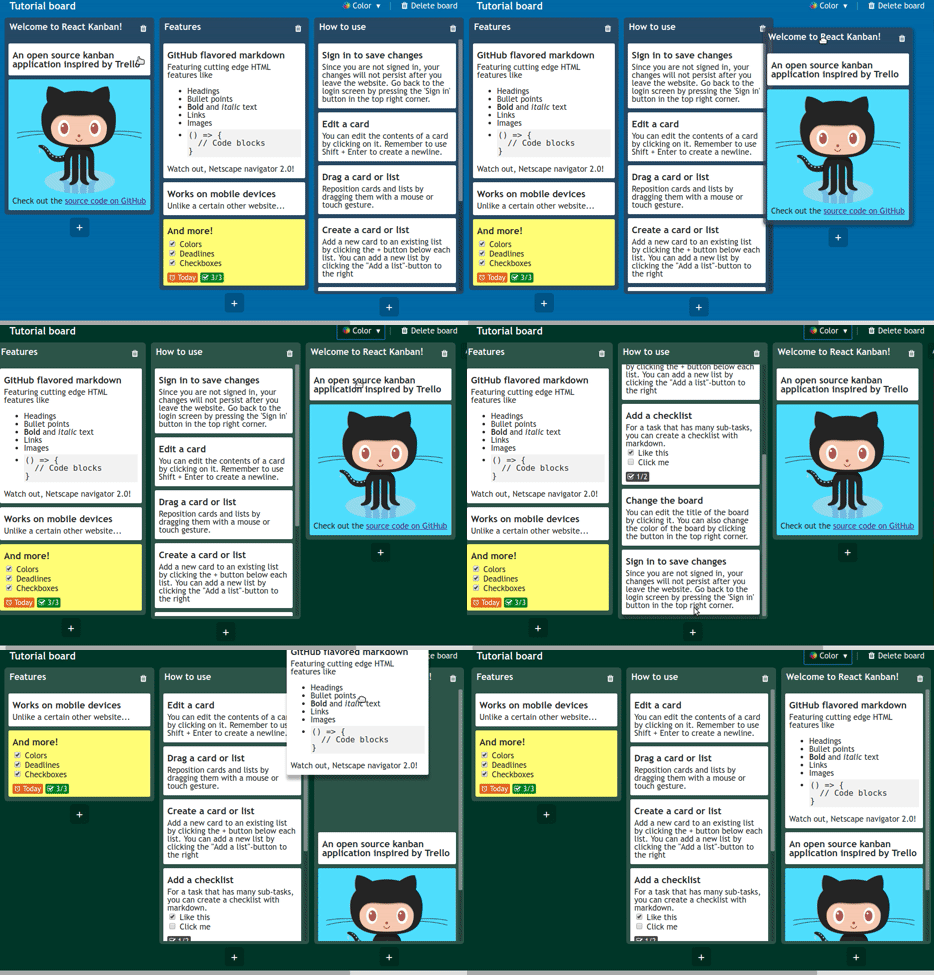
- It has most of the features available on Trello, like creating and editing new cards, dragging around cards and so on.
- Supports GitHub flavored markdown, which enables stuff like headings and checklists on the cards.
- Works great on touch devices.
Setting up the full app with your own mongoDB instance and auth credentials for Twitter and Google sign-in requires significant effort. Use the simplified set up if you don't want to bother with that.
# Clone the simple-dev branch which does not include db and social sign-in stuff
git clone https://github.com/yogaboll/react-kanban.git -b simple-dev

cd react-kanban

npm install

npm run build

# Open a second terminal window and run:
npm run serve
The app will run on http://127.0.0.1:1337
git clone https://github.com/yogaboll/react-kanban.git

cd react-kanban

npm install
You need to add your own mongoDB url as well as auth credentials for the Google and Twitter sign in. You need to create a file with the name .env in the root directory with the following variables:
MONGODB_URL
MONGODB_NAME
TWITTER_API_KEY
TWITTER_API_SECRET
GOOGLE_CLIENT_ID
GOOGLE_CLIENT_SECRET
SESSION_SECRET

# Has to be port 1337
ROOT_URL=http://127.0.0.1:1337
npm run build
npm run serve
For production deployment run:
npm run build:prod
npm run serve:prod