App Demo: Harbor Dashboard
The application is crafted using React to build scalable and reusable components. The following techniques adhere to best practices and enhance performance and maintainability:
- Atomic Design Principles: Components are categorized for reusability and scalability:
- Atoms: Fundamental building blocks like
Button,Text, andFlexbox. - Molecules: Combinations of atoms forming more complex components like
DropdownandBadgeList. - Organisms: Assemblies of molecules and atoms forming distinct UI sections like
HeadersandSidebar. - Templates: Page-level layout components defining the structure of a page.
- Pages: Complete pages using a combination of all components to form the final UI, managing
statesand passing them down aspropsthrough the component hierarchy.
- Atoms: Fundamental building blocks like
- BEM Methodology: Modular and maintainable namespaced CSS classes, providing less specificity on an element.
- Media Queries: Ensures responsive design.
- Optimised Performance: To minimize redundant re-renders and computations using
useMemoanduseCallbackhooks. - Routing: To facilitate navigation and future scalability.
- Semantic HTML: Promotes SEO and accessibility.
- Testing: Integrated unit testing with
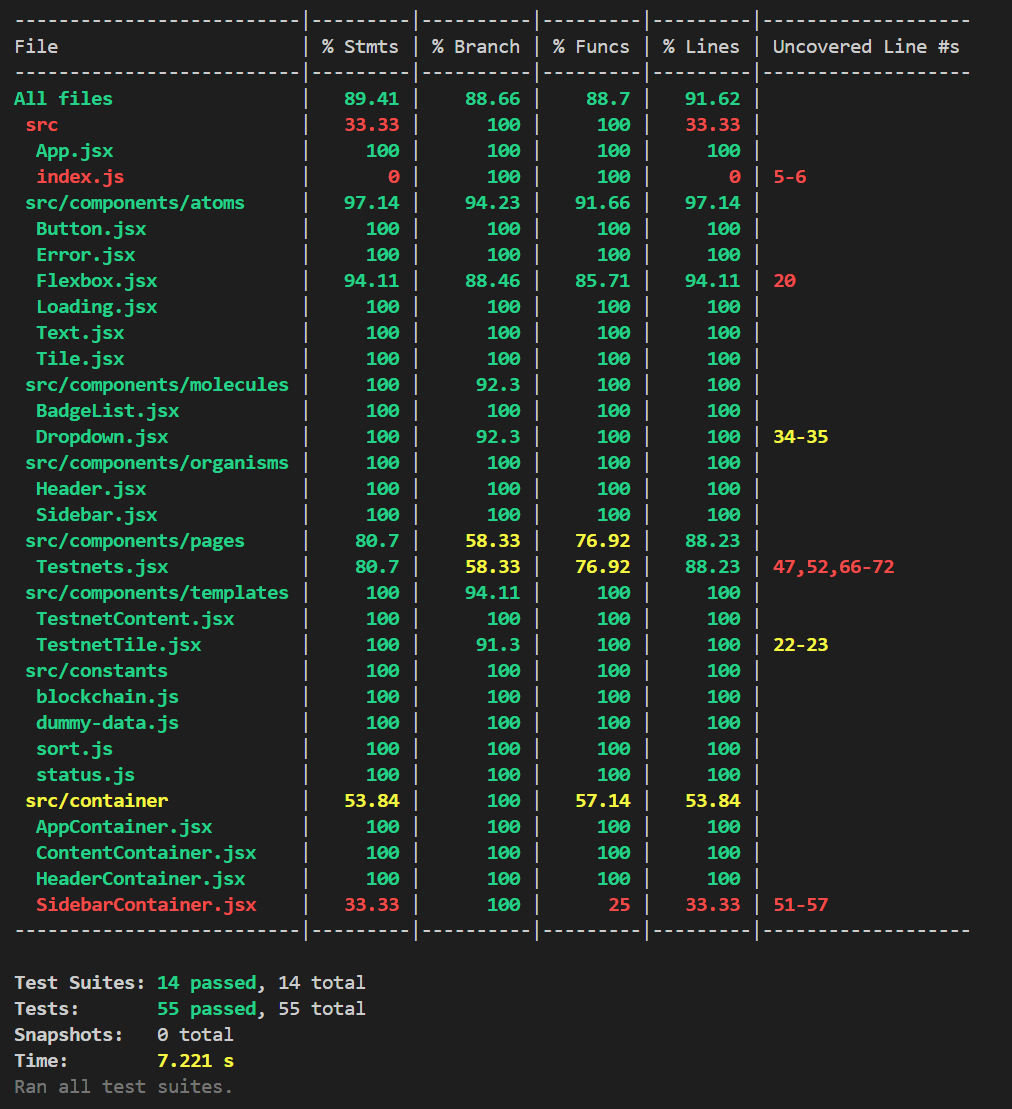
JestandReact Testing Librarycovering all developed components.
- Next.js: Both
clientandserverapplications are managed (and even deployed) separately. - Redux: Omitted to maintain simplicity, as managing props and state are sufficient for this project.
- Context API: Not utilized to prevent frequent re-renders and maintain component reusability.
- Tailwind CSS: BEM methodology was preferred over a utility-first approach that might not align with the existing styling strategy.
- TypeScript: Deprioritized due to limited scope and time constraints, using React-based
prop-typesinstead. - Alternative Architectures: PWA and Micro Frontends are not implemented as they are deemed unnecessary for this project.
Any combinations of the above-mentioned techniques can be explored once we scale our application with more pages and features.
As per the given requirements:
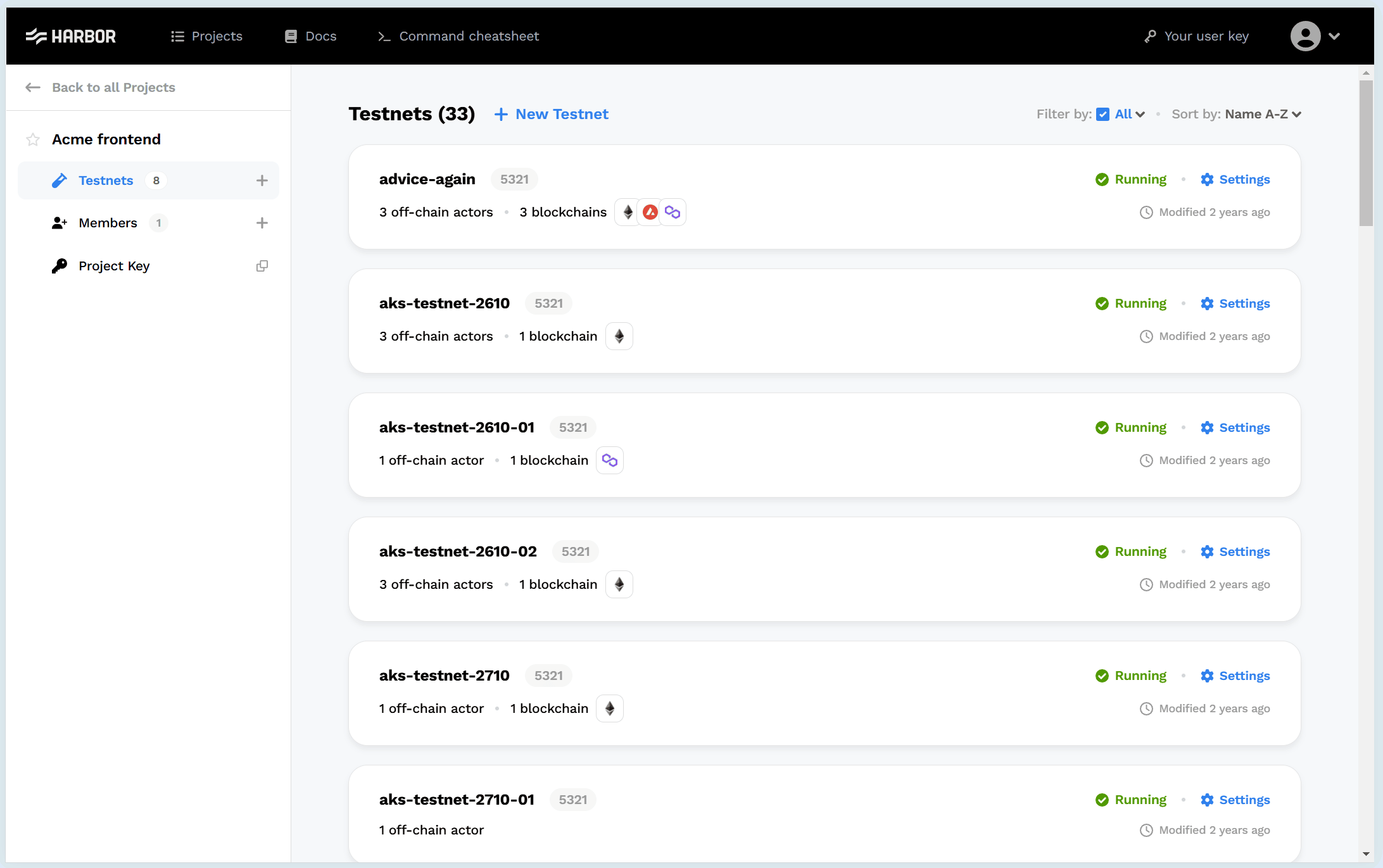
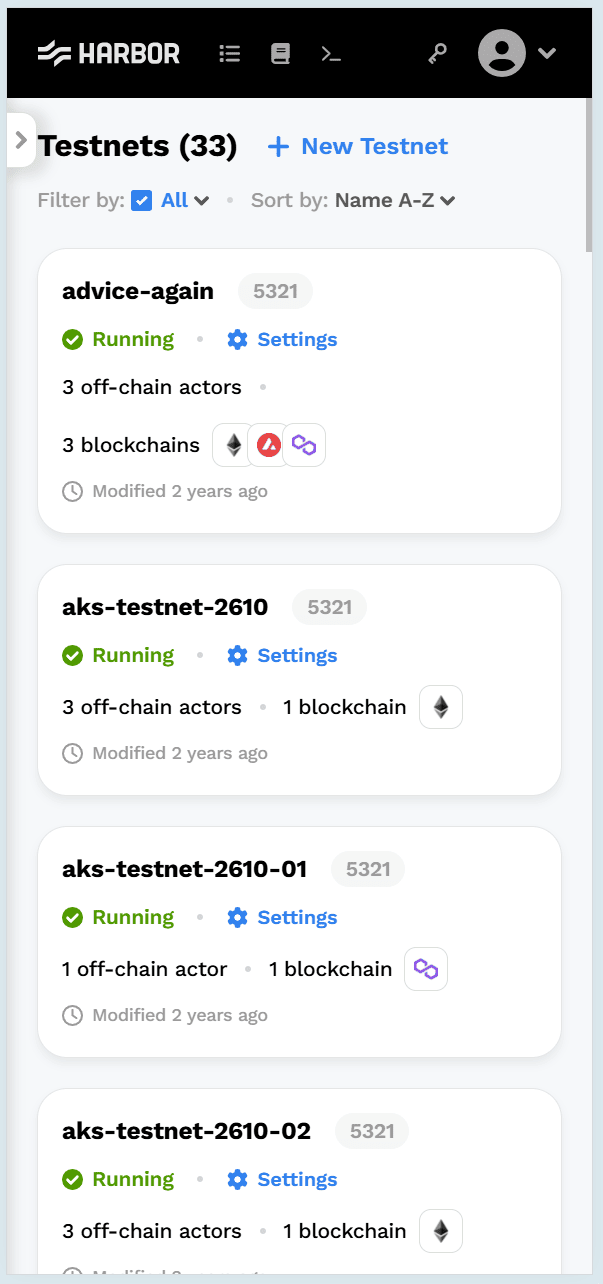
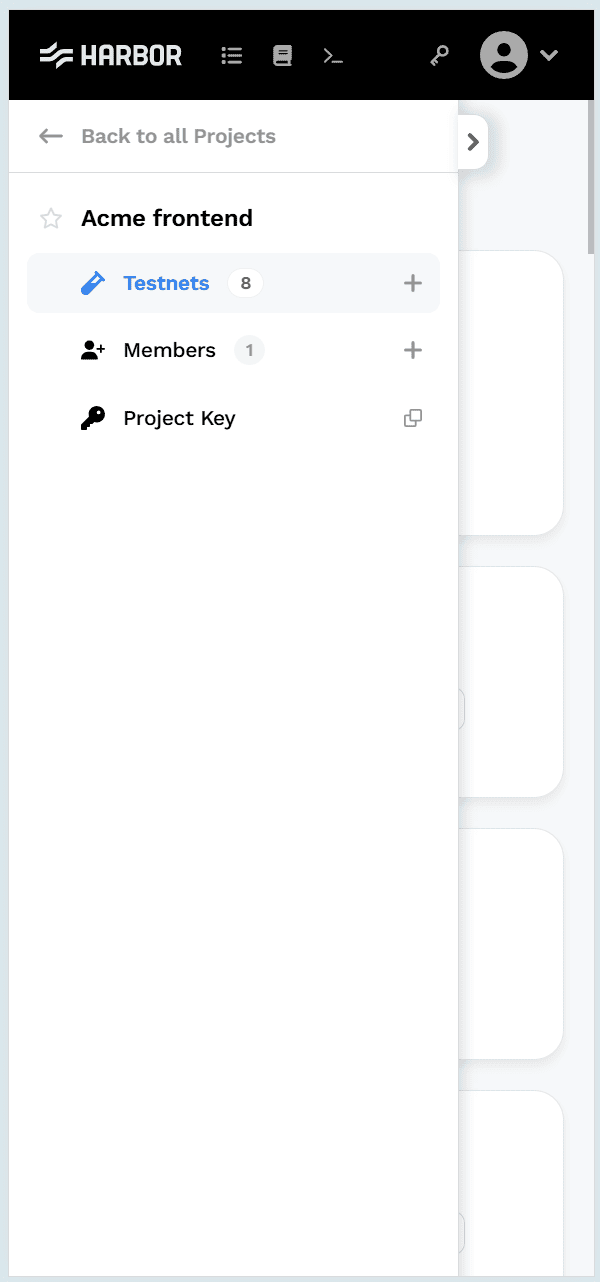
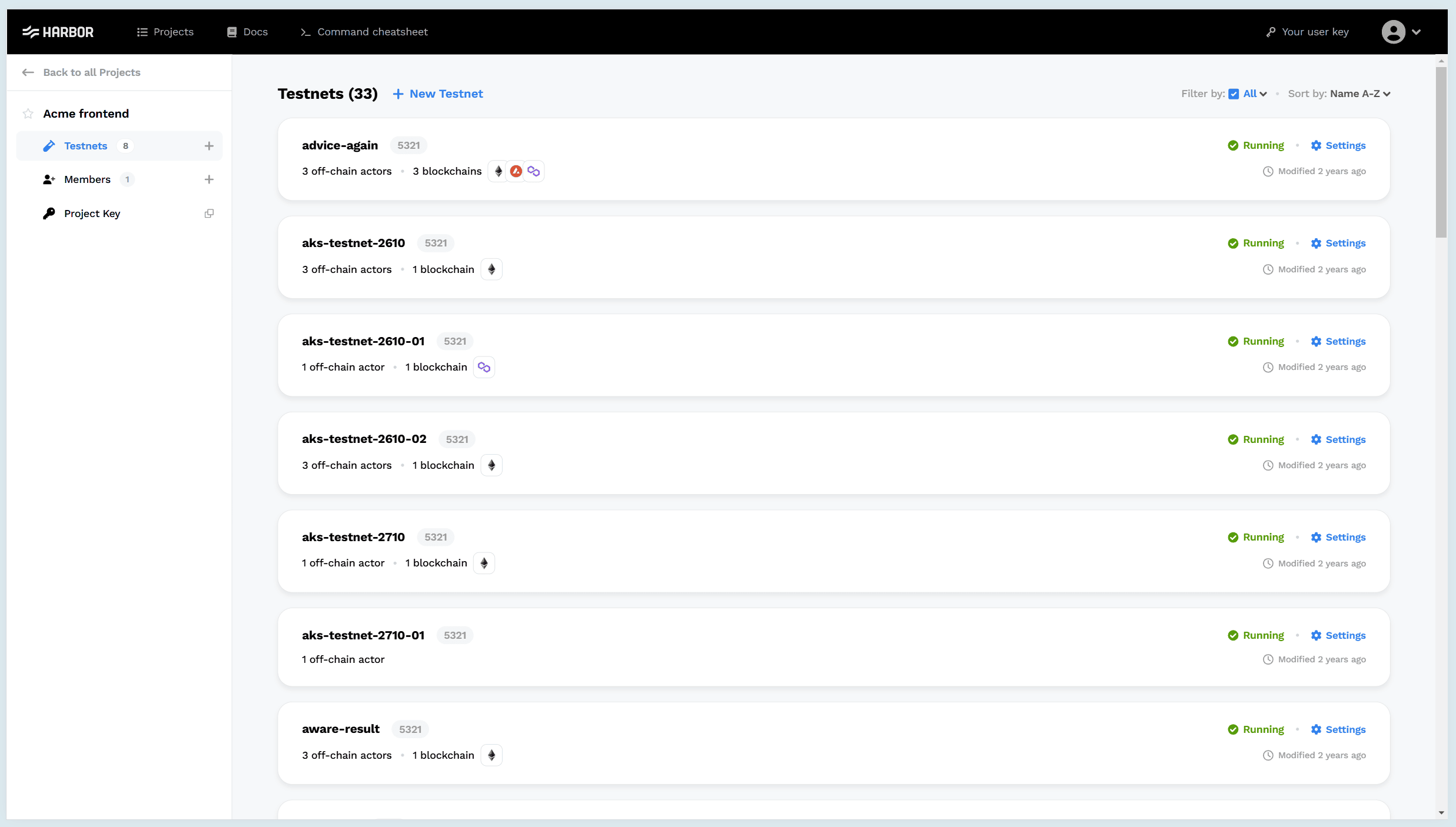
- Responsive dashboard showcasing testnets with their respective statuses and details.
- Testnet results are sortable (based on name, status, creation date, and modified date) and filterable (based on status).
- URL parameters are updated during sort and filter changes, ensuring sorted and filtered results upon refreshing the browser.
- The application gracefully handles loading, error, and zero state use cases.
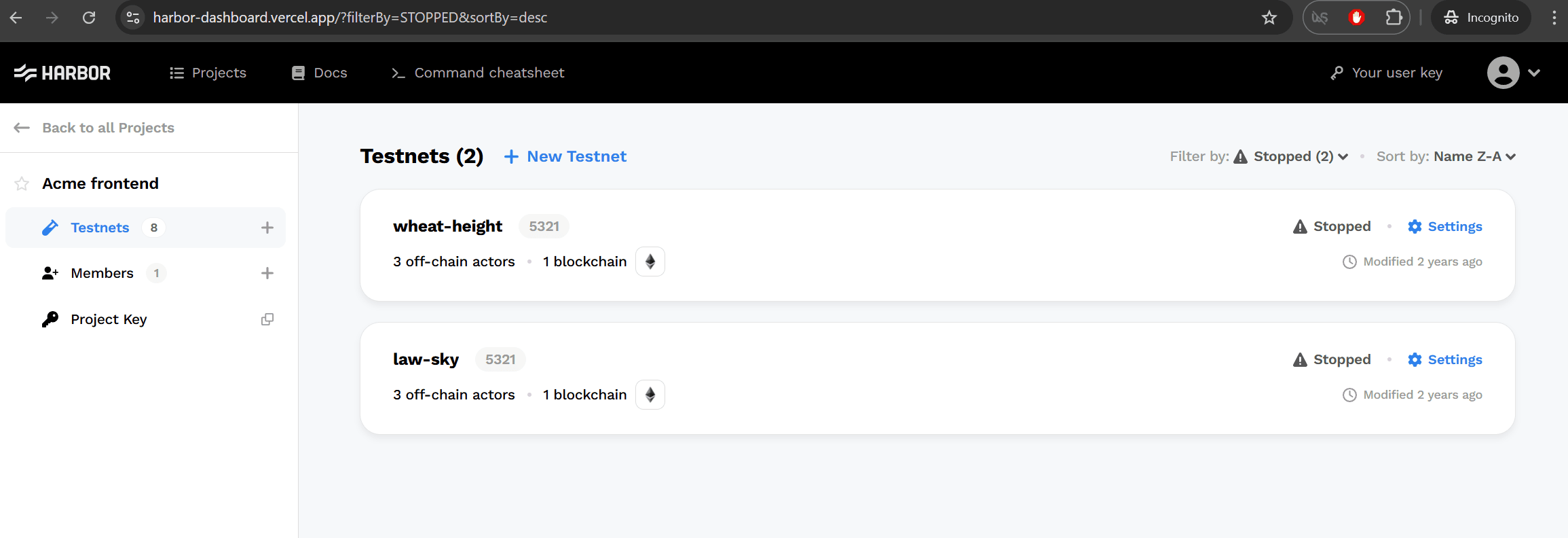
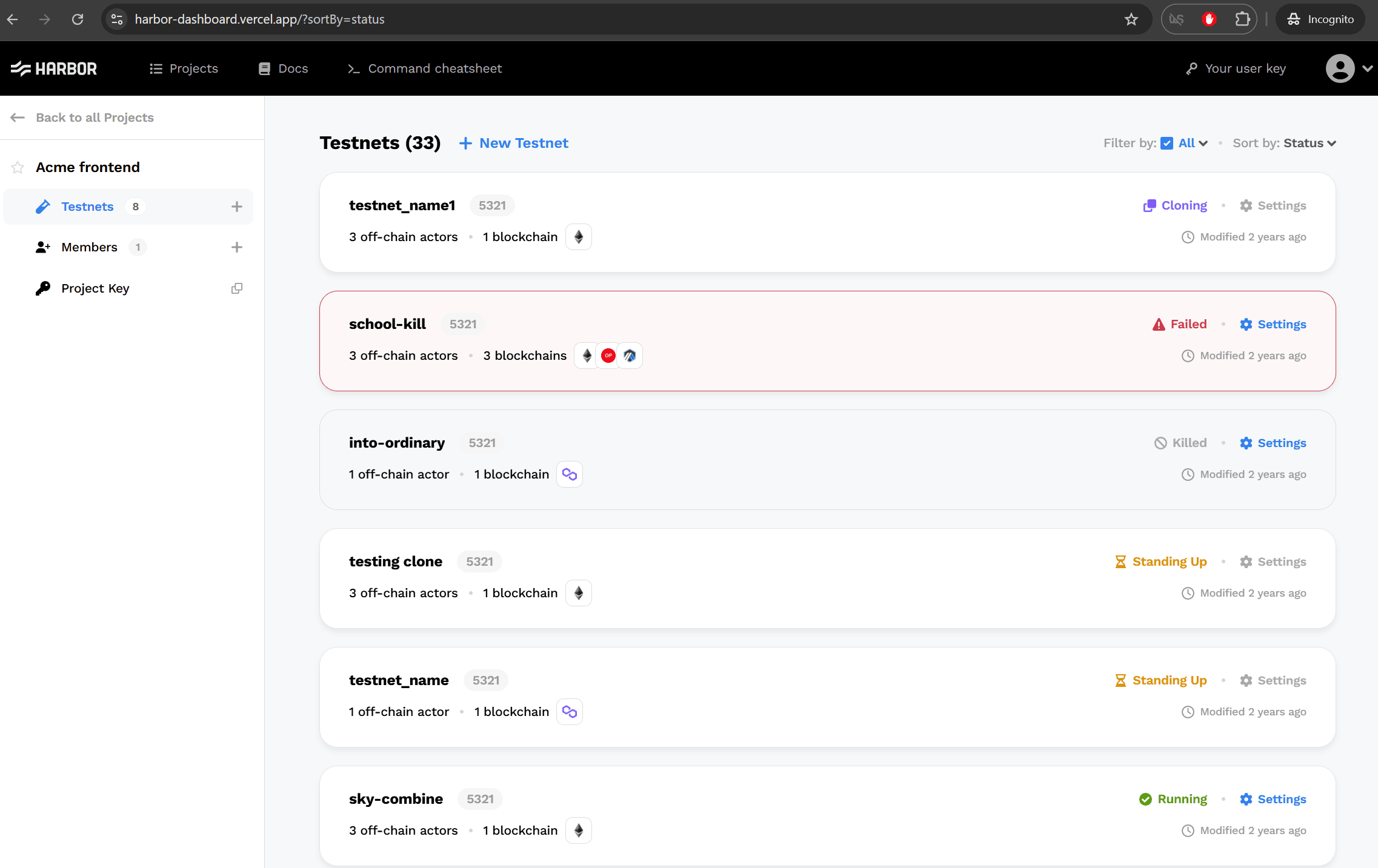
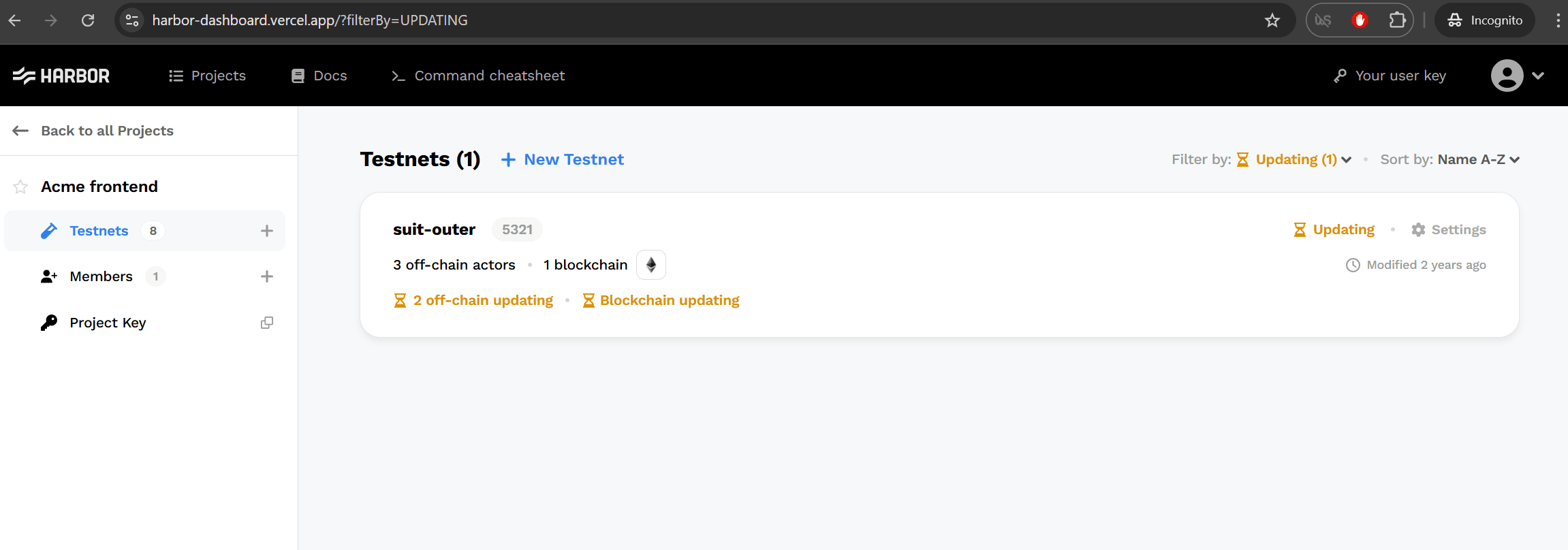
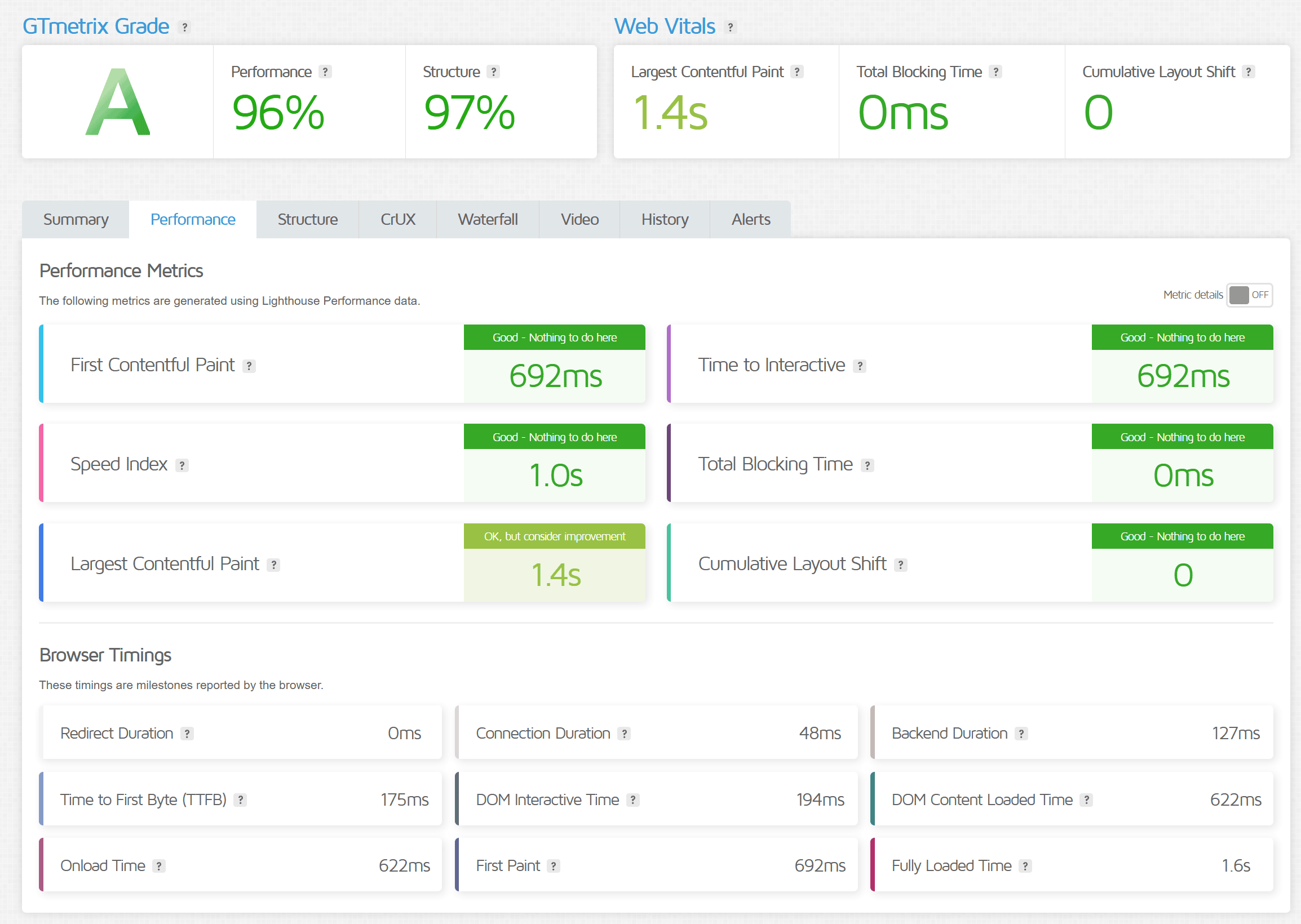
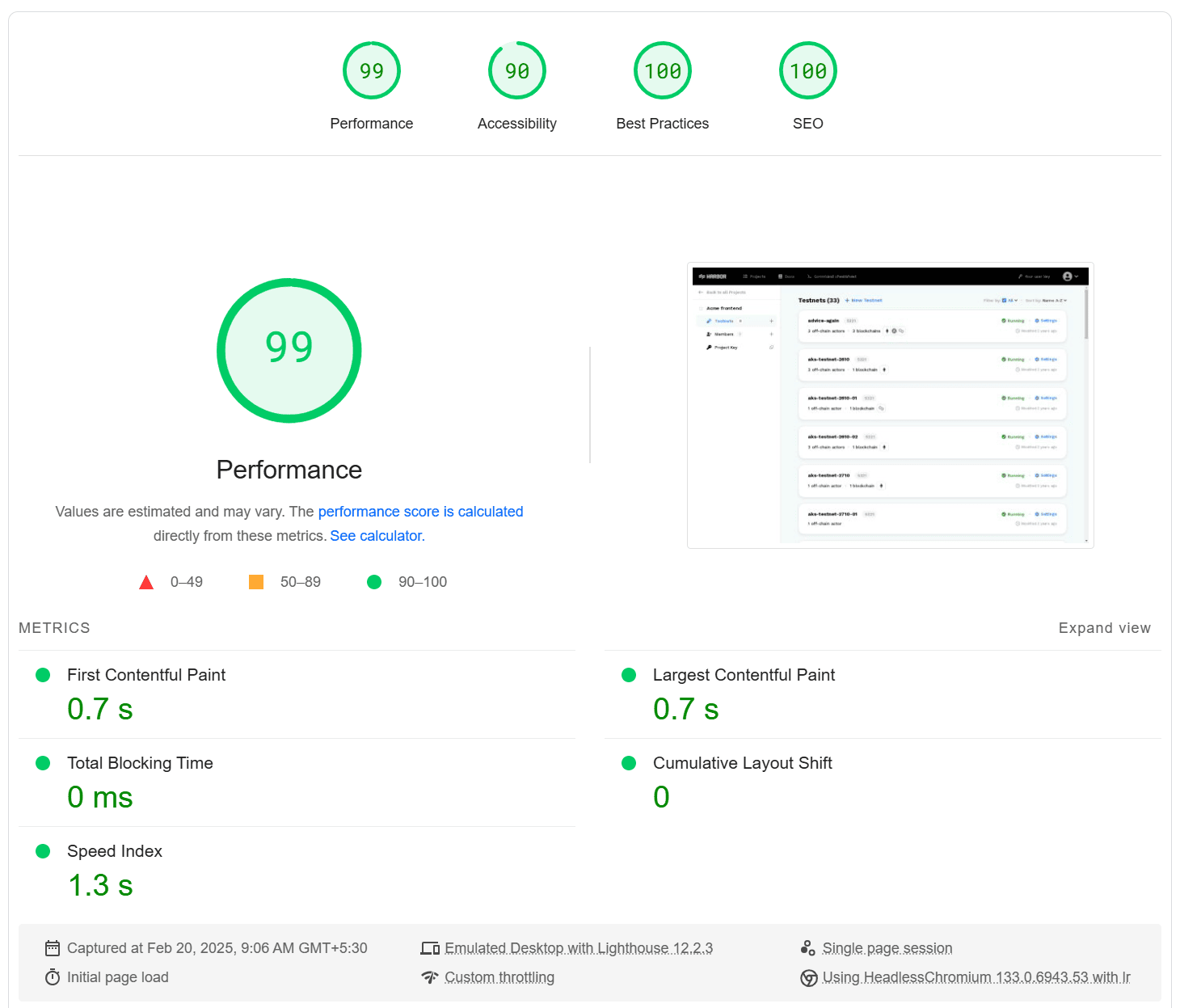
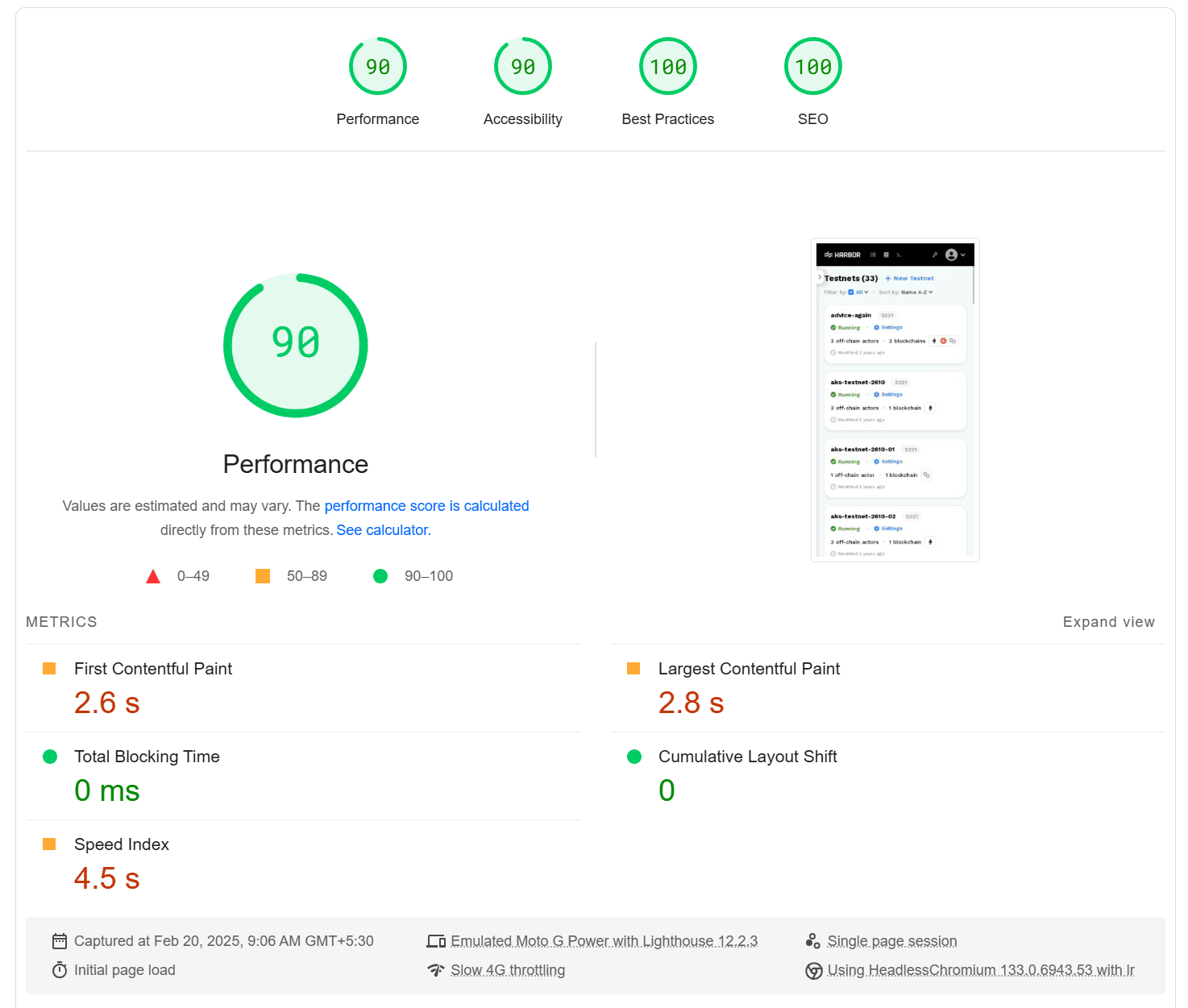
The application was tested using the following tools:
To start the backend API server (in a separate terminal):
- Navigate to the
serverdirectory. - Install dependencies with
npm install. - Execute
npm run devto run the server athttp://localhost:3000/. - Verify on the web browser at
http://localhost:3000/api/testnetswhich will return mock testnets data.
To launch the frontend React client application (in a separate terminal):
- Navigate to the
clientdirectory. - Install dependencies with
npm install. - Create a new
.envfile and addREACT_APP_API_URL=http://localhost:3000/apias an environment varaible. - Execute
npm run startto run the applation athttp://localhost:3001/automaitcaly opening the browser. - Verify on the web browser to see the dashboard rendering the testnets as per given design.
- Enabled
CORSon theserverAPI endpoints forclientapplication requests. - Altered the testnets JSON data to showcase the final result with various statuses and their specific conditions.
Run npm run test -- --coverage --watchAll at client directory to generate code coverage report.
Apart from alternative architectures mentioned earlier, there are some potential improvements that can be considered for further development:
- Implement filter by
searchinput. - Implement
paginationandinfinite scrollingfor handling large datasets. - Integrate
Storybookfor component documentation. - Add E2E tests using
CypressorPlaywrightfor improved test coverage. - Ensure full compliance with accessibility standards.
- Support CSS theming for both light and dark modes.
- Optimize images and other assets for better performance.
- Integrate
ESLintandPrettierfor ensuring consistent coding style across the team. - Intergrate
GitHub Actionsfor seamless CI/CD pipeline. - Explore
GraphQLfor efficient data fetching when scaling up.
Any further feedback is highly appreciated.