




Local proxy that lets the latest OpenAI Codex CLI / desktop talk to virtually any modern LLM. Built-in support for Xiaomi MiMo V2.5 and DeepSeek V4 Pro, plus a generic provider mechanism for any OpenAI Chat Completions-compatible (Qwen / GLM / Kimi / vLLM / Ollama / LM Studio …) or native Responses API upstream — no code changes, no re-publish. It translates Codex's Responses API ↔ upstream Chat Completions on the fly, routes per-request by the model field, and runs on 127.0.0.1.
Why: MiMo's official Codex integration only supports wire_api = "chat", which newer Codex versions hard-error on. mimo2codex sits in between, so you keep Codex on latest and it thinks it's talking to a native Responses backend. Conceptually a thin protocol shim — sibling to openrouter / claude-code-router.
- CLI —
npm install -g mimo2codex. The classic path; full control from the terminal. - Docker — for intranet / team setups: user login, BYOK, OAuth, downloadable Codex config bundles; the upstream key never leaks. → Auth & deployment
- Desktop app (Windows / macOS, best for non-technical users) — installer, runs in the background, starts on boot; one click from the tray opens the admin UI. → Download
- ✅ Codex CLI (
wire_api = "responses") + desktop app — stay on the latest Codex. - ✅ Multi-provider in one process — MiMo + DeepSeek + generic providers, per-request routing by the
modelfield. - ✅ Any OpenAI-compatible / native-Responses upstream — Qwen / GLM / Kimi / Ollama / OpenAI, declared in
providers.json. - ✅ Tool calling, web search, vision, reasoning — function & parallel tools, MCP namespace; MiMo native
web_search; correct multi-turnreasoning_contentround-trip. - ✅ One-click Codex model switching from the admin webui (replaces cc-switch).
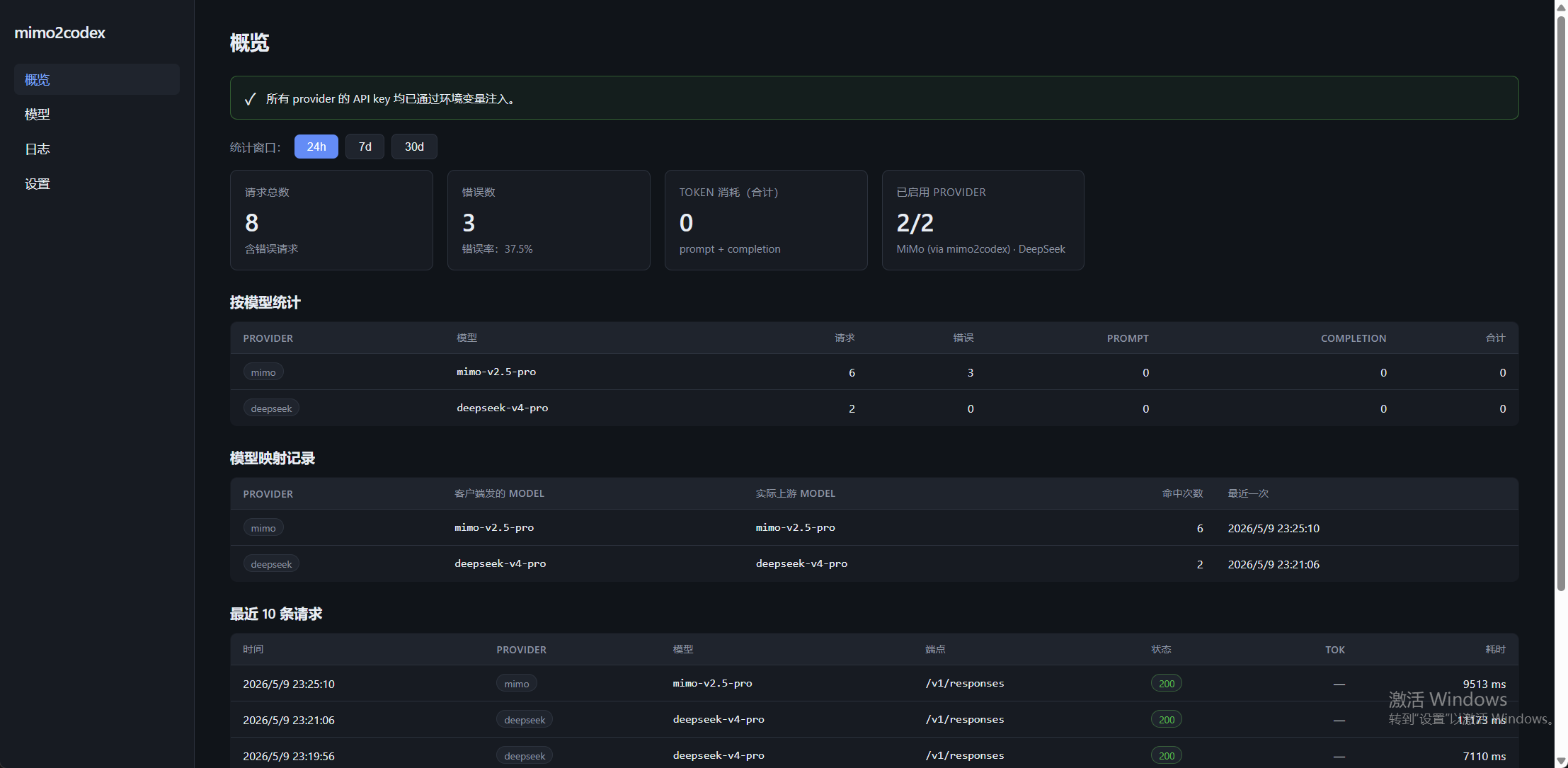
- ✅ Admin console at
http://127.0.0.1:8788/admin/— model catalog, chat logs, token stats, provider config; sqlite persistence.
npm install -g mimo2codex     # 1. install (Node ≥ 18)
mimo2codex init               # 2. add your API key → edit ~/.mimo2codex/.env
mimo2codex                    # 3. start the proxy on 127.0.0.1:8788
Then point Codex at it — one-click on the admin UI's Codex Enable page, or copy the printed config.toml / auth.json into ~/.codex/. Walkthrough: Codex Enable.
Keys & per-OS setup → Env setup · Run Codex CLI in isolation on Windows → Isolated Codex CLI
Full docs (searchable, bilingual) live at https://mimodoc.chengj.online.
Getting started
- Env setup — set up all keys once; per-OS
.envloader (macOS / Linux / Windows) - Codex Enable — one-click model switching in the webui (replaces cc-switch)
- Isolated Windows Codex CLI — let Codex CLI use MiMo while Codex Desktop stays untouched
Deployment
- Docker —
docker compose up -d, data persistence, multi-arch images - Auth & multi-user — login, BYOK, OAuth, downloadable Codex config bundles
Providers
- Generic providers — any OpenAI-compatible / native-Responses upstream via
providers.json - MiniMax · SenseNova · Kimi — per-vendor compatibility notes
- Connector plugins — why Codex Desktop connectors (GitHub / Gmail / …) can't be proxied, and the fallback
Reference
- mimoskill — image gen / OCR fallback /
/hatchpet generation - Proxy & network FAQ
- Community feedback
- Tag log (changelog)
MIT — see LICENSE.