Stop reading code. Start talking to it.



Try RepoMind Live · See React Analyzed · Contribute
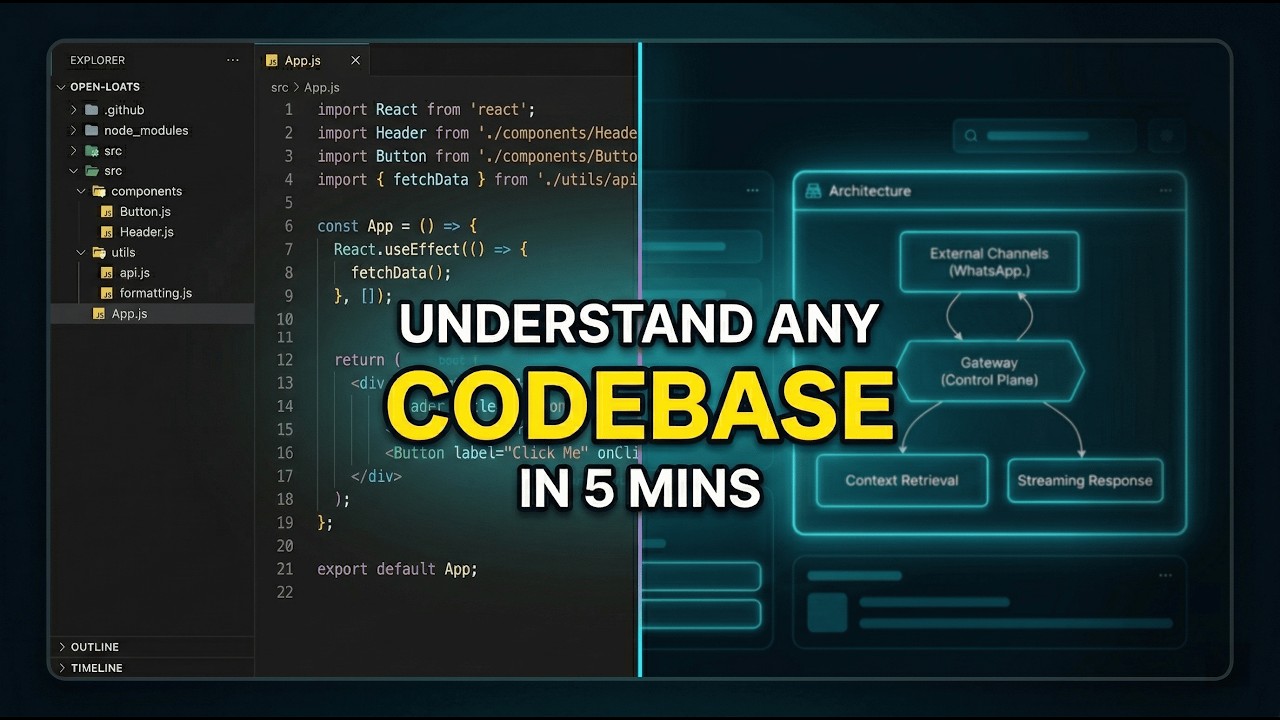
RepoMind is an open-source, AI-powered platform for understanding public GitHub repositories and developer profiles with Agentic CAG. It combines deep code reasoning, architecture visualization, and security scanning into a fast, browser-first experience.
- Zero setup for public repos: paste a repo or profile and start immediately.
- Context-aware analysis: selects full, relevant files instead of fragmented vector chunks.
- Visual understanding: generates architecture maps and flow diagrams for faster onboarding.
- Security scanning built in: quick/deep scans with verification-focused reporting.
- Live step feedback: chat shows real-time processing stages (selecting files, reading files, preparing answer).
- Contributor-friendly codebase: clear TypeScript services, tests, and modular features.
- Trending Repositories: Discover popular and highly-active public repositories directly from the landing page.
- Real-Time Global Search: Instant, optimized repository search with auto-complete suggestions for seamless navigation.


RepoMind uses Agentic Context-Augmented Generation (CAG). Instead of relying only on embeddings, it prunes and loads coherent source context to answer architecture and implementation questions reliably.


These diagrams provide a quick mental model of how RepoMind processes queries, optimizes performance, and validates security findings.
flowchart TD
    A[User enters repo or profile query] --> B[Context-Aware Engine]
    B --> C[Repository/Profile metadata fetch + file tree]
    B --> D[File selection via GEMINI_FILE_SELECTOR_MODEL]
    D --> E[25 files for Lite or 50 files for Thinking]
    E --> F[Fetch selected files with SHA-aware cache reuse]
    F --> G[Build context with repo folder structure + selected files]
    G --> H[Answer generation via Lite or Thinking model]
    H --> I[Streaming response with text-only live steps]
flowchart TD
    A[Request selected files] --> B{SHA-keyed file cache hit?}
    B -->|Yes| C{Compressed entry?}
    C -->|Yes| D[Decompress]
    C -->|No| E[Return cached payload]
    D --> E
    B -->|No| F[Fetch only missing/new files from GitHub API]
    F --> G{Payload <= 2MB?}
    G -->|Yes| H[Gzip + store in KV]
    G -->|No| I[Skip cache write]
    H --> J[Return full context]
    I --> J
    J --> K[Cache query -> selected files - 24h]
    J --> L[Cache query answer - 24h]
flowchart TD
    A[Start scan] --> B{Quick or Deep}
    B --> C[Collect scoped files + dependencies]
    C --> D[Deterministic security engine]
    C --> E[OSV API live vulnerability check]
    D --> F{AI assist enabled?}
    E --> F
    F -->|Yes| G[AI validation pass]
    F -->|No| H[Verification gate]
    G --> H
    H --> I{Verified true?}
    I -->|Yes| J[Show finding in report]
    I -->|No| K[Hide as rejected/inconclusive]
RepoMind includes a verification-first scanning flow for application and dependency risks.
- Quick scan for fast triage
- Deep scan for broader coverage
- Real-time dependency checks: Integrated with OSV.dev API for latest CVE data
- Verified-first reporting pipeline
- Actionable fixes inside repo chat flow


- Open repomind.in
- Enter
owner/repoor a GitHub username - Ask architecture, code, or security questions
- Node.js 18+
- npm
- GitHub token
- Gemini API key
git clone https://github.com/403errors/repomind.git
cd repomind
npm install
cp .env.example .env.local
npm run dev
Open http://localhost:3000.
Repo chat now uses separate models for file selection and answer generation:
GEMINI_FILE_SELECTOR_MODEL(default:gemini-3.1-flash-lite-preview)GEMINI_LITE_MODEL(default:gemini-3.1-flash-lite-preview)GEMINI_THINKING_MODEL(default:gemini-3-flash-preview)
Both repo chat and profile chat stream backend activity as live text status updates (no progress bar), including:
- Selecting files
- Reading repository context
- Preparing answer
- Tool activity (for example: fetching commits, fetching repos by age, Google search usage)
fetch_recent_commitsis available in both Lite and Thinking modes.- When commit context is needed, repo chat fetches up to latest 10 commits for the current repository.
- Assistant messages can include:
Commits checked: just noworcached N min agoTools used: ...
- Profile chat supports anonymous and logged-in usage.
- Profile context preloads latest 20 commits across repos, cached for 15 minutes.
- If a repo is explicitly asked for, tooling can fetch latest 10 commits for that repo.
fetch_repos_by_agesupports:oldest(10 repos)newest(10 repos)journey(up to 20 repos, evenly spaced over repo age timeline)
- Cross-repo context is available via a chat-input toggle for logged-in users.
- Anonymous users:
- Can use Lite mode in repo/profile chat
- Cannot use Thinking mode
- Cannot enable cross-repo profile context
- Tool budget: 10/day per scope (
repo,profile) - File-cache write budget: 10MB/day
- File cache TTL: 30 minutes
- Max cacheable file size: 128KB, except files used in two consecutive anonymous queries (can be cached up to 2MB)
- Logged-in users:
- Can use Lite + Thinking
- Can enable cross-repo profile context
- Tool budget: 30/day per scope (
repo,profile) - File-cache write budget: 20MB/day
- File cache TTL: 1 hour
When anonymous usage limits are exceeded, UI prompts login with context-specific benefits.
When authenticated usage limits are exceeded, chat returns a contact message for extended limits.
- Public repo file cache is shared by repository namespace.
- Private repo file cache is actor-scoped (non-shared).
- Query-to-selected-files cache TTL: 24h
- Query answer cache TTL: 24h
npm run dev            # local dev server
npm run lint           # lint checks
npm run test           # test suite
npm run test:security  # security-focused tests
npm run build # production buildWe want RepoMind to be one of the best OSS projects for AI-assisted code intelligence. Contributions of all sizes are welcome.
- Work on practical agentic AI for real repositories
- Improve developer tooling used by public users
- Ship visible features quickly with direct product impact
- Query pipeline and reasoning quality: improve file selection, prompting, and response quality
- Security scanner and verification: improve detection accuracy and reduction of false positives
- Dashboard and DevTools UX: improve discoverability, workflows, and performance
- Docs, tests, and reliability: strengthen onboarding and confidence for contributors
- Fork the repository
- Create a branch:
git checkout -b feature/your-change - Make focused changes with tests
- Run
npm run lintandnpm run test - Open a pull request with context, screenshots, and validation notes
- Keep scope clear and reviewable
- Add or update tests when behavior changes
- Update docs when introducing user-visible changes
- Include before/after screenshots for UI work
Recent major updates are tracked in CHANGELOG.md, including improvements through v1.3.6 (2026-02-23).
Licensed under the MIT License. See LICENSE.
Built by 403errors · Star on GitHub · Report Issue