Great resources:
- OHW22 optional tutorial: screen cast from @ocefpaf
- Software Carpentry: Introduction to Conda for (Data) Scientists
conda --version- we recommend miniconda
- sanity: separate environments with different packages or even python versions for different projects
- reproducibility (matlab versions as a reproducibility example)
- portability (for collaborators or your future self, or you work on many machines...)
- automatically resolve dependency issues for you, for example when you install new packages
- Conda
- Conda is an open source package and environment management system
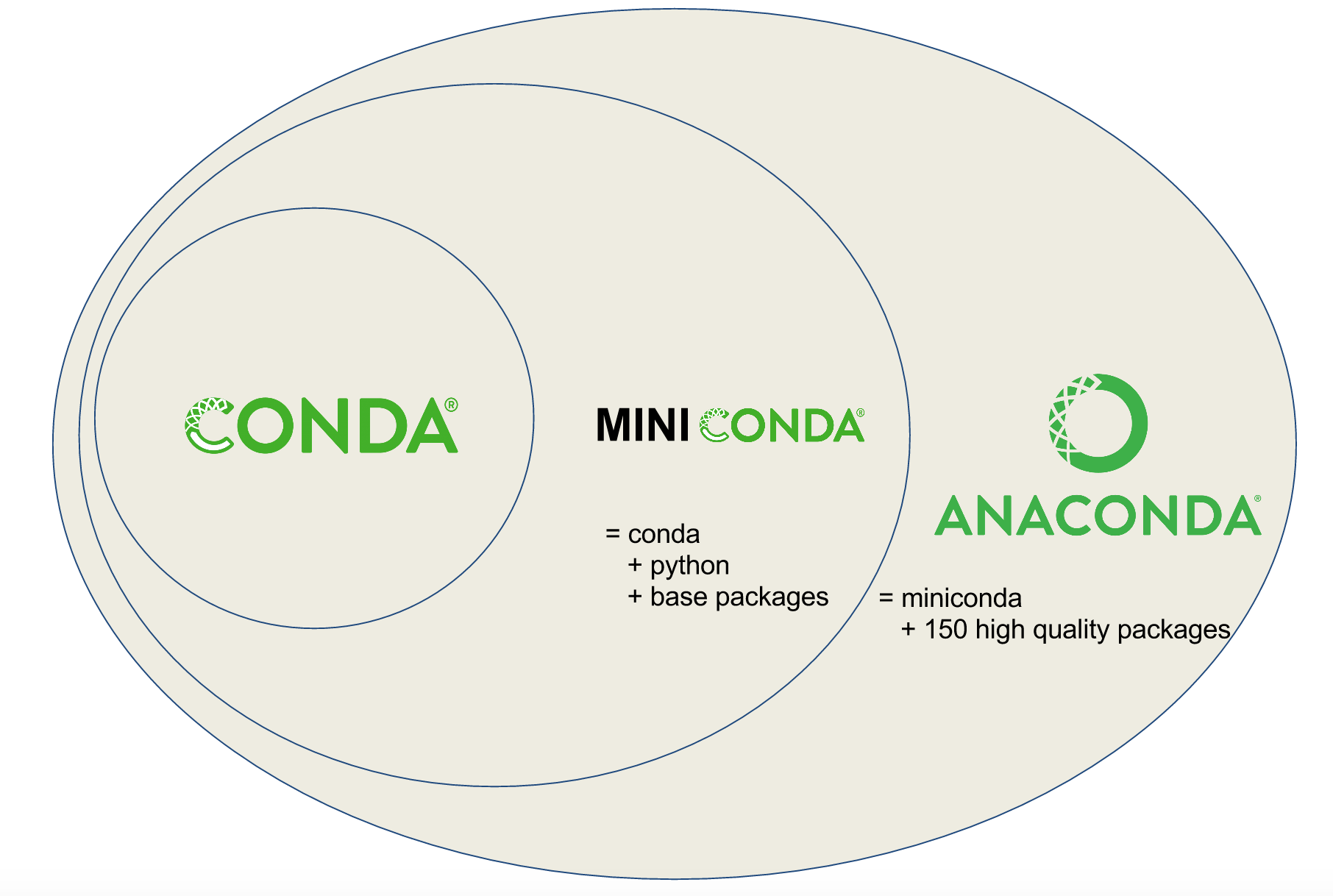
- Conda vs Miniconda vs Anaconda
- pre-built packages, cross platform, can use other package management tools such as pip
- Create a conda environment in command line
$ conda create --name basic-scipy-env ipython=7.13 matplotlib=3.1 numpy=1.18 scipy=1.4
- When conda installs a package into an environment it also installs any required dependencies.
- Check what versions are available
$ conda search scikit-learn
- Activate an environment
# Enter the following
$ conda activate basic-scipy-env

# Your shell prompt will look like
(basic-scipy-env) $

# You can come out from this environment by doing
(basic-scipy-env) $ conda deactivate

# Your shell prompt will look like
$
- Install just 1 package
$ conda install pandas - List existing environments
$ conda env list - List content of an environment
# Current environment $ conda activate basic-scipy-env (basic-scipy-env) $ conda list # A particular env $ conda list --name basic-scipy-env - Delete an environment
$ conda remove --name basic-scipy-env --all
- To use an environment easily for notebooks, include a Jupyter kernel (
ipykernelfor Python orirkernelfor R) in the environment- What is a Jupyter kerner? it is a programming language-specific process that executes the code contained in a Jupyter notebook
- We recommend the
conda-forgechannel for installing packagesconda-forgechannel is "a community led collection of recipes, build infrastructure and distributions for the conda package manager"
$ conda install --channel conda-forge scipy=1.6- What are conda channels? URLs to directories containing conda packages
- the Anaconda managed channels are referred to as the
defaultschannel, it is where the packages are searched if you don't specify the channel - We like
conda-forgebecause:- packages may be more up-to-date
- it includes additional packages not available in
defaults
- Creating an environment using an
environment.ymlfile$ conda create --name ohw22 --file environment.yml - What's in an environment file?
name: my-test-env channels: - conda-forge - defaults dependencies: - ipython - ipykernel - matplotlib - pandas - pip - python=3.9 - scikit-learn - pip: - echopype # it is actually on conda-forge - Note: pytorch has its own channel for
pytorchandtorchvision
By default Jupyter doesn't know any conda environments in your conda ecosystem. It will only show the current environment to use as a kernel. In order to manage conda environment based kernels, nb_conda_kernels needs to be installed. nb_conda_kernels extension needs to be installed in one conda environment, and it will detect all the other conda environments. For conveniece, this package will be installed in a new jupyterlab3 conda environment.
$ conda install -n jupyterlab3 -c conda-forge jupyterlab=3 nb_conda_kernels
Once nb_conda_kernels is installed, each time a conda environment is created, ipykernel package needs to be installed for the kernel manager to detect that environment. You'd need to use the jupyterlab3 environment to spin up Jupyterlab so that the various conda environments can be used.