You signed in with another tab or window. Reload to refresh your session.You signed out in another tab or window. Reload to refresh your session.You switched accounts on another tab or window. Reload to refresh your session.Dismiss alert
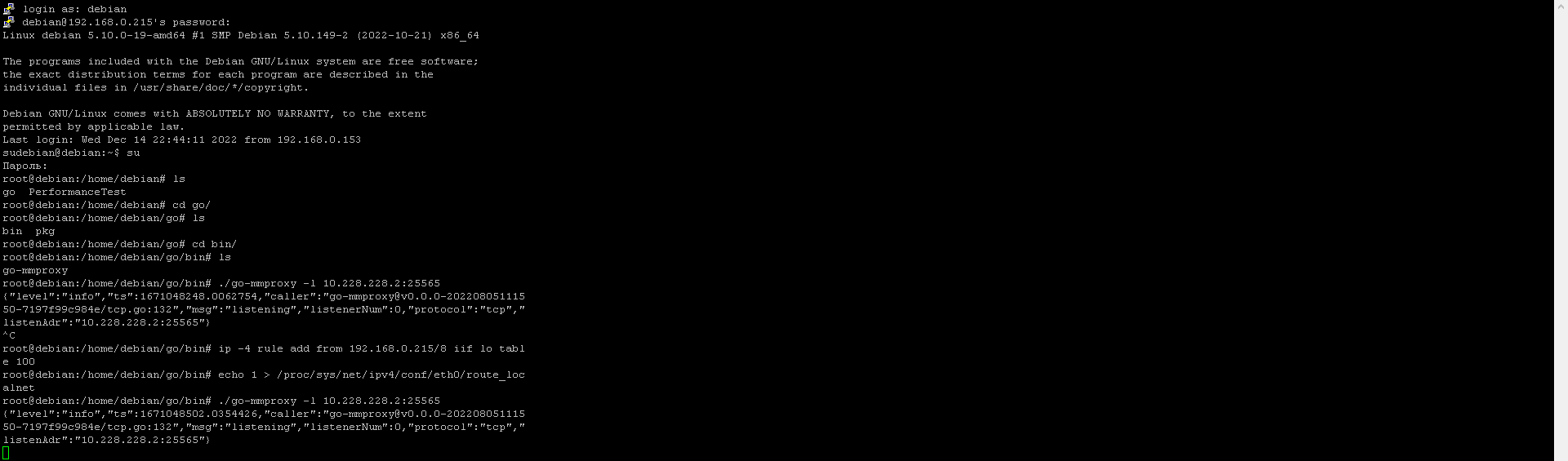
I have launched mmproxy with the following parameters: ./go-mmproxy -l 10.228.228.2:25565
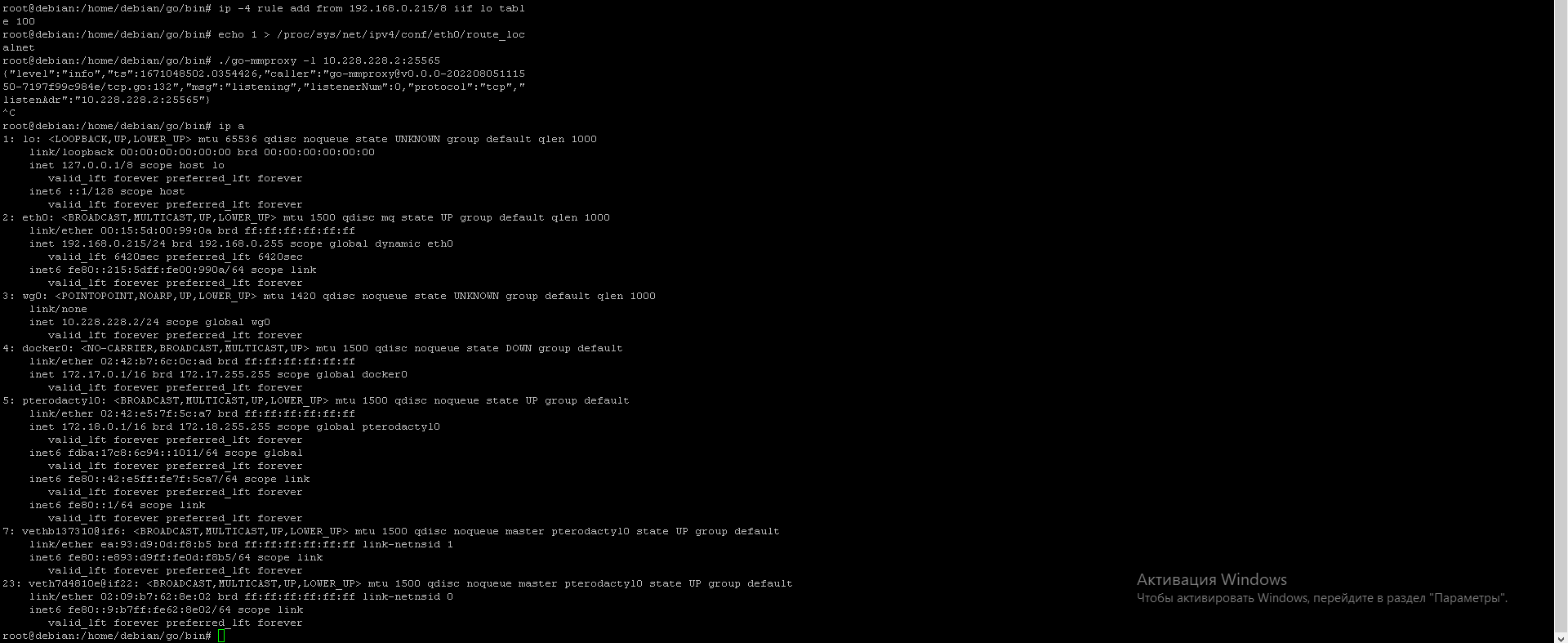
the game server is running on 192.168.0.215, 10.228.228.2 is the ip wireguard
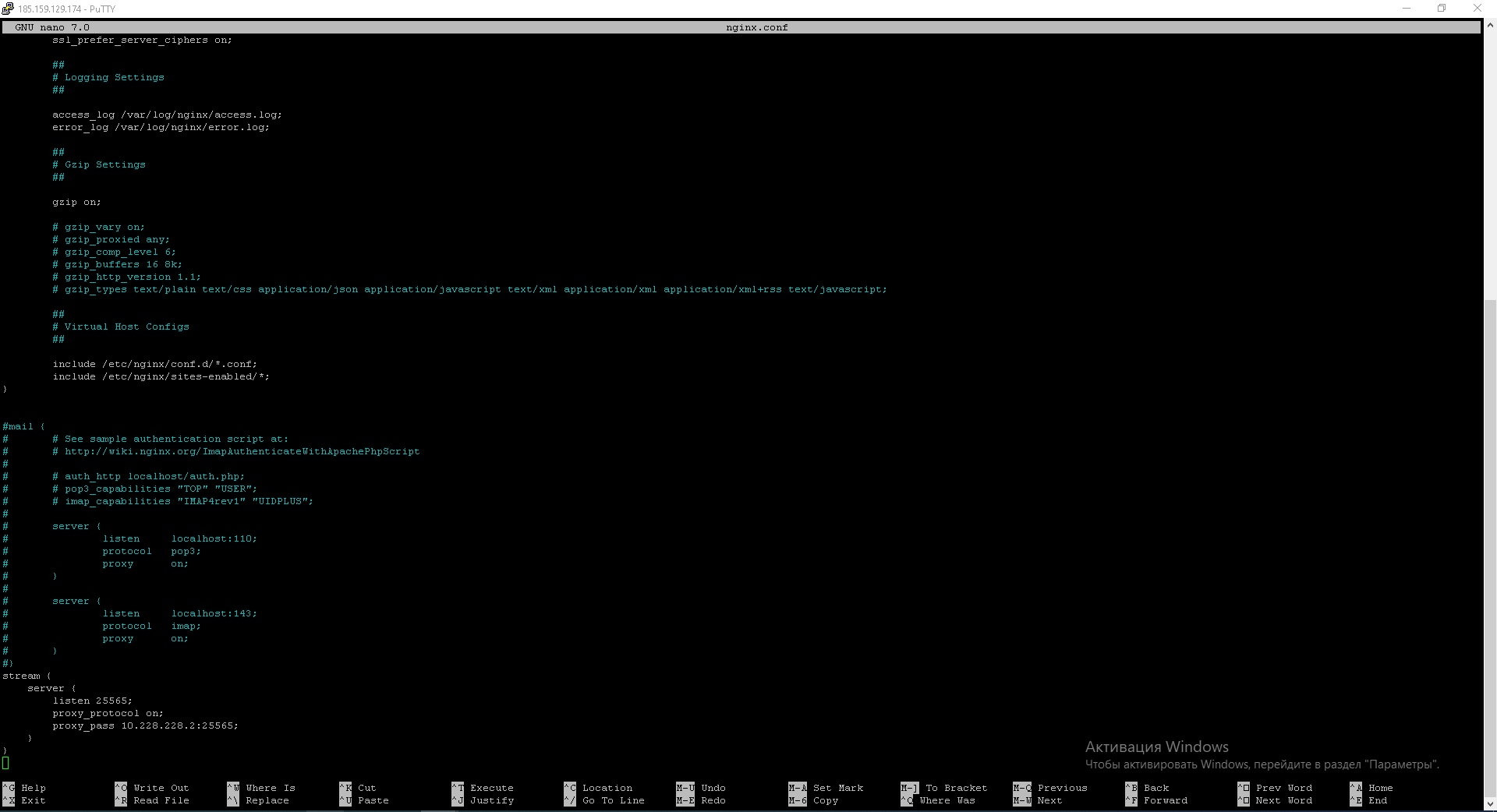
10.228.228.1 is on vds
10.228.228.2 on home pc.
how do I configure mmproxy to log in to a server with the proxy-protocol function enabled in nginx?
home pc:
vds:
minecraft server (server runs on 192.168.0.215)
How can I do so that I can log in to the server with the proxy-protocol in nginx option?

I have launched mmproxy with the following parameters: ./go-mmproxy -l 10.228.228.2:25565

 (server runs on 192.168.0.215)
the game server is running on 192.168.0.215, 10.228.228.2 is the ip wireguard
10.228.228.1 is on vds
10.228.228.2 on home pc.
how do I configure mmproxy to log in to a server with the proxy-protocol function enabled in nginx?
home pc:
vds:
minecraft server
How can I do so that I can log in to the server with the proxy-protocol in nginx option?