
 Catppuccin for Vim



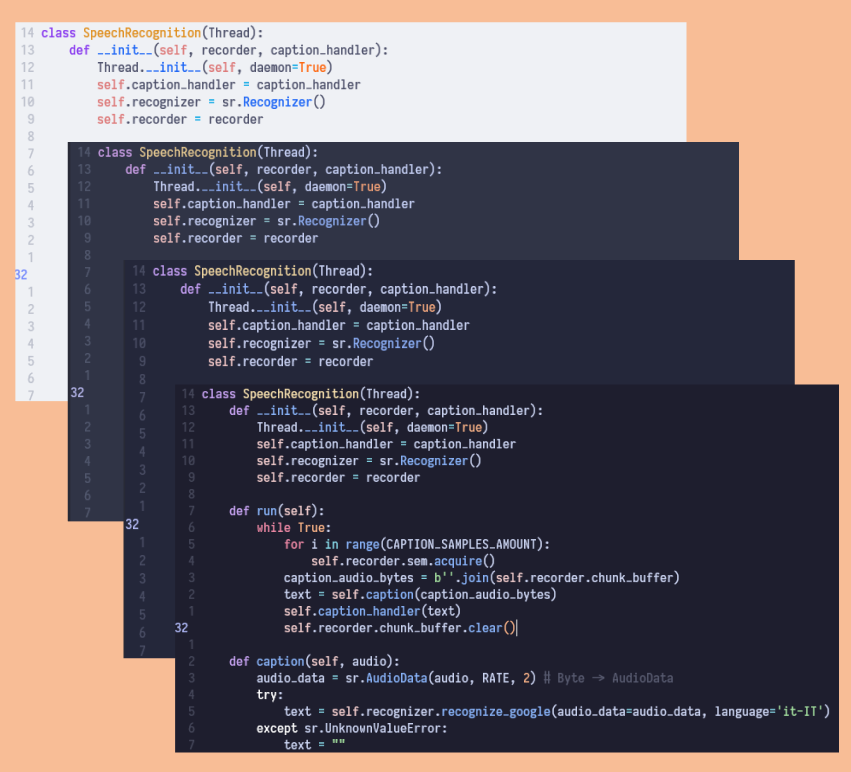
Note: To get the expected visuals, you need to insert set termguicolors within your .vimrc file.
If you have Vim version 8 or later, you can use its provided package manager. Just run the following command and then start vim:
git clone https://github.com/catppuccin/vim.git ~/.vim/pack/vendor/start/catppuccin- Clone this repository
- Put the
colorsfolder inside your.vim(or if thecolorsfolder already exists, move all the catppuccin palettes inside it) - When Vim is running use
:colorscheme catppuccin_followed by the flavor name (e.g.:colorscheme catppuccin_mocha)
Plug 'catppuccin/vim', { 'as': 'catppuccin' }- Download the plugin via your plugin manager or manually
- Set the colorscheme by inserting the following line in your
.vimrc:
let g:lightline = {'colorscheme': 'catppuccin_mocha'}- Now that lightline is good to go, you can use
set noshowmodeto hide the default mode showcase since now it will be displayed in the plugin
Airline should automatically choose the correct theme.
If it does not you can force it by inserting the following line in your .vimrc:
let g:airline_theme = 'catppuccin_mocha'-
Q: "Why can't I see all the color groups correctly?"
A: For better syntax highlighting you should download plugins that allow you to see all color groups for each language in question.

Copyright © 2021-present Catppuccin Org
