Tutorial
- Editing in progress**
python specEditor.py.
 10px
10px

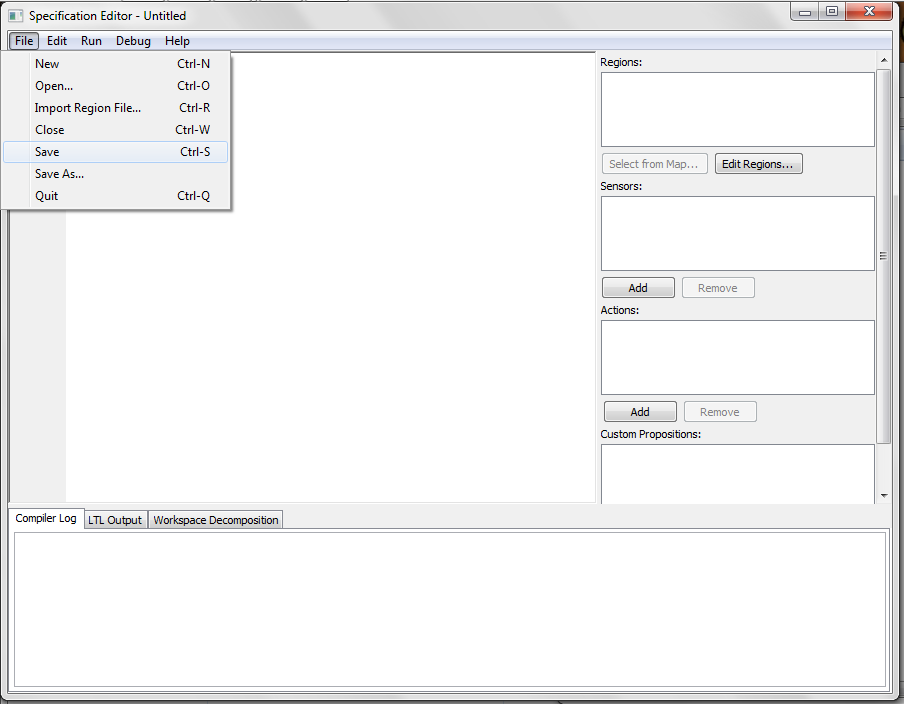

Once the LTLMoP GUI popped up, go to File > Save and give your project a name. We advise you to start a new folder and save your project there. Here our project will be called tutorial.spec and saved inside LTLMoP > src > examples > tutorial folder.
https://photos-4.dropbox.com/t/0/AABLDkrrwuBvfoGWnzCkqEikvR3IUghi8gi_x35xwoK_Cg/12/24693982/png/32x32/3/_/1/2/saveProject.png/bVNEBahp0sZFoV5kyCaWdiRk4yIjTuuI_CB4wo0il3I?size=1024x768

Now we can create the map for our mission. Click the "Edit Regions..." button on the right and a new GUI will pop up. 

Here is the description of the tools on the left:
1. : allows you to select objects in your map.
2. rectangle: draw a rectangle by clicking two points.
3. polygon: create a polygon with multiple points. Click on the starting point to close the polygon
4. point addition: add a point to rectangles or polygons in your map. Click on the edge of the object that you want to add a point.
5. point removal: remove a point to rectangles or polygons in your map. Click on the point you want to remove on the object.
6. add calibration point: This is required in case of using a physical robot. Please add three of them to the map. It will be better if the distance among them are as far as possible.
Please make sure to add 3 calibration points.
Please refer to the grammar of structured English here.
Please see the options for robots here (add a page for robots? ). Here we use basicSim, a simulated point robot.
Once a robot is chosen, go to and compile the specification.
-Java SE Download Page](http://www.oracle.com/technetwork/java/javase/downloads/index.html)