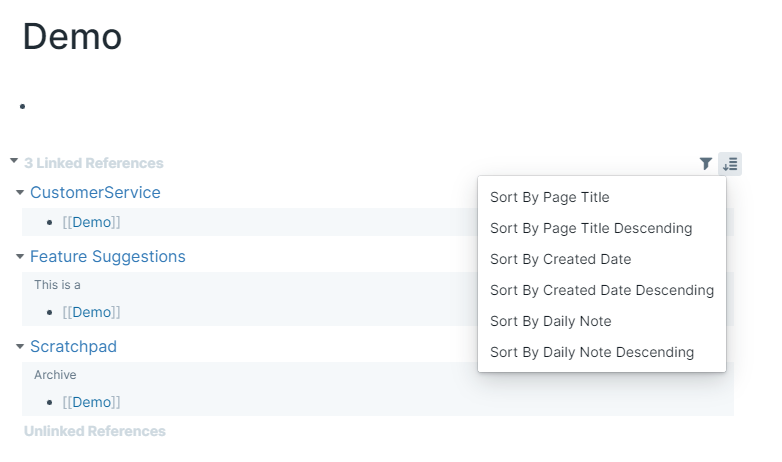
In your Roam Depot Settings, there is a flag called Sortable Linked References. When enabled, there will appear a sort icon next to the filter icon near the linked references. Clicking on the sort icon will make a sort menu visible to the user.
You could also add a Default Sort attribute with a valid value on the page itself to have a specific sorting for just that page.
Here are the options you can sort by:
| Option | Description |
|---|---|
| Sort By Created Date | This will sort all the linked references in ascending order that the page was created. |
| Sort By Created Date Descending | This will sort all the linked references in descending order that the page was created. |
| Sort By Daily Note | This will sort all the linked references in ascending order by Daily Note, followed by created date of non-daily note pages. |
| Sort By Daily Note Descending | This will sort all the linked references in descending order by Daily Note, followed by created date of non-daily note pages. |
| Sort By Page Title | This will sort all the linked references in ascending alphabetical order of the page title. |
| Sort By Page Title Descending | This will sort all the linked references in descending alphabetical order of the page title. |