How To Use • Download • Credits • Community
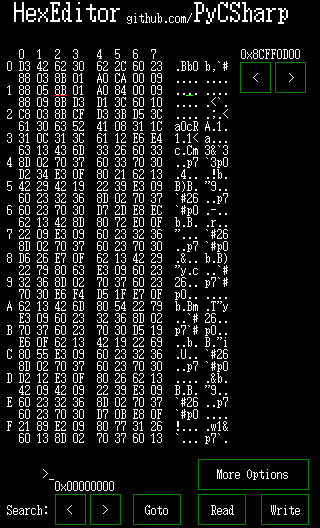
-
Copy the
.hh3file into the root directory of your calculator
(do not place it inside a subfolder). -
Launch the calculator and open the Hex Editor through Hollyhock Launcher.
-
Controls:
- Cursor:
←/→ - A, B, C, D, E, F:
=/𝒙/𝒚/𝒛/^/÷ Clear= quit
- Cursor:
-
Dumping memory:
- Navigate to the start address (use the arrows top right).
- Press
EXP→ sets start. - Navigate to the end address.
- Press
EXPagain → sets end. - Press
EXE→ dumps memory from start to end.
Notes:
- Do not select very large ranges, as dumping too much memory at once can take a long time or fail.
- During the dump process, the calculator will freeze temporarily — this is normal.
- Once the dump is complete, a file named
dump.dmpwill appear in the calculator’s root directory.
-
Searching memory:
- Enter your search pattern in hex (e.g.
>48656C6C6Ffor"Hello"). - Press
(-)(negative key) to start searching. - Results are shown directly on the screen and written to
FoundAddresses.txtin the root directory.
Range of search:
- If you set start & end with
EXP→ only that range is searched. - If you do not set any range → the entire memory area is searched.
- Enter your search pattern in hex (e.g.
-
Read/Write Control Registers
- Click the
More OptionsButton - Click on
Read/Write Control Registers - Navigate using the
↓/↑Buttons - Press
EXEan type the value you want - Press
EXEto apply the changes
- Click the
-
Change UI Theme
- Click the
More OptionsButton - Click on
Change UI Theme - The UI does not Update instantly, you have to click a UI Button to apply the changes
- Click the
Download the latest release here
The release contains the .hh3 file you just need to copy onto your calculator.
- Original Code for HHK2 by SnailMath
- HHK3 Template by QBos07
Join the discussion, share feedback and get help on the Snail Math Discord Server:
https://discord.com/invite/knpcNJTzpd