forked from linear/linear
-
Notifications
You must be signed in to change notification settings - Fork 0
Expand file tree
/
Copy pathai-agents
More file actions
79 lines (51 loc) · 4.06 KB
/
ai-agents
File metadata and controls
79 lines (51 loc) · 4.06 KB
1
2
3
4
5
6
7
8
9
10
11
12
13
14
15
16
17
18
19
20
21
22
23
24
25
26
27
28
29
30
31
32
33
34
35
36
37
38
39
40
41
42
43
44
45
46
47
48
49
50
51
52
53
54
55
56
57
58
59
60
61
62
63
64
65
66
67
68
69
70
71
72
73
74
75
76
77
78
79
# AI Agents
Build and deploy AI agents that work alongside your team
## Overview
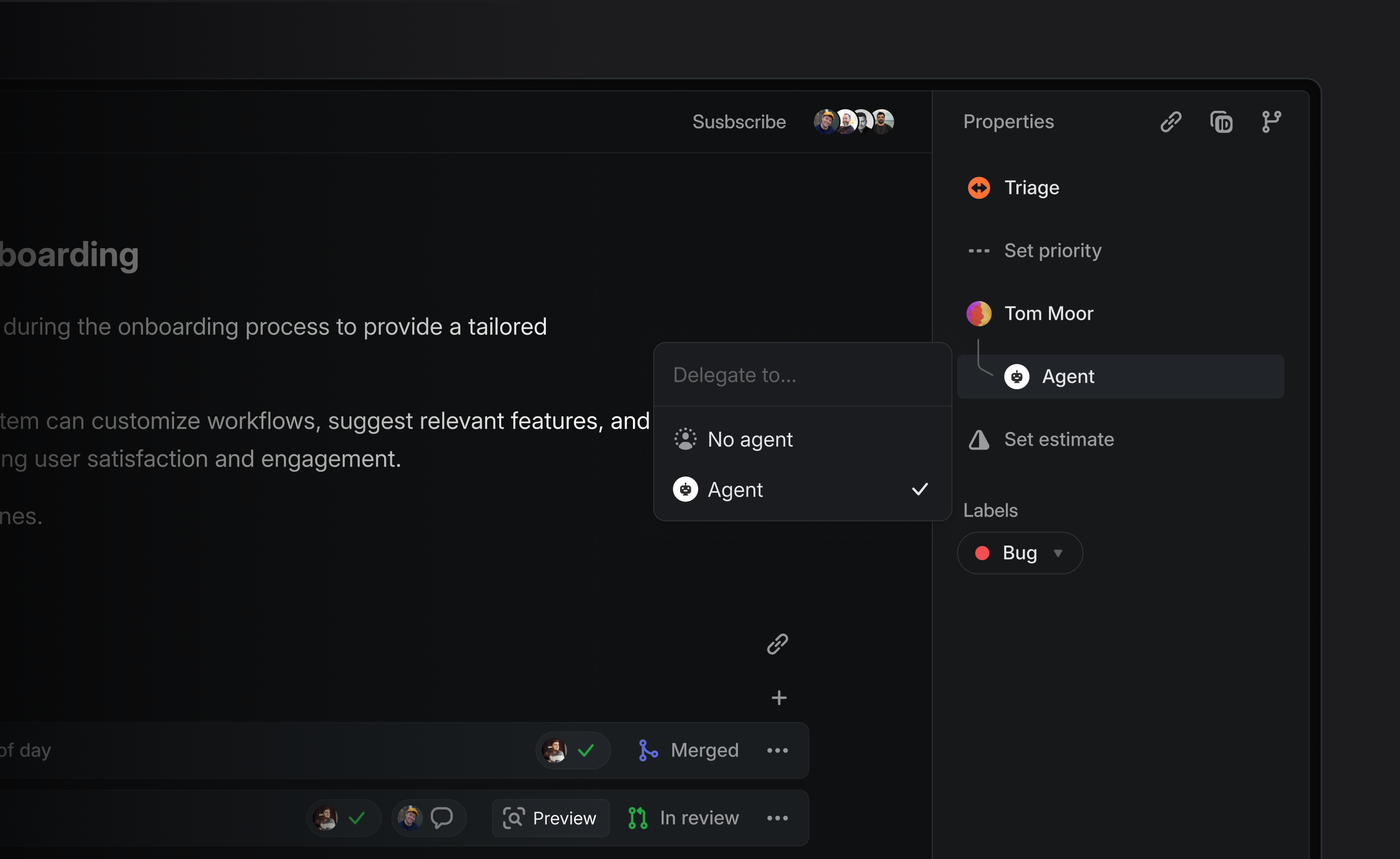
Agents, also known as "app users", behave similar to other users in a workspace. They can be @-mentioned, delegated issues through assignment, create and reply to comments, collaborate on projects and documents, etc. App users are installed and managed by workspace admins.
Agents are not traditional assignees. Assigning an issue to an agent triggers delegation—the agent acts on the issue, but the human teammate remains responsible for its completion.
## Adding Agents
> [!NOTE]
> Workspace admins can install agents by following the setup instructions provided by the agent developer. Find available agents in the [Integrations Directory](https://linear.app/integrations/agents).
During installation, you’ll be prompted to choose which teams the agent has access to.
<details>
<summary>Example</summary>
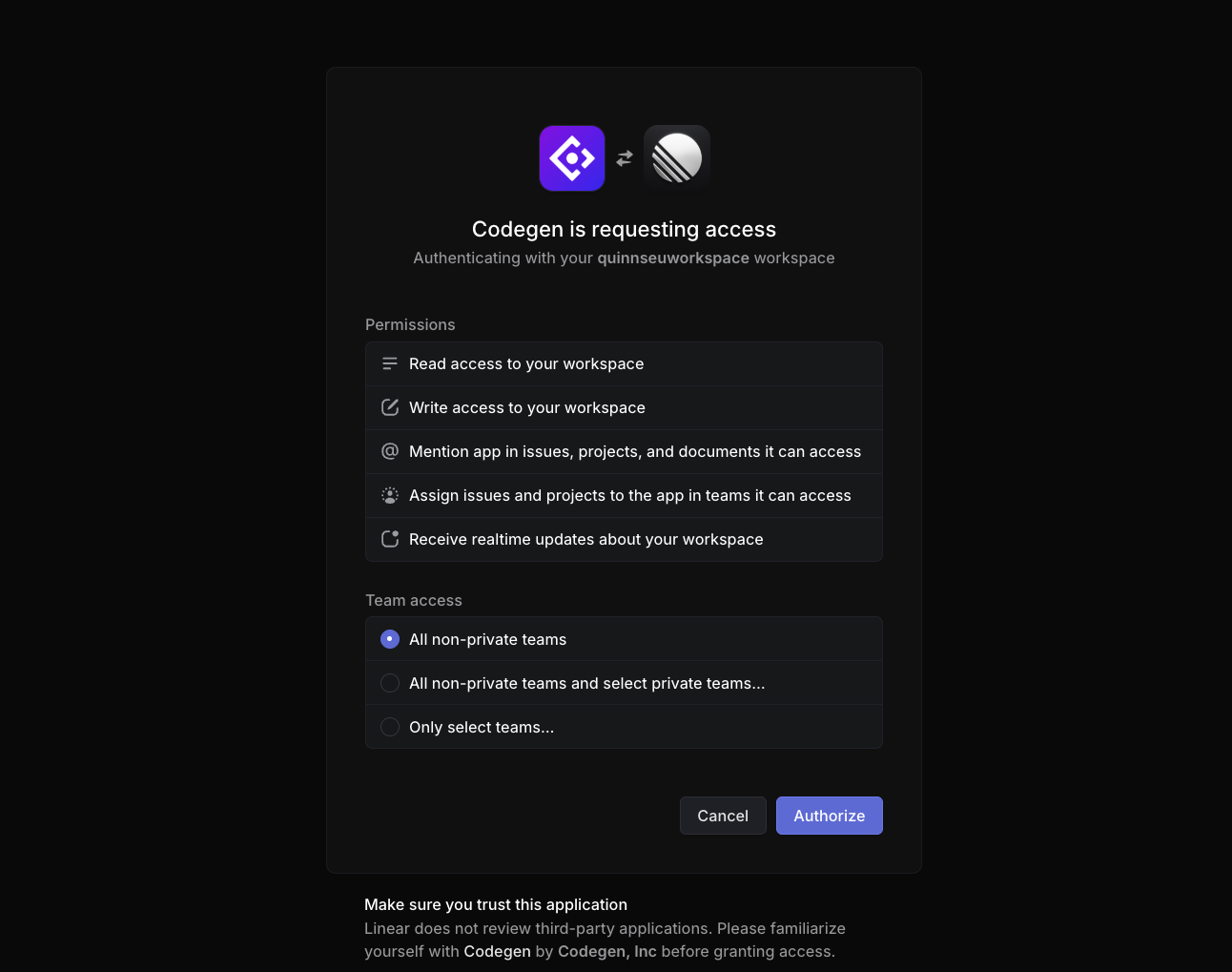
*Example of installing an agent into Linear*
</details>
Once installed, any user with access to the selected teams can interact with the agent.
Agents can be uninstalled or managed by admins from **Settings > Applications** or suspended from **Settings > Administration > Members**.
## Using Agents in Linear
Agents are designed to work seamlessly alongside human teammates:
* **Delegate issues to them** by assigning the issue to the agent. This triggers the agent to take action based on its programmed behavior.
* The human assignee remains responsible for the issue, even after delegation to an agent.
* **@mention them** in comments or descriptions to trigger their functions.
If you're not sure how to interact or what they're able to help with, you can try @mentioning the agent to ask for help.
## Viewing Agent Activity
You can track what an agent has done in the same ways you track other teammates:
* **Agent** [**user pages**](https://linear.app/docs/user-views) show issue activity and contributions.
* In the **My issues** view, issues that you’ve delegated to agents will still appear—so you maintain visibility and control over the work in progress.
* **Custom views** filtered by **Delegate** to monitor agent involvement on specific types of issues or workflows.
* Use **Insights** sliced or segmented by **Delegate** to measure how much work is being directed to and handled by agents.
## Building Your Own Agent
Developers can build custom agents using Linear’s developer platform. Documentation on agent APIs, authentication, and behavior can be found in our [Developer Docs](https://linear.app/developers/agents).
## FAQs
<details>
<summary>Are agents billable seats? </summary>
Agents are not counted as billable seats in Linear. The services that provide the agent may have their own pricing structure, and you should refer to their documentation before installing.
</details>
<details>
<summary>How does Linear use data from agents?</summary>
Linear does not train on customer's data. We use models from common model providers, a complete list is available in our [DPA](https://linear.app/dpa).
Agents themselves would be 3rd party integrations approved by your workspace, in which case we can't speak to how the agent provider operates and you'd have to refer to the agent service provider.
</details>
<details>
<summary>What are the limitations in agents interacting with Linear?</summary>
Agents cannot sign in to the app, access admin functionality or manage users.
</details>
<details>
<summary>What happens if I install an agent but the name is already taken?</summary>
In the event that you have a member on your workspace with the same name as an Agent, the Agent's username will simply append a number at the end to keep it unique.
For example, Charlie would become Charlie1.
</details>
##