Let's say that your job is to looking at a website to expose critical vulnerabilities. Where do you begin? Let's start on the surface level.
Okay, this might seem juvenile at first - but when you remember that the state of Georgia hid Social Security Numbers in their source code of a website, it makes sense to start here. Inspecting a web page is easy. On most browsers you can press F12, or right click and select 'Inspect'. You could also right-click and select "view source", which should open the entire web page's source code. No, this isn't hacking... Despite what some government officials might have claimed. This is just simply inspecting and it is 100% legal to do.
Once you're inspecting the site, you can dive into the code and see if anything looks... off. Maybe you're looking for a flag, or a missing bracket or semicolon in a javascript script to make that alert work. Maybe you're looking for a lazy developer hiding passkeys in plaintext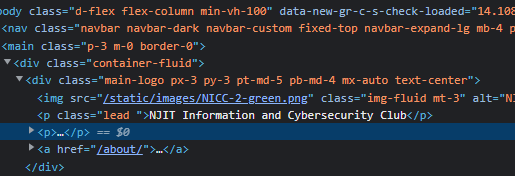
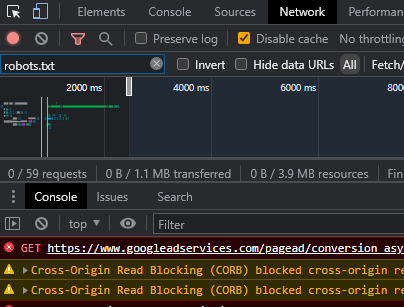
Well, if you're looking at comments or scripts, you've probably already checked the html. But what if you're trying to find an issue in the network? The network tab of the inspect screen can tell you where issues might be coming from... and where vulnerabilities might lie.
Hidden in plain sight
A lot (and we mean a lot) of sites today use index.html at the root of a directory before hiding it using clever .htaccess scripts. So if you've ever gone to a website .com/theirblog or something, it's just loading their index.html file up. Or whatever file they might be using. If they don't have an this file in place, the server doesn't know what to do... and it will expose the contents of the directory to you.
An easy tactic for finding these backdoors is to look for unsecured directories that are referenced in other elements. Maybe it's an image being called from the /img/ directory, or /admin/ was left open because of the lack of an redirecting file. Blindly guessing might help you find what you're looking for. Or, as we'll cover in other posts, you could use tools built out to do it for you.
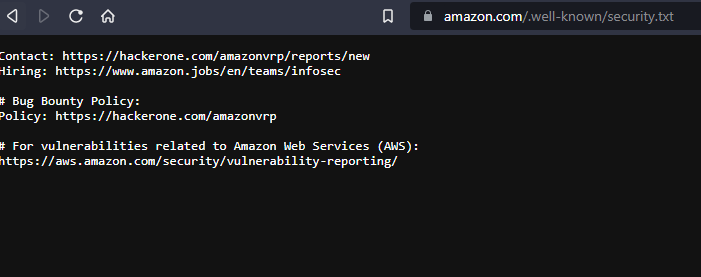
If you're a legitimate bug bounty hunter, this is something you already know, but going to many websites followed by /.well-known/ and typing security.txt (or some variation thereof) could lead you to their bug bounty information. take a look at Amazons below.