Repository
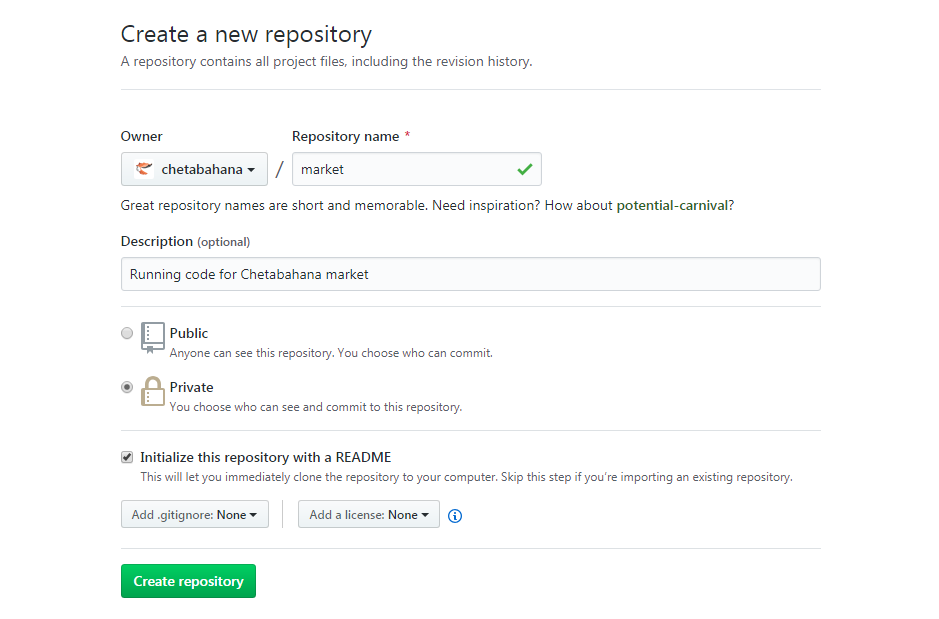
- Setel Private atau Public
Untuk Aplikasi Saleor dibuat Repo baru di GitHub secara kosongan dan disetel private.
Login ssh ke instance dan Kirim konten (push) yang dibuat via-build-image dari Coderesh.
$ docker run -d r.cfcr.io/chetabahana/saleor
$ CONTAINER_ID=$(docker ps -alq)
$ docker cp $CONTAINER_ID:/app .
$ docker stop $CONTAINER_ID
$ cd app
$ git config --global user.name "chetabahana"
$ git config --global user.email "chetabahana@gmail.com"
$ git init
$ git add .
$ git commit -m "initial commit"
$ git remote add origin https://github.com/chetabahana/market.git
$ git push -u origin master
Username for 'https://github.com': chetabahana
Password for 'https://chetabahana@github.com': *****
Counting objects: 3711, done.
Compressing objects: 100% (3584/3584), done.
Writing objects: 100% (3711/3711), 22.19 MiB | 9.94 MiB/s, done.
Total 3711 (delta 745), reused 0 (delta 0)
remote: Resolving deltas: 100% (745/745), done.
To https://github.com/chetabahana/market.git
   de02deb..f5af36b  master -> master
Branch 'master' set up to track remote branch 'master' from 'origin'.$ cd ~
$ git clone https://github.com/chetabahana/market.git
$ cd market
~/market$ cp -rf ../app/* ../*.yaml ../ . #juga file-file lain yang ingin diubah/ditambah
~/market$ git add .
~/market$ git commit -m "update commit"
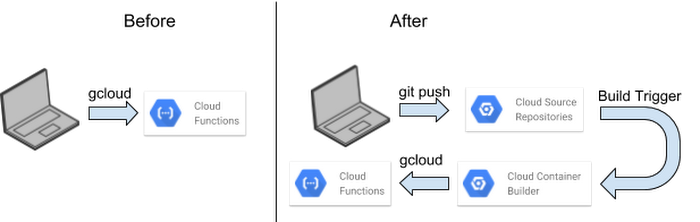
~/market$ git push -u origin masterRepo dibuat baru di Google dan dikoneksi ke GitHub
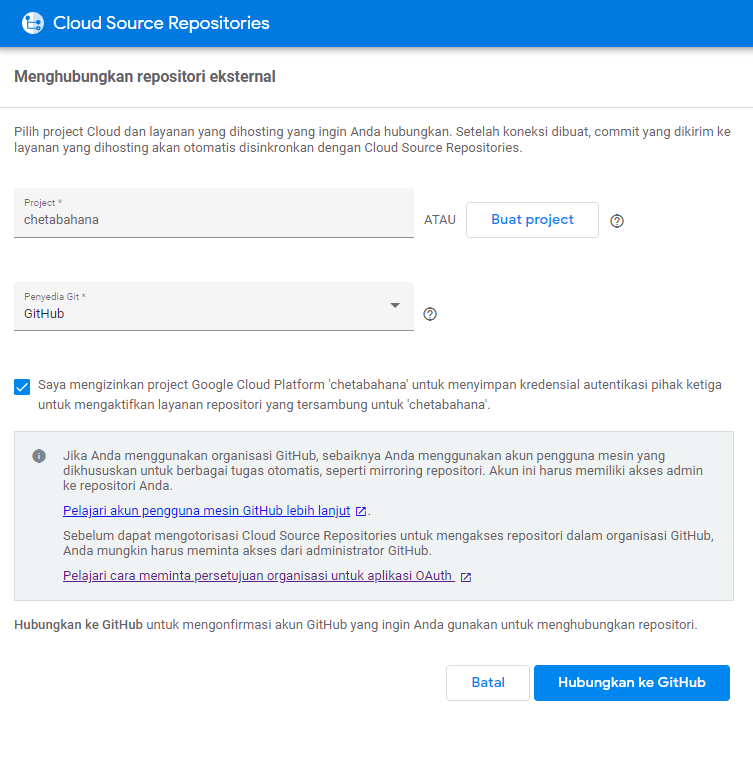
Buat pemicu di Google disetel dengan cloudbuild.yaml
steps:
- name: "gcr.io/cloud-builders/gcloud"
  args: ["app", "deploy", '--version=v1-1']
timeout: "1600s"Dengan configurasi diatas maka semua repo dimanapun perubahan code dilakukan akan sinkron satu sama lain demikian juga aplikasi yang di deploy via trigger cloudbuild.yaml.
starting build "c450d07e-e5d6-4e46-bef4-2b2fa1519b8e"

FETCHSOURCE
Initialized empty Git repository in /workspace/.git/
From https://source.developers.google.com/p/chetabahana/r/github_chetabahana_market
 * branch            057b04509c941ce92ceeff5e1d6b5211a32943ca -> FETCH_HEAD
HEAD is now at 057b045 /market/static
BUILD
Already have image (with digest): gcr.io/cloud-builders/gcloud
Services to deploy:

descriptor:      [/workspace/app.yaml]
source:          [/workspace]
target project:  [chetabahana]
target service:  [market]
target version:  [v1-1]
target url:      [https://market-dot-chetabahana.appspot.com]


Do you want to continue (Y/n)?
Beginning deployment of service [market]...
Created .gcloudignore file. See `gcloud topic gcloudignore` for details.
#============================================================#
#= Uploading 4 files to Google Cloud Storage                =#
#============================================================#
File upload done.
Updating service [market]...
...................................................................................
.......................................done.
Setting traffic split for service [market]...
...................................................................................
.......................................done.
Deployed service [market] to [https://market-dot-chetabahana.appspot.com]

You can stream logs from the command line by running:
  $ gcloud app logs tail -s market

To view your application in the web browser run:
  $ gcloud app browse -s market --project=chetabahana
PUSH
DONE
You are on the wiki of our repo

- Site
- Main
- Project
- Pratinjau
- Pola Dasar
- Bagan Kerja
- Field Tutorial
- Cloud Site API
- Google Ads API
- Cloud Tasks API
- Google Trends API
- Basis Implementasi

- Beranda
- Perangkat
- Pasang Aplikasi
- Penyetelan Aplikasi
- Menyiapkan Frontend
- Menjalankan Backend API
- Menjalankan Toko