
企业级自托管 AI 助手
飞书 · 微信 iLink(WxClaw)· 内置 Web 控制台 · LiteLLM 多模型



OpenFox 跑在你自己的机器上:把 大模型对话、定时任务、飞书机器人、微信 iLink 机器人(WxClaw)、浏览器工具、MCP、本地技能 收拢到同一套 HTTP 服务里。默认带 嵌入式 Web UI(/web),可在 飞书 或 微信(启用 WxClaw 后)与助手对话。
| 路径 | 说明 |
|---|---|
~/.openfox/config.json |
主配置文件(启动时校验);详见下文 配置说明 |
~/.openfox/storage.db |
使用的 SQLite 会话与调度存储 |
~/.openfox/skills |
本地技能根目录(代码中 SKILLS_PATH,见 openfox/utils/const.py);首次启动若不存在,会从包内 openfox/skills 复制(见 openfox/core/skills.py) |
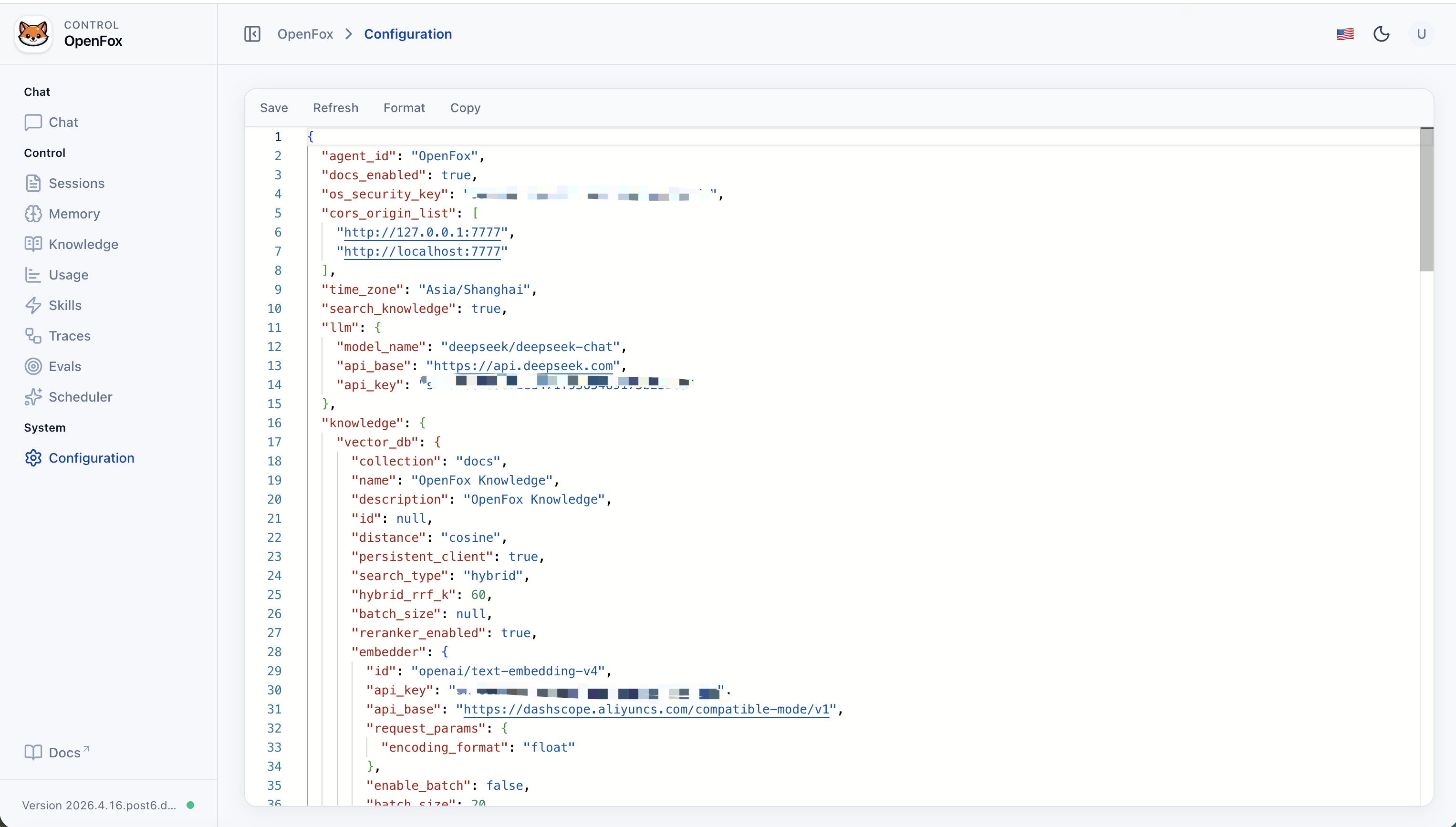
OpenFox 从 ~/.openfox/config.json 读取 JSON 配置,字段对应 openfox/schemas/config.py 中的 Config 模型(非法值会在启动时报错)。请勿把真实 API Key、飞书密钥等提交到仓库,请按私密文件保管。
| 配置项 | 说明 |
|---|---|
agent_id |
Agent 标识,在 AgentOS / Web 中展示(默认 OpenFox)。 |
docs_enabled |
是否暴露 FastAPI OpenAPI 文档。 |
os_security_key |
Web 控制台与受保护 HTTP API 的鉴权密钥(Bearer)。 |
cors_origin_list |
浏览器跨域允许的来源列表(含内置 /web 默认端口)。若改服务端口,需把实际 http://127.0.0.1:<端口> 等加入此列表。 |
time_zone |
默认时区(如 Asia/Shanghai)。 |
search_knowledge |
为 true 时启用 RAG(Chroma 数据目录为 ~/.openfox/chromadb,不在本文件中配置路径)。 |
llm |
对话模型:model_name、api_base、api_key(LiteLLM 风格模型 id)。 |
knowledge |
search_knowledge 为 true 时生效:vector_db(集合名、search_type、embedder / reranker 等)、max_results、isolate_vector_search。 |
channels |
通道集成:channels.feishu(activate、app_id、app_secret、encrypt_key、verification_token 等);channels.wxclaw(activate,及对 WxClawTools 可选的 include_tools / exclude_tools)。WxClaw 为扫码登录,令牌与同步游标持久化在 ~/.openfox/channels/wxclaw/(见 WxClawTools 与 OPENFOX_HOME_PATH)。 |
mcps |
MCP 服务列表(command/args/env 或 url/headers 等)。 |
tools |
各工具包开关与参数(mcp、scheduler、shell、websearch、arxiv 等);常见字段含 activate、include_tools、exclude_tools 及各自专用字段。 |
磁盘上的合法 JSON:~/.openfox/config.json 必须是标准 JSON(双引号、不能有 // 注释)。下面 jsonc 代码块仅用于文档说明,保存到文件前需删掉注释,或在 Web 配置 编辑器中粘贴去掉注释后的对象。
下列 JSON 的键顺序、嵌套与非敏感取值与一份完整配置文件对齐;所有密钥与令牌已替换为占位符,请勿把真实凭据提交到仓库。
使用上述 MCP 条目时,运行 OpenFox 的机器上需已安装 uv / uvx 与 Node.js(含 npx)(按你实际启用的服务为准)。
可在 Web 控制台的 配置 页或通过已鉴权的 expand/config HTTP API 修改;若直接改磁盘上的 JSON,修改后需重启 python -m openfox 才会载入。
| 能力 | 说明 |
|---|---|
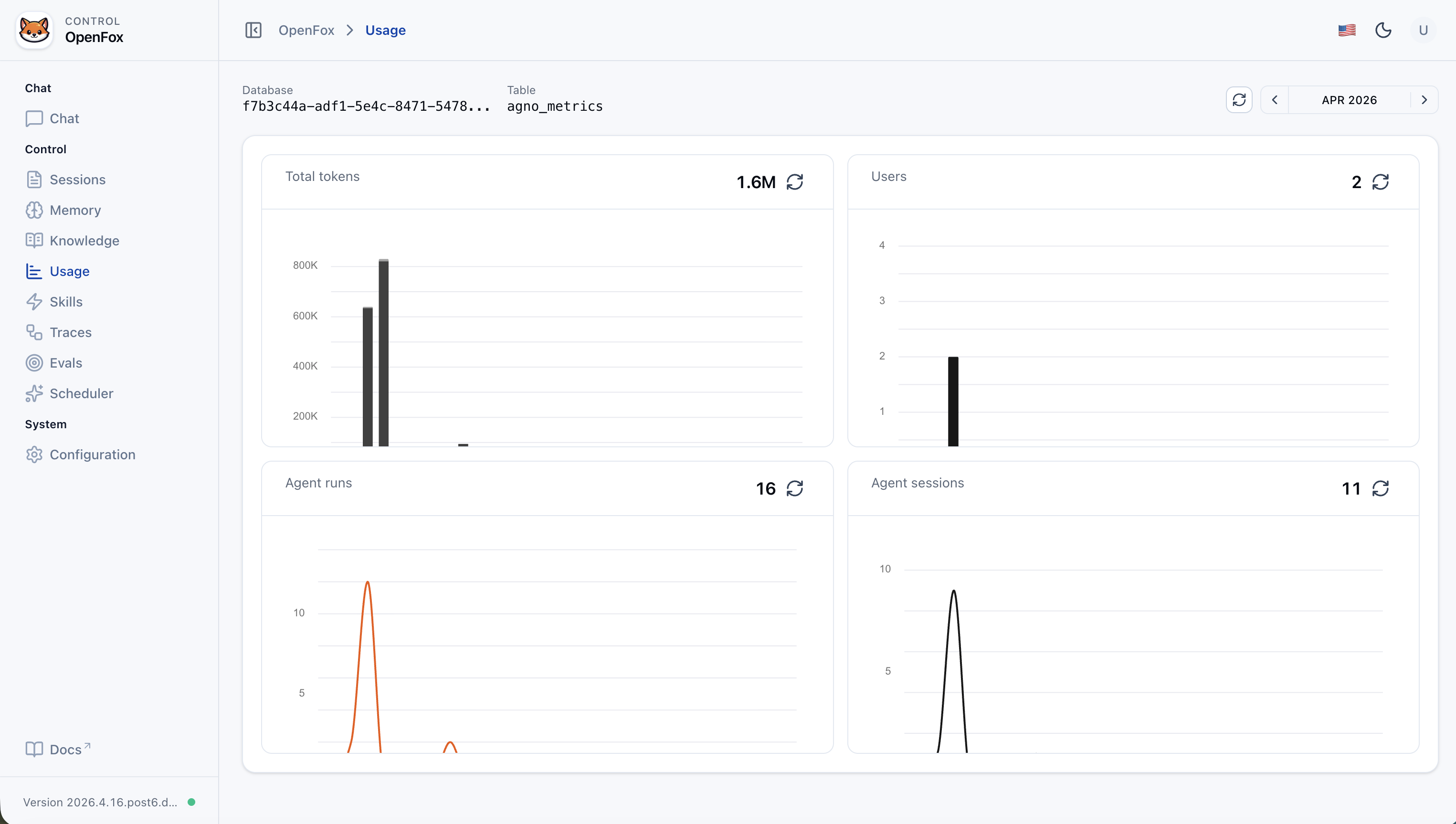
| Web 控制台 | 聊天、会话列表、用量指标、知识库(/knowledge)、记忆(/memory)、评估(/evals)、运行追踪(/traces)、技能上传/管理、Cron 调度、JSON 配置编辑(需登录,使用配置里的 os_security_key) |
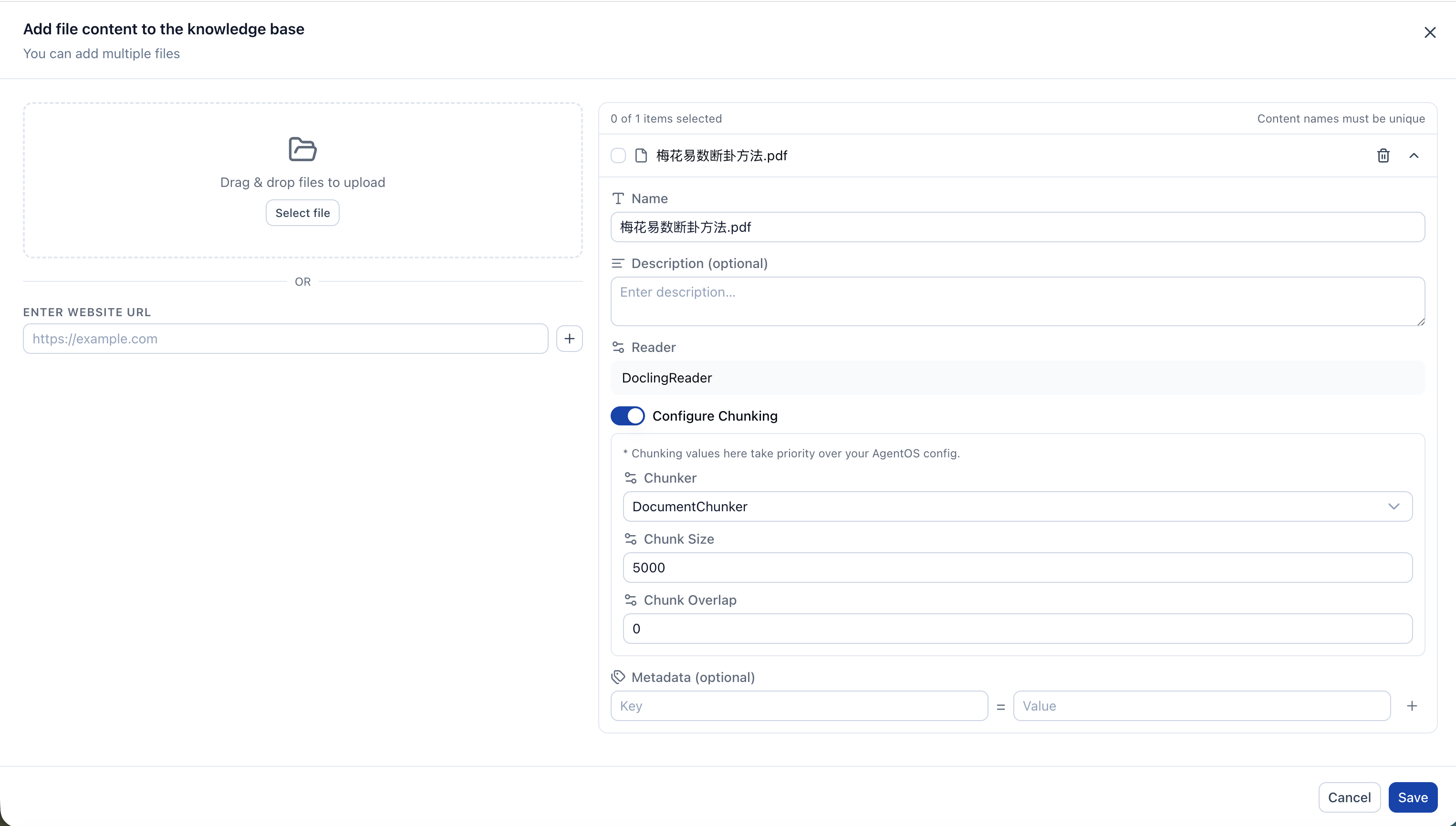
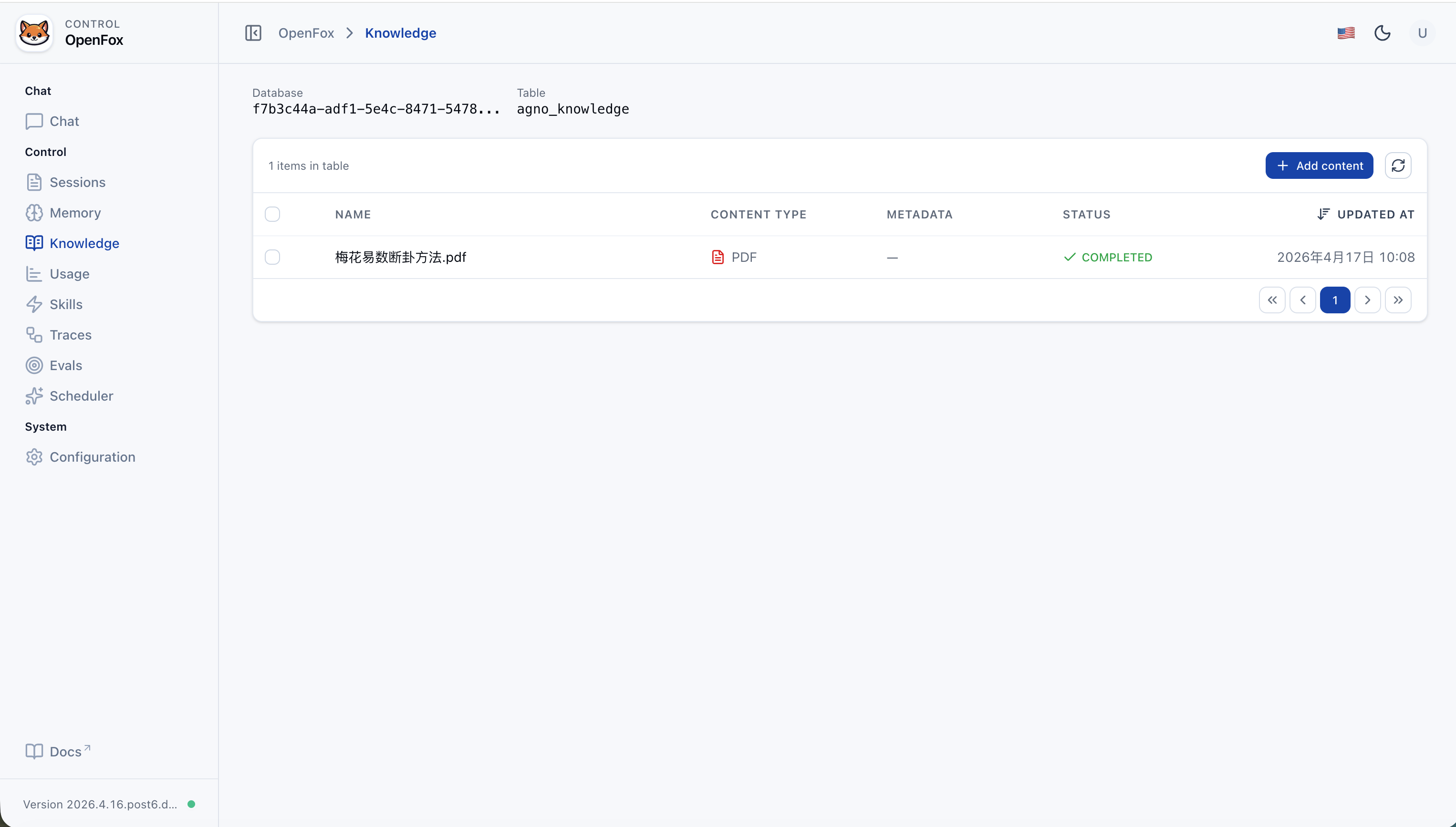
| 知识库 | 开启 search_knowledge 后启用 RAG:Chroma 向量库存于 ~/.openfox/chromadb,嵌入与重排序通过 LiteLLM;在 Web 控制台 /knowledge 管理文档与内容。 |
| 记忆 | Agent 记忆随会话持久化(如运行结束更新记忆);在 Web 控制台 /memory 查看与管理,数据与 ~/.openfox/storage.db 中的存储一致。 |
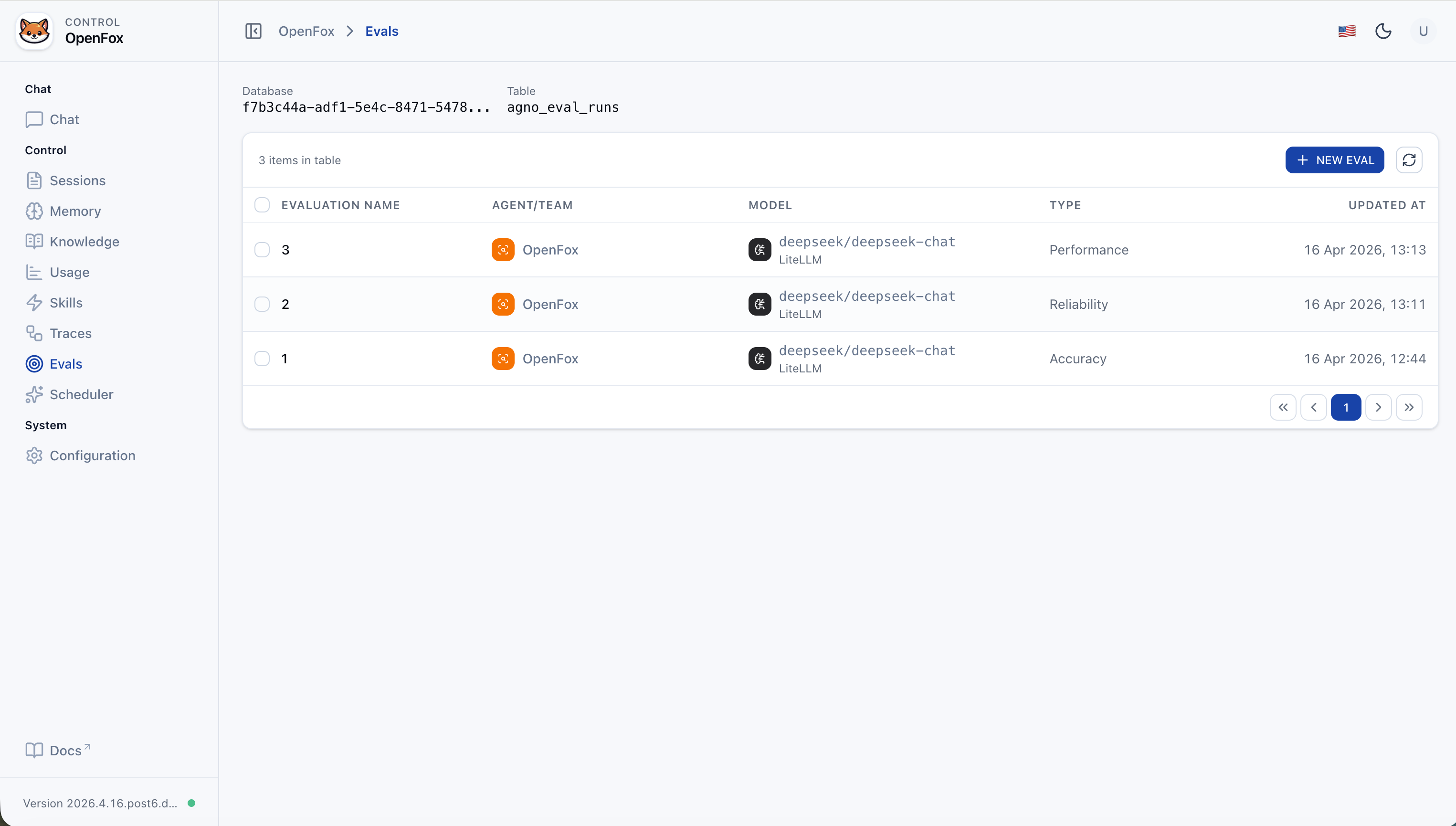
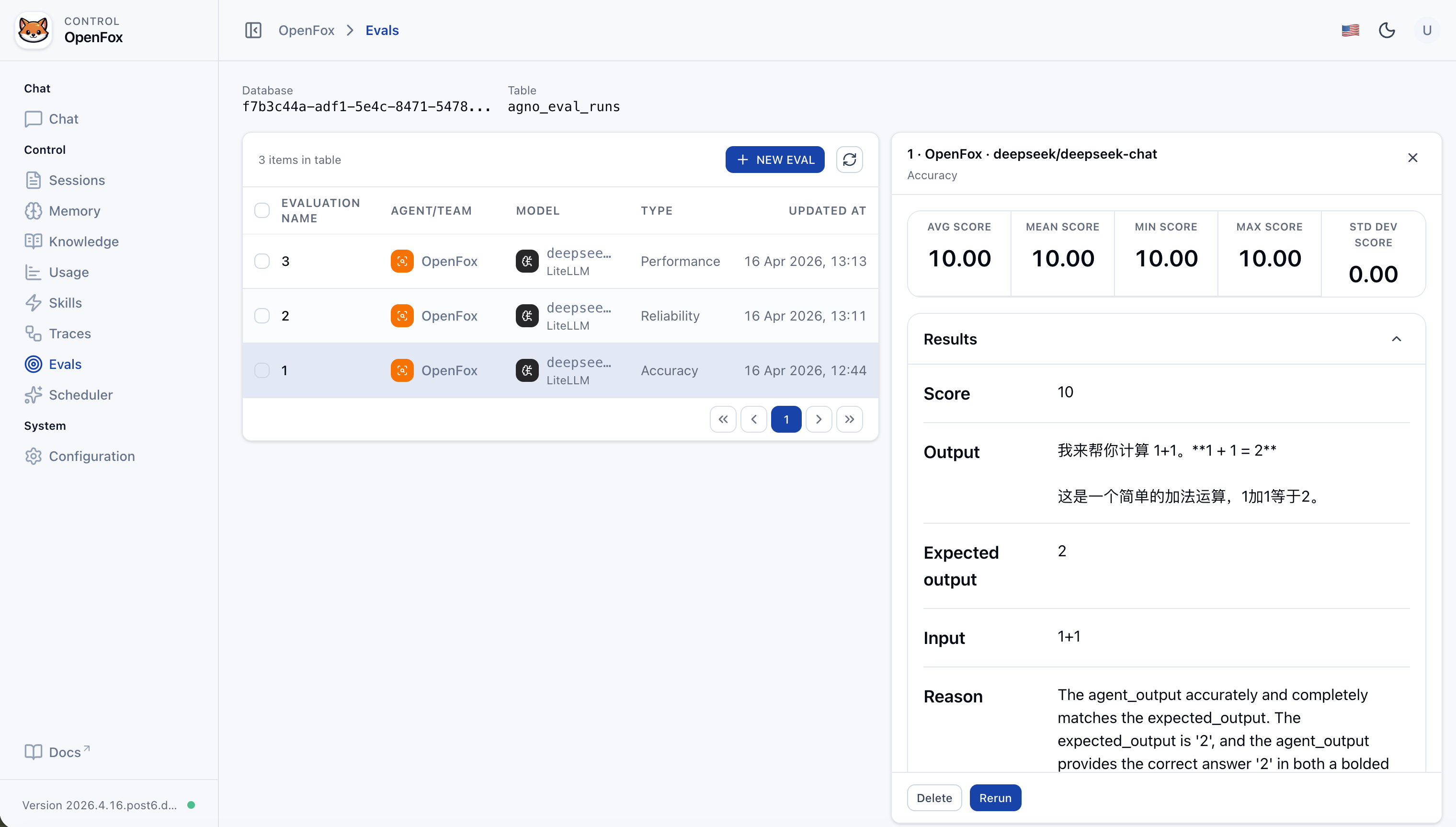
| 评估体系 | 内置 评估 流程:从 性能、可靠性、准确性 等维度衡量 Agent 或团队表现(Web 控制台 /evals)。 |
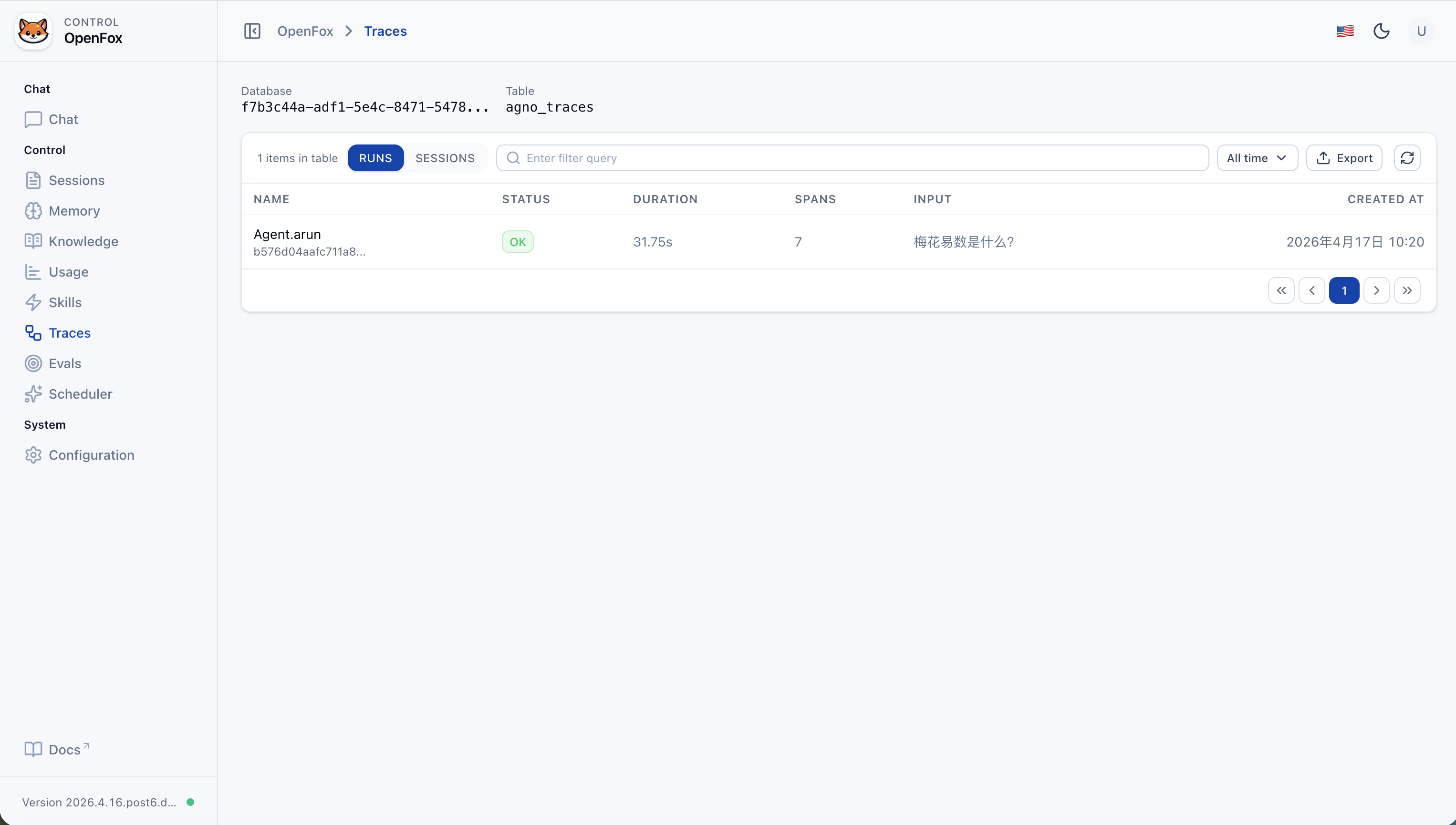
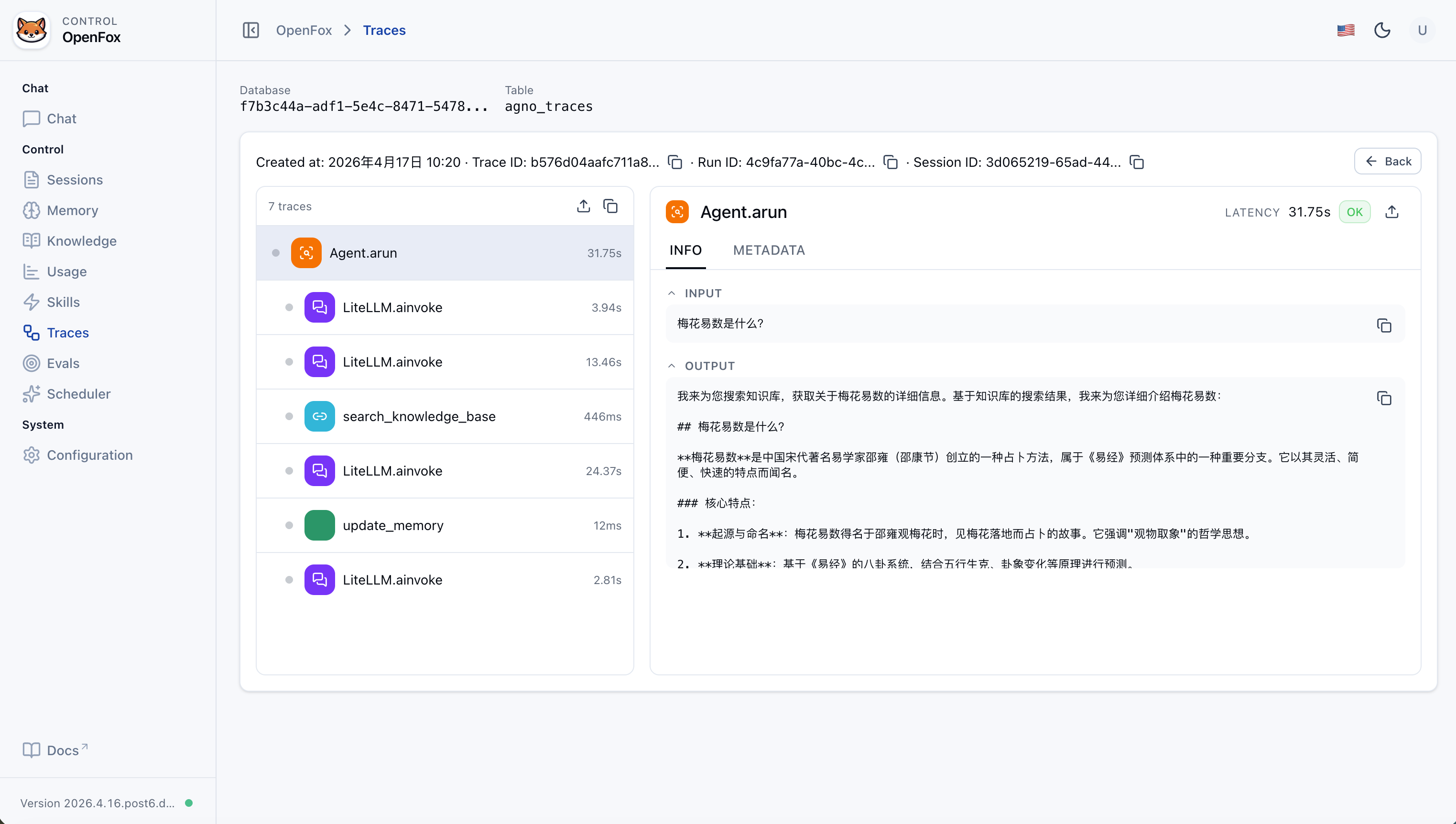
| 运行追踪 | 追踪 Agent 运行全过程:查看链路、span、会话等可观测数据,便于排查与优化(Web 控制台 /traces)。 |
| 飞书 | 事件与消息接入,单聊/群聊(可 @ 机器人) |
| WxClaw(微信 iLink) | 长轮询接收微信消息;首次需在终端扫码登录;Bot Token 与同步游标写入 ~/.openfox/channels/wxclaw/。配置 channels.wxclaw.activate 为 true 并重启服务后启用。 |
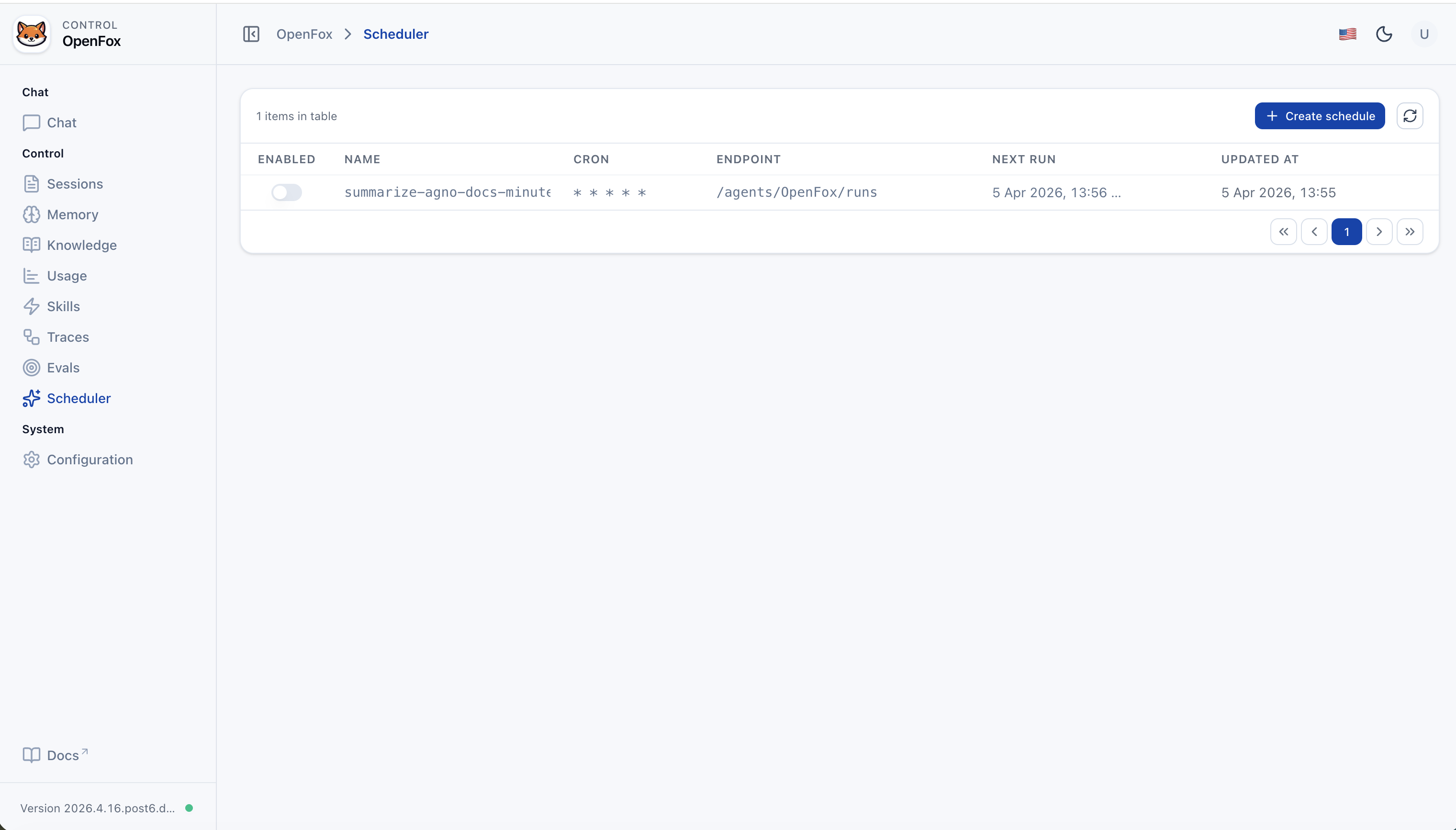
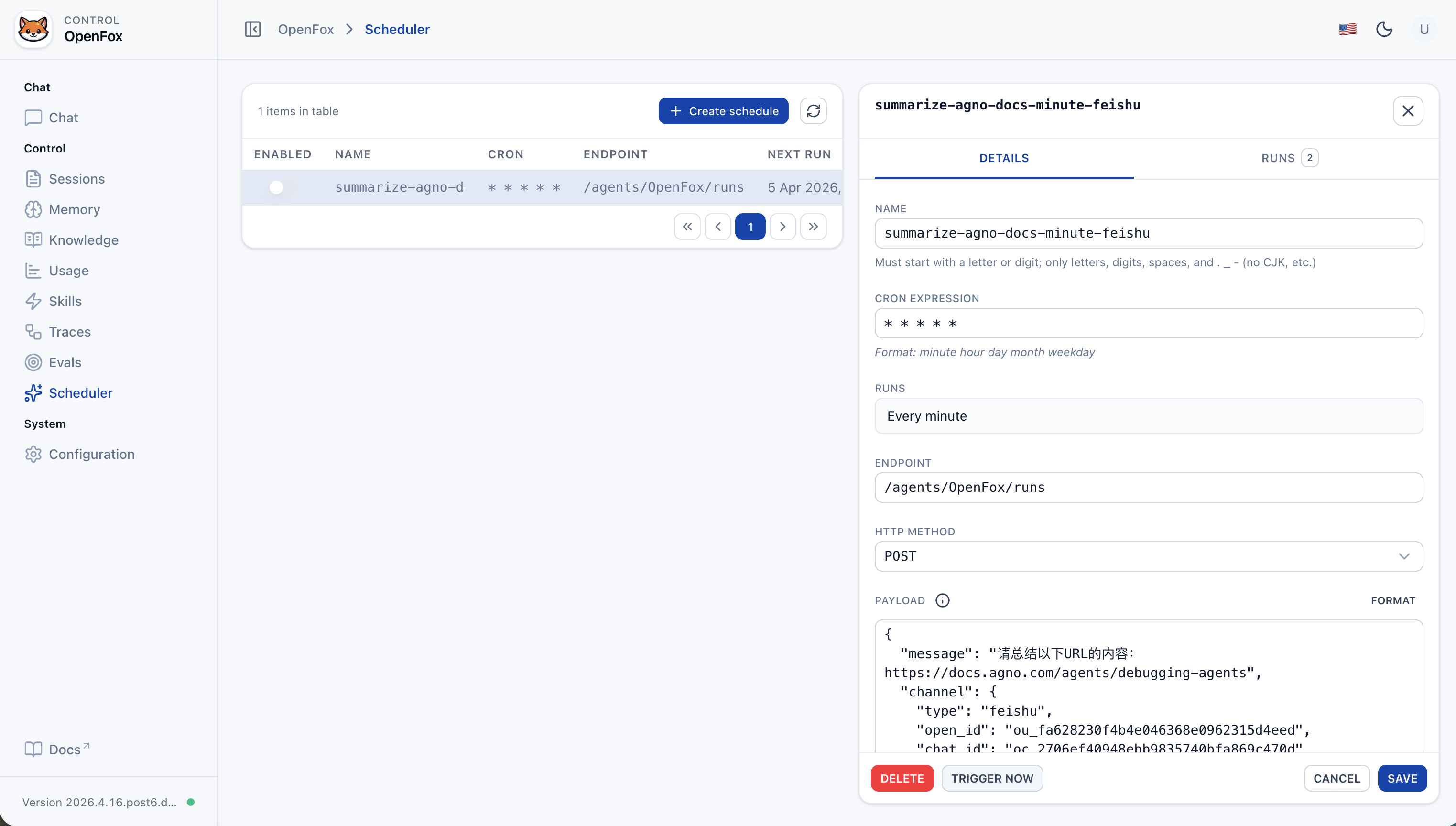
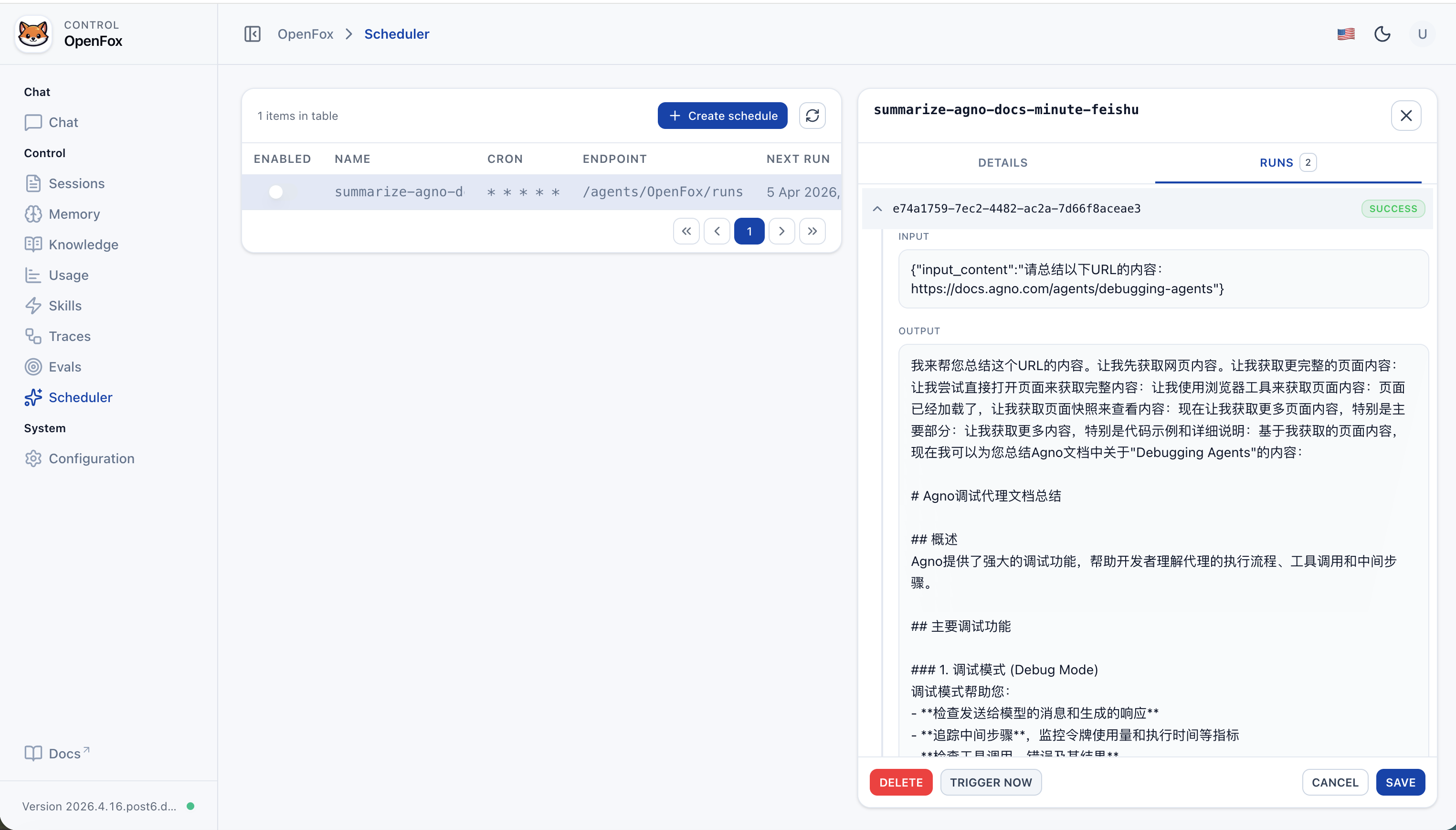
| 定时任务 | 内置调度器;在配置中通过 tools.scheduler(SchedulerConfig)开启。对 Agent 暴露 SchedulerTools,可用自然语言创建周期任务(Cron 表达式 → POST 本 Agent 运行端点) |
| 工具 | 见下文「内置 Agent 工具」;另可通过 config.mcps 挂载 MCP,Web 控制台中的配置编辑对应 ConfigTools(非 Agent 对话工具) |
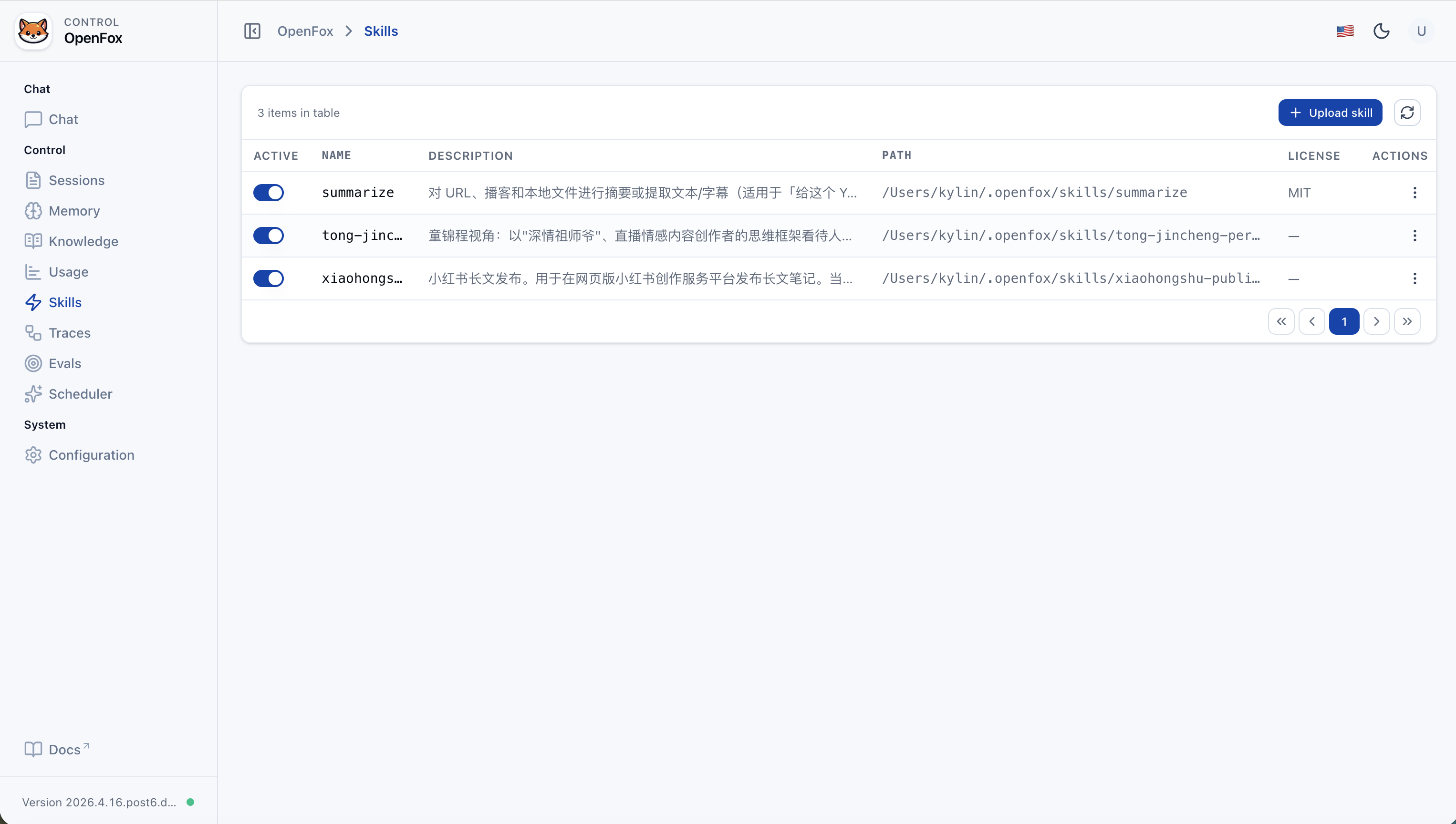
| 技能 | SKILLS_PATH(~/.openfox/skills)下各子目录中的 SKILL.md(LocalSkills);Web 端支持上传技能包 |
| 模型 | 通过 LiteLLM 对接 OpenAI 兼容 API(详见下文「模型」) |
| 工具类 | 作用 |
|---|---|
| ShellTools | 在运行 OpenFox 的机器上执行 Shell 命令(Agno) |
| SchedulerTools | 当 tools.scheduler.activate 为 true 时注册。创建 / 列出 / 获取 / 删除 / 禁用定时任务;Cron 表达式触发对本 Agent 运行端点的回调 |
| FeiShuTools | 飞书消息发送工具:send_text_message、send_image_message、send_file_message、send_audio_message、send_media_message |
| WxClawTools | 微信 iLink 工具:send_text、upload_file(本地文件经 CDN 上传后发送图片/视频/文件)。仅用于 @im.wechat / channel.type=wxclaw;勿将微信用户 id 当作飞书 open_id 调用飞书工具。 |
| MCPConfigTools | 在对话中增删改 MCP 相关配置声明,便于动态扩展工具 |
| WebSearchTools | 联网搜索网页信息 |
| ArxivTools | 检索 arXiv 论文与元数据 |
| HackerNewsTools | 读取 Hacker News 条目与讨论 |
| PubmedTools | 检索 PubMed 生物医学文献 |
| WikipediaTools | 查询维基百科条目与摘要 |
| Crawl4aiTools | 使用 Crawl4AI 抓取并解析网页正文(适于需结构化抽取的场景) |
| CalculatorTools | 数学表达式计算 |
| DockerTools | 管理本机 Docker:容器、镜像、数据卷、网络(需 Docker 可用) |
| YouTubeTools | YouTube:获取视频元数据、字幕、时间戳等(依赖 youtube_transcript_api) |
| WebBrowserTools | 调用系统默认浏览器在本机打开指定 URL(新标签或新窗口) |
环境:Python 3.12+。直接从 PyPI 安装:
pip install openfox首次启动:若没有 ~/.openfox/config.json,会先走一轮交互式初始化(API 文档开关、鉴权、os_security_key、时区、LLM、飞书等),然后启动服务。若仅使用微信通道,可将 channels.wxclaw.activate 设为 true,并将 channels.feishu.activate 设为 false(按需);修改配置后需重启 python -m openfox。
python -m openfox
# 默认监听 0.0.0.0:7777需要自定义 --host / --port 时,可先执行 python -m openfox --help 查看 CLI 中的子命令与参数说明。
- Web UI:浏览器打开
http://127.0.0.1:7777/web(端口按实际修改)。 - 鉴权 Token:即配置中的
os_security_key,在 Web 登录页填入。 - 非 7777 端口:默认 CORS 预置了
:7777的/web来源;若改端口,请在cors_origin_list中加入例如http://127.0.0.1:<端口>与http://localhost:<端口>,否则前端可能无法访问 API。
仅想重新初始化时,可删除 ~/.openfox/config.json 后再次执行 python -m openfox(会再次跑向导)。已有配置时会跳过向导直接启动。
请求根路径前缀为 /feishu。
- 事件 / Webhook 示例:
http://<你的主机或域名>/feishu/event(以开放平台实际要求的路径为准,需与路由配置一致)。
步骤摘要:
- 在 飞书开放平台 创建应用,获取 App ID、App Secret。
- 配置事件订阅与消息权限,请求 URL 指向你的服务(公网或内网穿透),填写 Encrypt Key、Verification Token。
- 将上述信息写入
~/.openfox/config.json的channels.feishu,重启python -m openfox。 - 在飞书单聊或群聊中使用应用能力(如 @ 机器人)与 OpenFox 对话。
FeiShuTools 可用方法(对话工具):
send_text_message:发送纯文本或 markdown 卡片文本。send_image_message:通过image_key或 URL/路径上传后发送图片。send_file_message:通过file_key或 URL/路径上传后发送文件。send_audio_message:上传并发送 OPUS 语音。send_media_message:上传并发送 MP4 视频,可选缩略图。
WxClaw 是 OpenFox 的 微信 通道:长轮询接收入站消息,并可用文本或上传图片/视频/文件回复。
- 打开手机 微信 → 点击 我 → 设置 → 插件。
- 安装 微信 ClawBot(微信 clawbot)。
- 在运行 OpenFox 的机器上,将
~/.openfox/config.json中channels.wxclaw.activate设为true,启动python -m openfox(修改配置后需重启进程)。 - 尚未保存 Bot Token 时,终端会打印 二维码,用 手机微信 扫码完成登录;令牌与同步游标写入
~/.openfox/channels/wxclaw/(见openfox/tools/wxclaw.py中的TOKEN_FILE、BUF_FILE)。
OpenFox 使用 LiteLLM 调用模型,只要在 LiteLLM 支持的提供商 范围内、走 OpenAI Chat Completions 风格接口,一般只需改 llm.model_name / llm.api_base / llm.api_key。
示例型号(完整列表见官方文档):
openai/gpt-4o-mini
deepseek/deepseek-chat
dashscope/qwen-max
ollama/llama3.1
...
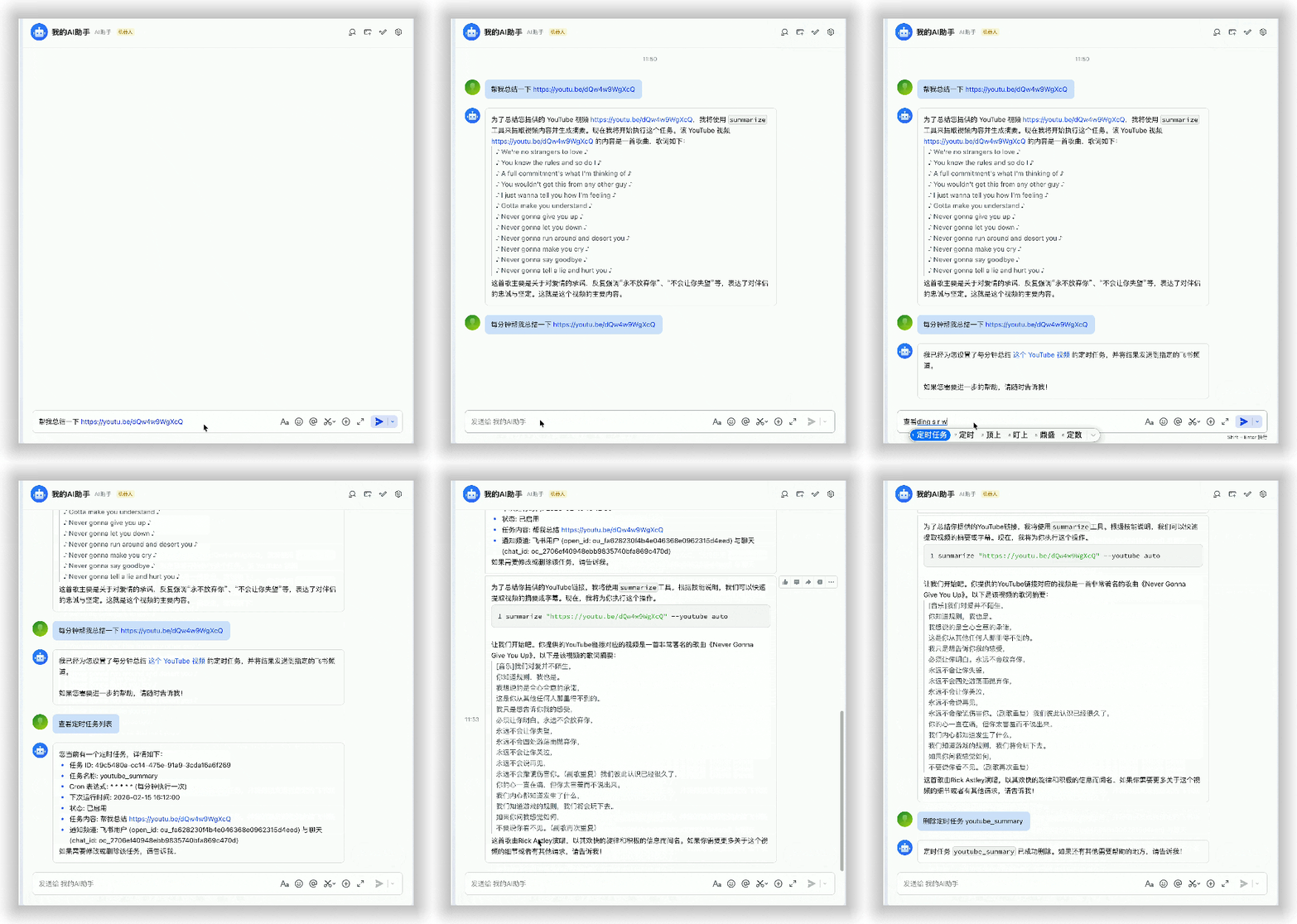
聊天
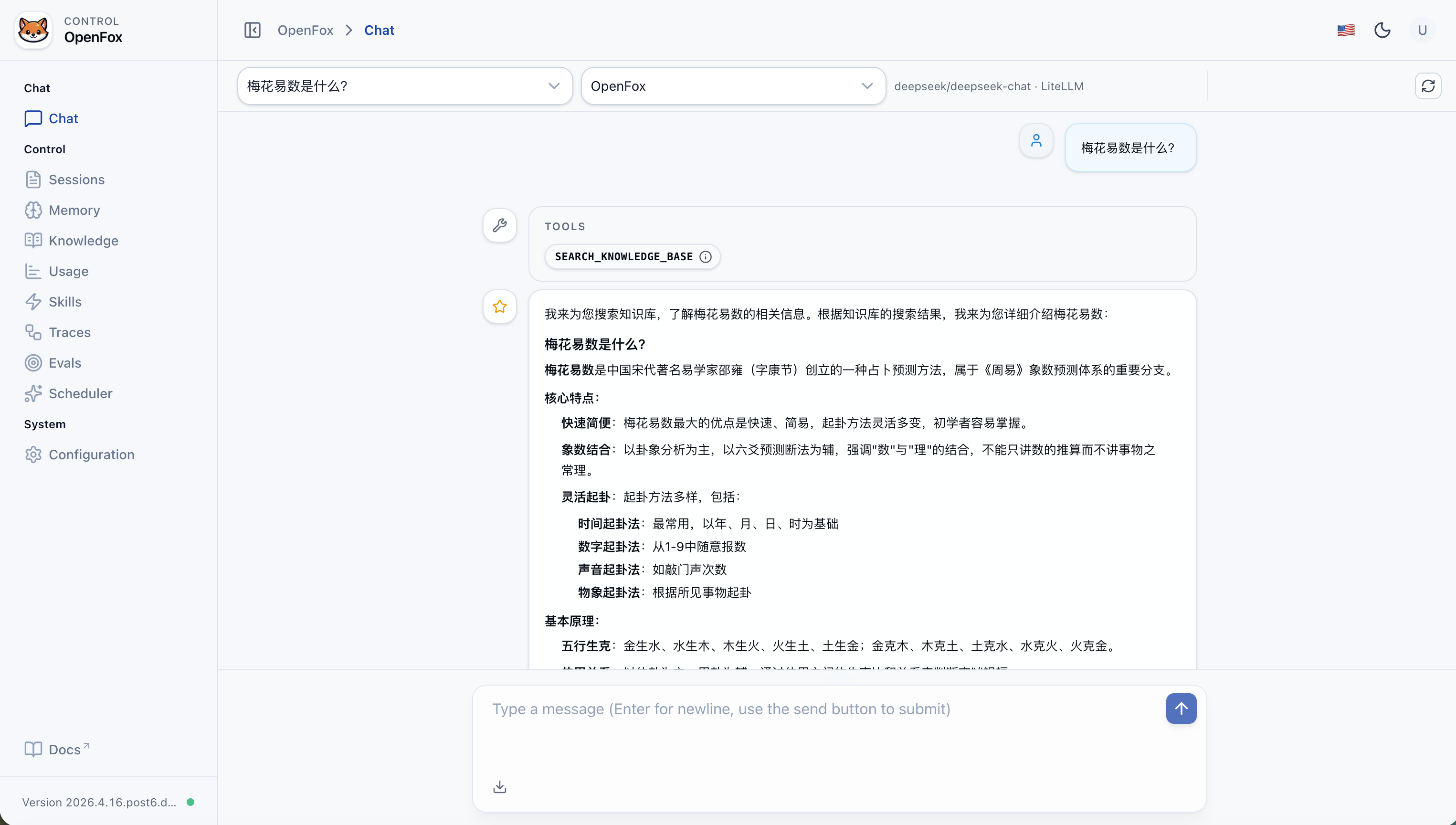
会话
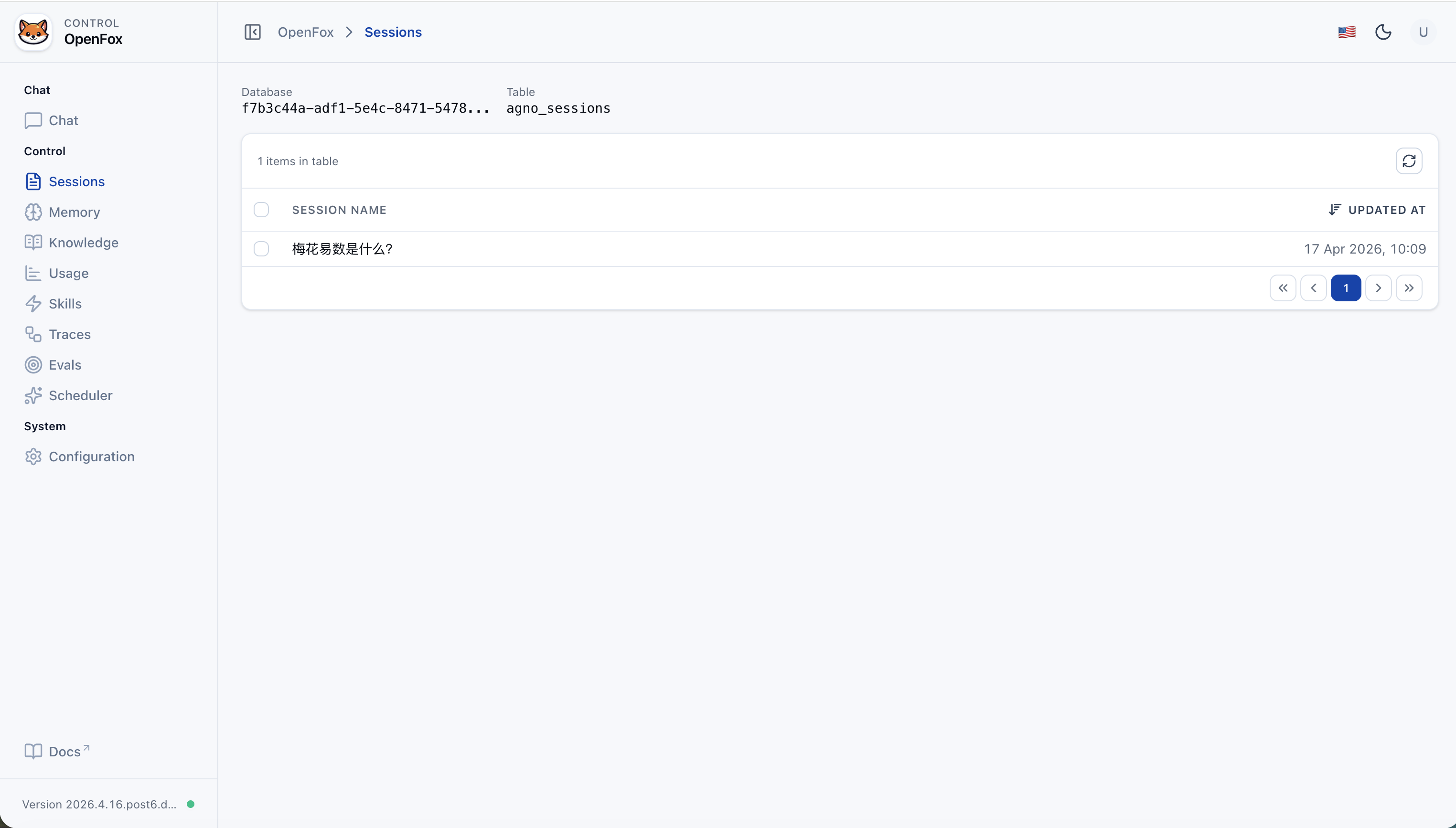
记忆
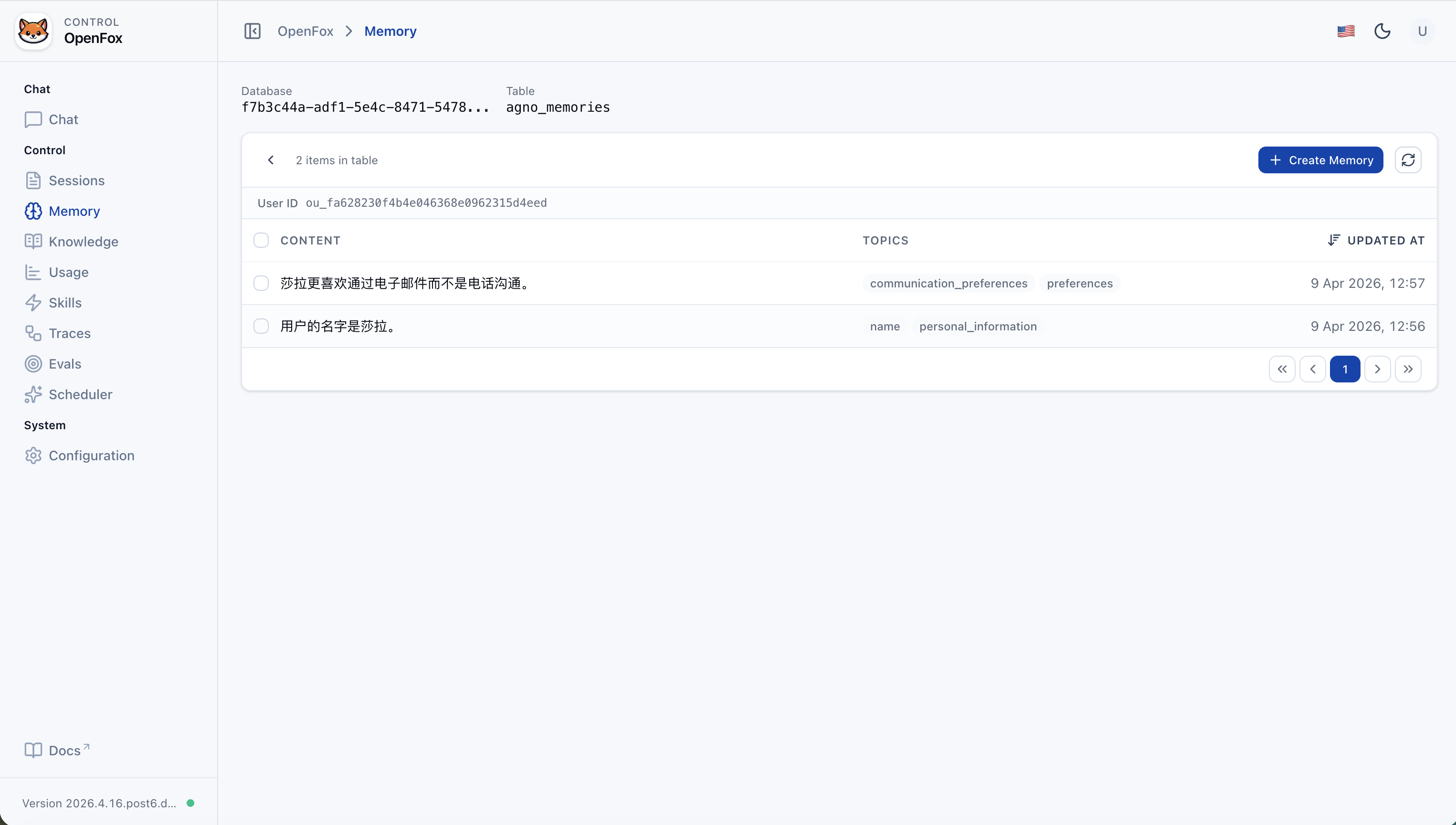
知识库(添加内容)
知识库(列表)
使用情况
技能
追踪(运行列表)
追踪详情
评估(列表)
评估详情
调度器(列表)
调度器(详情)
调度器(运行历史)
配置
| 维度 | OpenClaw | OpenFox |
|---|---|---|
| 技术栈 | Node / TypeScript | Python、Agno、FastAPI |
| 通道 | 多平台即时通讯 | 飞书 + 可选 微信 iLink(WxClaw) |
| 扩展 | 浏览器、Canvas、Cron 等 | Cron、Shell、浏览器(Playwright)、MCP、本地 Skills |
| 定位 | 全平台个人助手 | 企业级自托管 AI 助手,中英文友好,内置一体化 Web 控制台 |
你的加 Star 是我们持续改进的动力。
加群请注明来意,留言 openfox:

{
  // Agent 基础信息
  "agent_id": "OpenFox",
  "docs_enabled": true,
  "os_security_key": "<os_security_key>",
  // Web / API 访问来源(若改端口请同步调整)
  "cors_origin_list": [
    "http://127.0.0.1:7777",
    "http://localhost:7777"
  ],
  "time_zone": "Asia/Shanghai",
  // 是否开启知识库检索(RAG)
  "search_knowledge": true,
  // 主模型配置(LiteLLM)
  "llm": {
    "model_name": "deepseek/deepseek-chat",
    "api_base": "https://api.deepseek.com",
    "api_key": "<llm_api_key>"
  },
  // 通道配置(飞书 + 可选微信 iLink)
  "channels": {
    "feishu": {
      "activate": true,
      "app_id": "<feishu_app_id>",
      "app_secret": "<feishu_app_secret>"
    },
    "wxclaw": {
      "activate": false
    }
  },
  // MCP 服务列表:每项要么 stdio(command+args),要么 HTTP(url+headers)
  "mcps": [
    {
      // 展示名称
      "name": "weibo",
      // stdio:通过 uvx --from 运行 Git 仓库中的 MCP 服务
      "command": "uvx",
      "args": [
        "--from",
        "git+https://github.com/InfernalAzazel/mcp-server-weibo.git",
        "mcp-server-weibo"
      ],
      "env": {},
      // stdio 模式下 url 留空
      "url": "",
      "headers": {},
      "tool_timeout": 60
    },
    {
      "name": "chrome-devtools",
      // stdio:通过 npx 运行 npm 包
      "command": "npx",
      "args": ["chrome-devtools-mcp@latest"],
      "env": {},
      "url": "",
      "headers": {},
      "tool_timeout": 60
    }
  ],
  // 知识库检索配置(Chroma + embedder + reranker)
  "knowledge": {
    "vector_db": {
      "collection": "docs",
      "name": "OpenFox Knowledge",
      "description": "OpenFox Knowledge",
      "id": null,
      "distance": "cosine",
      "persistent_client": true,
      "search_type": "hybrid",
      "hybrid_rrf_k": 60,
      "batch_size": null,
      "reranker_enabled": true,
      "embedder": {
        "id": "openai/text-embedding-v4",
        "api_key": "<embedder_api_key>",
        "api_base": "https://dashscope.aliyuncs.com/compatible-mode/v1",
        "request_params": {
          "encoding_format": "float"
        },
        "enable_batch": false,
        "batch_size": 20
      },
      "reranker": {
        "model": "dashscope/qwen3-rerank",
        "api_key": "<reranker_api_key>",
        "api_base": "https://dashscope.aliyuncs.com/compatible-api/v1/reranks",
        "top_n": null,
        "request_params": null
      }
    },
    "max_results": 10,
    "isolate_vector_search": false
  },
  // 工具包配置(按模块开关)
  "tools": {
    "mcp": {
      "include_tools": null,
      "exclude_tools": null,
      "activate": true
    },
    "scheduler": {
      "include_tools": null,
      "exclude_tools": null,
      "activate": true
    },
    "shell": {
      "include_tools": null,
      "exclude_tools": null,
      "activate": true,
      "base_dir": null,
      "enable_run_shell_command": true,
      "all": false
    },
    "websearch": {
      "include_tools": null,
      "exclude_tools": null,
      "activate": true,
      "enable_search": true,
      "enable_news": true,
      "backend": "auto",
      "modifier": null,
      "fixed_max_results": null,
      "proxy": null,
      "timeout": 10,
      "verify_ssl": true,
      "timelimit": null,
      "region": null
    },
    "arxiv": {
      "include_tools": null,
      "exclude_tools": null,
      "activate": true,
      "enable_search_arxiv": true,
      "enable_read_arxiv_papers": true,
      "download_dir": null
    },
    "hackernews": {
      "include_tools": null,
      "exclude_tools": null,
      "activate": true,
      "enable_get_top_stories": true,
      "enable_get_user_details": true,
      "all": false
    },
    "pubmed": {
      "include_tools": null,
      "exclude_tools": null,
      "activate": true,
      "email": "your_email@example.com",
      "max_results": null,
      "enable_search_pubmed": true,
      "all": false
    },
    "wikipedia": {
      "include_tools": null,
      "exclude_tools": null,
      "activate": true
    },
    "crawl4ai": {
      "include_tools": null,
      "exclude_tools": null,
      "activate": true,
      "max_length": 1000,
      "timeout": 60,
      "use_pruning": false,
      "pruning_threshold": 0.48,
      "bm25_threshold": 1.0,
      "headless": true,
      "wait_until": "domcontentloaded",
      "enable_crawl": true,
      "all": false
    },
    "calculator": {
      "include_tools": null,
      "exclude_tools": null,
      "activate": true
    },
    "docker": {
      "include_tools": null,
      "exclude_tools": null,
      "activate": false
    },
    "youtube": {
      "include_tools": null,
      "exclude_tools": null,
      "activate": true,
      "get_video_captions": true,
      "get_video_data": true,
      "languages": null,
      "enable_get_video_captions": true,
      "enable_get_video_data": true,
      "enable_get_video_timestamps": true,
      "all": false
    },
    "webbrowser": {
      "include_tools": null,
      "exclude_tools": null,
      "activate": true,
      "enable_open_page": true,
      "all": false
    }
  }
}